For anyone getting SOCKS messages they are operating system messages regarding proxies on your pc’s.
And, please post the actual error message.
For anyone getting SOCKS messages they are operating system messages regarding proxies on your pc’s.
And, please post the actual error message.
Make sure your settings are correct, e.g. update PS mask is on and if you want the app to create a copy layer have the on also.
If you have any previous versions installed … Make sure they are removed.
For mac os users make sure you are not running a beta version like macOS Catalina 10.15.5 beta 2 (19F62f)
Which ones were included in the package?
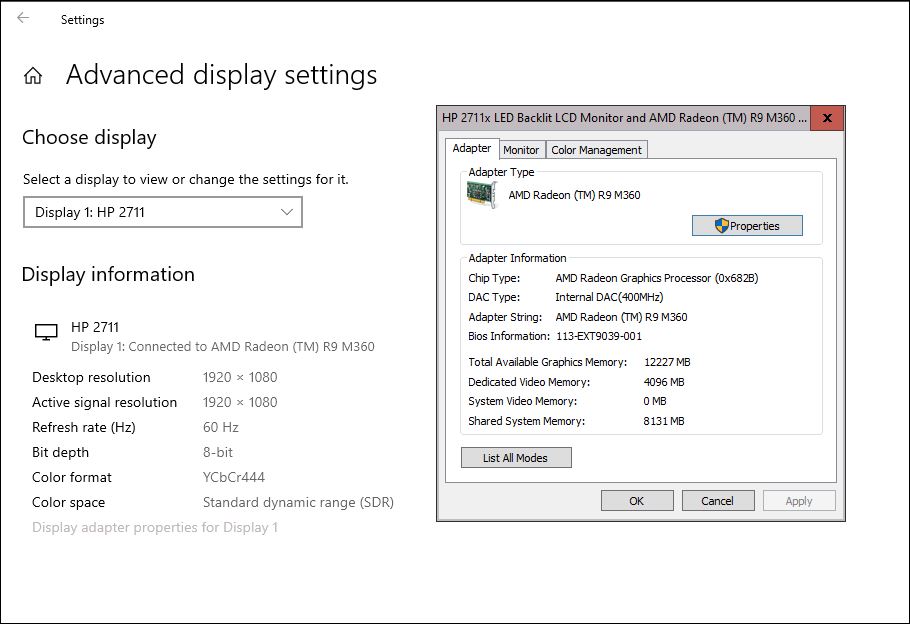
What is the actual message you get? And what is your OS, RAM, GPU, dedicated vRAM for the GPU and the GPU driver version?
Hi, I removed old AI mask. Installed update for AI Mask. The programme seems to install okay and opens okay. Opens an image okay. When I try the auto detect the programme crashes ie just closes. I have uninstalled and re installed a couple of times. No change to the problem. Jack.
Same problem here. The previous version worked fine but v1.2.0 will not open.
See error message.
Pretty annoying.
Anyone at Topaz got a fix?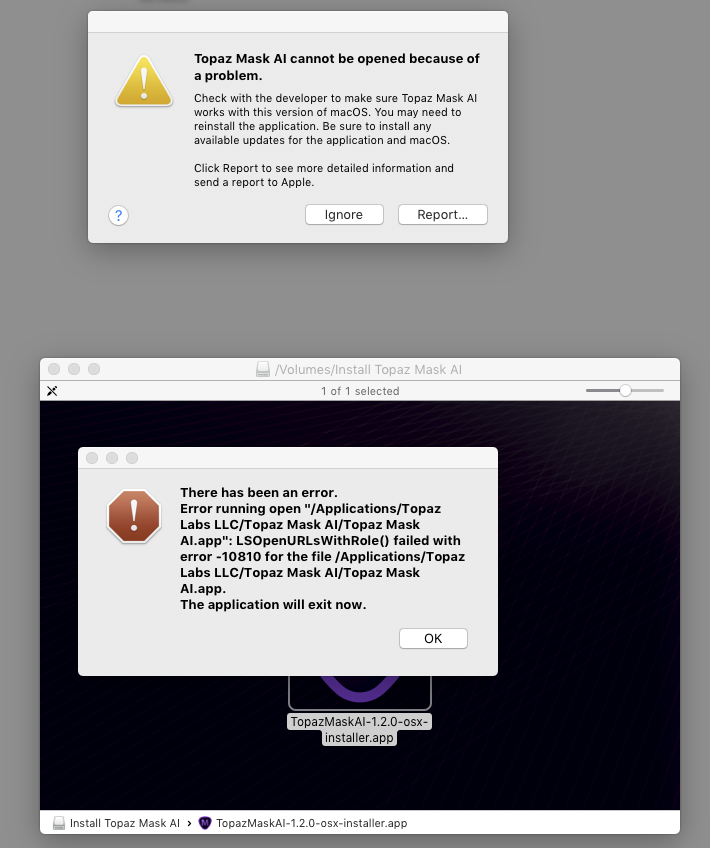
Win 10 Pro 64 PC.
AMD processor:
Every time I try to install the most recent 2-3 commercial Topaz products (including this release of Mask AI) I get a notice that pops up that says I must close Photoshop in order to install. See snip.
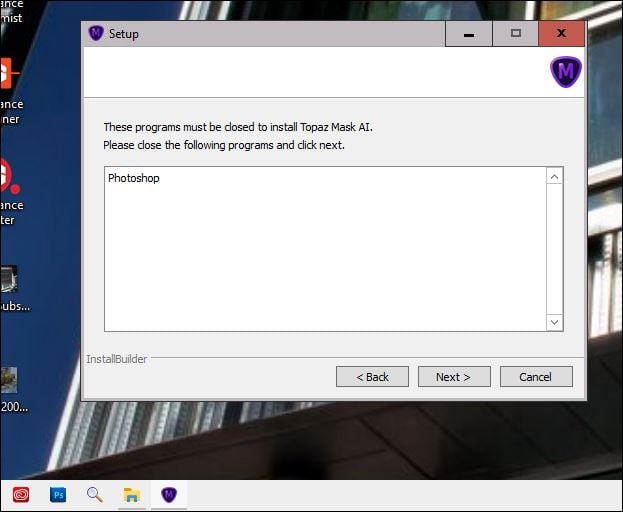
As you can see from the snip I do not have either Adobe CC or Ps CC open or launched. There would be open icon indicators if they were open. And, they don’t show as active in my Task Mgr either.
I should not have to completely re-start my PC every time I want to install a new program. That is improper code. I’m not even talking about re-starting after installing. I’m saying it requires it before!
Then I install a release (from an installer downloaded from the Downloads page) and when I launch the software the 1st thing that comes up is a message from inside that newly installed Topaz program saying, “Do you want to update to the newer release?” Something is messed up.
Just downloaded the 1.2.1 update. During the “parrot” mask refinement tutorial , the mask process gets to 11% and then crashes. Did this 3 times in a row. iMac Mojave OS latest version. Will try restarting.
EDIT: Tried some different photos after restarting computer. It keeps crashing.
EDIT 2: The problem seems to be with the standalone version. The Photoshop plug-in is stable so far.
I’m getting the same error message on Mac 10.13.6, given up for the time being.
Loaded v1.2.1 & re-tested - same problem!!
I wanted to make a note after an install issue on Mac.
Installs fine if you delete the existing version as I had to do!
Looking forward to working with this update.
Follow me everywhere @amynnasser to see how I use it as I don’t post comments too often.
Cheers!
Turned off GPU optimization & it freed up the processor to complete. So things are working now.
Which ones were included in the package?
MaskAIAutomationBETA.8li, and MaskAIAutomationWin32BETA.8li were in version 1.2.0
MaskAIAutomationWin32.8li kicks out a plug-in loading error as well.
p.s.
Just spent 12 minutes loading the 1.75Gb version 1.2.1 minor update using the in-program update option , and the BETA plug-ins are back. The good news is that the programs is still working as both a stand alone and as a plug-in.
Do you have Photoshop Elements on your system? Coz it isn’t installed in the 64bit PS that I use. The Automation, or .8li plugins, are there to automate the creation of a Mask to be updated and duplicate the layer being passed.
The Beta plugins wont affect the operation as they point to a different executable that is not installed so they wont be loaded in PS.
What GPU is being used? Please go to Help-> Graphics info, press Copy and post the information here please.
I already open a Ticket about crash plugin Mask AI, Crash when you invoke from Photoshop CC and doesn’t work when you try to ran in Stand Alone, please put online the old link so the people can work after all I think nobody test the plugin before put online!
Thanks
Valter Daghetti
Works fine for me from both PS & Affinity Photo. If you want an installer from the previous version you will need to ask support.
If your looking for help for your issues from here you will need to give the exact error messages you get on the crash, and what happens when you start as a standalone that stops it from starting.
You will also need to confirm that you meet the Technical Requirements listed on the main website.
I have the same problem. MacOS 10.13.6
This is feedback for Mask AI v 1.21 - which is not shown as available yet.
Serious Problem is that once you save the result as Transparency, you can no longer save anything else such as the Trimap because all of your work is WIPED, as if you were starting from scratch. Have not tried saving Trimap First to see if you get a chance to save the Transparency second.
I was about to try out v 1.20, but then v 1.21 became available, so my comments are only for v 1.21.
The Masking is somewhat better than for prior versions, but Hair is still a huge problem. The empty background between strands of hair is not cleaned up.