Yes, that would be the first step, but I’m stuck here. More specifically, what are the best settings in Hybrid? I’ve heard it’s a bit better than Dion DV, and what settings should I use in Topaz itself? Which model, which values, etc.?
Pictures of the settings would be very helpful. A good guide would be really useful.
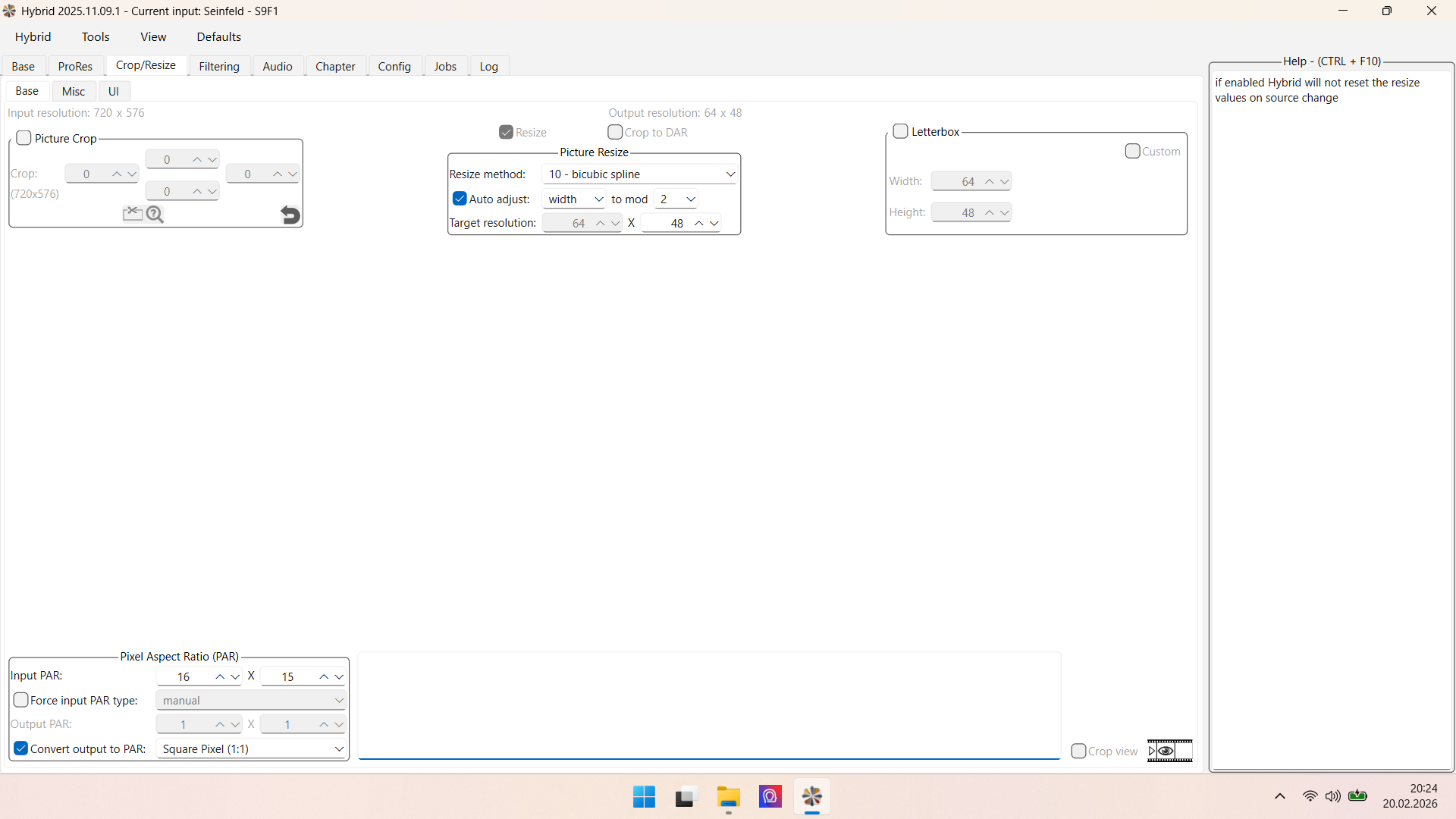
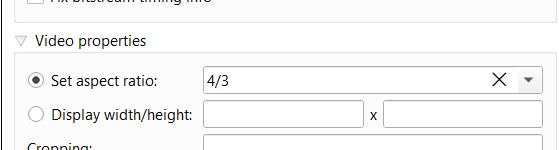
Because 768x576 is 4:3, as it should be when your content is made for 4:3 play. 720x576 is max resolution of PAL DVDs. The aspect-ratio flag into the video container tells player how it must be streched when play. But we don’t want that, because this in “width-strech when play” is not AI model enhanced.
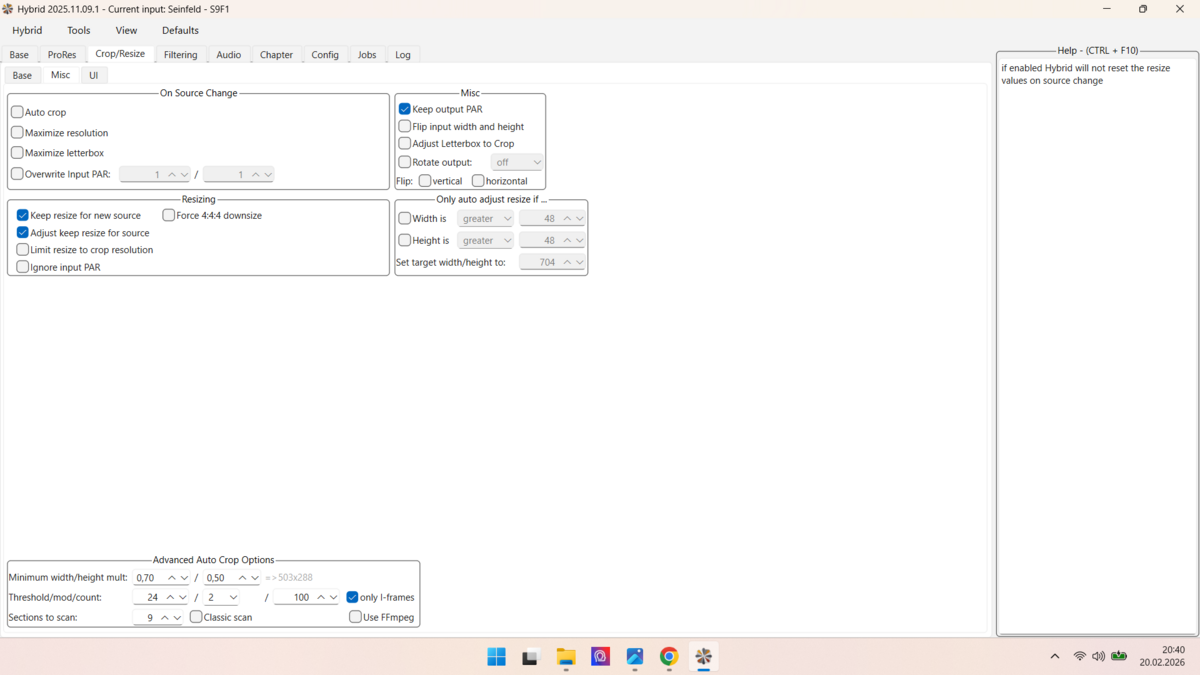
So you can native stretch pixels to the correct ratio and give Topaz this, or you leave 720x576 and when 4:3 aspect ratio is correct set into the video container, then Topaz gives you the “square pixel” option, select and your output is 4:3
So, I’ve changed it; it’s now 768x576. What resolution should I scale it to in Topaz?
Since I want to watch the series on my 65" OLED TV via USB stick in 1440x1080, 1920x1080/1440, or 1280x720, I’d like to get a significant improvement. I don’t think too high a resolution is good for DVDs.
Hi, first make sure no aspect flag is set after the 768x576 re-scale, or 4:3 set is also ok, because 768x576 is 4:3. Check it with MediaInfo, when wrong remux with MKVToolnix
Resolution you should take is very individual. Do you want to scale up with Starlight? If yes and source allows and if you have a good gpu, best result is when you do 4x upscale, gives you 2304, then scale down into Hybrid, Virtualdub or something else to 2160p
If you want 1080p you can do 2x gives you 1152 and then scale down the output to 1080p. The problem is that SLM at 2x does not very well job on faces, it affects small faces long-distance shots.
There is another method i use sometimes. Make left and right letterbox arround you get format 16:9, do 864x486 because this is exactly 16:9 and give this Topaz, do minimum upscale and you get 1280x720 out.
Downscale Topaz output into Hybrid from 1280x720 to 960x540, in same step choose “Vapoursynth” and Register Dehalo, change default value 1.0/1.0 to 0.3/0.3 and export. Import this into Topaz then do again SLM upscale, from 960x540 to 1080p. This gives you highest ammount of details, but can be also to much tend to Halo effects, maybe you must add some blur afterwards (for example using Avidemux)
ok but maybe you can do SLM minimum upscale with your gpu? Then use Proteus or Iris MQ for the upscale to your target resolution or use it as finisher (doing 1x), in this steps I add the Topaz gaussian grain. Yo can render just a small segment of the video the decide it’s worth or not.
Sure you can use just Proteus or Iris MQ. The result is closer to the original than with Starlight, but is also less spectacular
That’ll bring back monster faces for sure in my experience - plus distort text/logos/gfx.
Lately I’ve had good success on lesser quality videos by first doing a SL mini run with Focus Fix enabled (unfortunately only available on the Mac for totally unknown reasons) staying at 1x but severely cleaning up the source.
After that do another SL mini run at 2x or better 3x (which is as good here as 4x but faster - albeit unfortunately being available only on Nvidia for also totally unknown reasons ).
Of course you need quite some patience for this approach (plus, atm, access to a SL mini capable Mac AND Windows/NVidia system).
If you want it faster, use Proteus Natural at 2x as a finisher. Less monster faces / ghouls’n’ghosts.
I do also dual SLM, focus fix on mac works with SLM is interesting. But i was never fan of focus fix because i notice detail lossles, but with SLM it can make sense. I would but unfortunately, I can’t try this out, I have no Mac. Instead focus fix I use other methods to “weaken” up between the steps using Dehalo (hybrid) and add some blur.
Yes monsterfaces, but when you do 2x the effect is low. If you do 1.5 or soemthing else could be worse..but I have not a lot experience here because generally I use SLM for upscaling and Proteus Natural or Iris MQ without upscle just as finisher.
Just when I think I’ve done it, I realize I haven’t. The faces are great; you can see the wrinkles and stubble of the beard. But the arms are so incredibly smooth, and the hair on them looks strange. Does nobody have a solution for my Seinfeld series? I’d really like to make it in 2880x2160. SLM isn’t an option, unfortunately, because it’s extremely expensive and would take forever with my computer.
This upscales would take weeks or months and is not the same as on 4k BluRay. I’d try a different approach: Buy the english 4K Blu-rays + German DVDs. Now you need to sync the German DVD audio track with the 4K videostream, then mux all together again. There are ways for audio lenght/fps conversions, ChatGPT certainly has some answers.


 ).
).