Here are my settings in Hybrid (it’s totally free) https://www.selur.de/
Output format: FFV1 - it’s loseless.
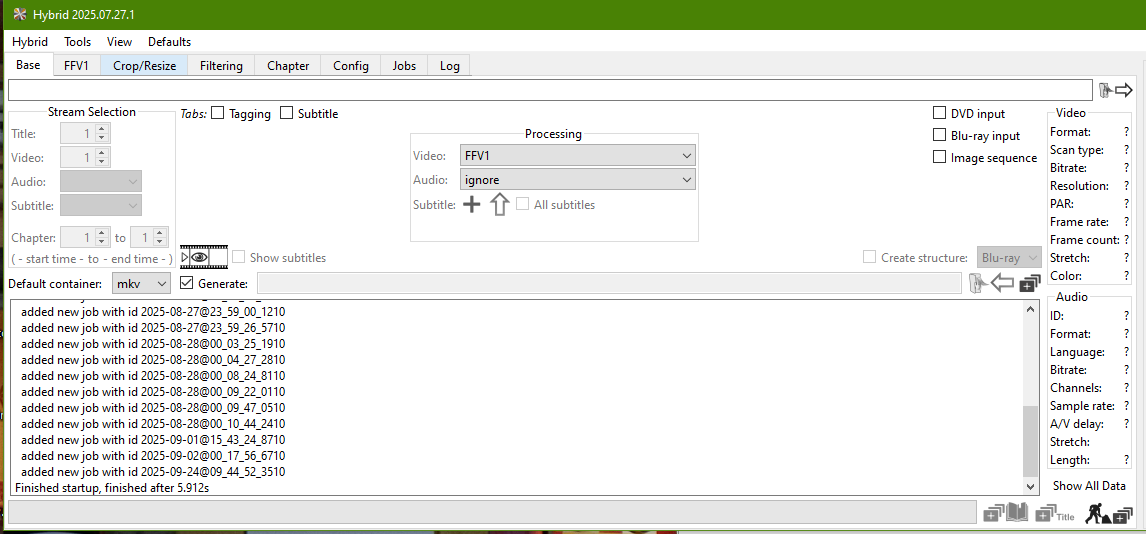
Filtering tab:
First of all change Denoiser to KNLMeansCL, it would enable required boxes.
Then, apply settings as per screenshot:
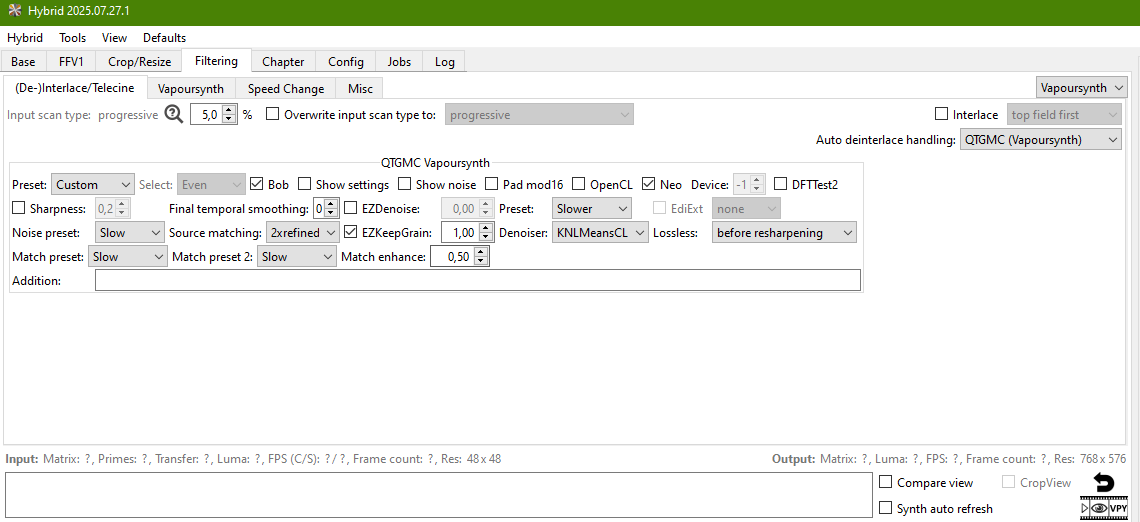
If you’re deinterlacing PAL videos, don’t forget about pixel aspect ratio of 1,09.
You can change output dimensions in Crop/Resize tab:
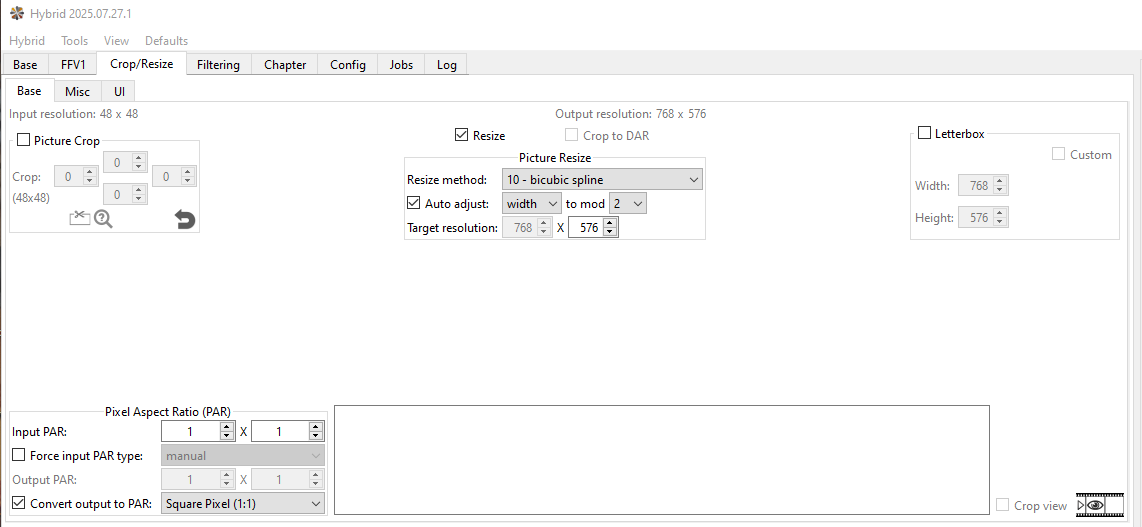
Pay attention to Width auto adjustment (by default it’s Height, which will shrink output videos horizontally, you don’t need it).
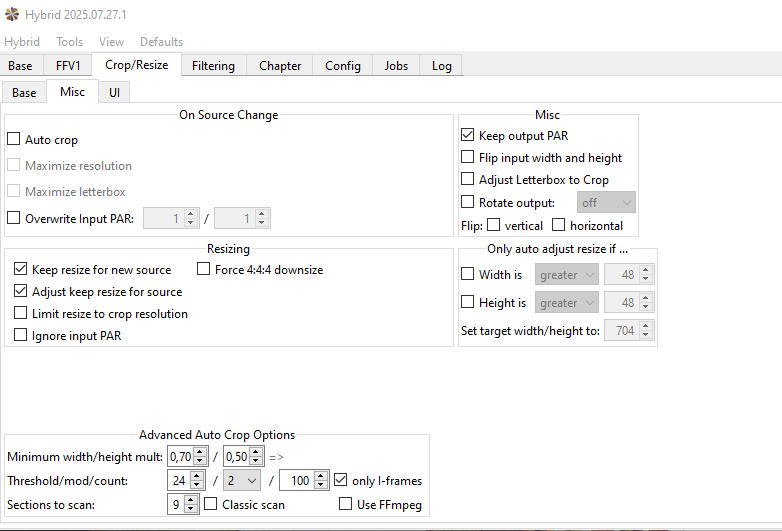
Save these settings for future in Crop/Resize->Misc tab:
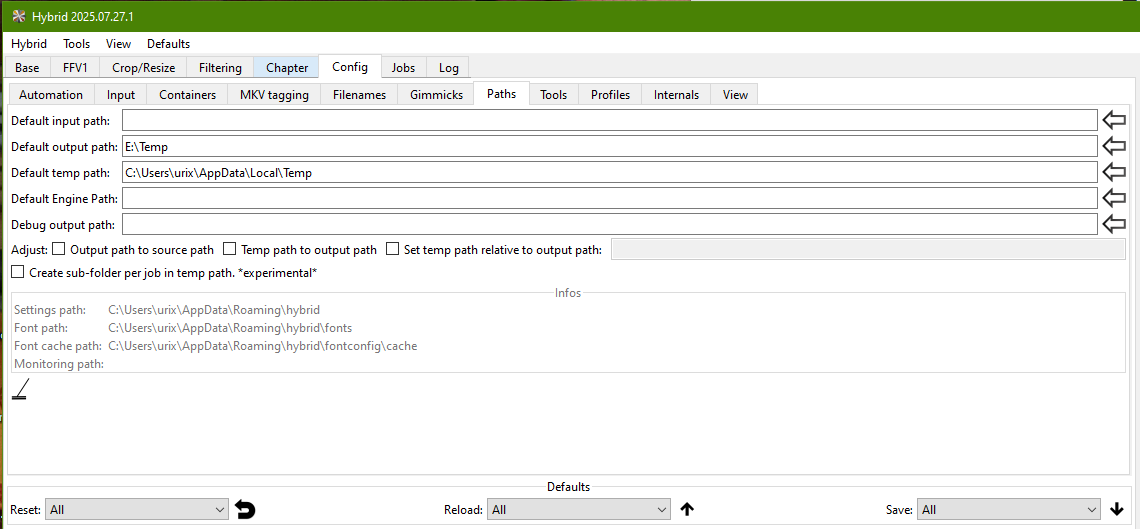
Set output folder in Config->Paths tab (yeah, I know it’s not user-friendly program).
If you’re processing a lot of videos, save all your settings.
Menu Defaults - Save All.
