Hello everyone!
We’ve got an incredibly exciting update for you today with this update to Gigapixel … version 8!
Yup, this update is so big that we had to bump the number!
To celebrate, for 2 weeks only, upgrade to this version of Gigapixel and receive $25 Topaz Rendering credits for free! If you already own this version, just log in and you will receive the credits.
Version 8 brings us:
-
NEW Redefine Model: Our most powerful AI enhancement model to date which creates incredible detail when upscaling your images, and can even be guided by a prompt. Available locally and in the Cloud (!!) this model also has stunning restoration and even creative capabilities… This is a Topaz Labs first, and you’re going to have to see it to believe it.
-
Cloud Rendering: I hinted at this - it’s true. No longer will you have to wait hours for our biggest models to render on your laptop. Use Cloud Credits to process using Topaz machines, asynchronously behind the scenes.
-
Face Recovery Gen 2 (Creative) Improvements: As if that’s not enough, side faces got even better than before. Recover faces from any angle with this update. More coming!
There’s more to read but don’t let me stop you from trying it out! In fact, these new models are … large. So you may want to get that download started now.
v8.0.0
Released October 18th, 2024
Mac: Download
Windows: Download
NEW Redefine Model
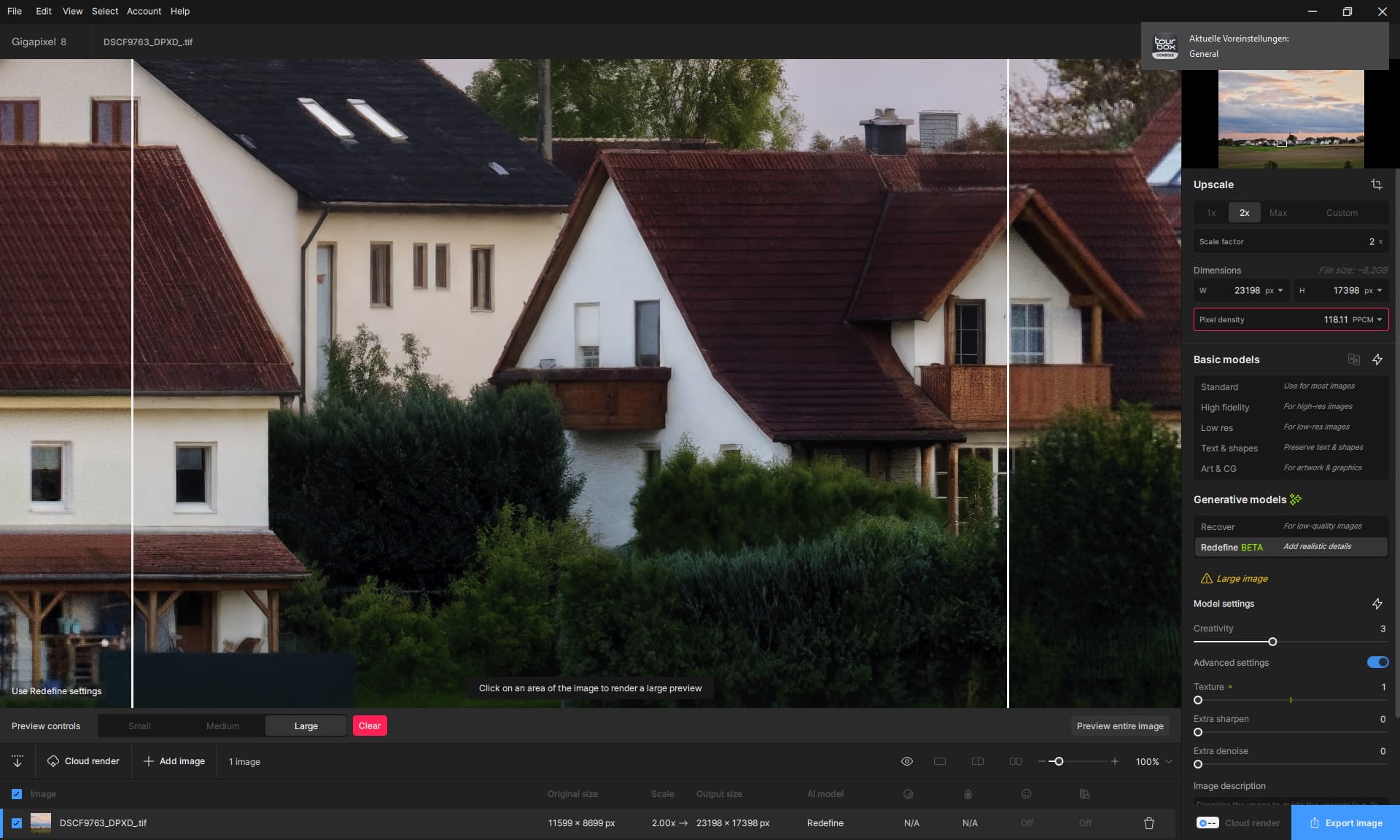
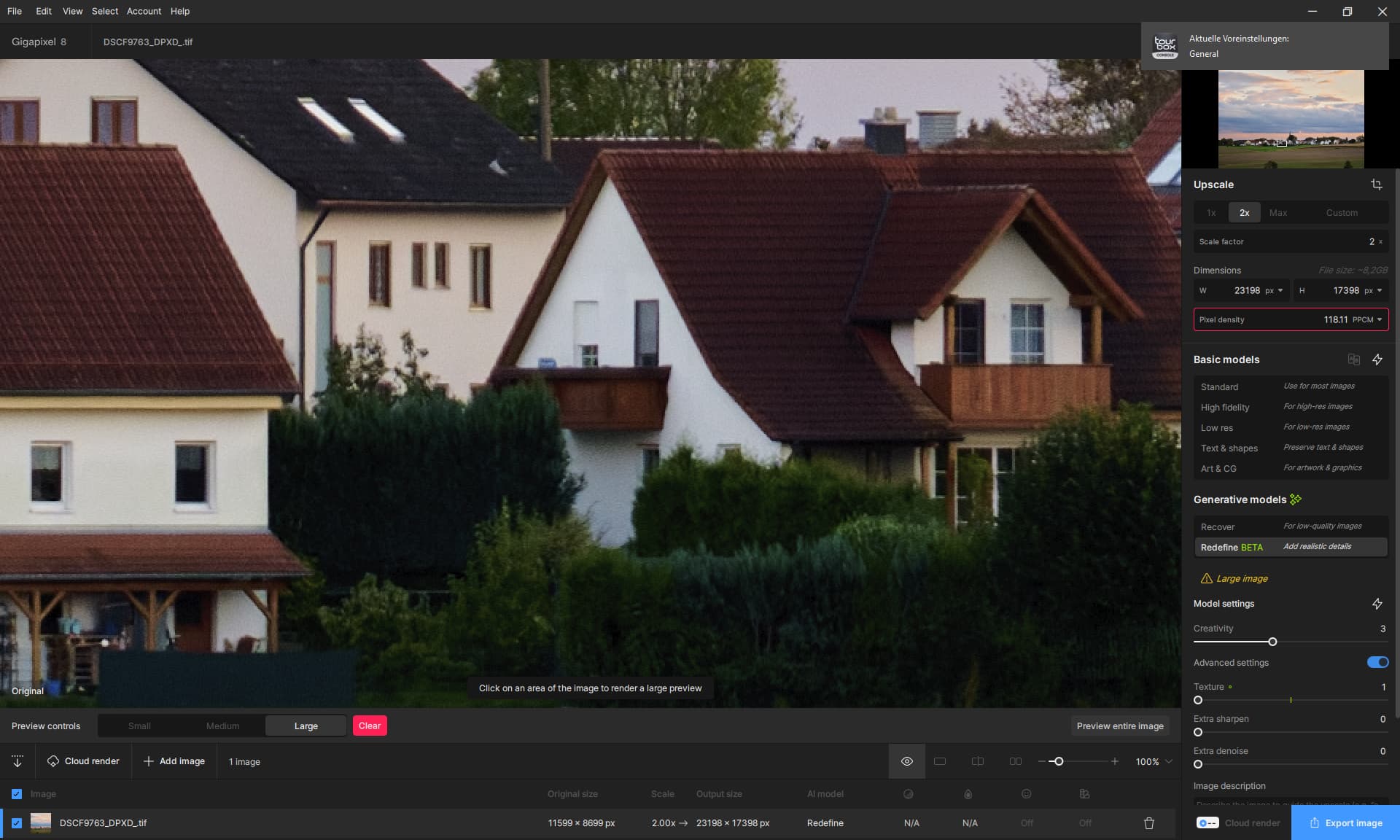
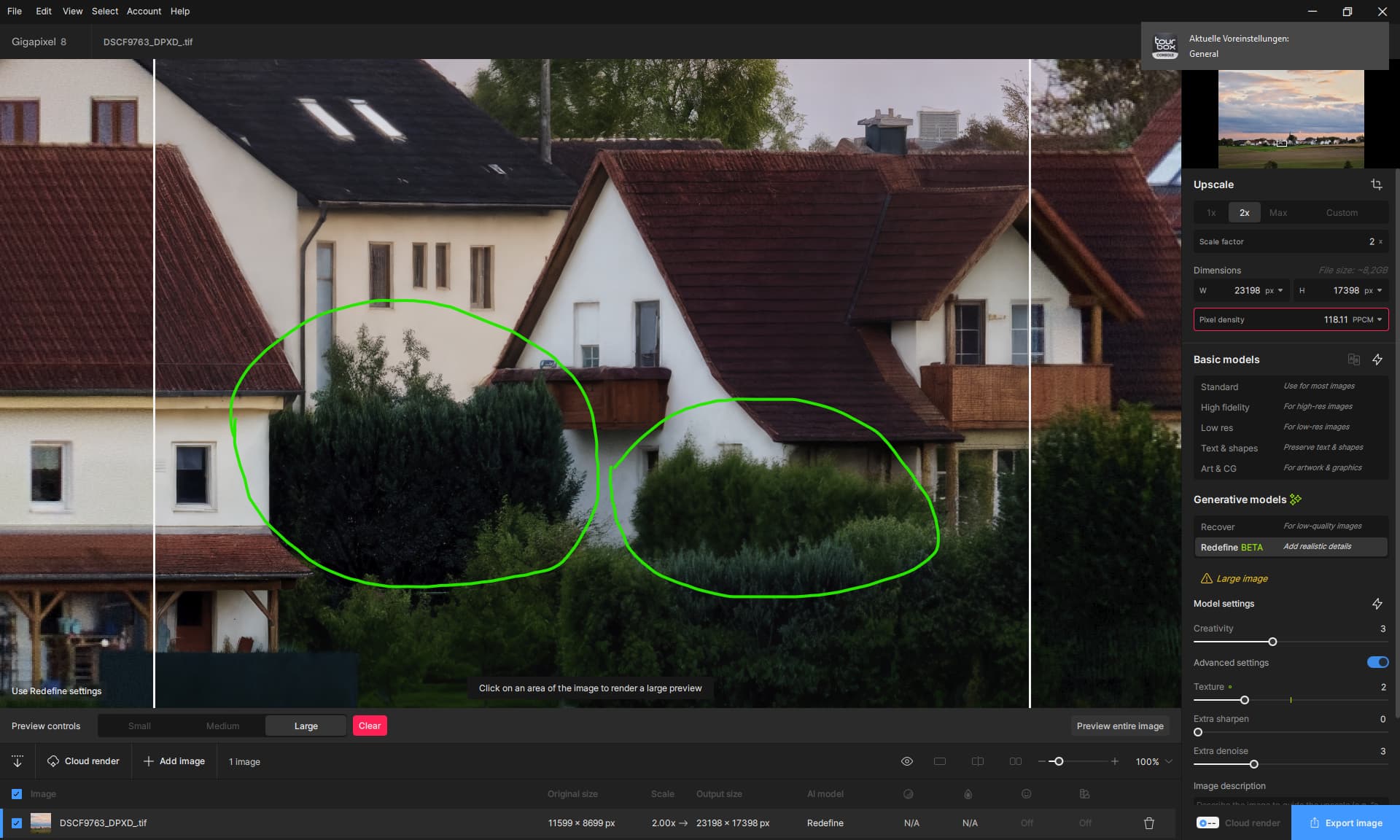
You can now add significant photorealistic details to images using Gigapixel with our brand new most powerful model - Redefine. In fact, this model will even recover blurry images shockingly well - particularly images shot from phones. It also performs extremely well when handling low resolution images across the board.

This is because when the original image is simply lacking sufficient information, this model can be used to reconstruct and repair images with the power of generative AI. Unlike other generative tools out there in the world, you are able to constrain the outputs to still retain a high level of fidelity and identity from the original image.
Please note that you will currently get the best results when running this model in the Cloud. We will be continuing to update this model to run faster locally and to produce better results on your device.
You’ll find this model is surprisingly good at denoising and sharpening in some scenarios as well. For example - check out this old scanned Kodachrome slide image, restored with the Redefine model running at a low creativity and low texture setting:

Redefine @4X with Creativity = 1, Texture = 1, and no prompt
For real-world photography scenarios, generally run this model with Creativity levels set to 1 or 2 and a low texture level of 1 to 3 at the most to get the best results. For more blurry or challenging cases, creativity 3 or 4 can help make up the missing information.
You can also use this model with both high and low levels of creativity or texture to enhance AI-generated images:

You can even pair this model with Face Recovery, as long as you use a Creativity setting of 1 or 2. Note that Face Recovery won’t work as well with high creativity outputs due to divergence from the original image.
The model is named Redefine for a reason - it’s a Topaz Labs first, and you’re able to guide the generation using a prompt as well as a creativity sliding control, and even texture.
You’ll find that this prompt is more useful for creative examples. However, even when you enter a prompt that is totally insane, the model will still do its best to retain some level of faithfulness to the original scene, although the end image may be quite different.


Note that you are going to want to describe the new image that you want to get the best results, as opposed to telling the model what you want it to do.

For example, take a look at what happens when I tell the model this is a city made of cheese instead of candy…

Note that instead of writing “Turn the candy into cheese”, I just wrote a description of the desired end image.
You will find that you can achieve extremely creative outputs which may be the most useful for transforming AI generated images as opposed to photos. Creativity levels of 3 or higher will begin to produce divergent, and often entertaining results.
You can also simply leave the prompt blank and let the model enhance the image. But with high creativity levels, we recommend a guiding prompt for the best results.

Example where the stabilizing effect of the prompt is important for high creativity levels
Creativity: Determines the creative power of the model when enhancing your image. Set to 1 in most scenarios with photos, or 2 for extra power. Levels of 3 or higher are only recommended for AI generated images. Known issue: local processing for creativity 3-6 is currently lower quality than expected - please use cloud processing instead.
Scale: Don’t ignore scale here. For low resolution images, using high scale factors like 4X can result in more detailed and generative outputs than lower scale factors. For already large size images with blur or noise issues, 1X can be a good choice for enhancement, as larger scaling factors may be less effective.
Under Advanced Settings you will also find:
Texture: Another powerful parameter which will control the frequency of generated detail in the image. You will find that lower texture settings of 1 or 2 are most useful for photographs, while texture levels of 3 or higher will produce more creative and detailed results - but can lose some of that photorealism. Unless you’re looking for that “HDR” look, keep texture to 3 or less.
Extra Sharpen and Extra Denoise: Can be used to further denoise and sharpen your image. For most cases, the default setting of 0 is sufficient. You will find that even when these values are set to 0, the model often does a phenomenal job of recovering your image.
We’ve been working incredibly hard on this model, and we are so excited to finally show it to the world.
Cloud Rendering

You can now run both of our most powerful new models (Redefine and Recovery) asynchronously in the cloud instead of on your machine using Cloud Render inside Gigapixel.

Yes, while the world is currently moving towards bigger and more powerful models which can produce incredible results - we are well aware that this progress is not as exciting if you’re running on a Mac mini.
Now, you can run these incredible models even on a Yoga Book if you so desire. Well, maybe not on the Yoga Book, but certainly in the cloud!

In fact, you can run hundreds or thousands of images in using Cloud Rendering in Gigapixel without your machine even breaking a sweat. Each image will cost credits, since we are running these processes on powerful hardware. Cloud Rendering costs will vary depending on the image size and model. As a general rule - larger output images will cost more, and the more powerful models may also cost more.
For now, you will be able to run the Recovery and Redefine models for the same credit cost. These costs may change over time as we continue to update our infrastructure.

Once your render completes, it will automatically download to your machine. You can also download your rendered images for up to 7 days after generation.
Now, keep in mind - at Topaz Labs we care a lot about running models locally for free (minus electricity) and forever, and we have no plans of changing this. Instead, you will have the option of using Cloud Rendering to speed up large jobs, or to run models that your machine may not have been able to run otherwise.
If you don’t see Cloud Rendering in the app:
- Logout and then login again to refresh the app
- Make sure you have Recover or Redefine selected
If you run out of credits, you are able to purchase them using this link.
Face Recovery from the Side
You will now see vastly improved results with Face Recovery Gen 2 when recovering faces with side profiles. This is part of a larger initiative to improve the quality of face recovery in even more scenarios such as with diverse skin tones, body jewelry, and more.
Check out some of these examples:

Left: Original, Middle: Before the update, Right: After the update

Left: Original, Middle: Before the update, Right: After the update

Left: Original, Middle: Before the update, Right: After the update
More is coming soon!
Cheers,
Dakota Wixom
Product Manager
Topaz Labs
Known Issues
- Redefine model
- The quality of the Redefine model does not currently match the output of Cloud Renders. You may currently get the best results when running in the Cloud.
- The model runs slowly on Mac, and some Macs may not be able to render full output results when run locally. We will improve model performance over time.
- Preview results may not match the final rendered output. Particularly prompts with high creativity may be less accurate
- Prompts may sometimes be ignored by Redefine when running on Mac
- Face Recovery may not produce results that blend well with the Redefine model, particularly on high levels of creativity
- Does not currently run on CPU
- The Redefine model may have issues running on some AMD GPUs
- Cloud Rendering
- Face Recovery is currently not functioning for Cloud Rendering. This will be added shortly in a future update.
- Results in-app may differ from Cloud Render, especially on Mac
- Processing ETAs for Cloud and local renders may be inaccurate. We are working on ways to make these estimates for accurate on your local machine.
- Progress for Recovery and Redefine may show “Finishing Up” while still processing
- Other
- Changing settings on Recovery may trigger reprocessing unlike in previous versions, and a warning will pop up. Face Recovery and Scale changes may also appear to not be properly reset.