I am using Lightroom Classic on a PC, I have recently installed Photo Studio ( which takes a lot of space), But I cannot see a difference and I don’t see all the new model you are talking about in the annoucement.
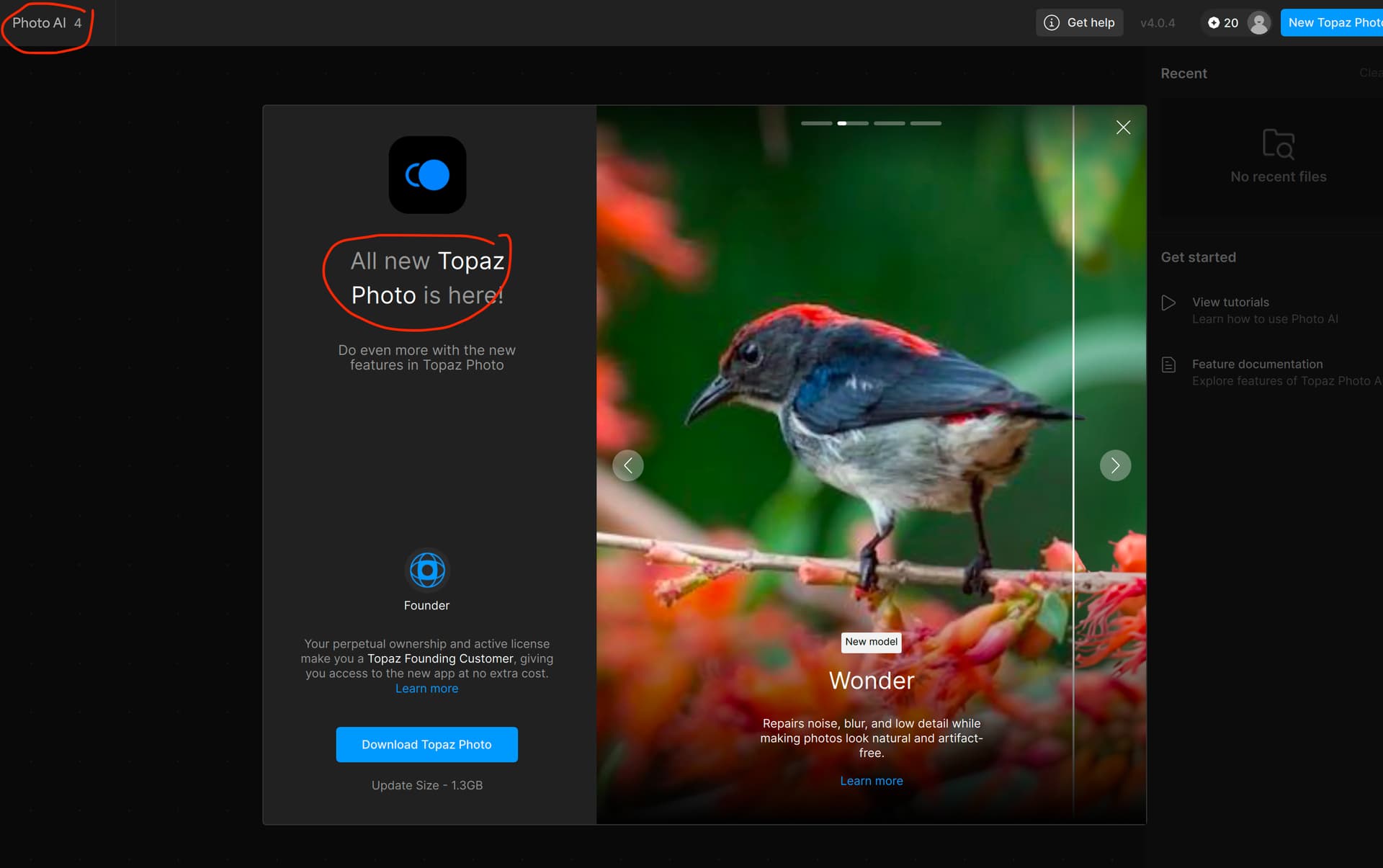
Please make sure that you opened Topaz Photo and not the old Photo AI. Some users are confused because the names are similar.
The header should look like this:

1 Like
Hi.
Following on from Alexandre’s excellent advice
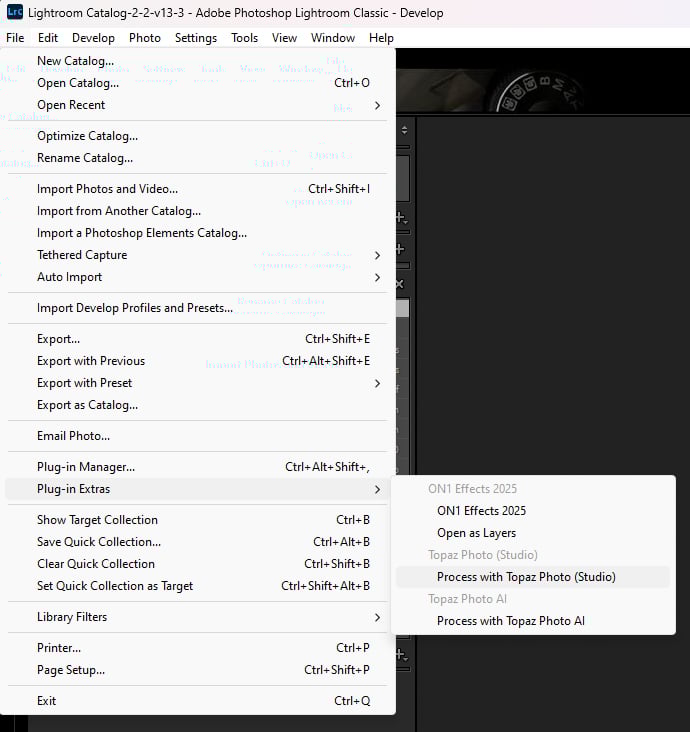
If you’re processing a RAW image then, goto File then, Plug-in Extras and select Process with Topaz Photo (Studio)
If on the other hand, you’re processing a non RAW image then Right Click on the image within the Lightroom Preview or Thumbnail within the Filmstrip then, goto Edit in and select Topaz Photo (Studio)
Hope this helps
Thanks, I am opening Topaz Photo
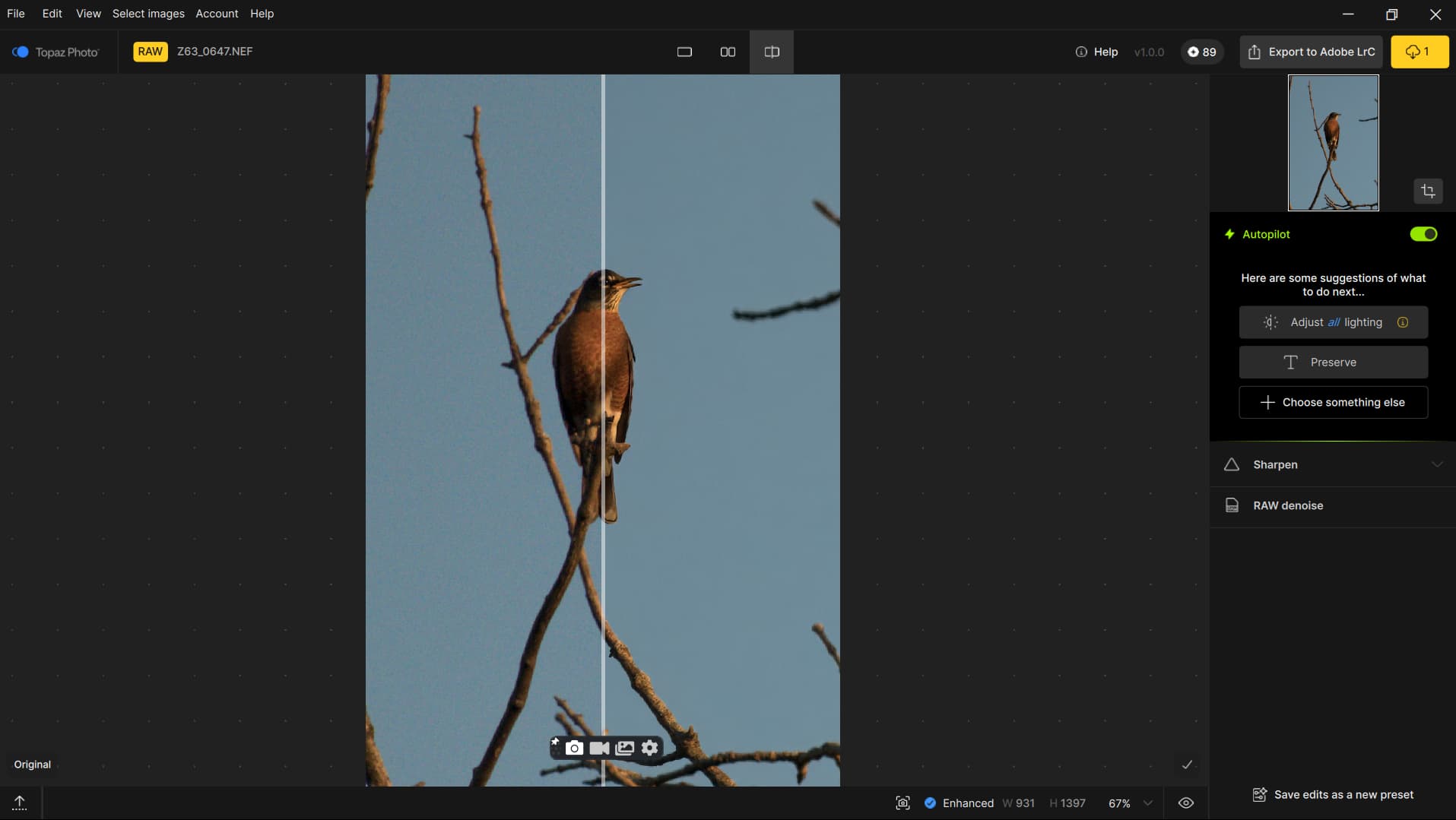
Looking at the screenshot, I can see you are indeed in Topaz Photo. You should have the new Wonder model and in Upscale the new Standard Max model. The interface is also different than Photo AI. These are the biggest differences.
What is the difference between the two?
Now I’m confused, as I have two products: Photo AI and Photo v1.0.0. (Photo Studio in PS)
Which one should I keep? I couldn’t find a satisfactory explanation for this on your site.
Can you provide some guidelines on the differences between them, as well as which one I should continue using?
Thanks
I have the same question as you, when I got the update for Topaz AI 4, I was prompted to install Topaz Photo.
The apps are identical when looking at the screens side by side. I sent support a message also myself just now.
Hi Justin,
That’s great! Let’s hope that Topaz provides a return on that to us.
Take care.
My understanding is Topaz Photo AI 4 is no more… dead. Current version can be used so long as it runs on your Mac/PC forever but no more updates.
Topaz Photo is a subscription only model, once you current subscription is over it will resume at new “low” price of $21 per month. Once you stop paying - no more access to the software.
No more perpetual “lifetime” licenses to run any of the Topaz software.
I guess, they saw their current business sales model not providing good return on investment and they are attempting something new. However, all this AI stuff is becoming much more commoditized, I’m failing to see how this will be a successful solution outside of small number of “professionals” who accept quality issues with models Topaz Photo AI but still get $$ out of their images.
Personally almost stopped using Photo AI in the last little while, models become way to aggressive with large number of artifacts if zoom at 100% zoom level. On top of that software is not very well optimized for performance (I guess it is ok on PC with nVidia recent GPU and large amount vram)
Hi.
Topaz Photo AI is the outcome going application you get to keep and use once your Licence Expires
Topaz Photo is the all new Singing application is Subscription only and once you stop paying you loose it
Difference between Topaz Photo AI and Topaz Photo
Topaz Photo AI 4.0.0
Topaz Photo 1.0.0
Hope this helps
Hi,
Thanks for the detailed explanation about the differences between Topaz Photo AI and Topaz Photo.
It’s clear now that Topaz Photo AI is a one-time purchase you keep and can continue using after the license expires, while Topaz Photo is a subscription-only app that stops working once you cancel your payment.
Also, the new Dust & Scratch AI model in Photo AI 4.0 looks impressive for restoring old images—that’s very helpful to know.
I appreciate the update and the clarification on both products.
Let me know if you need anything else.
In addition to the response from AND-R linking to the release posts - All the AI models you know and love from Photo AI will be available in Topaz Photo (including Dust & Scratch). Photo AI (perpetual) will only receive small patches moving forward for maintenance whereas Topaz Photo (studio) will be getting new AI models and features in the future.
Why is the nem Topaz Photo 1.0 so slow? Always downloading stuf before it works.
Hi.
Topaz Photo only downloads the models once meaning it wasn’t downloaded and installed right in the first place that’s because, the connection was interrupted during the Download and Installation process by an active VPN, Add Blocker or something similar.
Here’s some information from Topaz Support that will help
Generally, if you encounter this situation, your connection is being blocked from our server. This may be due to cache, cookies, VPN, proxy, firewall, anti-virus software or cloud settings.
Turning off whatever security feature is blocking our server should allow you to proceed. If you’re unaware of any blocker you’re using, here are some basic fixes. Please try all the options, and let us know if one works for you.
- Clear cache and cookies.
- Try a different browser: Chrome, Safari, and Firefox are three that work best. Use one of these for your default browser.
- Check for blockers. Temporarily disable any VPN, firewall, proxy, or antivirus software and try again. If it works, add our sites and apps to safe lists.
- Try another device. Use a different computer, tablet, or phone on the same network to see if it’s device-specific.
- Disable browser extensions. Turn off any privacy or security extensions and retry.
- Adjust browser security settings. Make sure cookies, pop-ups, and redirects are enabled. In Chrome: go to Settings > Privacy and Security > Third-Party Cookies and enable Allow third-party cookies.
Hope this helps
This confusion is putting me off Topaz more than ever. As others have said I am using Topaz less and less. So, do we own Topaz Photo or are we going to be prompted to pay a monthly fee? If I don’t get a reply quickly I will be uninstalling Topaz Photo and we not be using any more of their products. Hey, I installed it as it seemed to suggest more functionality than AI but that isn’t the case is it!!!
Seems they are going down the Luminar Neo path of aggressive marketing!!! If this is the case then, another reason I’ll be off!!!
I just opened Photo AI to see if there were any updates and it prompted me to install Topaz Photo (that’s in process now), implying that it would be a free upgrade as I was a legacy customer (since before Photo AI existed). I rarely use Photo AI and certainly have no interest in paying US$21/month to use Photo. In fact I use DxO products for 99% of my editing needs, in part because I can’t stand subscription software (it’s also better than LR/PS and I don’t want to use the same tools as most others do). I hope I’ll be able to continue using Photo AI, as it’s useful for some things (such as upscaling/cleaning up old photos/scans), but I will NOT be paying over 2X of what LR/PS costs per month for a rarely-used piece of software, no matter how good it is (and that’s yet to be proven)! If Photo displaces Photo AI on my PC, I’m really going to be annoyed!
