This is a known issue and I’m currently uploading a fix for it right now. This is related to previews not showing as it seems to be a model load failure when using OpenVINO.
You should get an update notification when it’s live.
This is a known issue and I’m currently uploading a fix for it right now. This is related to previews not showing as it seems to be a model load failure when using OpenVINO.
You should get an update notification when it’s live.
Version 2.0 worked fine for me yesterday. Today I updated it to 2.1.1 and it does nothing at all to the image. I’m on a Windows 10 PC.
An update was just posted, please use the links above to upgrade to 2.1.2 if you don’t get an update message in the application.
I’m new to using Topaz DeNoise AI but photos are taking 7 minutes to process using version 2.1.2 whereas they were taking maybe 30 seconds prior to the update. Is this normal?!
Desktop Specs:
Processor: Intel i7-6700 @ 3.40GHz
Memory: 32 GB
DirectX Version: DirectX 12
GPU: NVIDIA GeForce GTX 1050 Ti (4GB)
I also notice version 2.1.2 barely utilizes the GPU, often less than 5%, whereas with version 2.0.0 the GPU was utilized at ~80% or higher. CPU usage remains the same, at +90%, with either version.
Edit: I uninstalled version 2.1.2 immediately re-installed version 2.0.0 and all is well again.
Hi Adam @amy.mae
Switching Auto-update Preview off will reset the Preview pane even though no changes have been made:
Before:
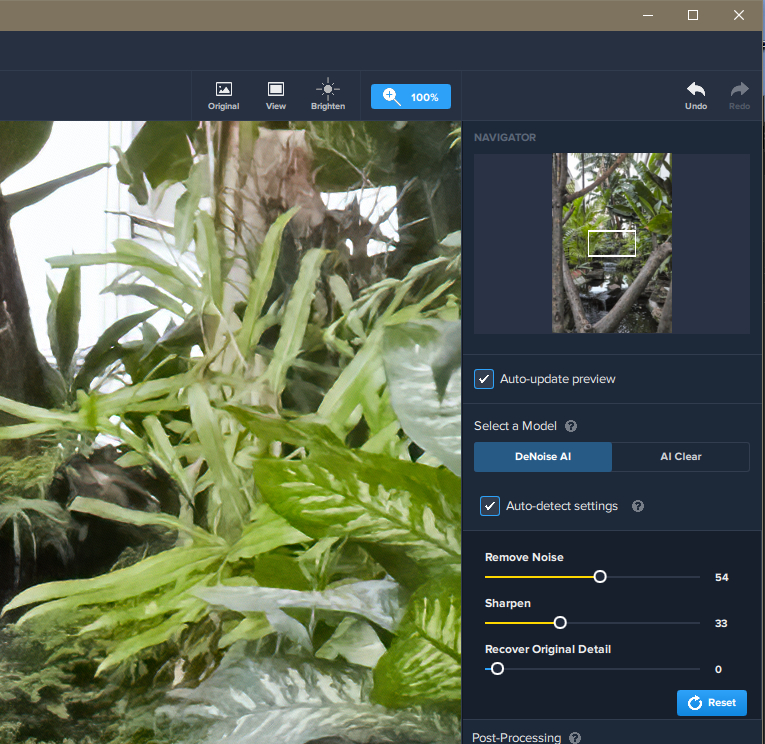
Auto-update Preview OFF
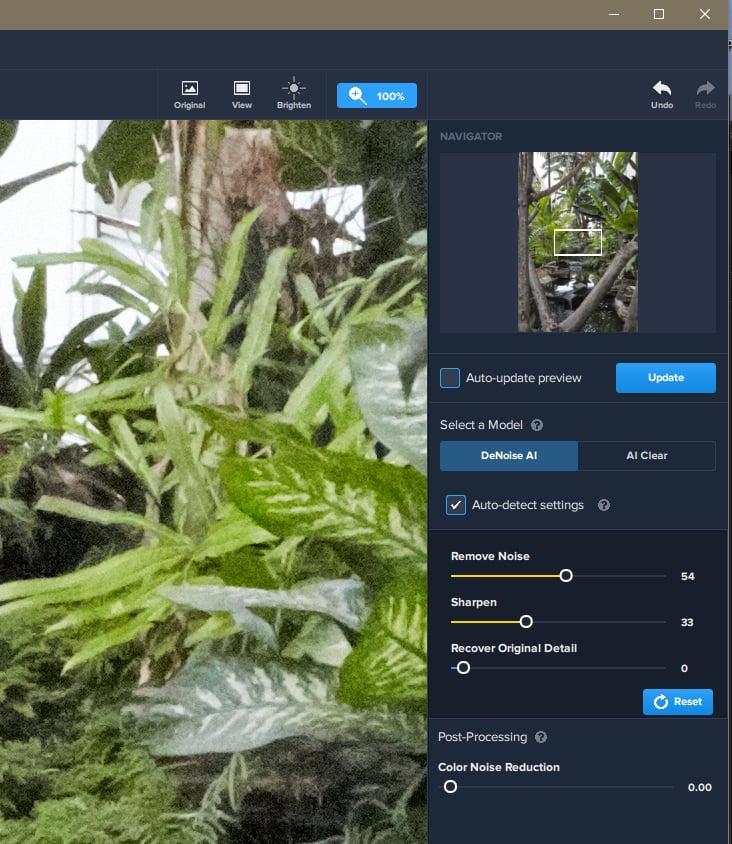
I’ll take a look at that, good catch.
No this is the only one.
I don’t know what you have changed lately, I also bought Sharpen AI and after the latest
version it is hardly usable.
The labtop was bought without gaming in mind, solid, I7 processor, 16gb ram thought it
would ok for picture processing.
With the update 2.1.2 it finally seems to work for me again, but it is very slow compared to the version before, espacially creating previews takes much longer. With the version before it seemed to use a lot of my gpu capacities and not a lot of the cpu capacities and now it is the other way around, which for me seems odd, and would probably explain why it is slower (my cpu is at almost 100% at all times now when using denoise ai now).
I noticed that I didn’t enable discrete GPU which explains my CPU problem and fixes it, but still the new version is about 3 times slower than before.
2.1.2 works also disabling discrete GPU, but slower then 2.0.0
Enabling discrete GPU is very very slow so I disabled it.
Intel Open VINO is greyed so I can’t enable it. I don’t remember if in 2.0.0 was enabled!
Yesterday I got Update 2.1.2 and it doesn´t work good.
With my Hardware (i9 9900k/GeForce GTX 1650), Topaz denoise always is slower with my discrete GPU, so I used NO discrete GPU and it was fast.
Since Update, I can adjust to NO dicrete GPU, but it is not saved. So it always uses my slower discrete GPU.
Also, Auto-detect-Settings always is on 15/15. Doesn´t make a Difference if it is enabled or disabled.
Why is such a Update availible, which doesn´t work at all?
I´m not really happy, for me the best DeNoise was 1.3.3
Sorry for my bad english - i´m from Germany and not often write english.
Cheers Holger
I updated to v2.1.2 today and all outputs are monochromatic green.
Please NOTE
If you have more than one GPU on your system make sure the high-performance GPU is allocated to the new DeNoise AI version.
For Windows users you can either do it through your Settings, Graphics or nVIDIA Control Panel or AMD Settings.
Then please press Reset in Advanced settings and DeNoise will recalibrate your Settings.
Reset solved all performance issues for me! Now Intel Open VINO is already available and Denoise AI is fast as 2.0.0 release and works better!
Thank you this fixed it for me aswell.
Wow, update from 2.0.0 to 2.1.2 but looks very promising regarding UI and that the old split preview is back.
But just first try leads to problem. I set the default save-as suffix to lets say “dnAI”. When saving the processed image I couldn’t find the file. Checking back is that the suffix hasn’t been saved and the image was saved with the suffix “-denoise”. Checked back several times but no success.
(as a side note: wished the UI of SharpenAI would be identical).
morten, that’s how I see it Sharpen is not usable since last update. I opened a ticket with 7 issues on Sunday. Today I got the message that the ticket is pending for 3 days and that in 1 day it will be closed automatically. Who will understand this…
Don’t apologise, you speak better English than most English!
Anyone using 2.1.2 on mac? Any problems?
Thank you for that suggestion.
After a settings re-calibration 2.1.2 is processing 91MB raw files in seconds!!
Im using v2.1.2 on Win10, and found if “Auto detect settings” is checked, the “Recover Original Detail” slider will be reset to zero when saving the image
