Then, I export in ffv1, without resizing (720x576), but I have not yet tried to export in square pixel with these parameters.
And finally I use Proteus v4 directly in HD (1280x720)
the few details lost must be made up with the “bbc+details” filter that I have in vegas pro. as well as the little noise remaining with neat video at 50% + an addition of clean grain
Interesting. I will look into this. I had asked a question about deinterlacing PAL before offering anything up to Topaz AI but that was because for some poorer footage I could see there might actually be better result with Nyx (remaining at SD) and then Proteus to HD. I think I know what you mean about Nyx. In my experience it does some things wonderfully but there is a price to pay in texture detail. It is like a computer game and you go into the menu and select a lower resolution texture.
This is very similar to what I do, although I confess I’ve never heard of Hybrid before. I use old-fashioned VirtualDub and a text editor for my scripts and ProRes for my intermediate codec, but I guess I’m an old-fashioned kind of guy.
The main difference in what I do is that I prefer NNEDI3 over QTGMC because of all the smoothing and post-filtering that QTGMC does. QTGMC can really be quite destructive on some sources if the settings aren’t exactly right. It’s a hard beast to tame, whereas NNEDI3 is just the core deinterlacer without all the extra postprocessing, and in my experience it frequently - but not always - gives a sharper result.
You are the first person I have seen on here that has mentioned NNEDI3. I’m going to have to try it out, I’ve got an interlaced season of a show coming up. I’ve been using QTGMC because it’s able to extract more fine details than bwdif… but I have found it to sharpen too much on my VHS sourced DVDs.
I also tried needi3, and many others, most of the deinterlacers deinterlace my sources badly, like staircase effects on straight borders. but qtgmc always deinterlaced my sd sources better. regarding smoothing, when we define “final temporal smoothing” to 0 and use ezkeepgrain to highlight the details instead of ezdenoise, there is no smoothing, all the details are there, and that’s why I define “ezdenoise” to 0 as well as “final temporal smoothing” to 0, because if we define this one to 1, 2 or 3, we lose detail on the movements.
If, for example you have some motorsport footage and you are looking at a painted panel on a car. And say you are doing precisely the same in a motorsport computer game. In the computer game you will lose reduce texture detail on that painted panel if you go into the configuration menus and tell the game to display a lower resolution texture (say a 2048 x 2048 texture versus a 4096 x 4096 texture). I see precisely the same “end result” with Nyx. But Nyx still does wonders for unrelated problems in the original footage so depending on how well it fixes other problems, this loss of “texture detail” (to use a computer game analogy) may be worth it.
“But Nyx still does wonders for unrelated problems in the original footage, so depending on how it solves other problems, this loss of “textural detail” (to use a video game analogy) can worth it.”
There’s definitely no one-size-fits-all solution for deinterlacing, and as you say, it’s heavily dependent on the source. I just wanted to throw that into the mix for consideration.
yes, it depends on the sources, but in any case the sd pal sources from 8 mm cassettes should work in the same way, and then it is with qtgmc that I manage to deinterlace best, even with old music videos , because actually qtgmc has more deinterlacing and denoising option compared to others
Most of the time, no - the detail loss is not worth it. But I have one example on a commercially released Australian DVD of a motorsport event from 1987. I have the entire series of these disks and although most of them are fairly good and respond wonderfully to Topaz simply with Proteus upscaling (and Aion interpolation for the handful that are only 25p) there are some that are pretty bad. Obviously second or third generation tapes that are already getting onto 40 years old and not that great when they were brand new. It did not help that a couple of our TV stations back in those days - Channel 7 and 10 - seemed to be in some sort of war to make their pictures “pop”. Consequently, things were turned up like sharpness and contrast and were “baked in” to the archive tapes. Some of the artefacts I am seeing on these DVDs I cannot even find a name for!! Many for the artefacts from this are really ugly - far worse - I mean massively worse - than Nyx sanitising things and losing some of the inner detail.
Thanks for throwing it in. NNEDI3CL is 3 times faster than QTGMC and does not give the same oversharpened results.
For the show I’m working on now, it’s pretty good.
Hello,
With such image resolution, it is impossible to understand what you actually did, so upload videos or frames to cloud storage.
The QTGMC QTGMC - Avisynth wiki topic is interesting.
Thanks, that’s really useful info! I’ve played with Hybrid for a few hours now, and it works well with my old PAL clips. Using the bob option I get 50P, I haven’t played with the mcdegrainsharp yet, that’ll be for tomorrow. Exporting to square pixels works well.
I do not use the default resize, which loses vertical resolution (576 → 540). Instead I keep all 576 scanlines, and widen the picture to from 720 to 768 pixels. (720 x 16/15 PAR).
Then I crop 4 scanlines off the top, and 32 off the bottom, so I end up with 540 scan lines. Violá, gives me 1080P when i double the resolution with VAI
yes when I resize, I also make 768x576 I found another method a little better at first glance, it is to deactivate mcdegrainsharp, and set qtgmc to fast, with “ezkeepgrain” proteus v4 is powerful enough to rectify the poorly deinterlaced lines, and setting it to fast, preserves details better
You don’t really lose any vertical resolution by going with 720x540. don’t let the numbers fool you.
since in 16:15 (PAL) the pixels are rectangular (wider on the horizontal pixel), by going with x540, it stretch the vertical pixel to match the size of the horizontal pixel, hence less pixels needed to fill in the vertical space (slight non-noticeable cropping top/button on none data pixels/CRT lines).
By going with 768x576, you shrinking the horizontal pixel, hence you need more pixels to fill up the horizontal space (768 vs. 720 org’), which I am not sure how and where it generates pixels from.
in Theory it could be that 768x576 might be worse as the extra pixels are coming from nowhere, or generated somehow, or just an empty space to fill in the gap of pixel shrinking.
Besides, 720x540 gives you the perfect 1440x1080 (FHD for 4:3), so for me 720x540 is more natural Square Pixel for 4:3 content.
Thanks, that works well for my clips too. Am also using Dione DV (check ‘Interlaced’ to enable it) as I find it keeps more detail than other models. Thoughts are welcome!
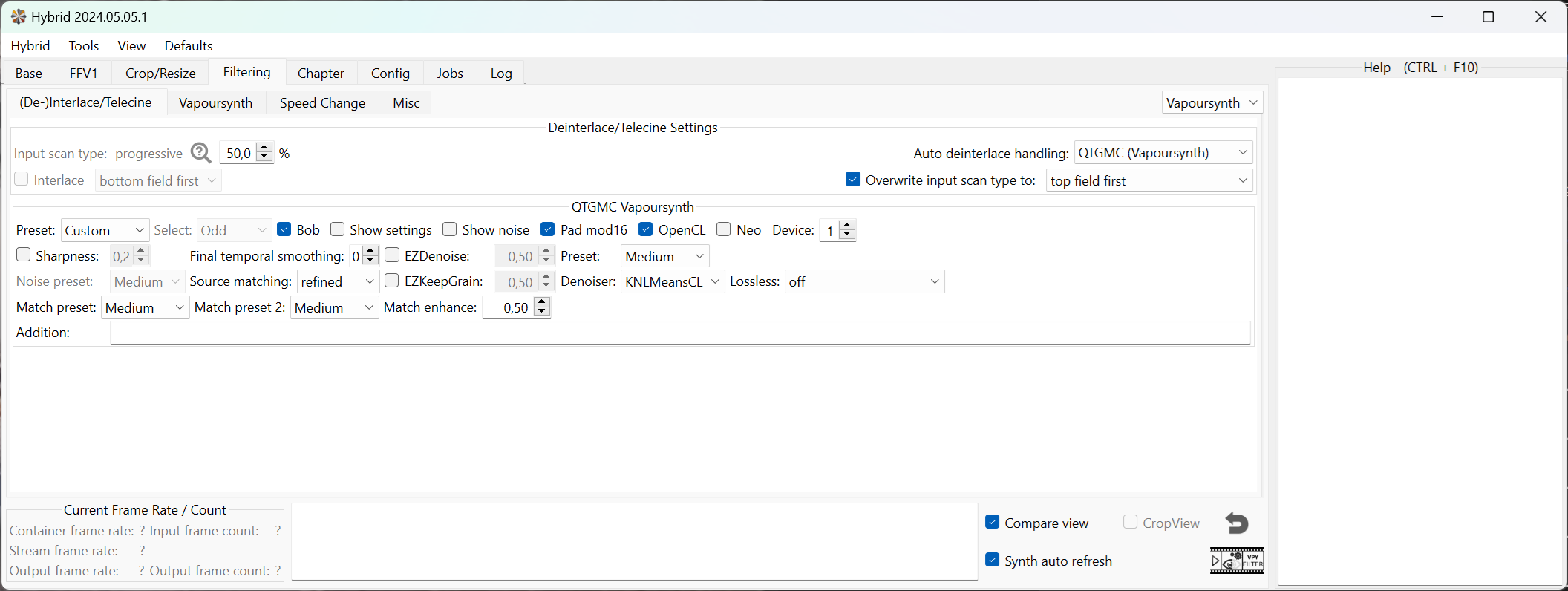
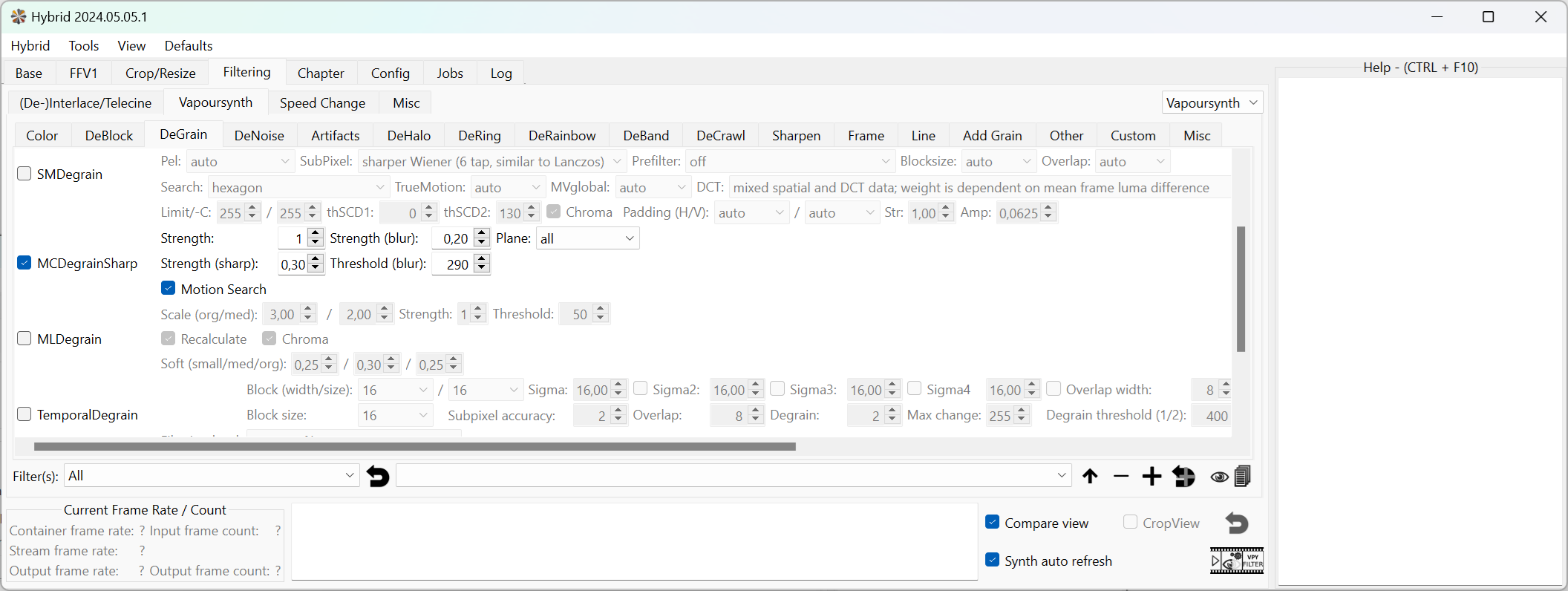
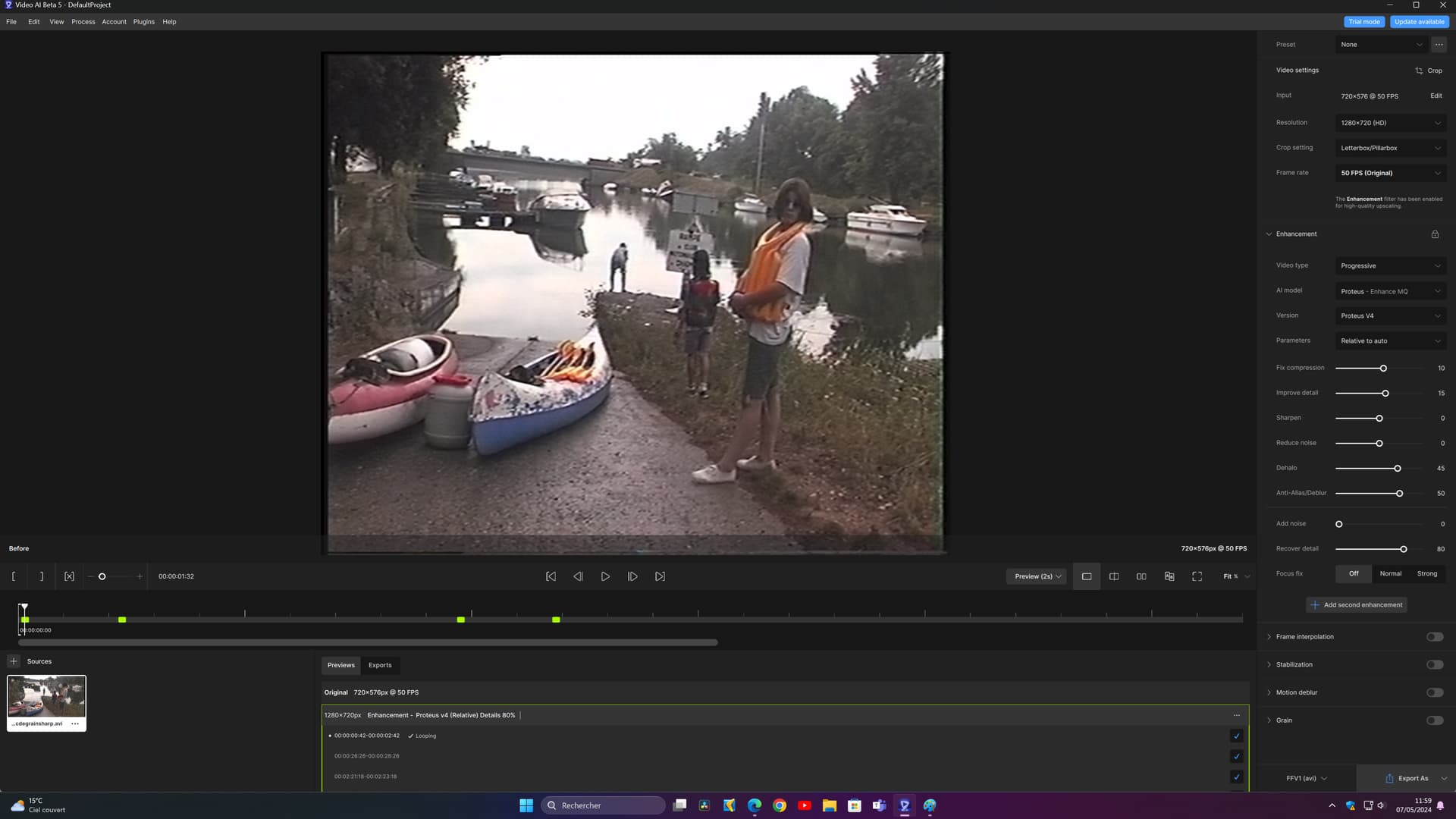
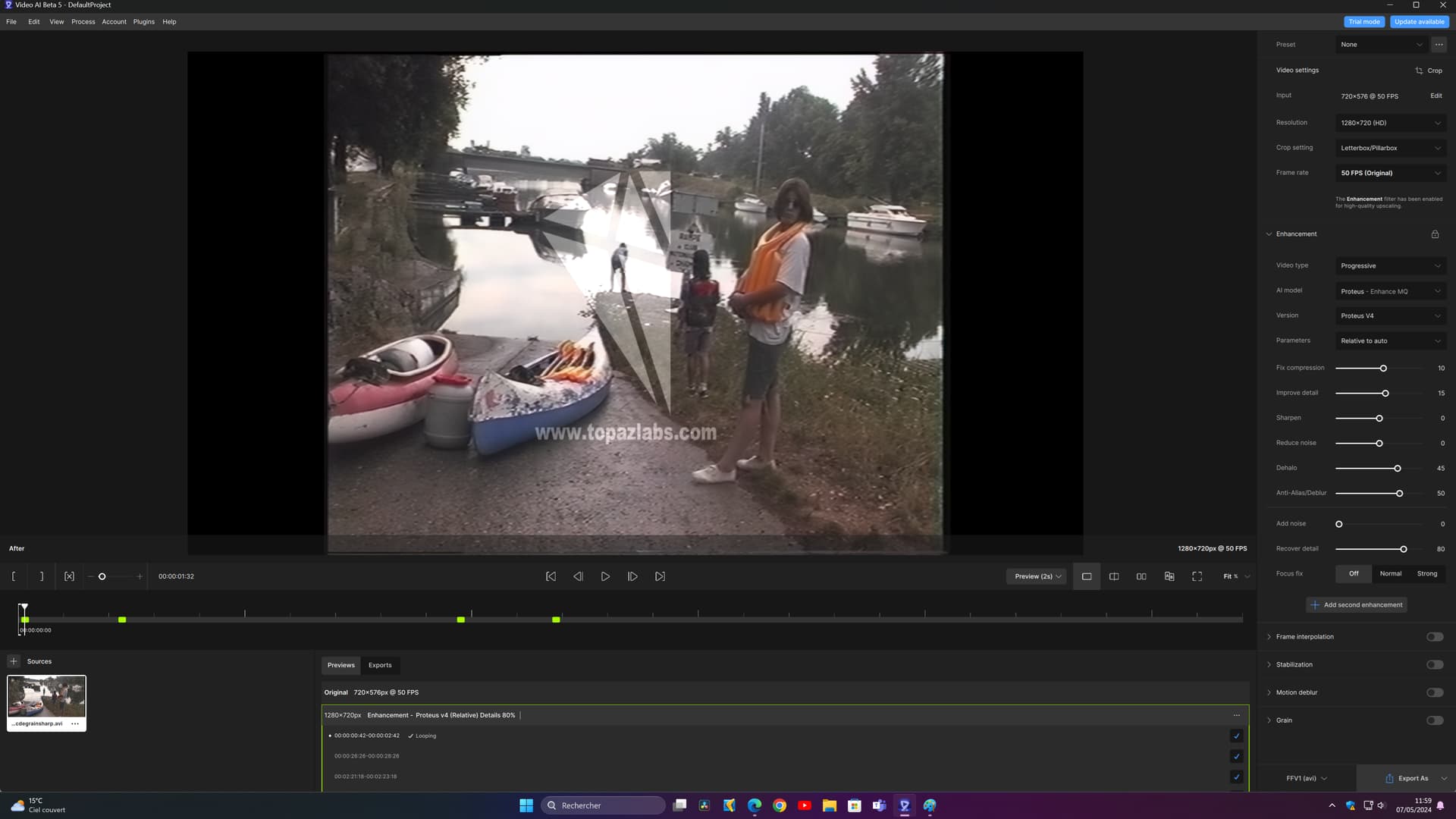
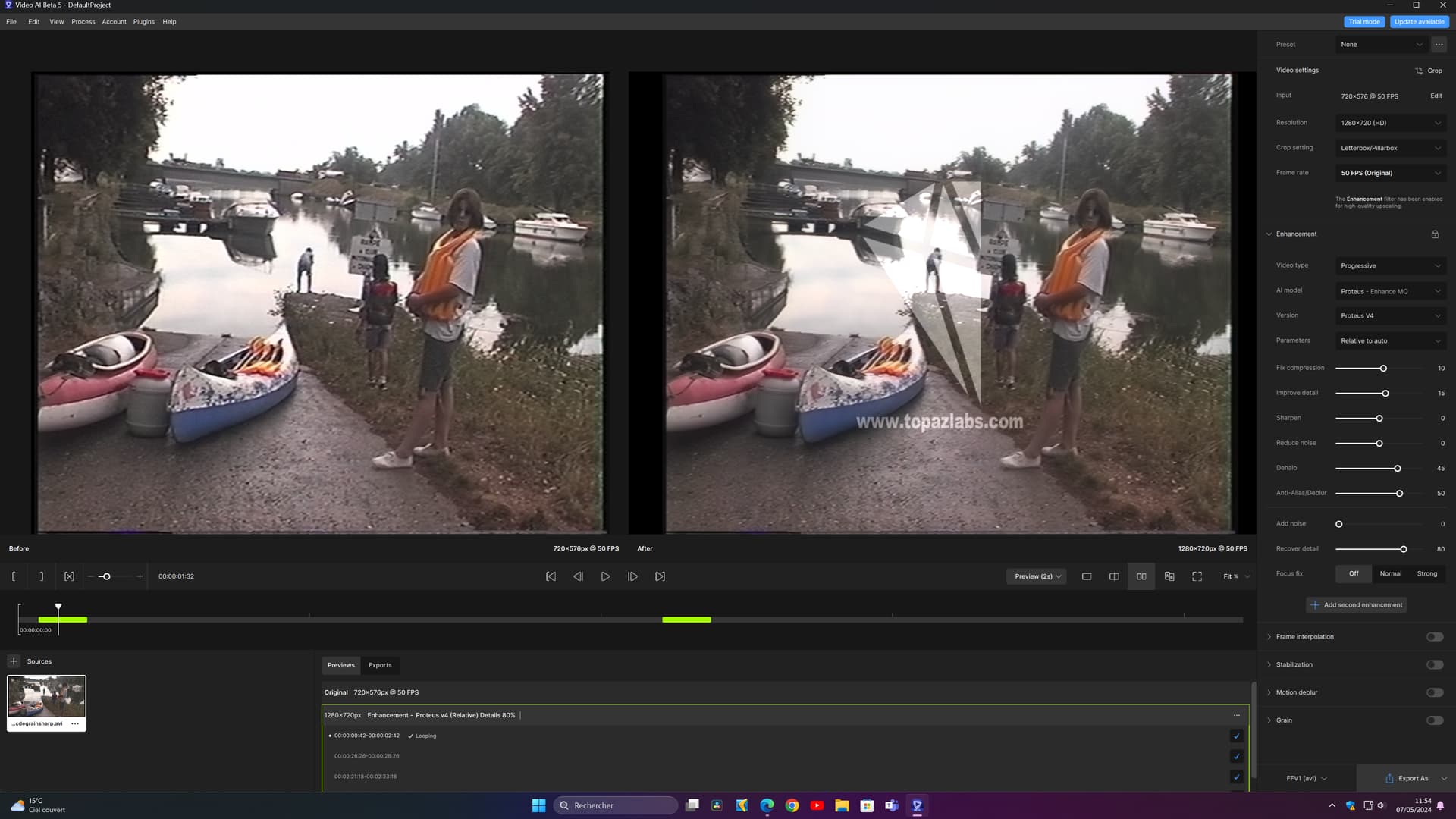
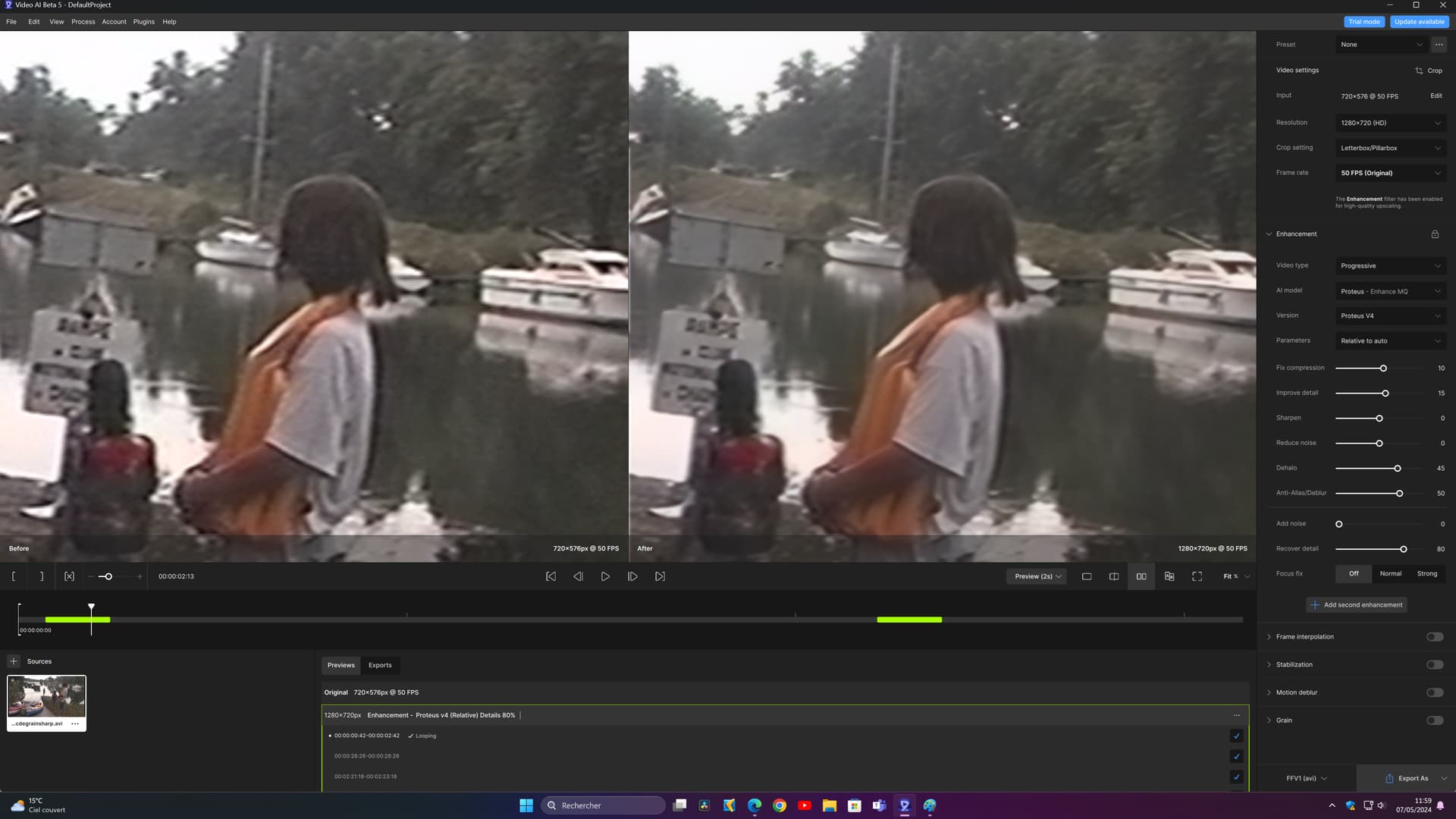
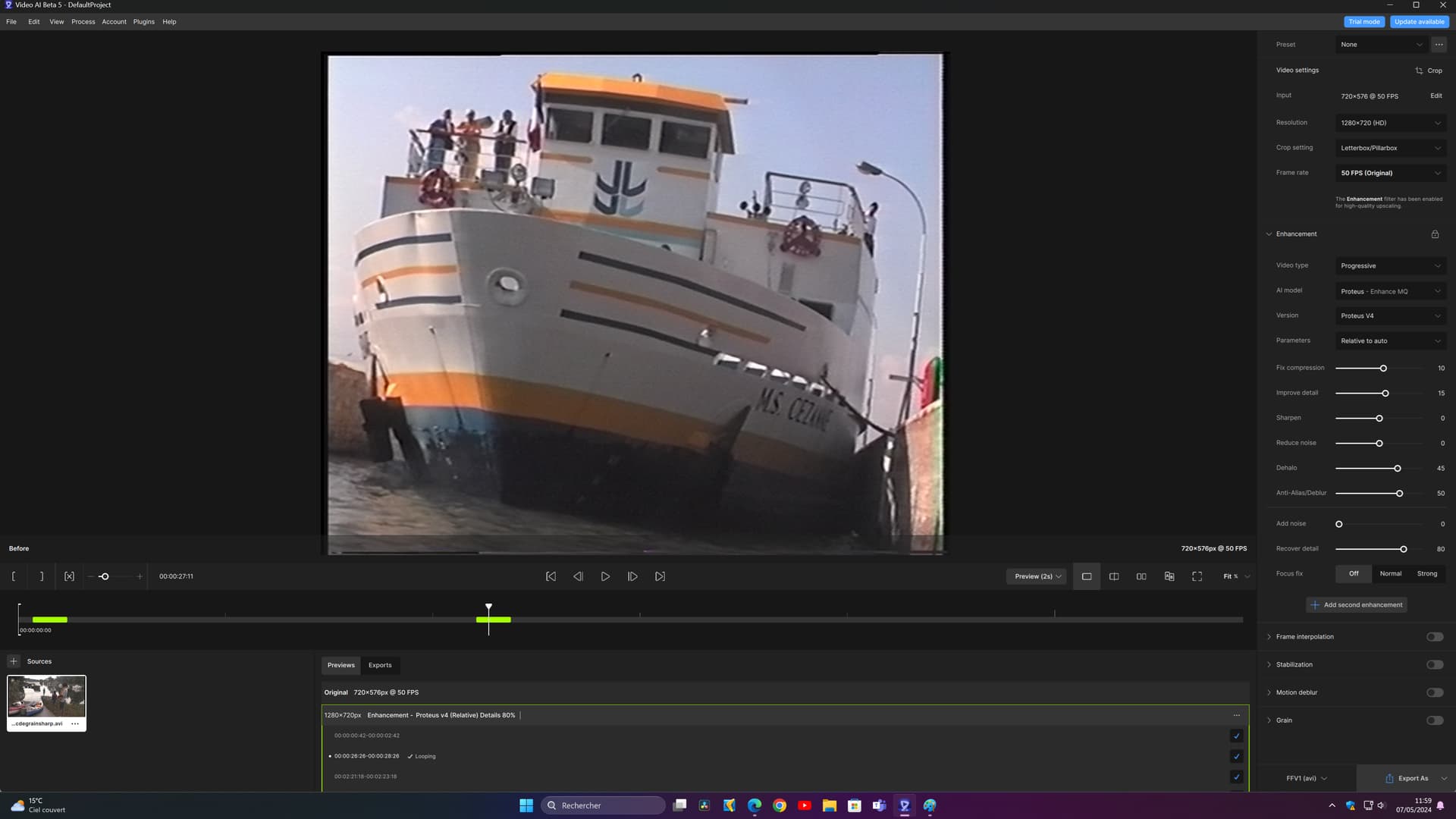
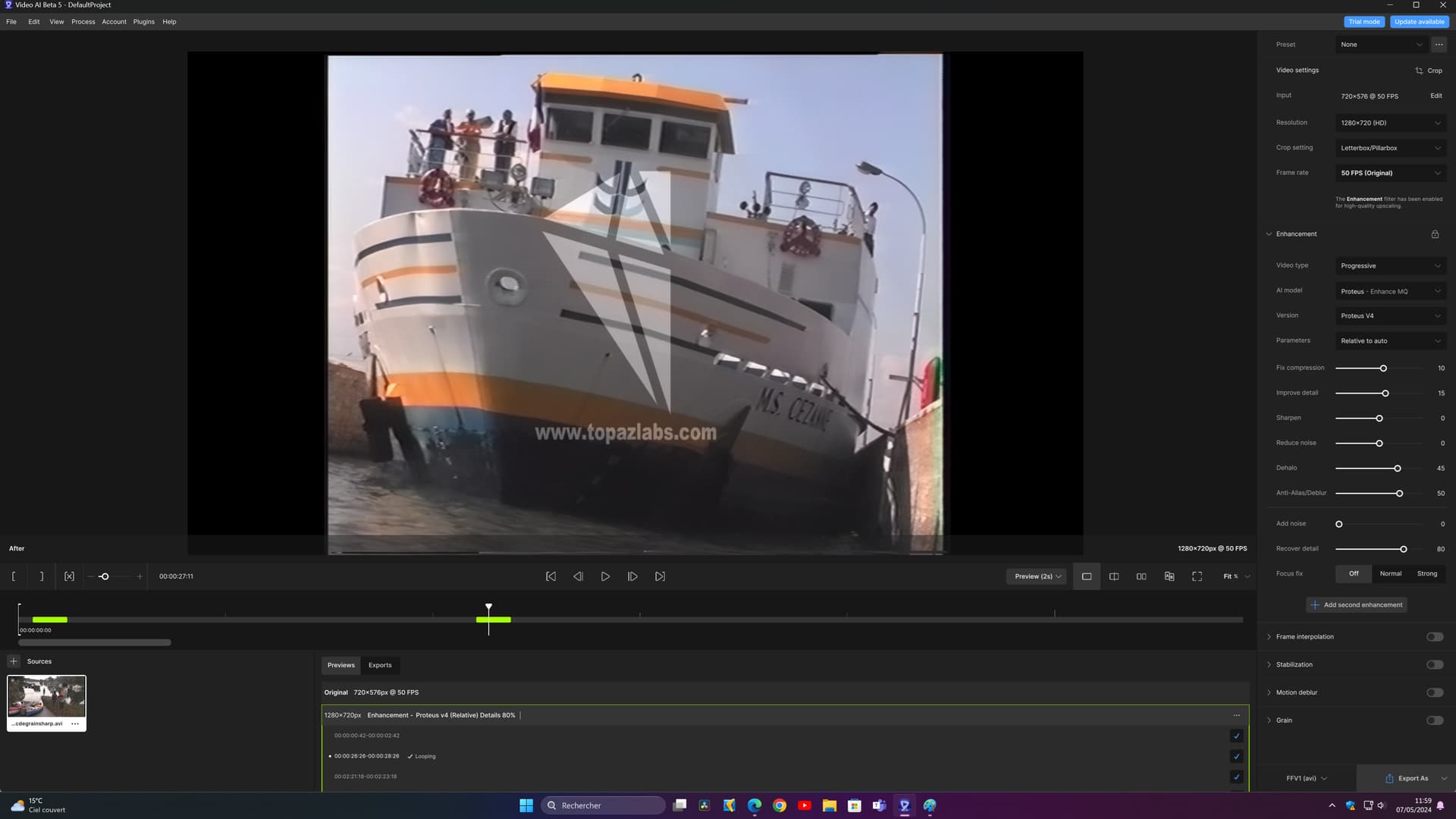
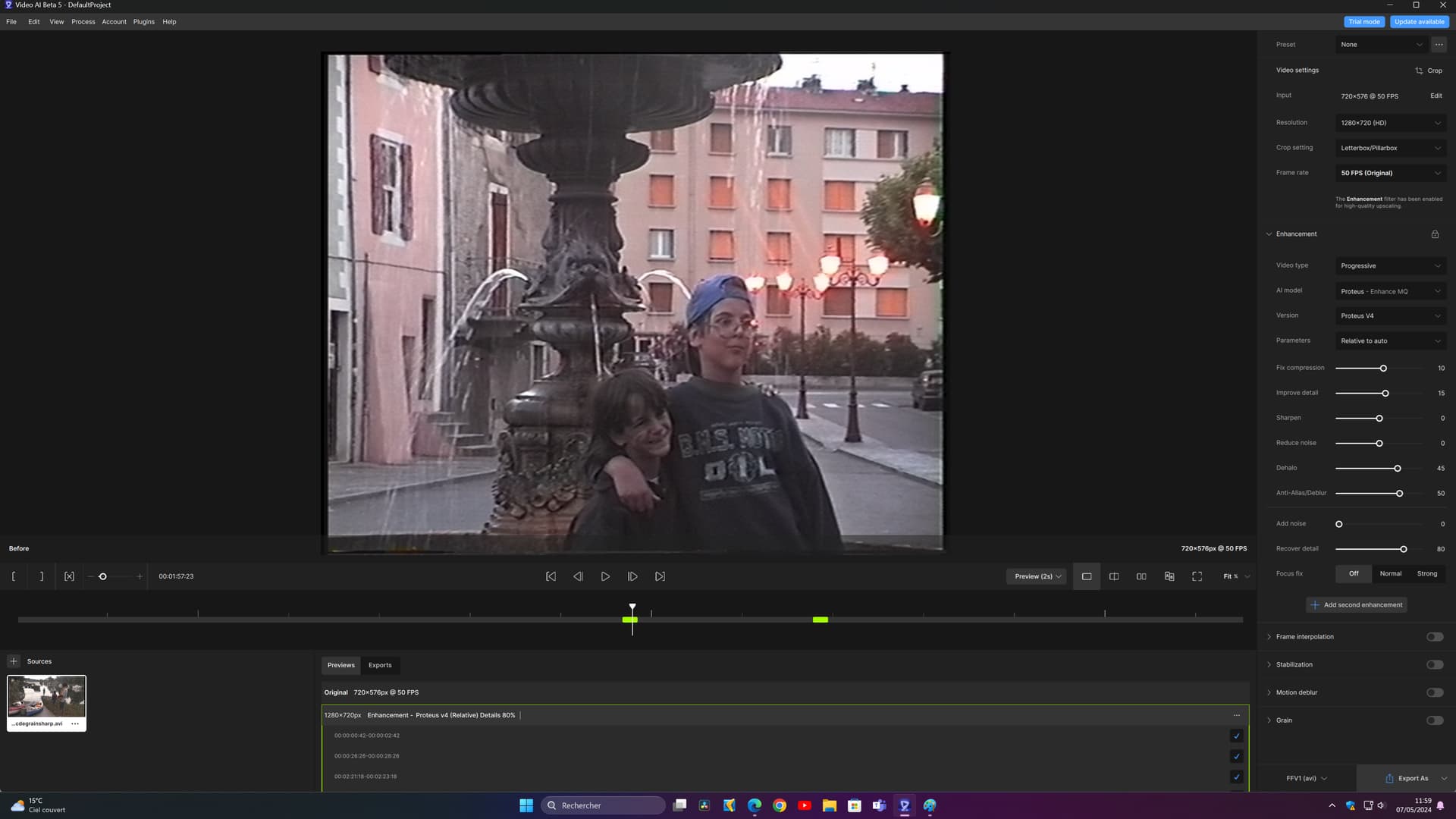
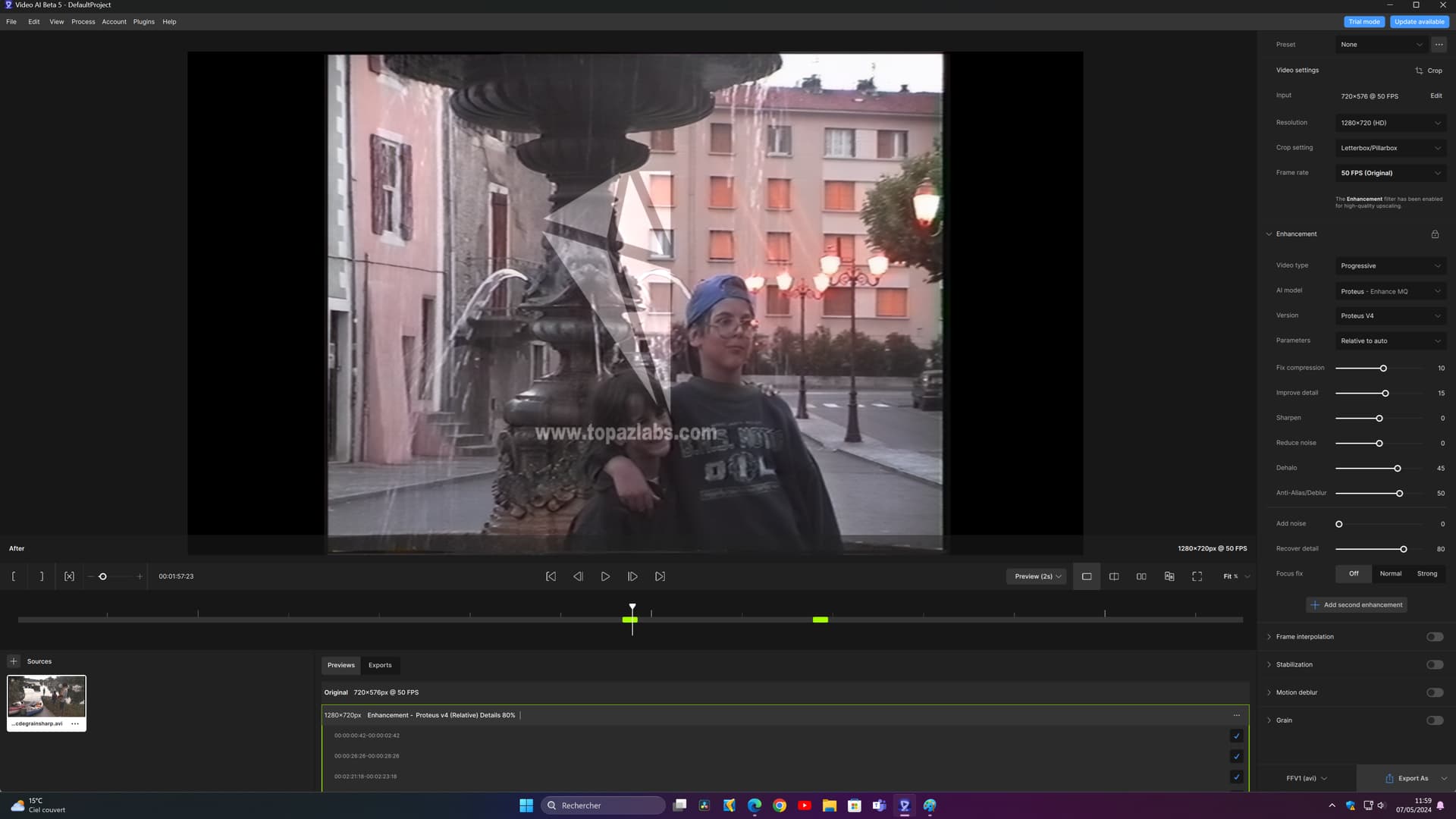
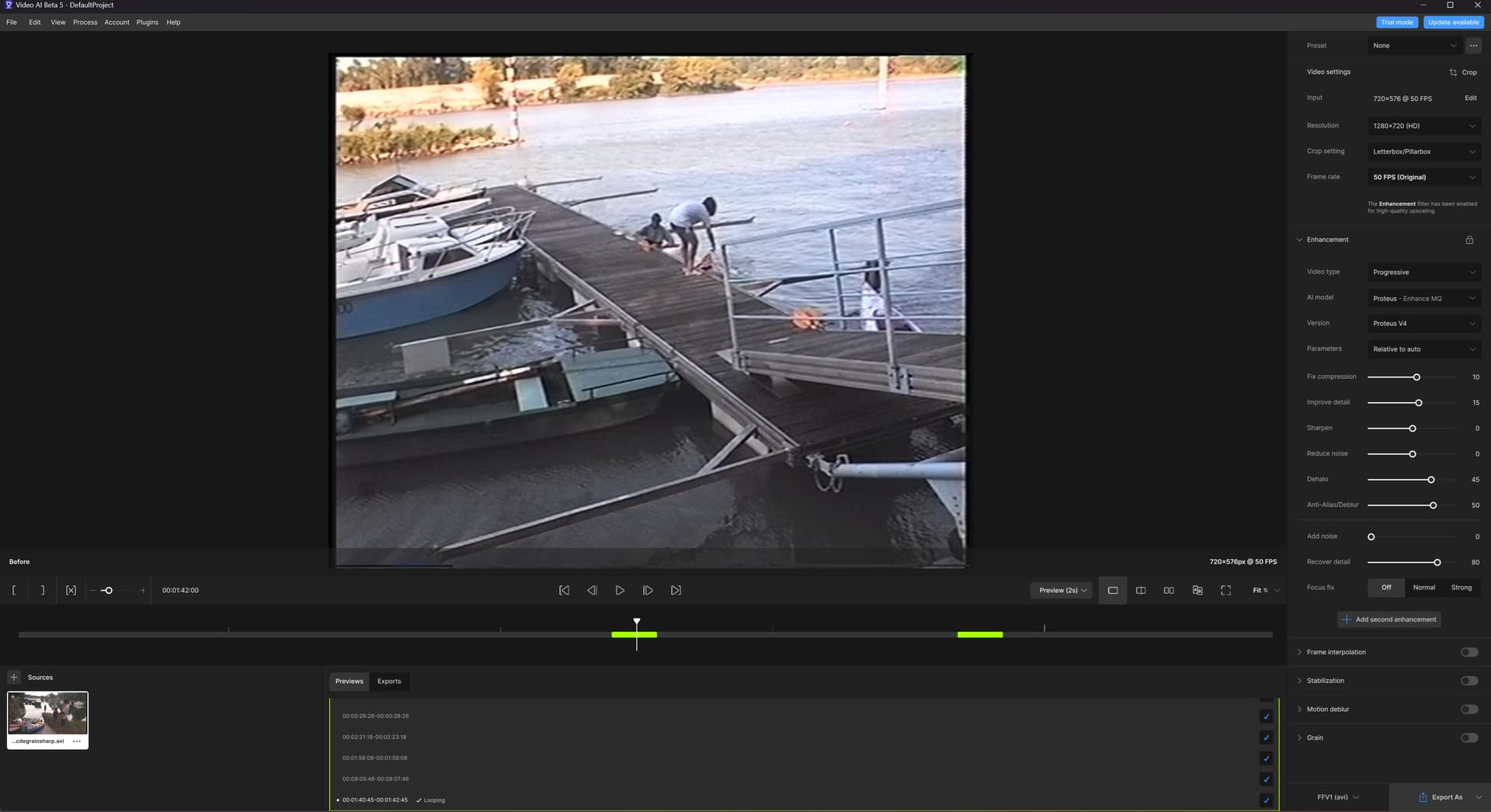
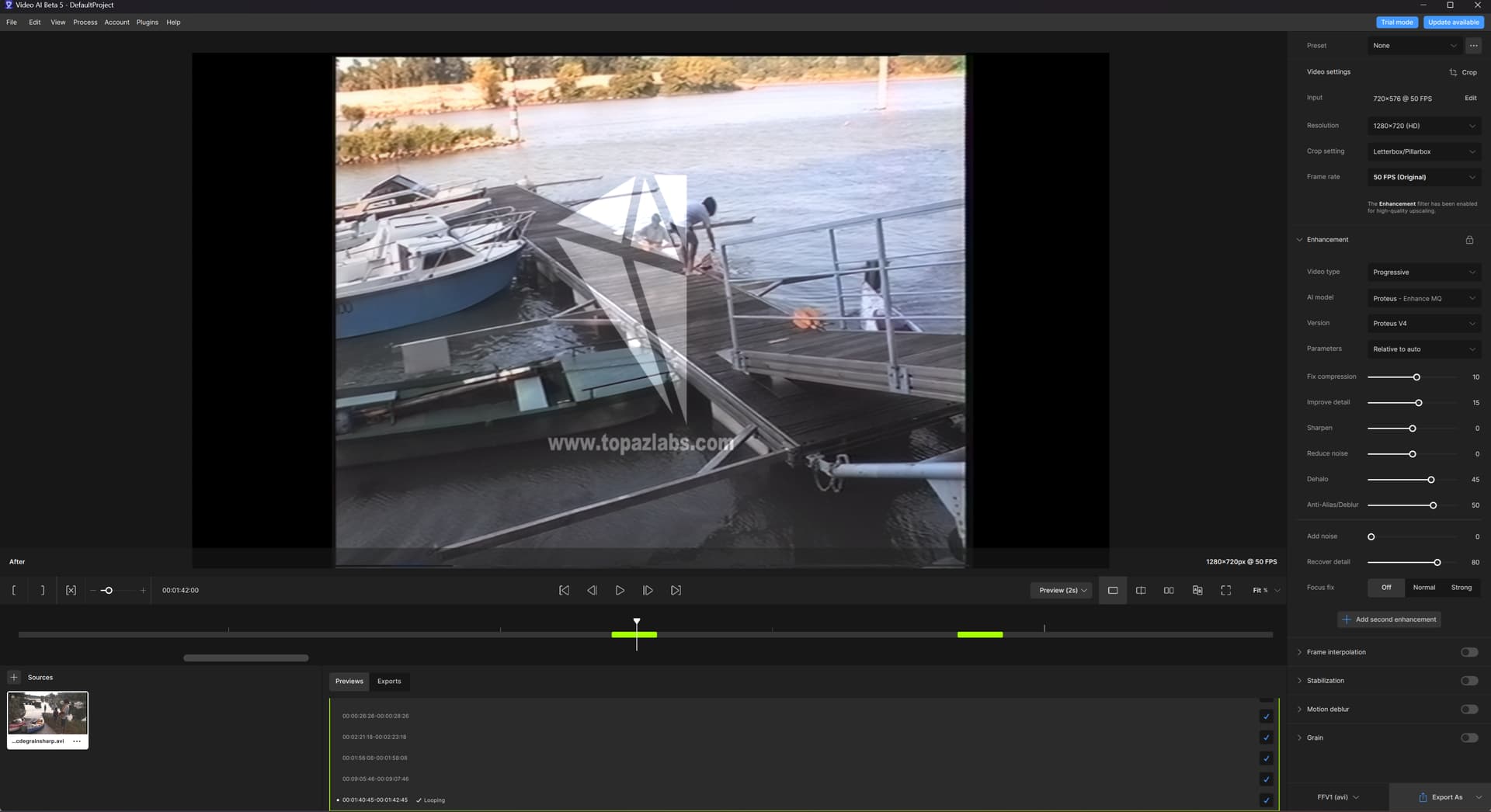

 I found another method a little better at first glance, it is to deactivate mcdegrainsharp, and set qtgmc to fast, with “ezkeepgrain” proteus v4 is powerful enough to rectify the poorly deinterlaced lines, and setting it to fast, preserves details better