- I have already updated twice and restarted my PC and when I open the TOPAZ VIDEO application it shows that there is an update, so it does not accept it ???
- Windows 10
- logsForSupport.zip (6.4 MB)
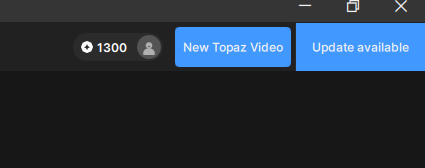
This is a glitch that does not clear teh update available notification.
The latest release of Video AI is 7.1.4. The new app Topaz Video is in version 1.0.1 at this time.
This is the glitch that finally triggered my subscription cancellation … that and the many other unresolved issues in the “latest” version:
- Starlink AI models never completes it’s download.
- The A/B compare isn’t in sync.
- Still keeps loading prior project files as a default.
- UI is still confusing where AI model selection drives the choices yet is half way down the side selection process so when a AI model is selected it resets setting above … horrible UI design.
- The Render queue is now hidden by default and lacks progress information.
- The AI models seem to be worse that older versions and some setting like recover detail have zero impact, everything has a soft glow to it now.
- A grain option exists only because the AI models are poor and don’t understand compression artifacts.
- Every “updated” version seems to have more “glitches”, it’s as if the developers have NO clue what they’re doing … is there any sort of QA?
- Painfully slow rendering even with two 5090 GPUs and AMD 9975WX and 256GB RAM on NVMe 9100 drives.
- Weekly updates that rarely solve and reported problems and more often than not break existing “working” functionality.
Given that these alternatives are equal or better and have Multi-GPU support for considerably less $$:
TensorPix ($353/yr)
Adobe ($490/yr)
AVCLabs ($95/yr)
UniFab ($179/lifetime for Mac only)
1 Like
Patch update was just released for this to resolve the download loop. It is recommended to do a clean install of this release.
v7.1.5
Mac: [DMG] - [PKG]
Windows: [Download]
1 Like
This topic was automatically closed 60 days after the last reply. New replies are no longer allowed.
