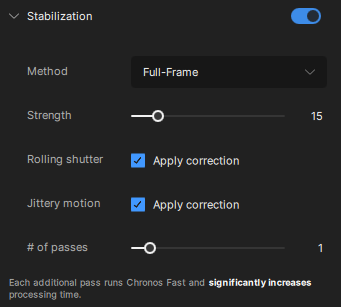
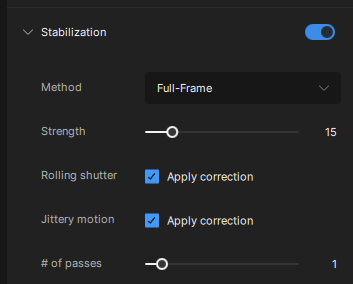
While waiting for the results on that video, I have been working with your settings on another one but am still getting the unsatisfactory results of blurring and blocking in the frame, instead of the matching of details, I was told would happen. I am still trying different settings. Even the crop stabilization did the same thing. I’m just not seeing the fill in of details that are being claimed in the ads.
I will send this other video as well so that you can see if it will work. I have edited on FC, without stabilization and it works fine, so it is not terrible on that front, but I’m not liking the blur on the slow motion effect.
Try opening your Preferences Panel and lowering the max memory % down to 75% to give your system a little more stability when running the tasks as the blocky artifacts can be caused by the GPU struggling to handle the task if it is getting hot or strained.
File>Preferences>Processing
I am downloading that other clip now to take a look at it.
Sharpness is a bit different than the blocky and blurry areas I was getting.
Here is another thing, I edited yet another video and had better results than before. I also changed the speed to 120 and then exported it. The exported version has an area on both ends that is at regular speed, just like it comes out of my camera. I reduced the speed at both ends using quick time and then saved the video. I wanted to import to FC for more control on timing the video but it imported at regular speed rather than the way it was edited and saved. What is with that? Why doesn’t it edit to 120 all of the way through?
Here is that first clip fully exported. I thought I had already included that in a previous reply but I guess I just sent the short preview render, my bad.
Why are you changing the frame rate to 120fps? Can you share that export video for review? I am not sure why the ends would be showing at a different frame rate and I am having a hard time picturing it in my head.
Have you been able to find the logs yet from the app to share as well? These would really help us understand what is going on.