When I render a preview of x seconds, it’s because I want to see that many seconds of rendered video play SMOOTHLY.
I do NOT want it to start playing the rendered video while simultaneously attempting to RENDER more video. (and turning my preview into a stuttery mess)
Why give us the option to pick how many seconds to render for a preview if the program is just going to render ALL THE SECONDS as soon as we try to view the preview?
DOF is always going to be a headscratcher, I think. How is a model supposed to know when an out-of-focus region is supposed to stay that way? You’d have to have something like PhotoAI’s ability to select subjects to distinguish them from the background, and that would only work for a single scene.
@z1nonly, this is my biggest issue, apart from sound not being adjusted with slowmotion processing. Pray tell why?
Haven’t checked these yet as I have been watching paint dry in Starlilght so to speak, hehe
Down the development road we go, and its a healthy busy one at least we are all grateful for.
My two cents, as someone who has been using TVAI for over three years. I make YouTube videos daily that use short clips from movies from the 50s and 60s that I frequently enhance with the Proteus model quite quickly. It took me a good 30 minutes to get Starlight Mini to work. Someone suggested lowering GPU (4090) usage to 70% from 100%, and while it may have been a coincidence, it seems to have worked. The improvement in quality from Proteus to Starlight Mini is significant but impractical for someone like me who needs to make 3-minute videos every day, due to the greatly increased processing time for Starlight Mini. I experimented with a 2-minute movie trailer of “The Fly” (1958) that I downloaded from YouTube that was 640x480. I stuck with the minimum upscale of 1280x960. The processing time was 1 hr 20 mn @ 0.8 fps. The result is breathtaking. Proteus takes 1 m 4 s @54 fps and will have to do for now.
Things I do not like or understand:
• Starlight Mini has no blue render button for short previews like all the other models do. I have to perform a blind export. The new export viewer does allow me to see the result eventually, but what I want is to preview a specific few seconds of the clip, as with V6, before committing to rendering the entire clip. I realize that I can do a similar action by setting in/out points and exporting the sample. I suppose I’ll get used to doing it that way.
• I seem to remember that in V6, I could close the app with a project open, and when I started the app again, it would resume right where I left off. With V7, I start the app, it opens the previous project, but there are no clips in it. This makes the projects feature irrelevant if I’m starting from scratch each time. I’d be happy if this were fixed.
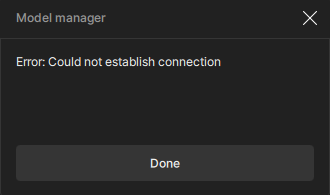
Ok, after rebooting my machine, I was able to download the models I needed. Except for the one for video stabilization. Every time I get the same error message after downloading 8/15 of the files for this modele.
hi. i am interested in purchasing topaz video. but does it work for linux? can i use the new starlight mini model on linux? i have a 4090 gpu and 64gb ram. arch linux distro.
The sweet spot is between 88. I tested a lot yesterday and in the morning, and i can tell for sure that lowering the vram to 88 “maximize” the performance. For what i can understand, when is in the “Temporal Context Extraction” it can take less “frames” to look at and understand. It can make the video worse, but its minimum, at least when u have a professional imput video, like a video clip in vob file. Again, im not saying that this is the correct way or something, but if i gest, the “pipeline” of the model is like:
[ Low-Resolution Video Input ]
|
v
±-----------------------------+
| Temporal Context Extraction |
| - Current Frame |
| - Neighboring Frames |
| - Motion-aligned Features |
±-----------------------------+
|
v
±---------------------------------------------+
| Starlight: Temporally Coherent Diffusion Model|
| - Reverse diffusion process |
| - Spatial-temporal attention |
| - Learned feature conditioning |
±---------------------------------------------+
|
v
±---------------------------+
| Super-Resolution Network |
| - Perceptual + temporal loss |
| - End-to-end reconstruction |
±---------------------------+
|
v
[ High-Resolution Output Frame ]
Hi @robertsgonsalves1
Thank you, i will give it a go sir!
I have looked or tried vob’s, im just just keeping it simple with typical formats.
just seems like the 5090 is rendering well less fps than it’s predecessor cards at this time. Somewhat disappointing considering the cost.