I had to select X2 scale than HD (1280 X 720) to get it to output to that resolution, AND it only worked on some of the DVDs I tried.
It’s an RTX 3080 ti.
Rigorous testing would be ideal, however, time constraints present a significant challenge. My personal testing, documented in a video, revealed considerable system strain; replication is questionable. While your assessment is partially valid, definitive conclusions remain elusive.
Either of our scenarios could work well or not so well. I doubt that it’s possible to reach any definitive conclusion without knowing what’s in the model training dataset. And until Topaz provides a version I can use locally with my GPU, I have better things to spend my cloud credits on. 
1 Like
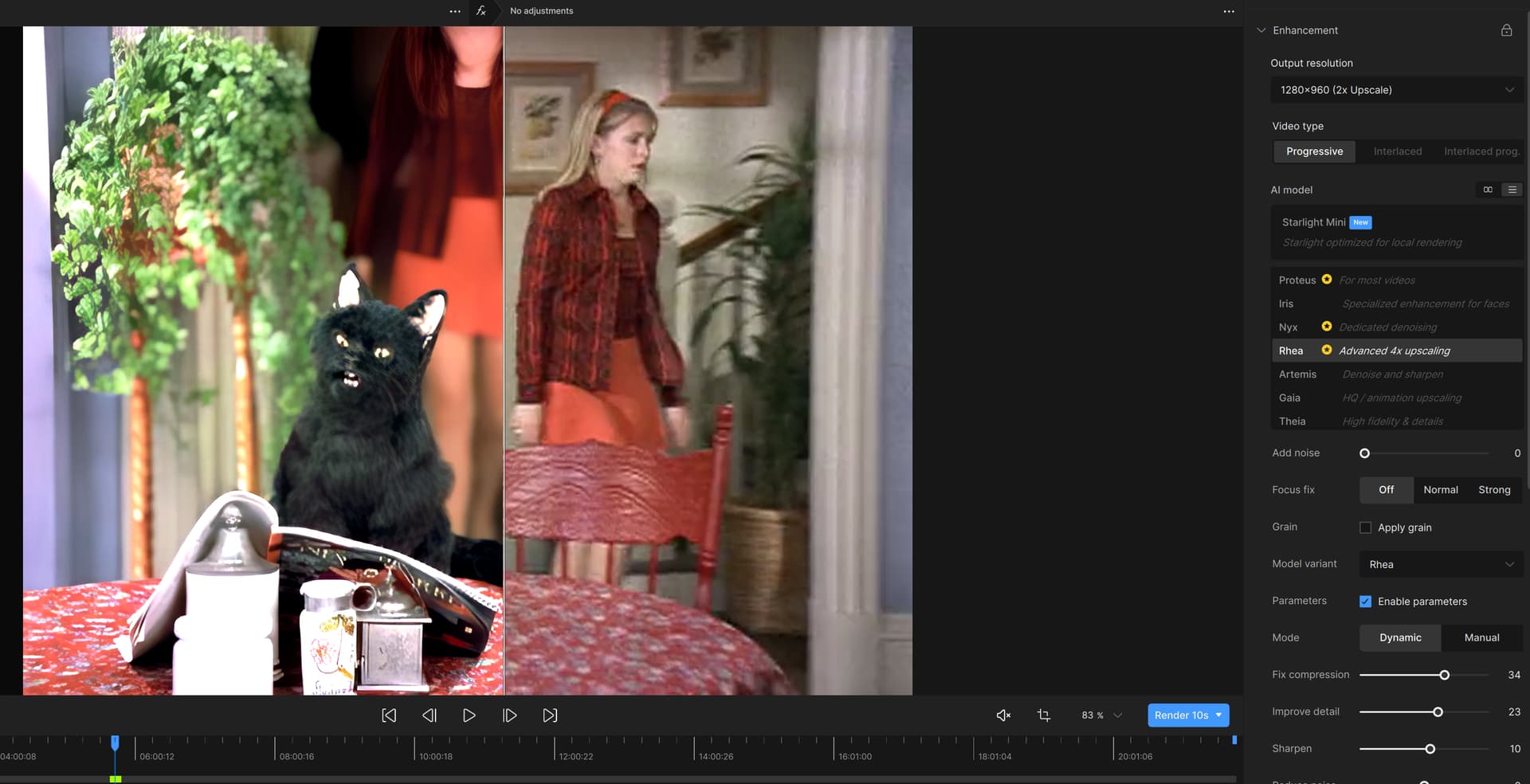
I have noticed that the Render side is different than the original. This is the screenshot of the said issue. The original is DVD quality
I have Windows 11, RTX 2080 TI, 40GB RAM, with i9-9900. I did not have this issue in Video AI 5. I skipped 6.
Hi! You know I am a big fan of this model and the progress you guys are making overall, but there is definitely some color shifting going on. I have not encountered the severe darkening at all but SM definitely likes to play with colors a bit - hue, brightness and saturation. It would be nice if it could be more stable but at this stage it’s not a dealbreaker for me.

1 Like
I guess @dakota.wixom will track the engineering issues. Thx for your feedback~
1 Like
Thx for ur like to this model. We will keep working hard to improve! 
2 Likes
As a professional, I use 10 to 15 second archive footage all the time. From client’s footage to purchased or even mine - being in the business for 30 years.
Waiting a few hours for the second Workstation to prepare those clips, or leaving it overnight, isn’t a problem. I usually know what footage I need to use weeks before I actually need it.
1 Like
Hey man, every minute saved is a gift from God himself. It took me two hours to render five seconds of 1080x1080 footage on a 4070 and 32GB of DDR4 RAM.
1 Like
Is there anyway to skip system check? I have a gpu with 6GB vram but windows allow you to share ram with the GPU, so the 8GB limit restriction is kind of pointless when my system can use 16GB of shared video memory, the only downside is speed, but could care less. I’m paying for product, let me download the stuff it’s offering.
I have now issues with the Starlight Export on audio export.
I tried so far differend codec settings in TVAI 7 incl. convert. Nothing helps.
All rendered Starlight videos are without audio.
How can I solve that?
I often export without audio and use https://avidemux.sourceforge.net/ to add audio tracks back.
The darkening is NOT caused by a bug in the program. Those showing pictures of a darkened output are either using the trial version or a ‘modified’ version, if you know what i mean.
Please people, if you like this program and are able to afford it, PAY for it.
2 Likes
It’s quite an interesting end result with StarLight mini’s default settings. But the face of the lady in the center isn’t really hers in the rendering on the right.
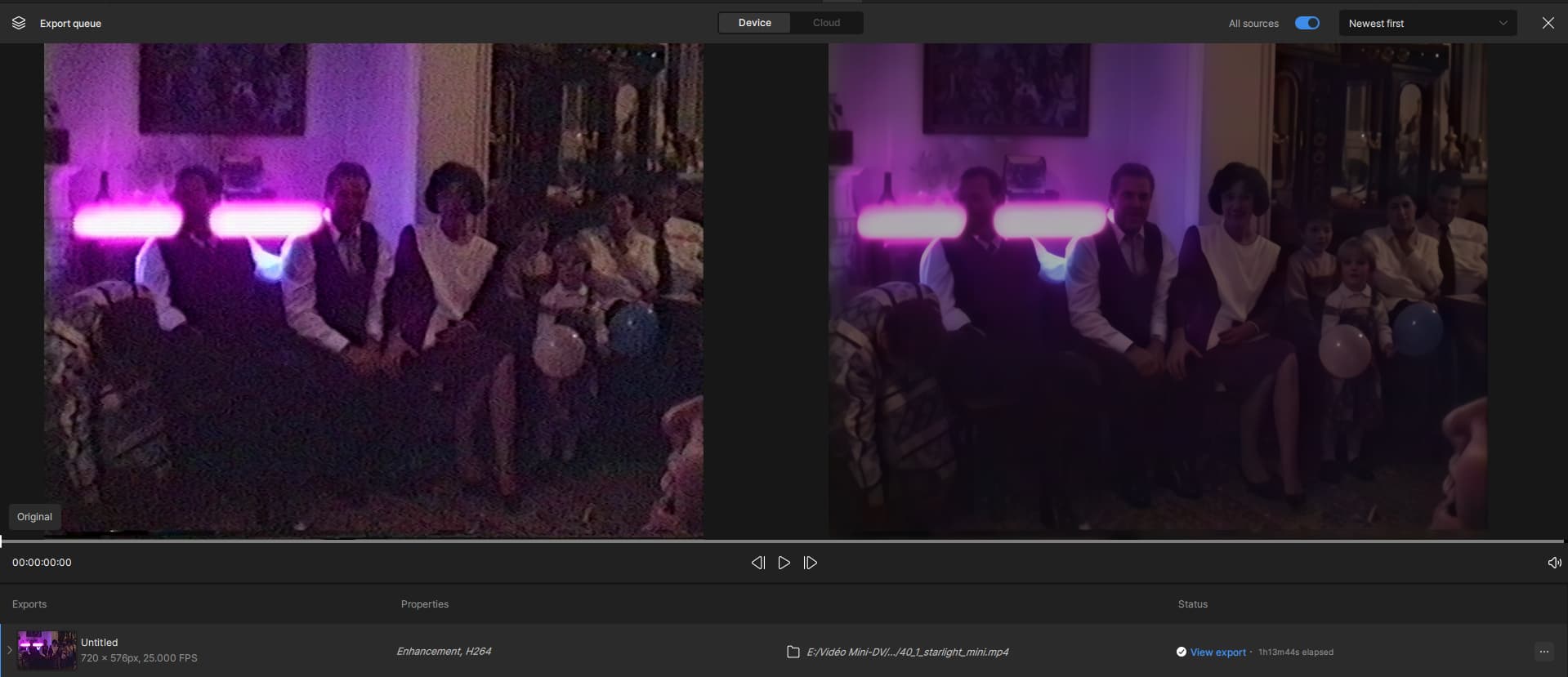
But when you see the quality of the source image, I think even the best AI in the world won’t be able to do better than this. Normally she wears glasses. But the noise in the video is so loud that the AI couldn’t see it.
Also, my rendering speed (if nothing else is running, because the slightest thing like copying files from one disk to another or surfing the Internet increases rendering time by + 1spf) and from 6.09 to 6.18 and sometimes 6.38 spf on my RTX Ventus 3070.
1 Like
Yes, I know how to join afterwards audio files. But for a lot of single clips this might be too much effort. Normally TVAI exports all models with audio.
So I went back to the outdated Beta version of TVAI 7…and…the audio output there works as usual.
ProRes format seems to convert the audio to uncompressed PCM format inside the mov container, and the A/V sync seems to be here for me (on 3090).
They have to draw the line somewhere. If your system is older than resizable BAR, it probably wouldn’t work. My guess is that if you could bypass the limitation and run it, it might take a week or more for a 3 second clip to process.
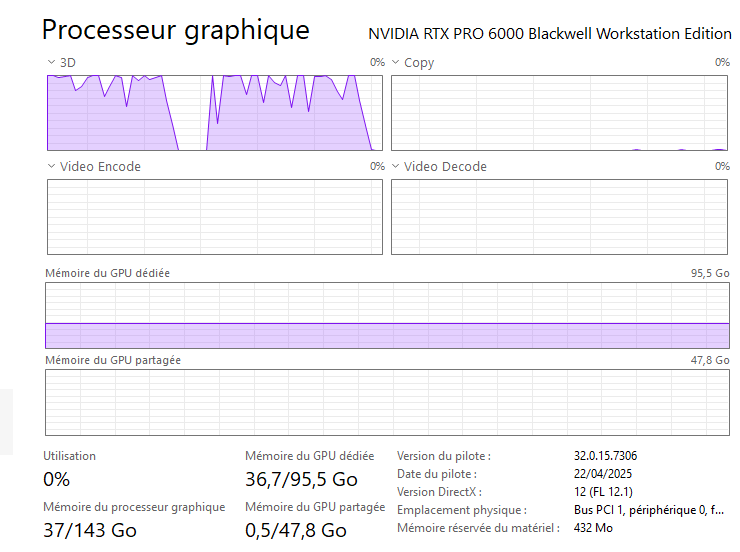
I’m experimenting with upscaling old VHS material now. Quality is much better then with the old models. However I’m a bit surprised that it will only utilize my GPU (5060 Ti) at around 1-2%
also VRAM use is around 11-12GB even though it is set to 100% (which would be 16GB), it also stays VERY cool at around 35°C. CPU usage is around 10-20%.
I’m getting 0.3fps for a 2x upscale from 720x576.
I mean the speed I actually consider to be fine for a card like the 5060Ti, but why is the card so “under utilized” ? also I’m still totally able to do other stuff with the computer, doesn’t slow down the upscaling process at all.
1 Like
it’s in the General > GPU settings, you have to scroll down a bit to find the slider