Preliminary Technical Report – Starlight Model Testing
Video comparation
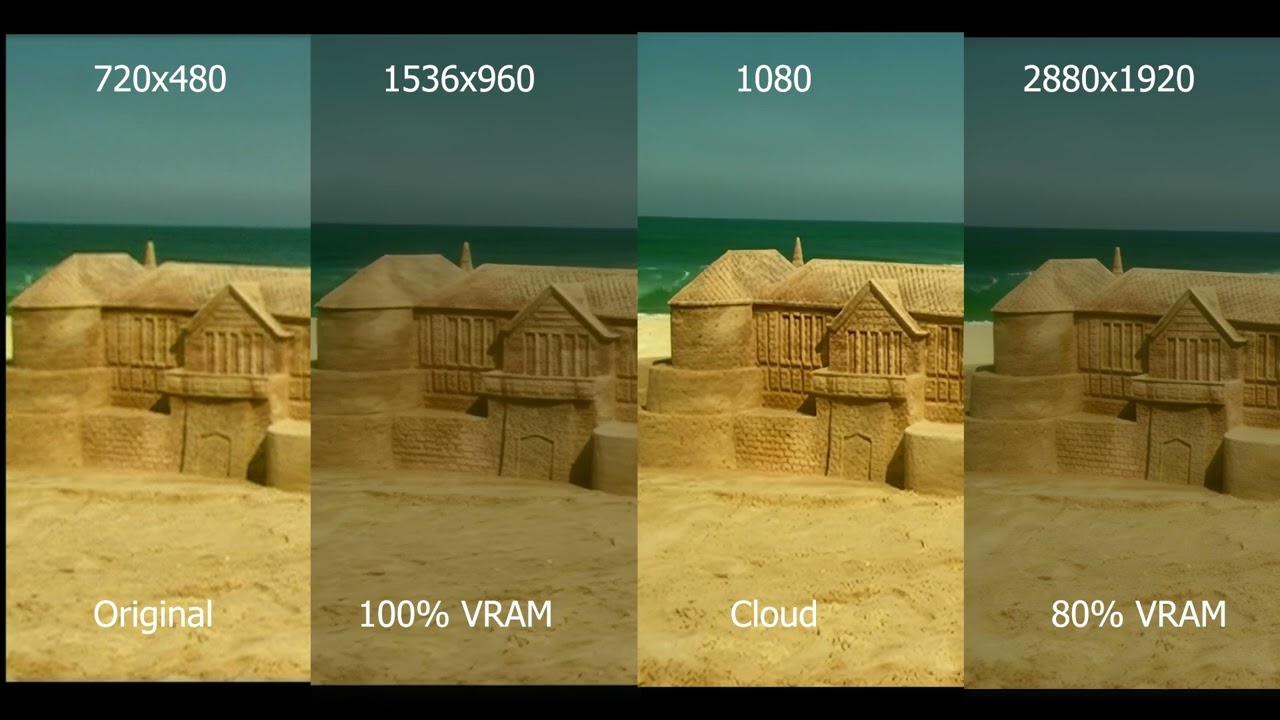
During consistency tests involving granular detail (literally grains of sand), I used a video clip that starts with a visually complex scene. In the opening sequence, a highly detailed sandcastle is shown, filled with soft and intricate textures. The goal was to assess whether the model could retain and propagate these learned details from the first frame all the way to the last.
As a consistency benchmark, the first frame reveals all the sand details clearly, serving as the “ground truth” for the rest of the video. This allows us to measure how the model handles temporal consistency and fidelity over the full duration of the clip.
Initial File Setup
The original file was in VOB format, which Starlight cannot process. Therefore, it was converted to MP4 using a lossless remuxing process — preserving the exact characteristics of the original, just changing the container. The original resolution was 720x480.
Test 1 – Starlight | 100% VRAM | 720x480 → 1536x960 | ~0.4 FPS
In this first test, I ran the standard Starlight model at full VRAM usage with the minimum upscale setting — essentially doubling the resolution.
Results:
- The model demonstrated good memory and temporal consistency.
- Some inconsistencies were present, including slight flickering or small hallucinations in finer details.
- Nothing egregious, and in general, the model was able to reconstruct the image with significant fidelity.
- Fine textures — especially the sand details — were recovered with surprising quality.
Conclusion: While some minor issues appeared in delicate regions, the overall output quality is strong and visually impressive, especially for the level of detail recovered from the source.
Test 1.1 – Starlight Cloud
Next, I tested the same clip using the cloud-based version of Starlight.
Results:
- Temporal coherence between frames was even better than in the local version.
- The model handled fine environmental details well — especially in the sandcastle and surrounding textures.
- However, facial regions (particularly the main character’s face) suffered from deformation.
- Some new inconsistencies appeared in this version that weren’t present in local inference.
Conclusion: The cloud model excels in handling temporal smoothness but struggles with facial structure integrity. Facial distortions reduce realism, despite the technical strength in background processing.
Test 2 – Starlight Mini | 88% VRAM | 720x480 → 1536x960 | ~2 FPS
Here I tested the Starlight Mini model with slightly reduced VRAM allocation, while maintaining the same upscale configuration.
Results:
- Quality was nearly identical to the full VRAM version.
- Frame-to-frame consistency remained strong — no texture swaps or visual anomalies during panning or zoom-outs.
- The model achieved almost 2 FPS, a notable speed improvement.
- Some issues were noted during fast camera movement: incorrect texture prediction and misaligned details, possibly due to confusion in temporal lookahead.
Conclusion: This appears to be the optimal balance between performance and quality. Starlight Mini performs very well and is highly usable at this configuration — especially for workflows that require speed without sacrificing too much visual quality.
Test 3 – Starlight Mini | 80% VRAM | 720x480 → 2880x1920 | ~0.1 FPS
In this final test, I pushed the model to upscale significantly — a 4x resolution increase — with reduced VRAM allocation.
Results:
- Despite the extremely slow processing (~0.1 FPS), this test delivered the best overall quality.
- Temporal consistency was exceptional. No glitches, no texture switching — even during complex movement.
- The model demonstrated a clear understanding of scene structure and detail prioritization.
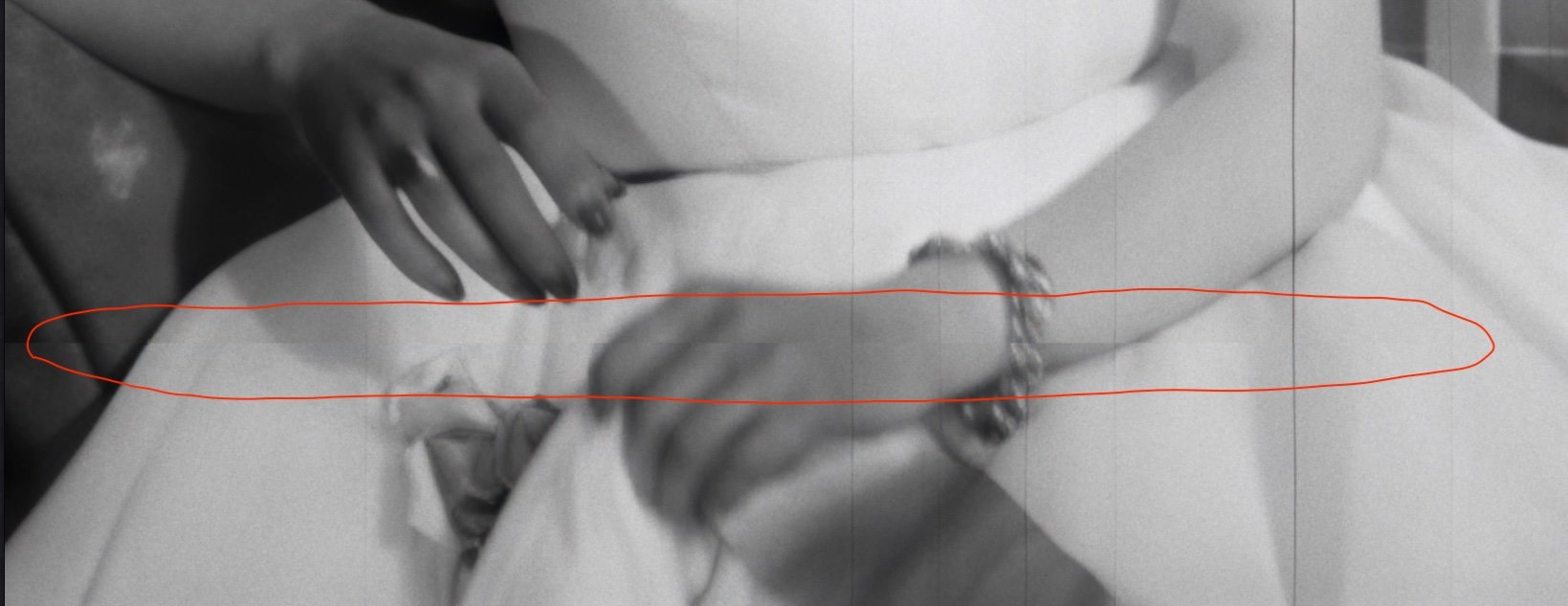
- The only detectable issue was a fingernail slightly disappearing in a few frames, a microscopic detail in the grand scheme.
Conclusion: Starlight Mini, even at lower VRAM, shines when used with high-resolution upscaling. It performs better than the cloud model in consistency and fidelity, proving to be a robust solution for restoration tasks where processing time is not a limiting factor.
Final Notes
This round of testing strongly suggests that the Starlight model (particularly the Mini variant) is highly capable of preserving temporal consistency, recovering fine details, and handling low-resolution source material with precision.
- The cloud version still needs refinement in facial modeling under motion.
- The Mini version, at 88% VRAM and moderate upscale, seems to offer the best trade-off between speed and quality.
- The high-resolution Mini run demonstrates the full power of the architecture, with near-flawless consistency and preservation of texture across the entire scene.