Based on this, it sounds like they made Zen 3 work on older boards via BIOS updates.
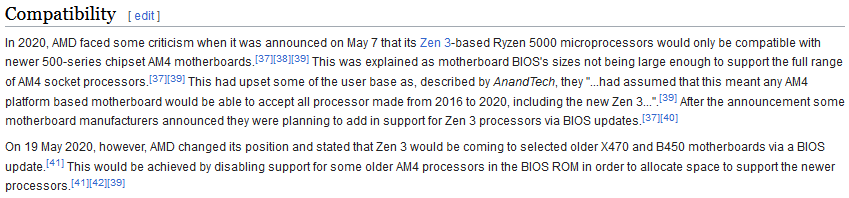
Based on this, it sounds like they made Zen 3 work on older boards via BIOS updates.
Mine is a B350 motherboard.
After receiving criticism from many people, they finally released a BIOS update in 2022 (2 years after the release of 5800x). 
The other reason I switched to Intel was that the AM5 x670 motherboard was quite expensive last year, costing over $300. Meanwhile, Intel Z690 motherboards had a significant discount (roughly half the price) after the release of the Z790 motherboard.
Do you have an ASUS board? They have a setting that skips the memory retraining - mine boots up very quickly.
MSI. I have not looked for that. I really shouldn’t mind. I restart that computer once every few months.
Topaz Video AI  v4.0.2
System Information
OS: Windows v10.22
CPU: Intel(R) Core(TM) i7-4770K CPU @ 3.50GHz  31.877 GB
GPU: NVIDIA GeForce RTX 2080  7.8145 GB
GPU: Intel(R) HD Graphics 4600  0.10986 GB
Processing Settings
device: 0 vram: 1 instances: 1
Input Resolution: 1920x1080
Benchmark Results
Artemis		1X: 	11.73 fps 	2X: 	06.81 fps 	4X: 	01.88 fps
Iris		1X: 	11.64 fps 	2X: 	06.40 fps 	4X: 	01.72 fps
Proteus		1X: 	11.12 fps 	2X: 	06.22 fps 	4X: 	02.22 fps
Gaia		1X: 	03.93 fps 	2X: 	02.61 fps 	4X: 	01.59 fps
Nyx		1X: 	04.73 fps 	2X: 	04.10 fps
4X Slowmo		Apollo: 	05.03 fps 	APFast: 	31.14 fps 	Chronos: 	09.00 fps 	CHFast: 	12.82 fps
These are pretty abysmal numbers for a $4k computer. Is this software just completely hobbled on Apple hardware?
For Iris, yes.
And as written above I don’t understand why it shouldn’t be possible to load the old fast model on the e.g. M2 Ultra and the extremely slow one with the artifact-fix only on those models where the error occurred (AFAIK M1 Max).
Or maybe even just provide the old fast Iris V1 and V2 models as a separate download for users to try.
Topaz Video AI  v4.0.2
System Information
OS: Mac v14
CPU: Apple M1  8 GB
GPU: Apple M1  5.3333 GB
Processing Settings
device: 0 vram: 1 instances: 1
Input Resolution: 1920x1080
Benchmark Results
Artemis		1X: 	03.60 fps 	2X: 	02.33 fps 	4X: 	00.27 fps
Iris		1X: 	02.86 fps 	2X: 	00.32 fps 	4X: 	ERR fps
Proteus		1X: 	03.51 fps 	2X: 	02.29 fps 	4X: 	ERR fps
Gaia		1X: 	01.19 fps 	2X: 	00.83 fps 	4X: 	00.28 fps
Nyx		1X: 	01.03 fps 	2X: 	00.92 fps
4X Slowmo		Apollo: 	03.82 fps 	APFast: 	15.03 fps 	Chronos: 	01.20 fps 	CHFast: 	01.74 fps
Topaz Video AI  v4.0.2
System Information
OS: Windows v10.22
CPU: AMD Ryzen 5 3600 6-Core Processor                31.951 GB
GPU: NVIDIA GeForce RTX 3060  11.845 GB
Processing Settings
device: 0 vram: 1 instances: 1
Input Resolution: 1920x1080
Benchmark Results
Artemis		1X: 	10.08 fps 	2X: 	07.34 fps 	4X: 	01.90 fps
Iris		1X: 	10.19 fps 	2X: 	05.86 fps 	4X: 	01.92 fps
Proteus		1X: 	10.22 fps 	2X: 	06.53 fps 	4X: 	02.00 fps
Gaia		1X: 	03.27 fps 	2X: 	02.23 fps 	4X: 	01.51 fps
Nyx		1X: 	03.84 fps 	2X: 	03.22 fps
4X Slowmo		Apollo: 	13.21 fps 	APFast: 	34.18 fps 	Chronos: 	07.49 fps 	CHFast: 	12.66 fps
Topaz Video AI Beta  v4.0.1.0.b
System Information
OS: Windows v11.22
CPU: 12th Gen Intel(R) Core(TM) i7-12700H  63.52 GB
GPU: Intel(R) Arc(TM) A770M Graphics  15.875 GB
GPU: Intel(R) Iris(R) Xe Graphics  0.125 GB
Processing Settings
device: 2 vram: 1 instances: 1
Input Resolution: 1920x1080
Benchmark Results
Artemis		1X: 	08.81 fps 	2X: 	03.90 fps 	4X: 	01.37 fps
Iris		1X: 	07.32 fps 	2X: 	04.31 fps 	4X: 	01.45 fps
Proteus		1X: 	07.66 fps 	2X: 	03.22 fps 	4X: 	01.10 fps
Gaia		1X: 	03.21 fps 	2X: 	01.78 fps 	4X: 	00.28 fps
Nyx		1X: 	03.13 fps 	2X: 	02.73 fps
4X Slowmo		Apollo: 	06.10 fps 	APFast: 	17.43 fps 	Chronos: 	06.34 fps 	CHFast: 	08.57 fps
I have a unique setup because I have two of the same GPU in two machines; one a state-of-the-art AMD workstation, and the other a 14nm Intel, and the results are rather different esp. with the “4X” models.
The newer AMD platform on Win11:
Topaz Video AI  v4.0.2
System Information
OS: Windows v11.22
CPU: AMD Ryzen 9 7950X 16-Core Processor              63.182 GB
GPU: NVIDIA GeForce RTX 3090  23.77 GB
GPU: AMD Radeon(TM) Graphics  0.47446 GB
Processing Settings
device: 0 vram: 1 instances: 1
Input Resolution: 1920x1080
Benchmark Results
Artemis		1X: 	23.63 fps 	2X: 	12.82 fps 	4X: 	03.64 fps
Iris		1X: 	22.27 fps 	2X: 	12.96 fps 	4X: 	04.56 fps
Proteus		1X: 	23.29 fps 	2X: 	11.81 fps 	4X: 	03.69 fps
Gaia		1X: 	08.01 fps 	2X: 	05.50 fps 	4X: 	03.63 fps
Nyx		1X: 	09.78 fps 	2X: 	08.15 fps
4X Slowmo		Apollo: 	31.00 fps 	APFast: 	63.00 fps 	Chronos: 	17.94 fps 	CHFast: 	28.73 fps
The older Intel platform on Win10:
Topaz Video AI  v4.0.2
System Information
OS: Windows v10.22
CPU: Intel(R) Core(TM) i7-10700K CPU @ 3.80GHz  31.867 GB
GPU: NVIDIA GeForce RTX 3090  23.77 GB
GPU: NVIDIA GeForce RTX 3090  23.77 GB
GPU: NVIDIA GeForce RTX 3090  23.77 GB
Processing Settings
device: 0 vram: 1 instances: 1
Input Resolution: 1920x1080
Benchmark Results
Artemis		1X: 	23.97 fps 	2X: 	10.63 fps 	4X: 	02.85 fps
Iris		1X: 	22.19 fps 	2X: 	11.08 fps 	4X: 	03.00 fps
Proteus		1X: 	20.00 fps 	2X: 	11.88 fps 	4X: 	02.72 fps
Gaia		1X: 	07.94 fps 	2X: 	05.30 fps 	4X: 	02.64 fps
Nyx		1X: 	09.54 fps 	2X: 	07.77 fps
4X Slowmo		Apollo: 	25.48 fps 	APFast: 	46.01 fps 	Chronos: 	17.41 fps 	CHFast: 	23.21 fps
Is it possible to test the 7950X with two 3090s?
I wonder what’s the performance like with the new M3 Max.
I realized I’m on 3.2.9 but see prelim benchmarks on my 1 hour old m3 max 14" MacBook Pro. Not sure how much of. difference is there between the newer update.
Topaz Video AI  v3.2.9
System Information
OS: Mac v14.01
CPU: Apple M3 Max  64 GB
GPU: Apple M3 Max  48 GB
Processing Settings
device: 0 vram: 1 instances: 1
Input Resolution: 1920x1080
Benchmark Results
Artemis		1X: 	11.72 fps 	2X: 	07.43 fps 	4X: 	02.56 fps
Proteus		1X: 	12.25 fps 	2X: 	06.84 fps 	4X: 	02.19 fps
Gaia		1X: 	03.41 fps 	2X: 	02.37 fps 	4X: 	01.68 fps
4X Slowmo		Apollo: 	09.26 fps 	APFast: 	37.45 fps 	Chronos: 	04.02 fps 	CHFast: 	06.64 fps
What is the power consumption of M3 Max at maximum Topaz load?
So that’s about 30% slower than a M2 Ultra 24/60c.
But then Topaz doesn’t really scale well with many GPU cores as the M2 Ultra with 60 GPU cores is only about double the speed for many cases as the old M1 Pro with 16 GPU cores.
Topaz Video AI  v4.0.3
System Information
OS: Mac v14.01
CPU: Apple M2 Ultra  64 GB
GPU: Apple M2 Ultra  48 GB
Processing Settings
device: 0 vram: 1 instances: 1
Input Resolution: 1920x1080
Benchmark Results
Artemis		1X: 	14.98 fps 	2X: 	08.73 fps 	4X: 	02.66 fps
Iris		1X: 	07.58 fps 	2X: 	02.74 fps 	4X: 	02.50 fps
Proteus		1X: 	14.78 fps 	2X: 	07.66 fps 	4X: 	02.37 fps
Gaia		1X: 	05.52 fps 	2X: 	03.74 fps 	4X: 	02.69 fps
Nyx		1X: 	05.24 fps 	2X: 	06.44 fps
4X Slowmo		Apollo: 	18.36 fps 	APFast: 	68.84 fps 	Chronos: 	05.73 fps 	CHFast: 	07.64 fps
NB: the issue with Iris being abysmally slow on Apple Silicon especially with the 2x model is till there - heck on the M1 Pro Iris 4x is even faster than 2x!
Here’s the 10 GPU core version of the base M3, 24Gb iMac
Topaz Video AI  v4.0.3
System Information
OS: Mac v14.0101
CPU: Apple M3  24 GB
GPU: Apple M3  16 GB
Processing Settings
device: 0 vram: 1 instances: 1
Input Resolution: 1920x1080
Benchmark Results
Artemis		1X: 	06.20 fps 	2X: 	04.01 fps 	4X: 	01.54 fps
Iris		1X: 	04.47 fps 	2X: 	00.62 fps 	4X: 	00.80 fps
Proteus		1X: 	05.64 fps 	2X: 	03.64 fps 	4X: 	01.19 fps
Gaia		1X: 	02.03 fps 	2X: 	01.45 fps 	4X: 	01.05 fps
Nyx		1X: 	01.58 fps 	2X: 	00.95 fps
4X Slowmo		Apollo: 	08.06 fps 	APFast: 	32.88 fps 	Chronos: 	02.26 fps 	CHFast: 	03.52 fps
Quite nice for the base config.
But Iris 2x… ouch! 
Yep there is something about Iris x2 that doesn’t agree with Mac Silicon
