I downloaded a mac power monitor and i’m not a tech nerd with these numbers. Will be useful to others maybe. This is the M3 max 14" 16c/40gpu 64gb 1tb. this is the image with temp on top for a 10 second preview of HD video to 4k and just a preset used.I can hear the fans long after the temperature settled down to 40’c. The version is Topaz 3.2.9
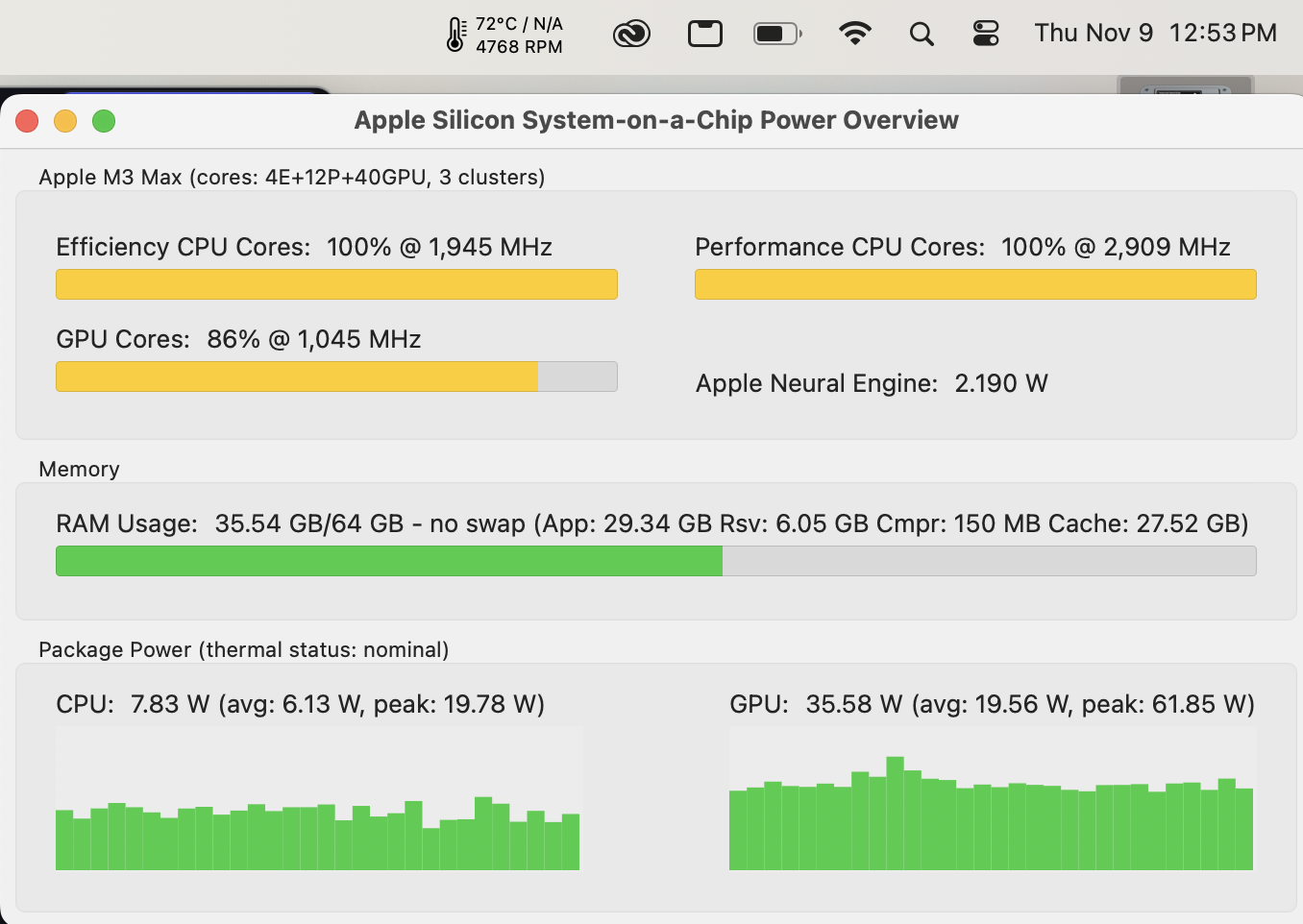
Posted above here.
Why do you use that old version?
Not only 2x but all Iris models run slower than need be on apparently all Apple Silicon configurations. Just with the 2x model it’s really ridiculous.
What is the recommended gpu to buy specifically for topaz video ai?
If money is no object, an RTX 4090. Otherwise an RTX 3080 or better.
See updated for 4.0.3.

Topaz Video AI  v4.0.3
System Information
OS: Mac v14.0101
CPU: Apple M3 Max  64 GB
GPU: Apple M3 Max  48 GB
Processing Settings
device: 0 vram: 1 instances: 1
Input Resolution: 1920x1080
Benchmark Results
Artemis		1X: 	11.69 fps 	2X: 	07.25 fps 	4X: 	02.43 fps
Iris		1X: 	12.62 fps 	2X: 	02.55 fps 	4X: 	01.29 fps
Proteus		1X: 	08.78 fps 	2X: 	04.69 fps 	4X: 	01.87 fps
Gaia		1X: 	02.52 fps 	2X: 	02.00 fps 	4X: 	01.51 fps
Nyx		1X: 	04.34 fps 	2X: 	04.27 fps
4X Slowmo		Apollo: 	08.77 fps 	APFast: 	35.42 fps 	Chronos: 	02.96 fps 	CHFast: 	05.12 fps
2 Likes
Topaz Video AI  v4.0.3
System Information
OS: Windows v11.23
CPU: 12th Gen Intel(R) Core(TM) i9-12900KF  127.78 GB
GPU: NVIDIA GeForce RTX 4060 Ti  15.745 GB
Processing Settings
device: 0 vram: 0.95 instances: 1
Input Resolution: 1920x1080
Benchmark Results
Artemis		1X: 	13.75 fps 	2X: 	09.32 fps 	4X: 	02.78 fps
Iris		1X: 	15.00 fps 	2X: 	07.59 fps 	4X: 	02.20 fps
Proteus		1X: 	12.55 fps 	2X: 	08.66 fps 	4X: 	03.02 fps
Gaia		1X: 	04.46 fps 	2X: 	03.10 fps 	4X: 	02.07 fps
Nyx		1X: 	05.28 fps 	2X: 	04.57 fps
4X Slowmo		Apollo: 	19.64 fps 	APFast: 	53.23 fps 	Chronos: 	10.49 fps 	CHFast: 	15.90 fps
After 7 weeks of waiting for a RMA, I finally got a replacement RTX 4090!
Topaz Video AI  v4.0.3
System Information
OS: Windows v11.22
CPU: AMD Ryzen 9 7950X 16-Core Processor              63.14 GB
GPU: NVIDIA GeForce RTX 4090  23.59 GB
GPU: AMD Radeon(TM) Graphics  0.47446 GB
GPU: NVIDIA GeForce RTX 4090  23.59 GB
Processing Settings
device: 0 vram: 1 instances: 1
Input Resolution: 1920x1080
Benchmark Results
Artemis		1X: 	39.97 fps 	2X: 	16.22 fps 	4X: 	04.42 fps
Iris		1X: 	43.54 fps 	2X: 	19.55 fps 	4X: 	05.41 fps
Proteus		1X: 	38.28 fps 	2X: 	14.58 fps 	4X: 	04.32 fps
Gaia		1X: 	15.52 fps 	2X: 	10.71 fps 	4X: 	04.94 fps
Nyx		1X: 	18.12 fps 	2X: 	15.39 fps
4X Slowmo		Apollo: 	44.68 fps 	APFast: 	89.95 fps 	Chronos: 	33.40 fps 	CHFast: 	38.60 fps
Vendor of 4090?
There where another case here in the forum where a 4090 did break.
Zotac
1 Like
The RMA service was handled well, but there was a long wait because there was global 4090 shortage (people were suggesting that due to the ban on US imports of tech to China that a lot of GPUs were bought up by Chinese before it went into effect).
Anyway just bad timing for me, some people had to wait 3 months.
Topaz Video AI  v4.0.3
System Information
OS: Windows v11.23
CPU: AMD Ryzen 9 5950X 16-Core Processor              63.923 GB
GPU: AMD Radeon RX 7900 XTX  23.937 GB
Processing Settings
device: 0 vram: 1 instances: 1
Input Resolution: 1920x1080
Benchmark Results
Artemis		1X: 	22.78 fps 	2X: 	09.04 fps 	4X: 	02.48 fps
Iris		1X: 	24.97 fps 	2X: 	11.57 fps 	4X: 	03.09 fps
Proteus		1X: 	20.45 fps 	2X: 	08.55 fps 	4X: 	02.40 fps
Gaia		1X: 	11.21 fps 	2X: 	07.15 fps 	4X: 	02.96 fps
Nyx		1X: 	09.63 fps 	2X: 	07.73 fps
4X Slowmo		Apollo: 	21.49 fps 	APFast: 	50.40 fps 	Chronos: 	16.33 fps 	CHFast: 	24.93 fps
2 Likes
My Asus 4090 TUF Gaming OC did break too. I was precisely using Topaz Video AI and the system suddenly showed a black screen and an ugly burn smell started to come out of the 12VHPWR connector.
The 90º Cablemod adapter had melted so strong with the connector that it was impossible to extract without risking the PCB of the GPU.
By Fortune I had a positive answer both from Asus and Cablemod. I chose the Asus’s RMA to preserve the warranty but It took much more tramitation than the repair Cablemod offered.
I received the GPU about 3 weeks ago and everything looks fine:
When you get it back, set it to the settings of RTX 6000 ADA, it should not get broken anymore then.
Gaming cards are made for “drop as many pixels as fast as it gets, no matter what happen”.
Workstation Cards are made for “create the best possible output, failing is not an option”.
Topaz Video AI  v4.0.3
System Information
OS: Windows v11.22
CPU: 13th Gen Intel(R) Core(TM) i9-13900K
MEM: 63.753 GB DDR5 6600 MHZ CL32-39-39 @ 1.40V XMP1
GPU: NVIDIA GeForce RTX 4090  23.59 GB
GPU: Intel(R) UHD Graphics 770  0.125 GB
Processing Settings
device: 0 vram: 0.94 instances: 1
Input Resolution: 1920x1080
Benchmark Results
Artemis		1X: 	42.03 fps 	2X: 	23.17 fps 	4X: 	05.62 fps
Iris		1X: 	39.73 fps 	2X: 	22.31 fps 	4X: 	06.28 fps
Proteus		1X: 	38.21 fps 	2X: 	19.98 fps 	4X: 	05.55 fps
Gaia		1X: 	15.83 fps 	2X: 	10.80 fps 	4X: 	06.20 fps
Nyx		1X: 	17.50 fps 	2X: 	14.92 fps
4X Slowmo		Apollo: 	45.89 fps 	APFast: 	100.57 fps 	Chronos: 	32.46 fps 	CHFast: 	38.28 fps
The Ada 600 settings you mean would to limit the maximun power draw to only 300W?
I was also thinking to lower the limit to about 400W but under that could be too much performance lost.
Also taking advantage of the fact that I already have a custom liquid cooler installed and the graphics card has already been opened and the seal removed by the technical service I am going to put a water block to stop worrying about the temperatures (especially those of the connector and the hot spot).
I would also like to to warn other users in my situation of a couple of points:
My 90 degree 12VHPWR adapter belonged to the first revision which has had a failure rate above the standard, for that reason the Cablemod offers a free cost replacement program for early adopters to replace for the new (and safer) one 90 degree.
Otherwise according to specialized sources like Igorslab.de or NorthridgeFix’s youtube channel Asus’s 4090 graphics cards (all models) presents by far the larger number of melted connector cases, apparently it is because Asus is the only manufacturer that has mounted the connector inverted, which makes the connector even hotter.
yes, i think the silicon (and connectors) is running close to failure, compared to other gpus a lot of users in this forum did mention that the 4090 did break.
So running it with less stress will last it longer.
1 Like
Just look what they do with the pro gpus, the 4090 in its state would just break away.
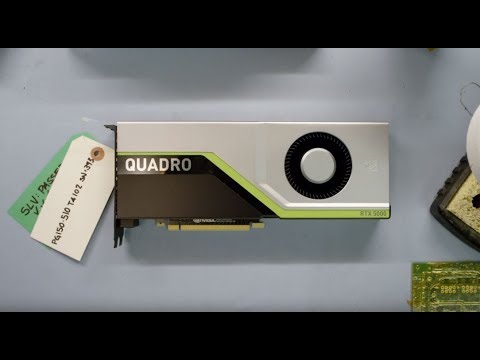
1 Like
2016 Computer
Topaz Video AI  v4.0.4
System Information
OS: Windows v10.22
CPU: 2 Processors: Intel(R) Xeon(R) CPU E5-2650 v4 @ 2.20GHz  127.88 GB
GPU: NVIDIA Quadro P6000  23.846 GB

Processing Settings
device: 0 vram: 1 instances: 1
Input Resolution: 1920x1080

Benchmark Results
Artemis		1X: 	04.21 fps 	2X: 	02.89 fps 	4X: 	01.18 fps
Iris		1X: 	04.27 fps 	2X: 	02.32 fps 	4X: 	00.91 fps
Proteus		1X: 	04.08 fps 	2X: 	02.78 fps 	4X: 	01.06 fps
Gaia		1X: 	01.62 fps 	2X: 	01.08 fps 	4X: 	00.77 fps
Nyx		    1X: 	01.80 fps 	2X: 	01.58 fps

4X Slowmo
Apollo: 	05.32 fps
APFast: 	19.27 fps
Chronos: 	02.60 fps
CHFast: 	04.09 fps
I’m not taking notes how much time until the Benchmark is done. But i guess it took 1 hours 30 minutes, or more.
