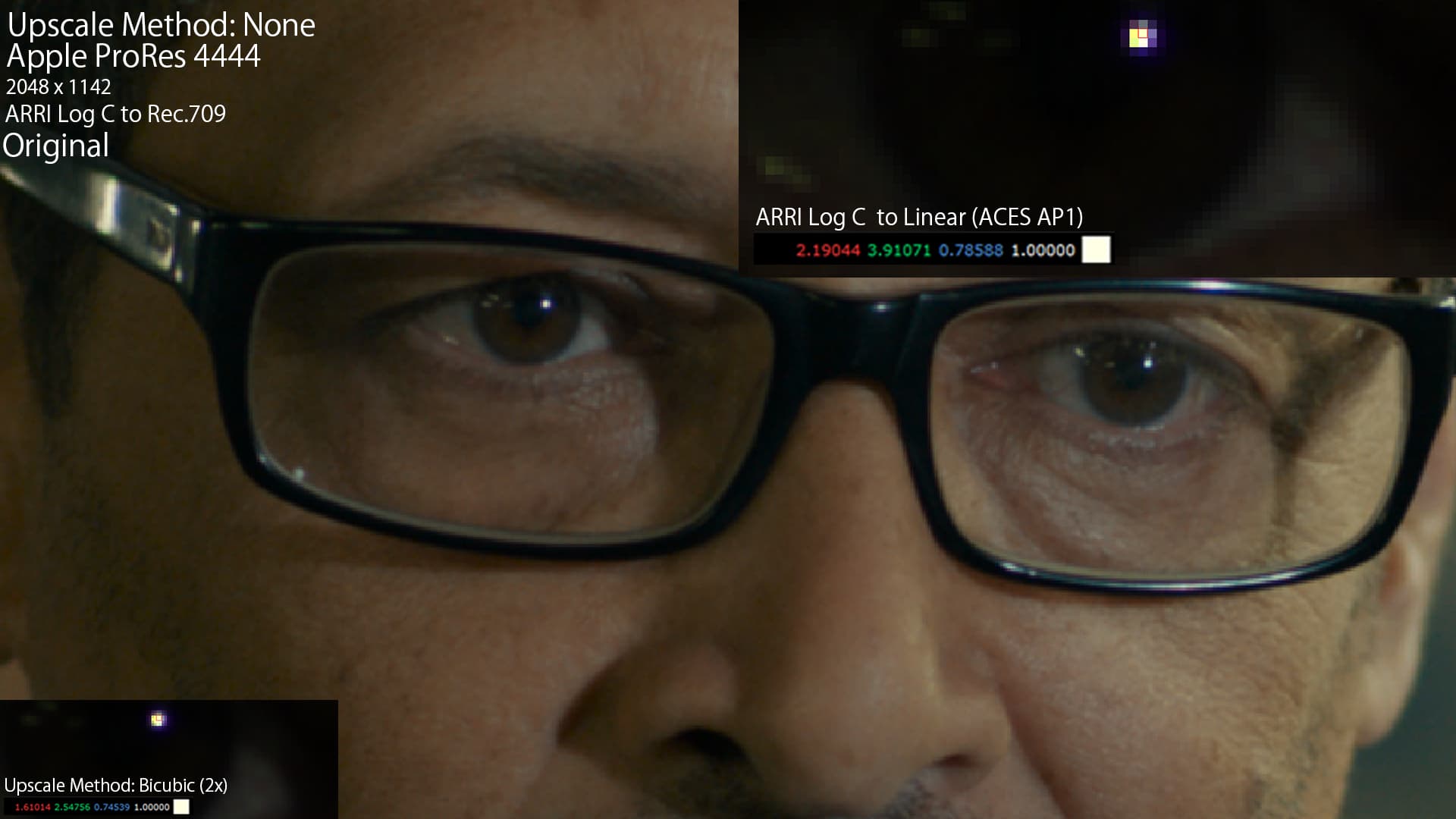
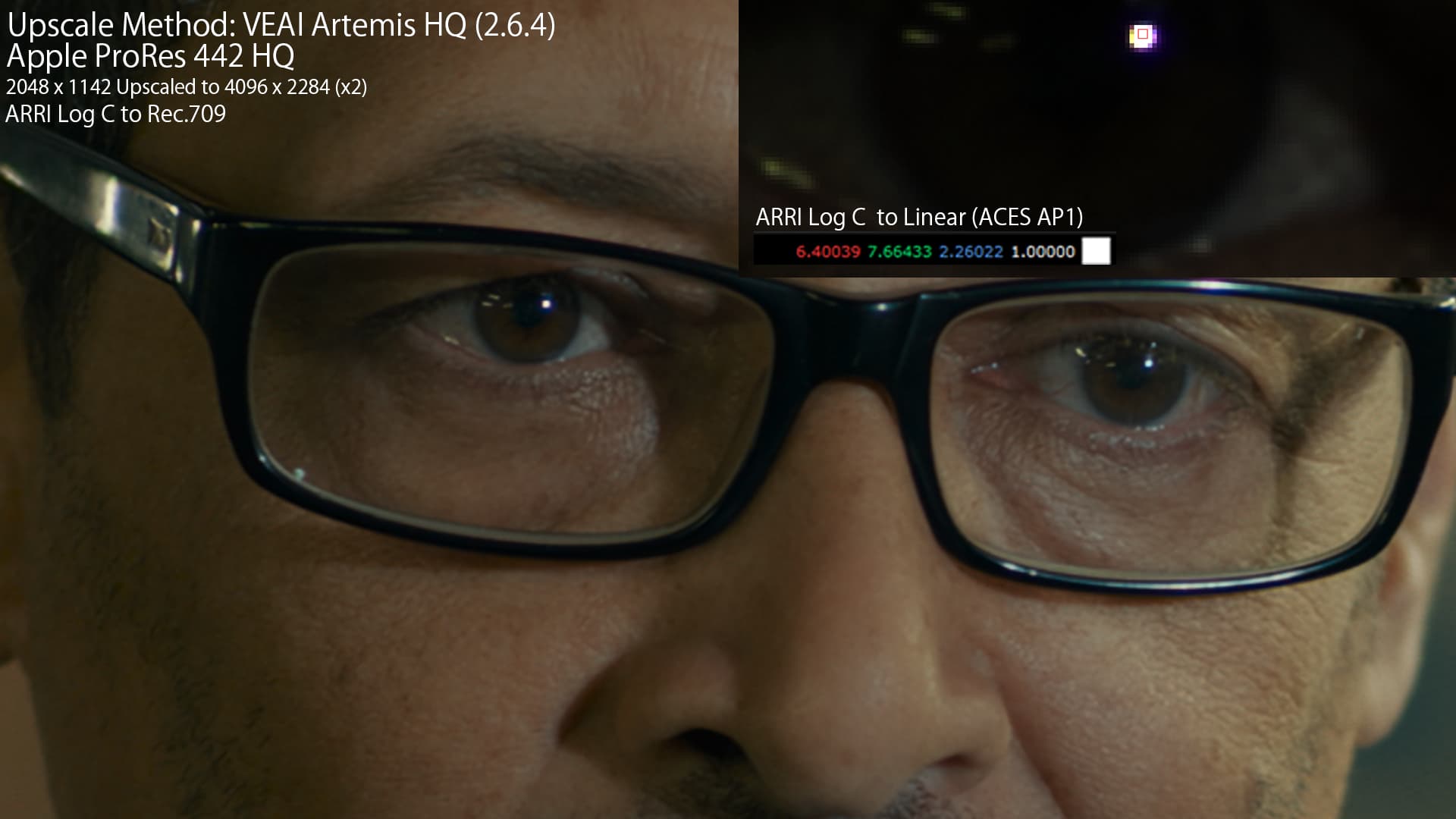
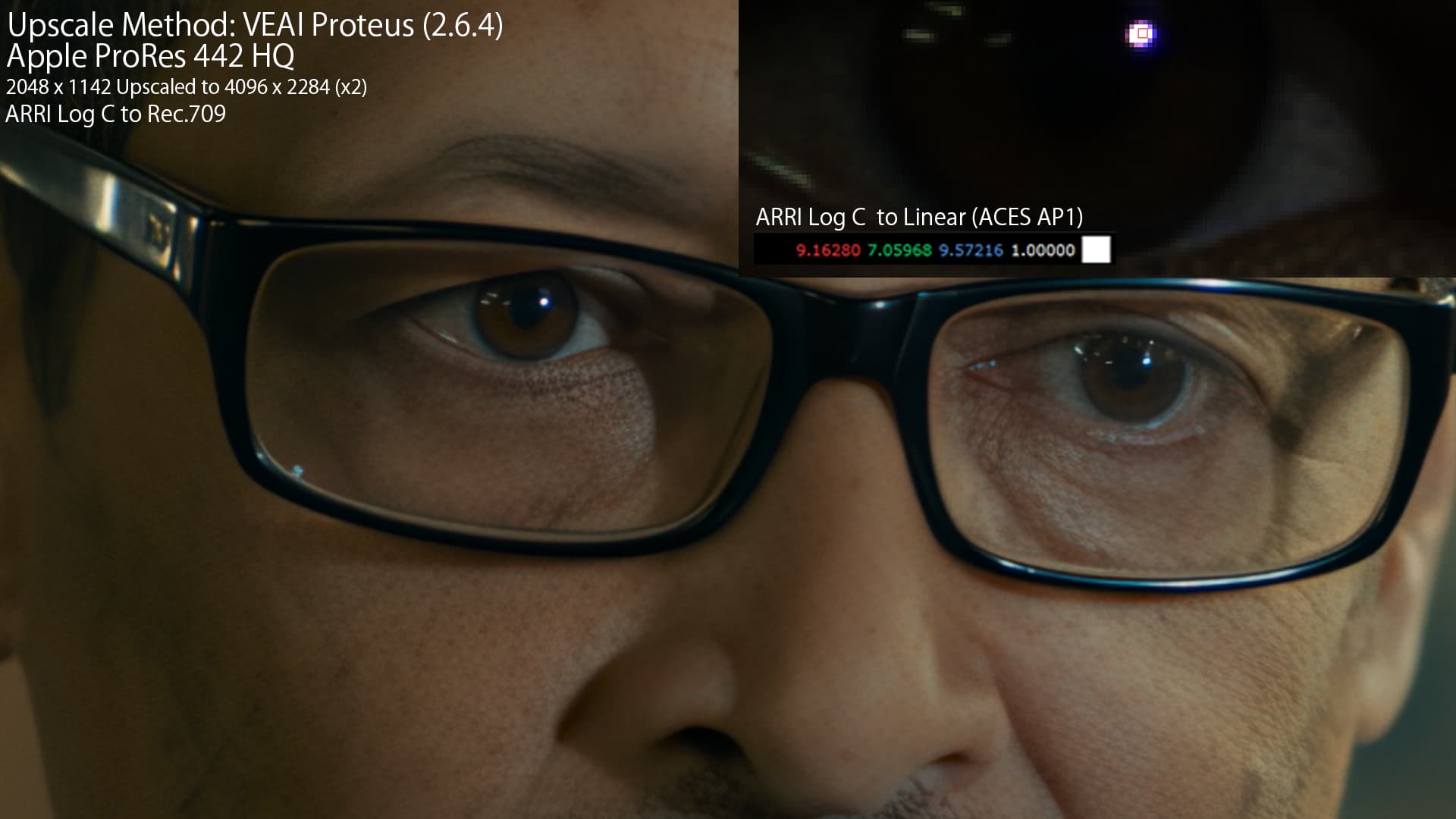
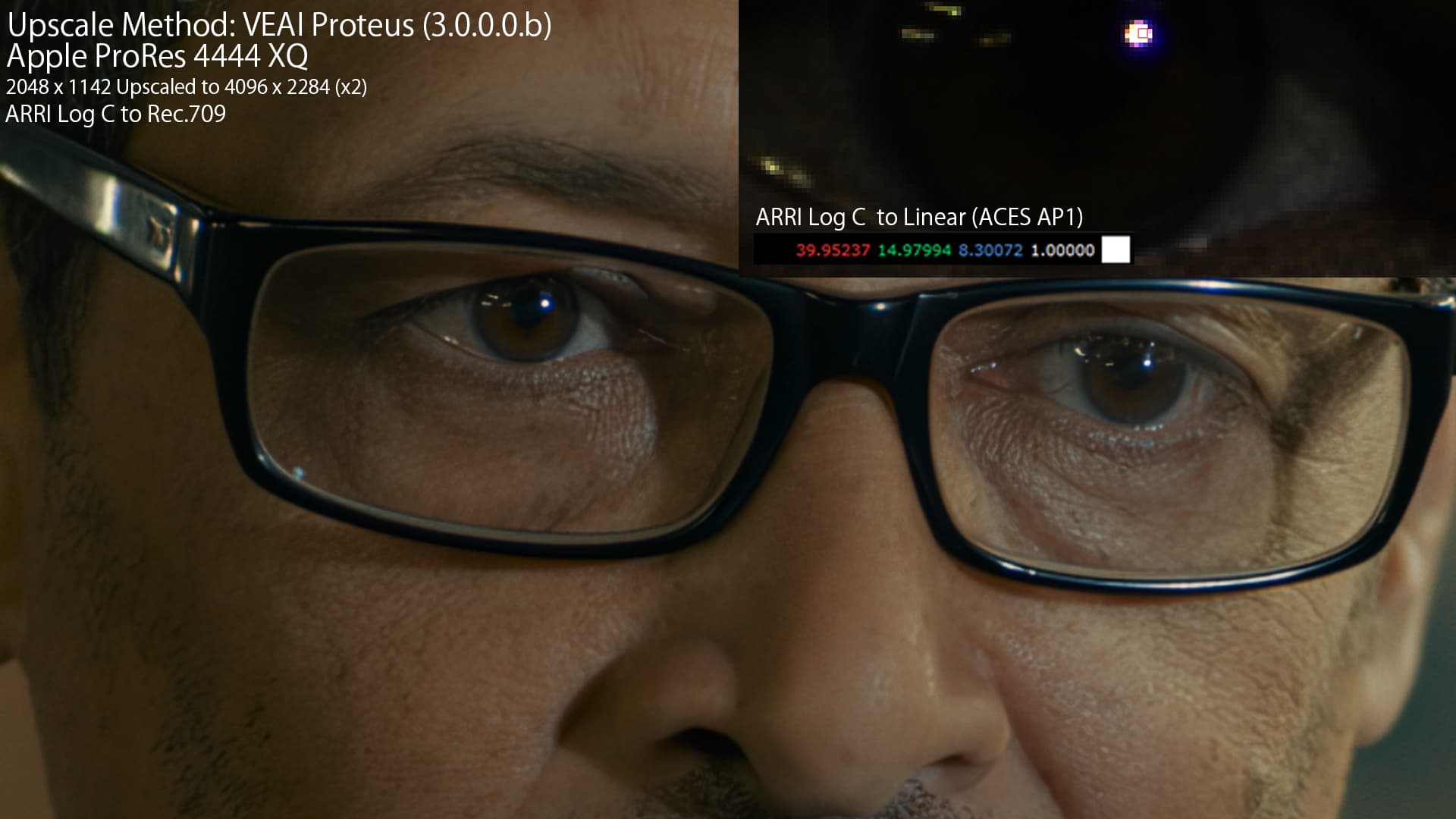
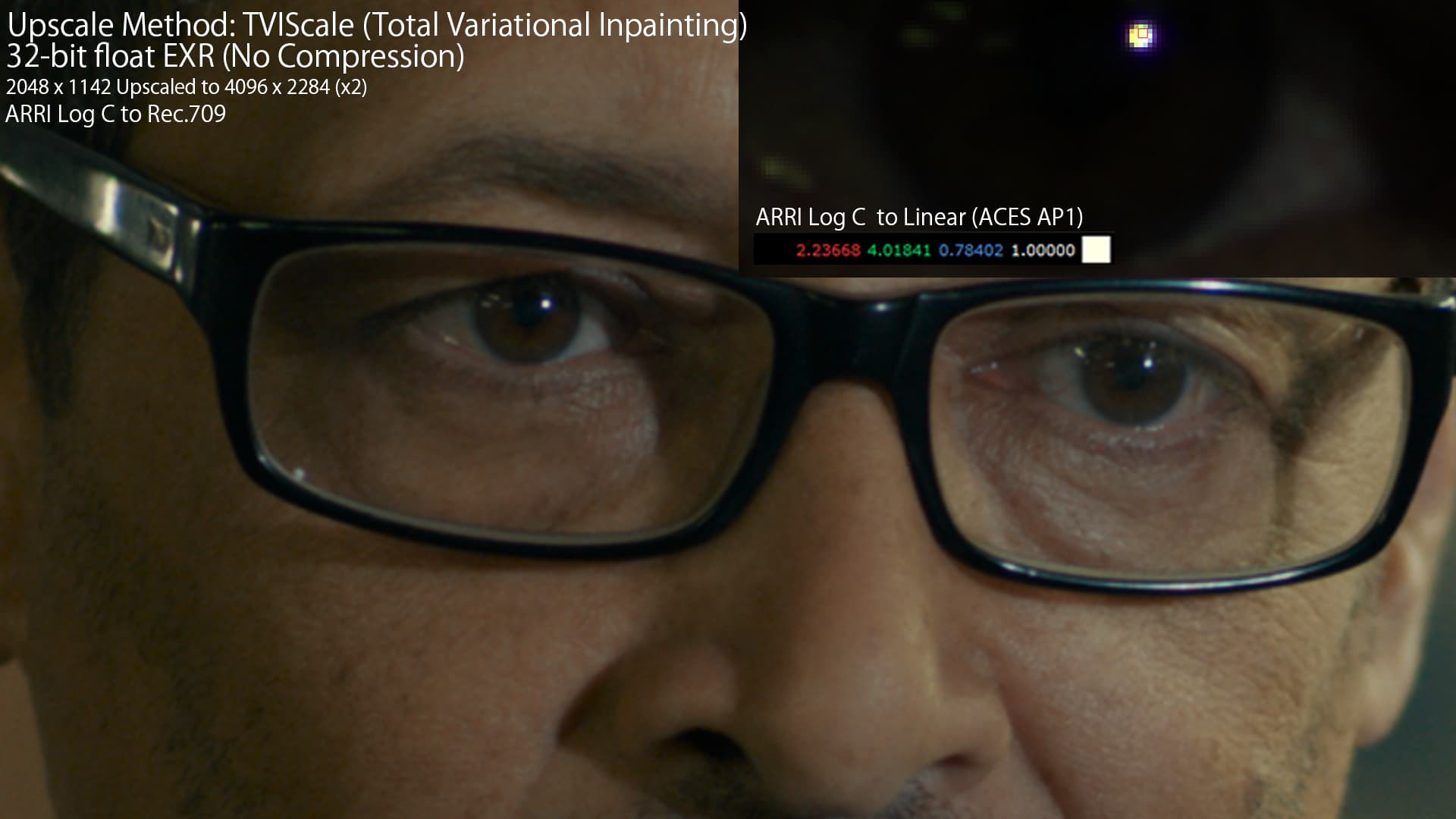
Since 3.0.0.0.b has been released I’ve been attempting to use it in different scenarios and have found some interesting results regarding how VEAI handles colors. Coming from filmmaking, visual effects and animation, in between most pipelines involves dealing with footage in various color spaces, you’ll also need a high dynamic range and enough bit depth to make sure there is enough data to represent the values correctly. If you’re familiar with color spaces none of this is new but I think it’s important to address it now that VEAI supports 16bit color depth.
It might just be that the 16bit color depth processing improves the end result and that’s that but I think there’s more to it considering that we have the ability to export things like ProRes 4444XQ which doesn’t make much sense if you’re not going to do any other processing with it. VEAI doesn’t currently support OpenEXR which is a preferred way of handling such files especially since it has 32bit linear support but 12bit ProRes is good enough for this particular footage.
The below footage is in originally in ARRI Log C (ProRes 4444) and I used a bunch of different upscaling techniques some in VEAI and some in Nuke. After converting the LOG footage to Linear I realized the values were in some cases much higher than the original file, this could be caused by a lot of different things but for example in the case of Proteus the sharpening parameter might be contributing to the very high values when I used it in 3.0.0.0b. Since I used the auto function on both versions to select the parameters I don’t know what specific changes are between them and so it’s potentially inconsistent compare the 2.6.4 and the 3.0.0.0b version between each other.
Another thing that also happens is that these values are temporarily inconsistent so throughout the video there will be transients where the values get really high and then go down even though the visuals remain similar, I can’t attach videos here so they’re uploaded to this GoFile. Though every method I used will affect the linear values in some way (unless it is just a simple nearest neighbor upscale) it looks like VEAI is going haywire with the very high peak values. How you’d go about fixing this I don’t know but perhaps there could be some of clamp that restricts the values above 1 in the range of the original file, I’m not too sure.
The last point is which has been brought up quite a few times on different threads is that the colors are generally just inconsistent from the original file. The weird part is that the 2.6.4 colors are more aligned with the original file (even with ProRes 442 HQ) than 3.0.0.0.b (ProRes 4444 XQ). In the GoFile I also provided some webpage (.html) comparison apps that you that can use visualize the differences more clearly since it’s harder to notice when scrolling between them.
Thanks, very informative. It seems Proteus in 3.0.0.0b is the winner. On 2.6.4, it generated artifacts under the right (camera left) eye, and did some weird softening thing on the eyebrows and forehead.
Did you use the “Auto” setting for Proteus in 3.0.0.0b?
Can you post the Proteus settings you used for 2.6.4?
I used auto for both 2.6.4 and 3.0.0.0b Proteus and I forgot to note down which settings it assigned after I had already done everything unfortunately. If I have time I might try and run it through again to get both consistent settings.
I think one bad thing that doesn’t help the confusion is when you start the export the Auto button changes color from Blue(active) to Gray. IMO it should stay Blue through the process. That issue seems to be tied to the change from the export GUI to the Preview GUI. Also the sliders should be inactive if they are not being used. I’m fine with them being there but make them inactive if you cannot use them for some good purpose while in Auto. Just my thoughts.
You can use them for a good purpose while in auto. If you don’t want any auto of a certain function…turn that function off. If you want a specific function to remain set to a specific level for all frames, set it. That’s the point.
I ran a test case a hour or so ago where I moved the blur/deblur slider to 100 for one test, -100 in another and then full auto. Full Auto seems to be working but the blur and deblur tests had the same amount of deblur. I think it took the entire video out of auto. I did not try an all zero’s no auto run. I should go back and try but having the same results for the blur and deblur was enough for me not to go any further.
We are not limited - you can input your value. I didn’t test it yet. NVENC h265 High 10 180Mb/s setting gives me 50-150 variable framerate. It looks enough for me, so I didn’t test higher settings.
If you enter a value greater than 240, it returns to 0 so in automatic mode. I did a test at 0 and the file is unreadable. Not surprising because with 2.6.4 the 8K upscaling takes 9 days and with the 3 beta 1 it takes 4 hours…
I see. The problem I see in “Auto” that is the most offensive is the Revert Compression setting which is invariably set too low. That usually results in a noisy, blotchy image that is most easily noticeable in scenes where a pure color like scenes with sky. Once this setting is done, the filters below all suffer for it.
If what you’re saying about overriding Auto is true, I’d suggest they simply make some of these settings flaggable as boost factorsinstead. From personal preference, I generally prefer stronger sharpen settings.
Perhaps this notion should be repeated in the main thread.
Hi - the build I sent you is named alpha but we just made it as a test build with a potential fix to that login error. We’ll take the necessary fix to the next beta build this week.
Most of the registry entries in HKEY_CURRENT_USER are not created by the installer, rather they are created by the app at runtime.
It would be helpful if you could provide the log files from the run(s) where you had empty settings. I also want to double check what you did during the clean install: did you delete the entire registry key, or just the contents of the key?