Using video ai without update

[As far as I remember, when I bought

Topaz video, I had one year without free

update. But It was understood that I couild

continue to use it, after one year. on my computer

without cloud. Now I see that I cannot

use it anymore, and that I have to subscribe

membership to continue.

Hi.

You can continue to use Topaz Video AI you have probably inadvertently downloaded and installed the wrong version.

Simply Login to your account and from here you will find the version you own and a Link to Download your version

If you need further help here’s the link to contact Topaz Support directly

help@topazlabs.com

Hope this helps

Hi
Thank you for your answer
When I open topaz Video, I get this screen

And I cannot continue using the video software I bought. It is the version I bought last year. I see that only now because I have been traveling for 3 month and I do use it only in my main PC at home.
If I must download and install another version please give me the links to it

best regards

The top right hand corner Click on Login with Different Account then, Log in with with your current email and Password if that doesn’t work there’s another problem causing this issue so, you need to contact Topaz Support directly with the link I provided as they are the only ones who can correct this issue for you.
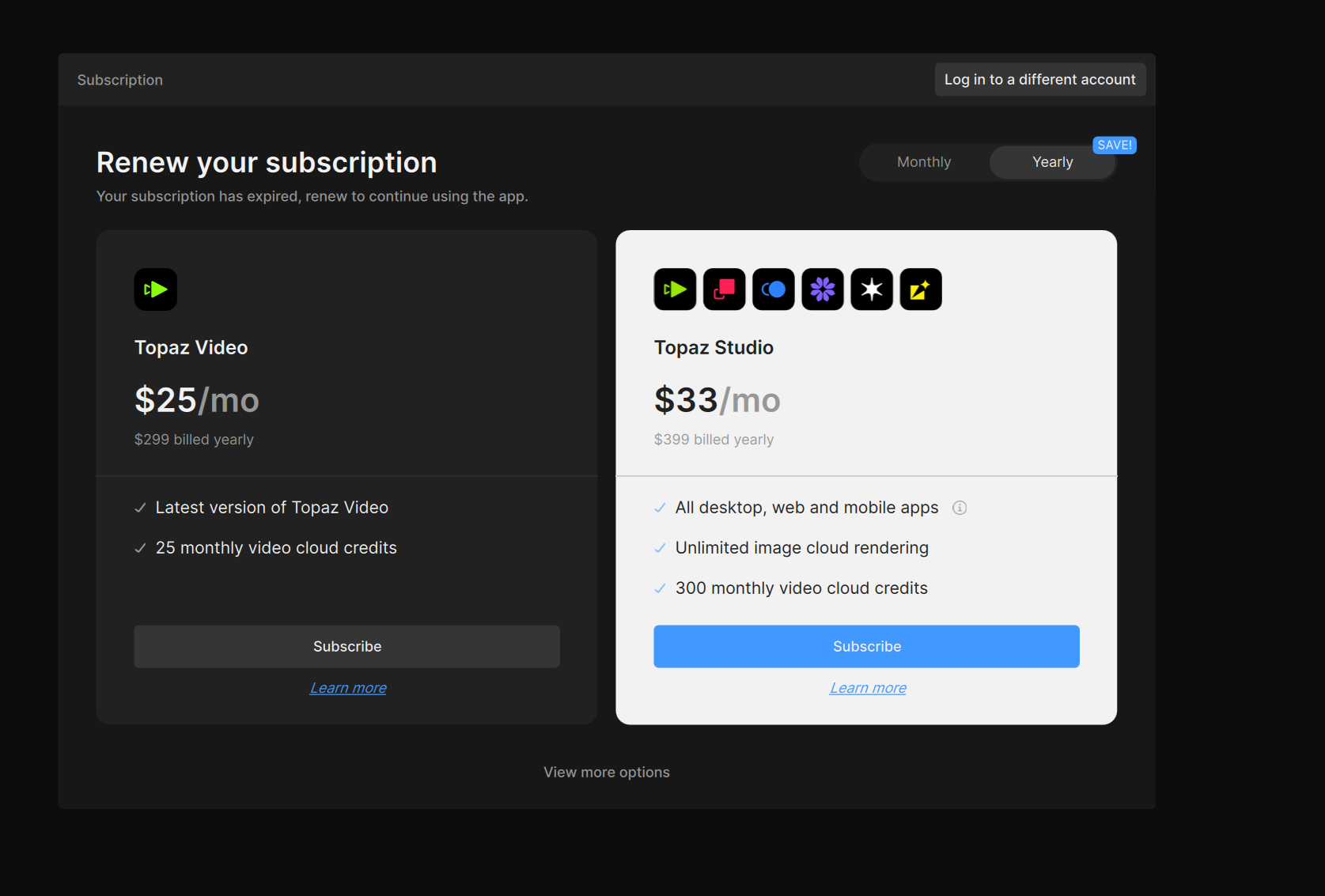
From your screenshot, you downloaded the new Topaz Video Studio app.

You will need to go to your Legacy apps page page to download your owned installer for the Video AI app.

If you still have trouble, feel free to follow up with us in your email thread.