it worked fine for me
It seems that process lasso pro right click disable Hyper threading is working. Topaz has been running for some time to day and no crashes.
1 Like
Iris LQ V2 is magic 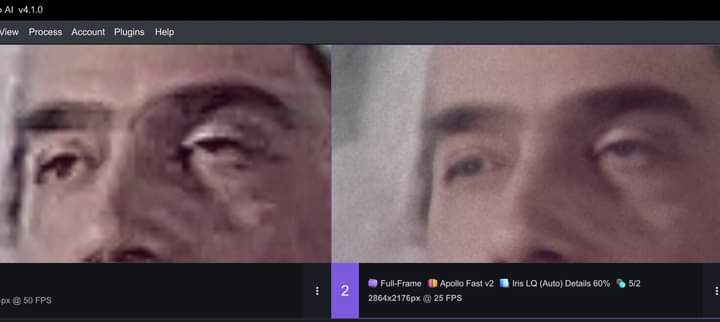
7 Likes
I did buy the PC Games Hardware some times, to have something to read for the nighshift  , but their tests are realy good and more informative than the website, you will find the powerconsumption of the board and the processor there.
1 Like
wft
I can only guess what will happen in half a year, the foundation stone has already been laid, so to speak.
“Competition stimulates business and provides a guide, it ensures progress, don’t suppress your competition, without it you won’t get ahead either.” → just popped into my head.
5 Likes
Need help! Explain who knows how the program works. For the best quality and smoothness of the 1080p video picture, which is better:
- One-Pass Upscale and Interpolation Frames up to 60fps.
- First pass Upscale. Second pass: Interpolation.
- First Pass Interpolation. Second pass Upscale.
And hear something when they fix it? Because for me, there is only 99% of this program - interpolation of frames at 60 or 120fps
for 1080p anime/animation I personally interpolate with chronos to 60fps/120fps then upscale that file with proteus to sharpen the image quality. The end result is nice and smooth and looks amazing to me.
If you ever used VEAI version 2, it had frame by frame export preview (live as each frame was processed, and it was excellent on Windows. I tend to agree there is no need for full motion preview in export, but frame by frame preview was very useful to have. Also, previews were never out of sync. The new versions are better in many ways, but not in terms of previews, in my opinion.
2 Likes
But, in this way, you first increase the number of “bad” unimproved frames when you do interpolation. And only then you upscal these unimproved frames, which have become 4-5 times more.
And if we upscal first, we will have all the improved frames. And then we can increase their number by 4-5 times, thanks to interpolation. Wouldn’t it be better that way?
Back on this with information perhaps helpful to others who need playback while rendering with random access. I found that with V4.1.1. it is possible to open and play the exported file with a media player, here MPC-BE, while Topaz is rendering, if the container format is set to MKV.
2 Likes
Yeah, MKV is a versatile container, the cracker scene love it, but it isn’t well supported in the NLE world, presumably because it too versatile? However, depending on what video/audio formats you use, it might be possible to convert MKV to MOV or MP4 by remuxing (without re-encoding) and that is lightning fast.
Does any video program open up mkv files? Adobe does not anymore
Definitely not. For video editing, MKV is a highly troublesome container format. I use mainly Lightworks for editing, which supports MKV at least with some media streams, so its ok to me. If your editing software doesn’t support MKV, the alternative is to remux MKV to MOV or MP4 prior to editing.
It does from VP 17, experimentally (so unsupported). It usually works OK for me.
Options > Preferences > Under the File I/O tab, tick Enable MKV Reader (Experimental).
Well worth a try, but no guarantees.
1 Like
плагин influx позволяет открывать mkv файлы в Adobe
There are now a problem when using Apollo Fast and selecting the same frame rate as Input frame rate as it causes a ‘ghost’ frame at the junction. This only used to appear when using Motion Interpolation, and is new problem starting after v.3:5:7
There is a problem when using Second Pass and trying to select ‘4x’ on GAIA CG which causes the program to crash with a red ‘x’ in the output box. Workaround is currently to select AUTO in 2nd pass. The initial setting for enhancement is 4x enlargement and IRIS LQv2. The 2nd pass ‘4x’ was available and worked on v.3:5:7.
For those wanting access to the temp file during export, set the temp folder directory to . in preferences.
I installed 4.1.1 and now I always encounter the dreaded Red Error symbol. It would be nice to purchase software that always works with every new version. I’m really bummed about this because I was in the middle of enhancing family movies. I guess all I can do now is wait for the next “new and improved” upgrade in the hopes that I can work on projects again. I also dislike that you can no longer access the video file from the Temp folder in order to see how things are looking. Since processing takes a long time, I would save a copy those temp files at every 10% point in a project because if the project “error’d out” then I could at least restart at the point where my project last ended.
