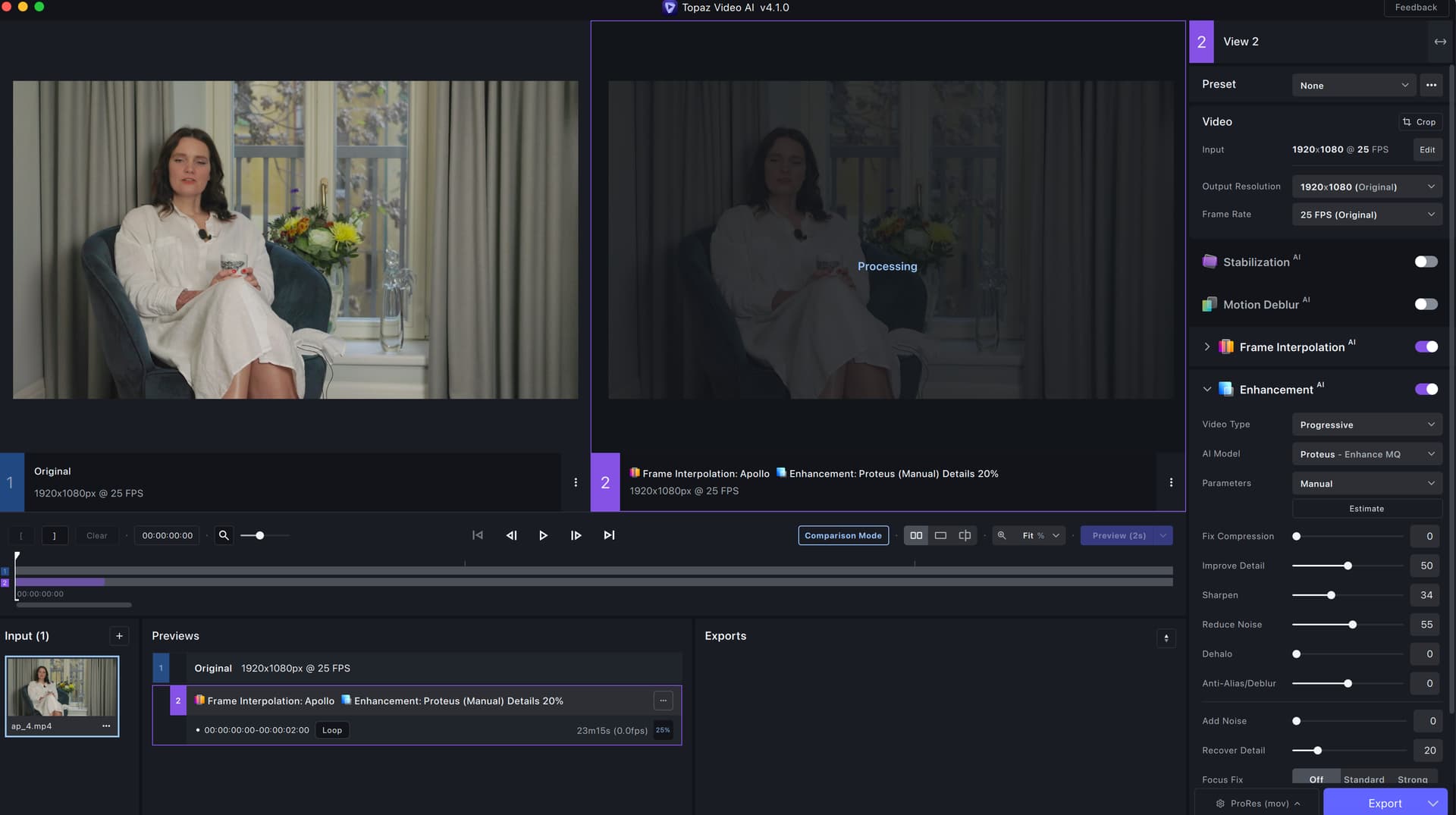
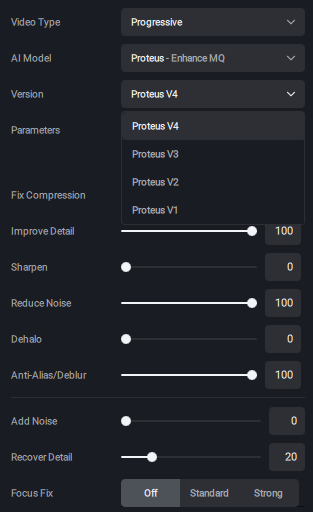
this is my setting please would you help me on old version was running with no problem
Mine started using the integrated GPU instead of the powerful dedicated one. Make sure it’s set to use the right GPU.
I’ve been waiting anxiously for the deployment of Proteus v4 since it is the one I use all the time along with Artemis. Today I updated but I was disappointed a bit. When I run a 2-pass enhancement I receive an unknown error. I already submitted the logs in another section but I was wondering if anyone else has the same problem. It becomes difficult to compare a 2-pass preview by doing it in 2 steps, like exporting the first one and add it back for a second step.
I am running on macOS Catalina 10.15.7, 12-core cMP 5,1, 64GB RAM, RX 580 8GB
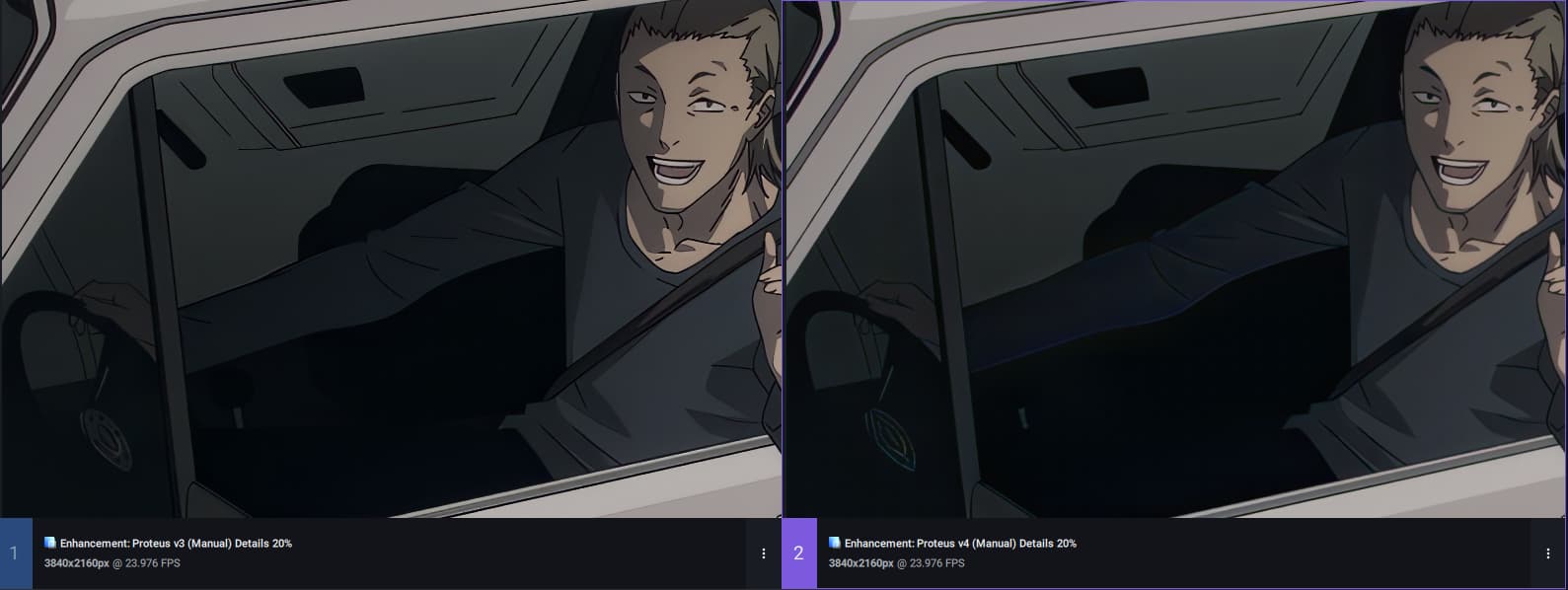
 The settings are the same
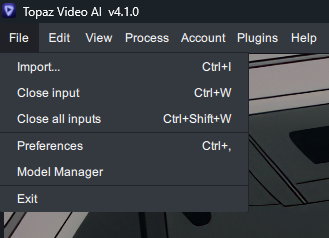
how can I go back to old version
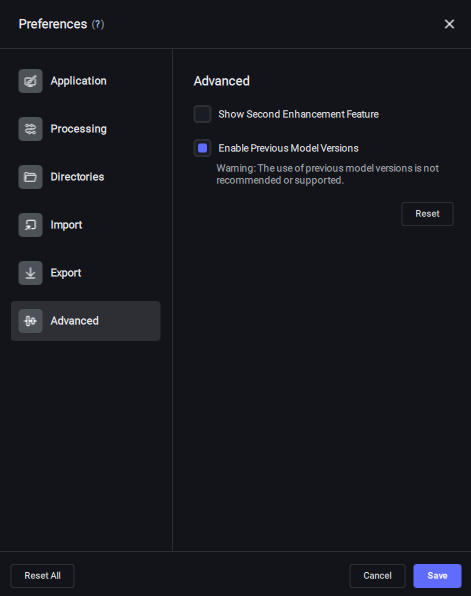
File>Preferences>Advanced>Enable previous model version
thank you so much but could you help me I dont see in the folder File - preferences
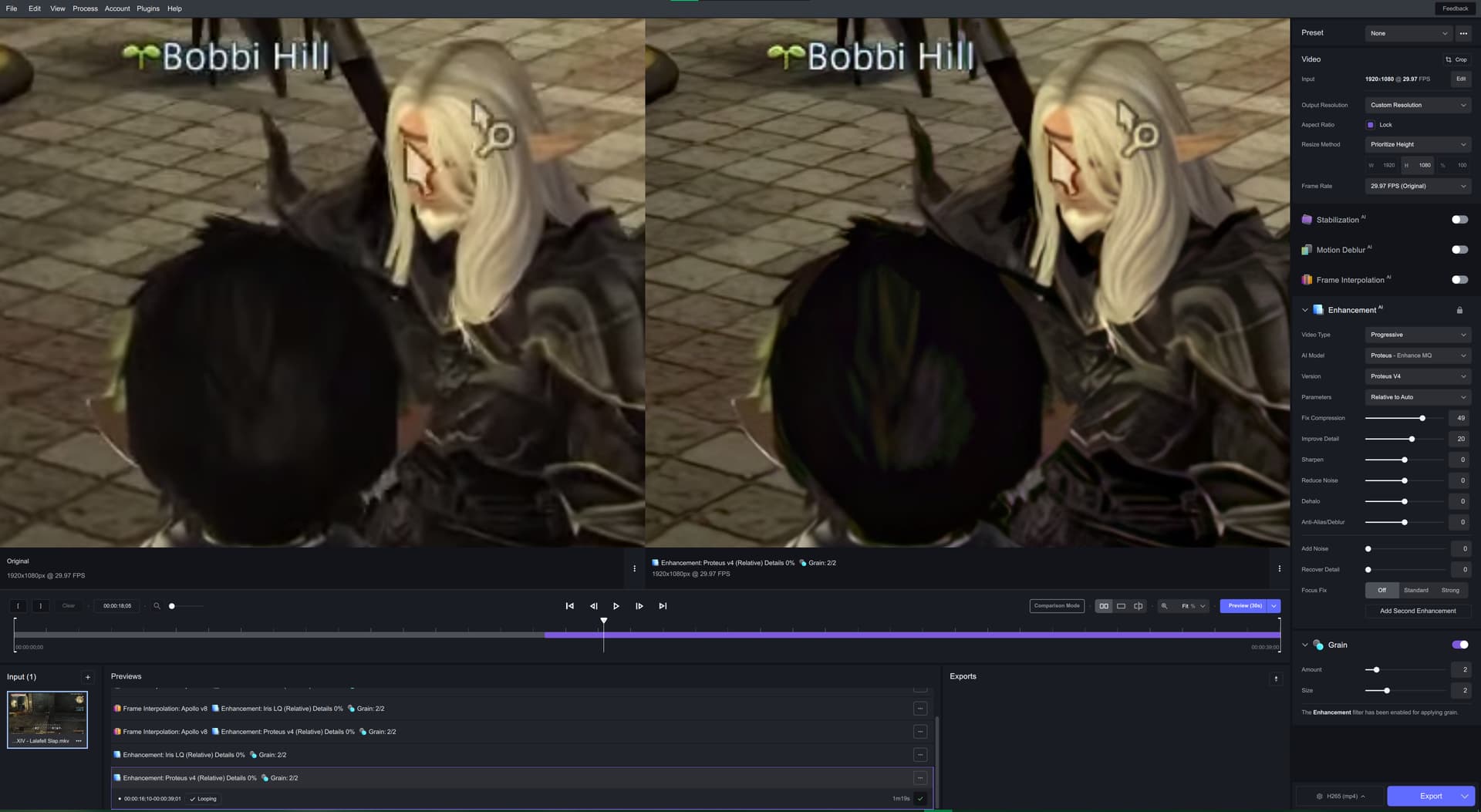
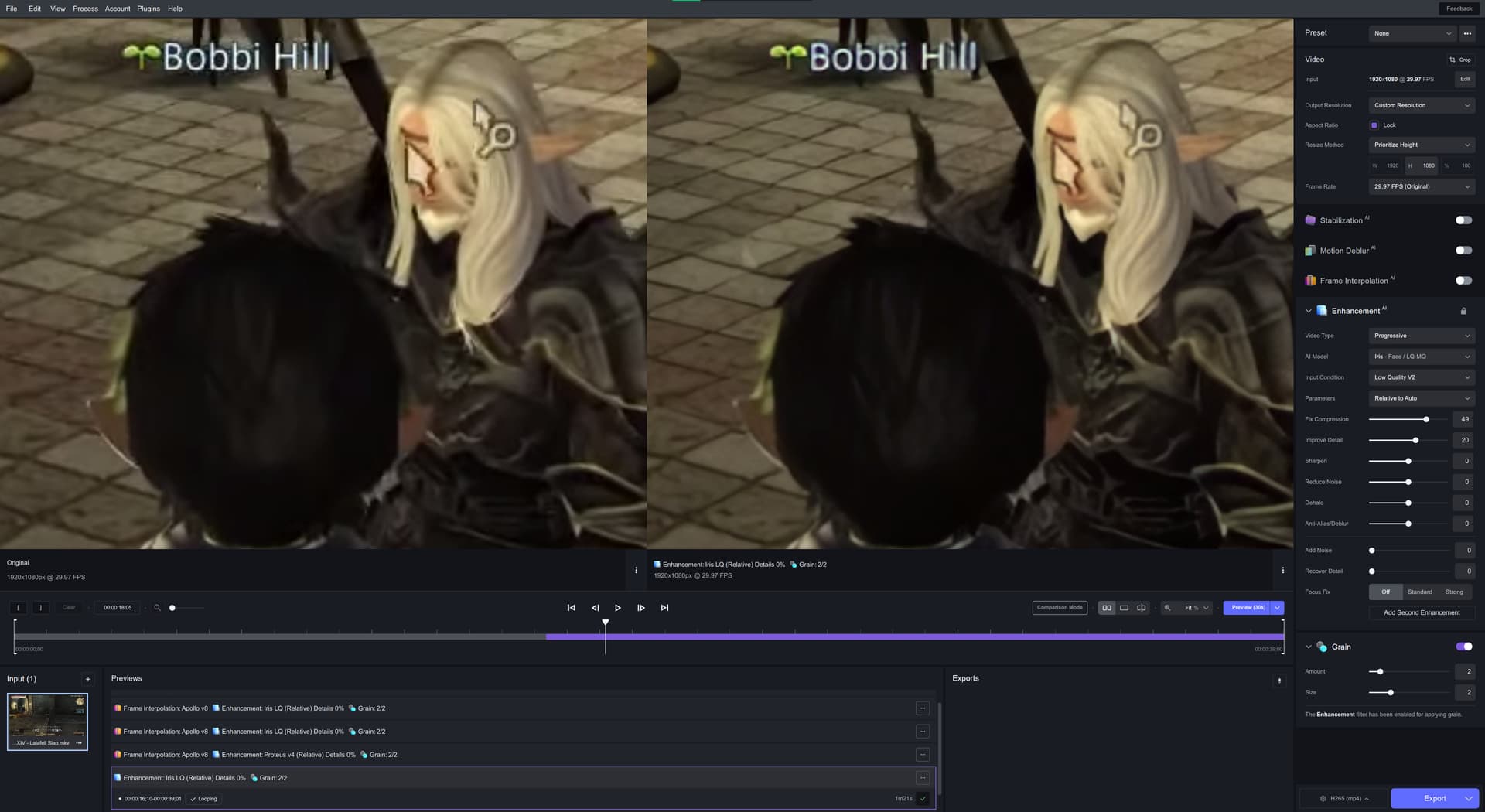
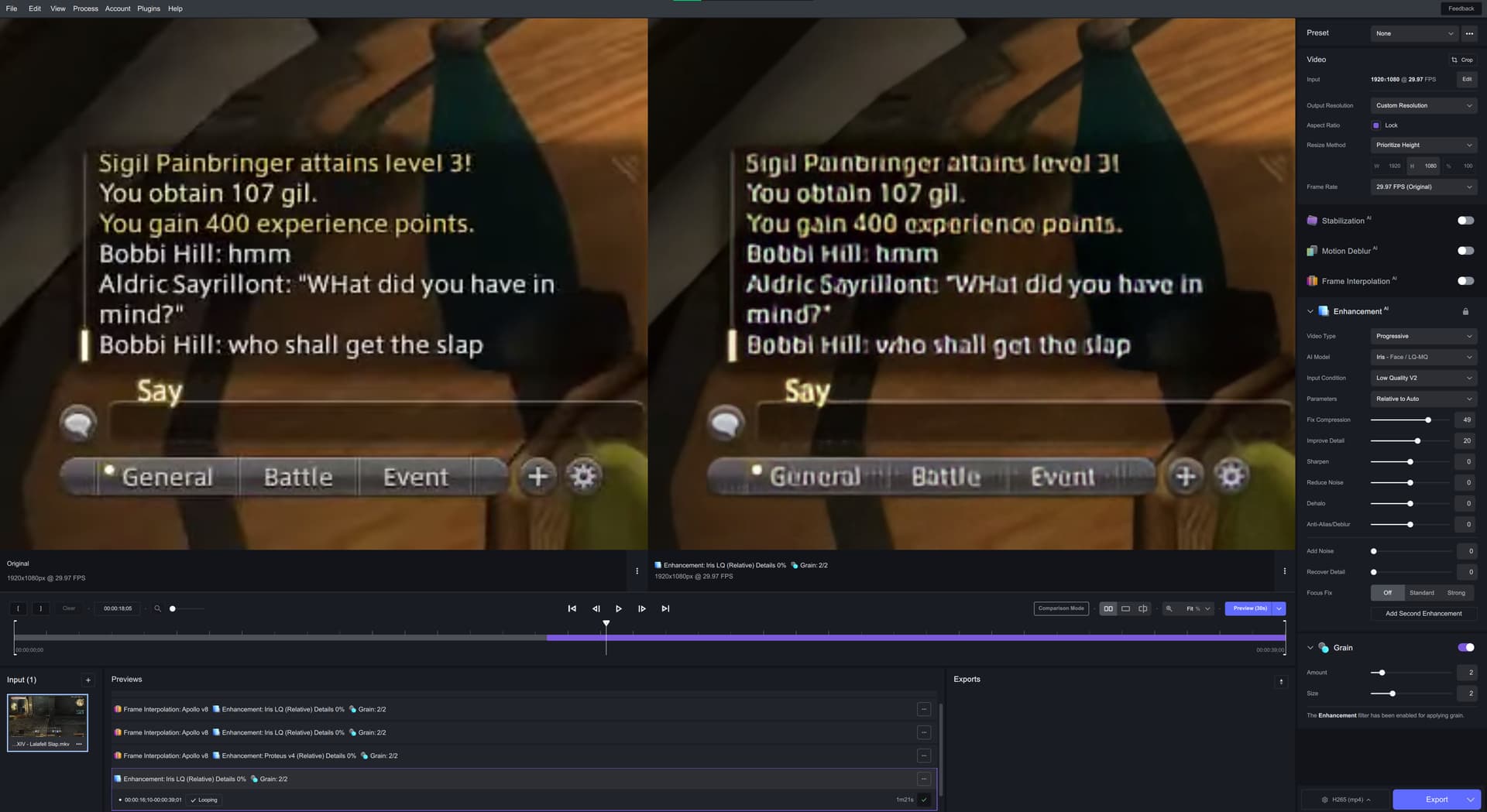
Proteus v4 likes things black sometimes a bit too much on this Lalafell’s hair. But the text is way better, than on Iris model. 
Proteus v4:

Iris v2:
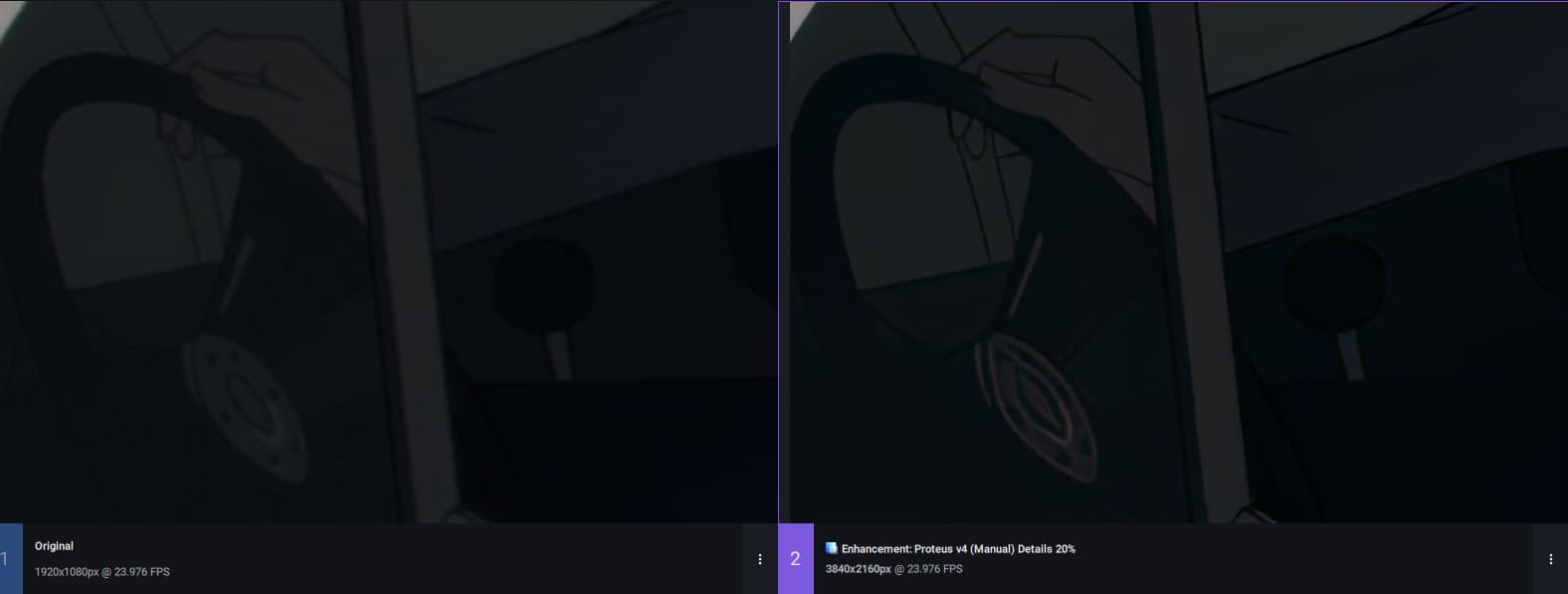
4 proteus still distorts details too much in dark places. Version 3 handled it much better
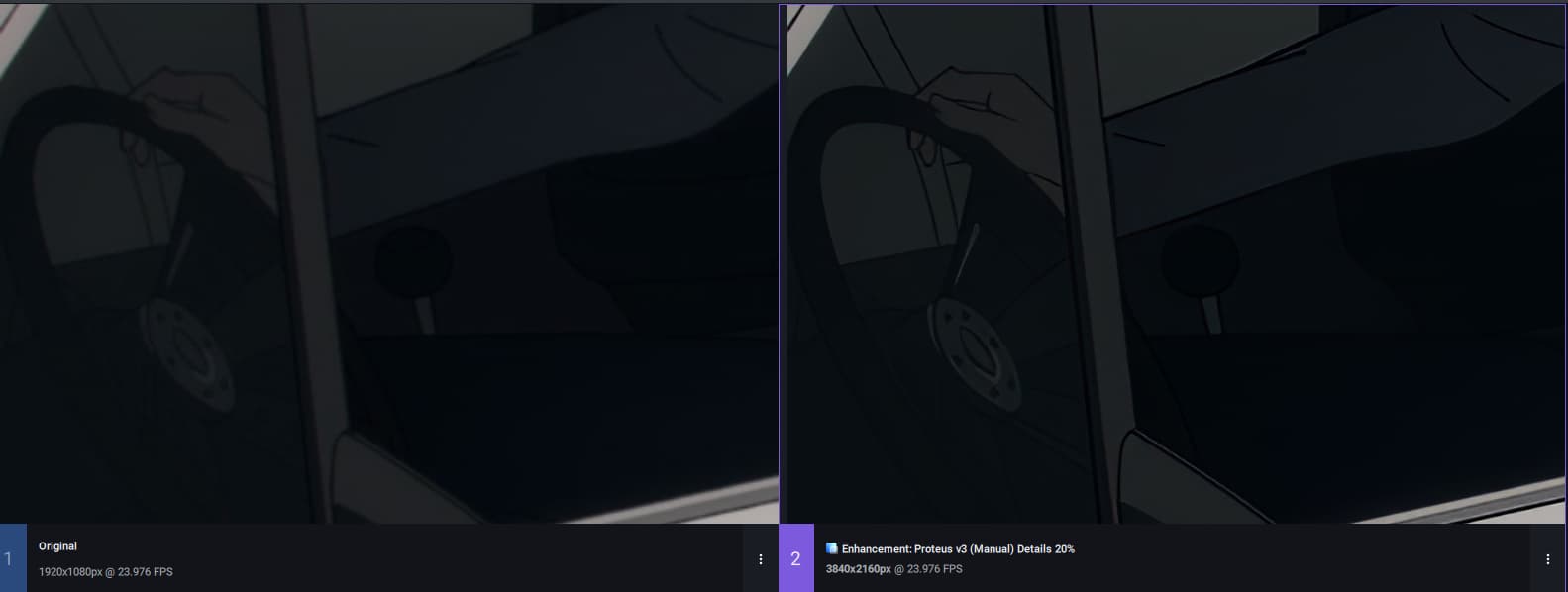
Upd: Looks like version 4 of proteus can compete with version 2 . When using Reduce noise the image becomes just disgusting. I think you should fix it
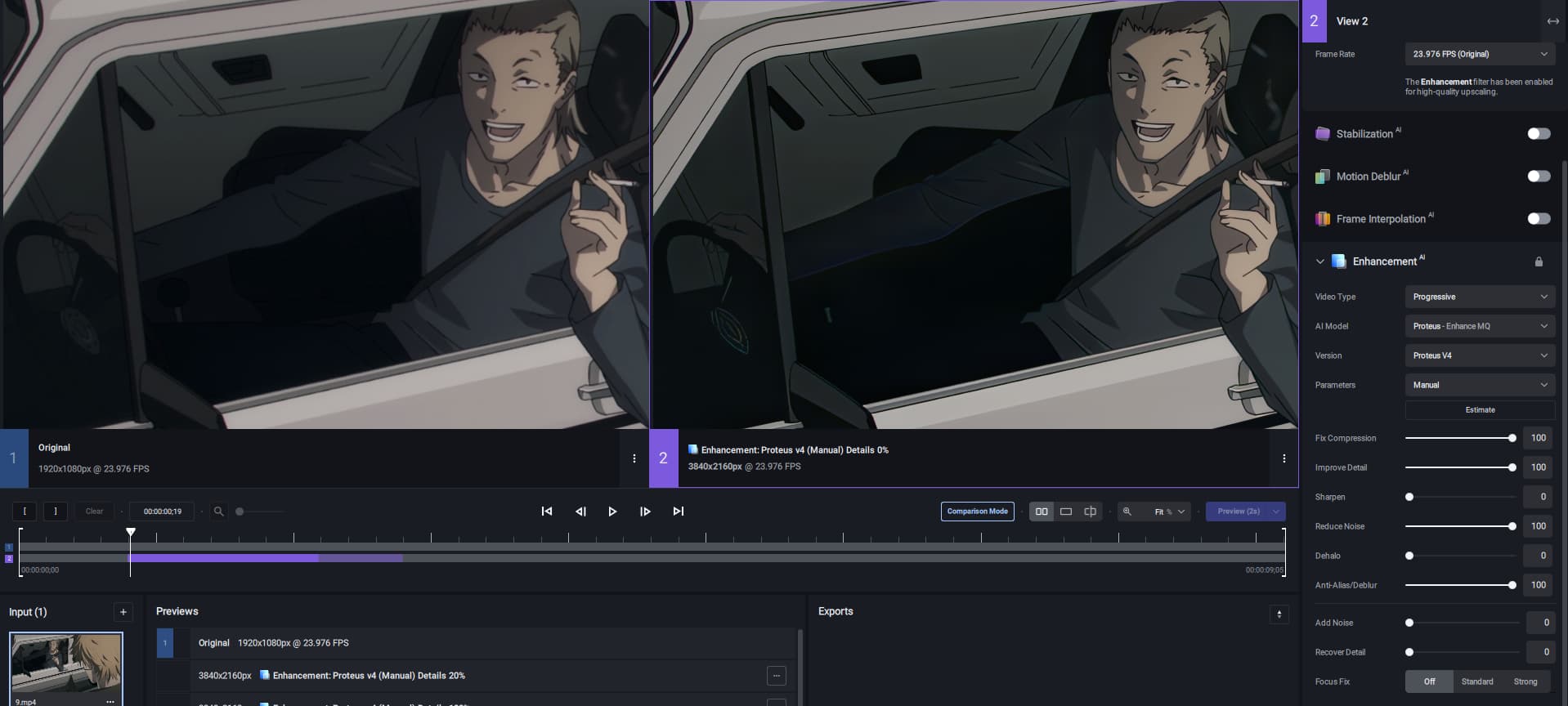
It is PLAINLY obvious the problem is not TVAI or the model, it’s the Lalafell…
Never trust anything waist height that giggles and dances with it’s arms.
The same Manual settings yield different results than Proteus 3. I’ve been getting much better results using Relative to Auto on Proteus 4, where in 3, it was unusable because of all the artifacts it would make.
Setting any of the sliders to 100 is probably too much.
I tried different settings (which are not 100%), still it distorts some details in the dark very badly
The new Proteus v4 is definitely not working under macOS Catalina. I removed completely the app and reinstalled it, same problem. I looked into the logs a little bit and from what I can see (and understand) there is something related to Xcode. I hope this is just a bug and I don’t have to update the operating system or buy a new machine.
Of course you’re right about that… but the main problem I raised remains, which is: how do I “decide” the best valora to set in the various parameters when I use the “relative tu Auto” option? I would have to go randomly…
instead, the way the program was set up before, I would just do an automatic evaluation of the best values by clicking on “estimate” via the “Manual” option, and then I would simply switch to the “relative to Auto” option, still having those same best-fit values for the source, but with the adapted rendering that that option allows me.
Now, either I leave everything at 0 values (but at that point the option loses its meaning because it would be equated with the “AUTO” option), or I set some “random” values… or as I am forced to do now, I have to necessarily do the estimation with the analysis present only on the “manual” option and then copy all values by hand into the “relative to auto” option!
It simply becomes more cumbersome, whereas before I would just copy those values, and it was much faster and more accurate then!
Start at all zeros to make previews of sections of the video that are more likely to have bad artifacts: Grass, trees, gravel, far-off faces. Adjust the sliders according to what visually needs to have more or less.
What I’m seeing on the movies I have tried with Proteus 4, I just needed to increase Revert Compression by a small percentage. Everything else looked good.
Yes, ok, but do you understand that this approach takes much more time? 
Even if it is not an absolute resolution value, having the “estimate” option also in the “Relative to auto” mode allows you to start from a good “base”, thanks to the quick analysis that the program does by analyzing in detail in the frame that we visualize at that moment, and therefore adapting very well to the type of source we feed it: for this reason, in my opinion, it would be a welcome thing to speed up the workflow with the program!
Or at most, bring the operation back to how it already happened in previous versions: allowing you to apply the values analyzed in “manual” mode on the fly. I hope one of the two options becomes available again!
Thanks, we will look into this!
