I refuse to use Iris on low resolution and with 480p x 360 I was under the impression iris Low quality has to be used
The slowness can be caused because the automatic setting does check at the 8 frame level in stead of 20 frames.
I noticed that the recovering detailed information setting to high increases the time of rendering.
I would not scale up more than X 2 or X4 but use Anymp4 to set the aspect ratio and cropping
then use Topaz AI one caveat
Topaz AI changes the source meta data hence I need to rerender in ANYmp4 …
I use a RTX 4080 and Latest Intel CPU I got pretty distressed from the 3 series…
One Very important problem is de Mona Lisa effect with Iris and low 480P input The Mona Lisa might be wonderfull, but when I see the craqaleles I do not think iris is usefull anymore
I’ve not seen any actual performance improvements (in models, speed or preferences management) that could not have been implemented in the 3.x UI. I’ve certainly not seen any indication that work on the #1 item on my personal wishlist, multiple GPU processing, is being done (really, people, if the folks at Blender.org can make a free, open source app run 2x faster on two GPUs, there’s really no excuse for any commercial app that uses GPU processing to lack that capability).
That said, I hope that Topaz succeeds in fixing the 4.x UI. Because the odds of them ever backtracking on it are probably nil. Nobody likes to admit they made a mistake.
Player rotation is still broken for me. To rotate a video 180 degrees I have to rotate by 90, start the player, pause the player, rotate to 180, start the player, and now it’s properly rotated. This has been broken for 3 point releases now, surely someone can Ctrl-Z the code submits…
This happens because Some customers felt the GUI is not slick enough
Then they introduce bugs that need to be patched this is typical American startup where the initial software that was made rendered out of the proper ideas then got marketing demands which always means creating crippled software.
i remembers the day where we were supporting version 3.7 but when asked by escalation engineering version 2.3 was the most stable one. our customer adobe
I worked in several development environments before retiring, and the need to keep customers interested with a constant stream of highly visible “improvements” makes bloat pretty much endemic to every consumer product in the world, not just American software. Compare Renault’s 2024 product line to what they were selling 20 years ago. And it’s been 30 years since they last sold product in the USA.
Things are slightly better when the target market is industrial. I’ve been an AutoCAD user for 30 years, and although there’s been plenty of visible bloat in each new release, it’s still possible to configure the options to make the UI look and work much the same way it used to when it was a DOS program with keystroke commands.
with a good processed source video, proteus v4 is much better, it keeps more details and denoises better I find, it is with proteus v4 that I have found the best parameters until now.
It would be great if there was the option to fix output settings to 4:3 and 16:9. It would improve upscaling old VHS videos from 720x576. At the moment I have to upscale to 768x576 and in a second rendering to higher resolutions. It also would be very useful if you would add the stabilisation features from version 4.0.5.1b to the latest version.
I think you’re onto something. I have noticed that if I create a preview for Proteus with manual settings, then switch it to Auto, the generated command keeps the manual settings effectively making my next preview Relative to Auto instead of just Auto.
It could be not resetting other things like the output path as well.
Well, just tried this version.
Did a resize to proper 4k, iris MQ and then LQ, and Gaia for the resize… preview just sits there… after about a minute, it errors out and that is that, no popups or anything. Oddly, if I try to export it starts with no problem. Of course I cannot see what it looks like so it’s pretty bad I guess.
Hmm I belief Topaz should have skipped to release a version after christmas or even after new year thanksgiving days was also skipped before thanksgiving or whatever to be gratefull for
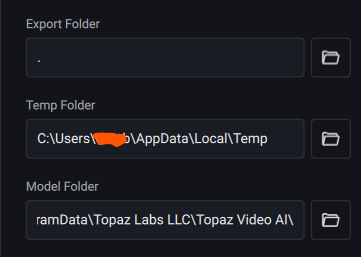
 But it’s still removing my shortcuts and pins…