Not going to poke fun or throw jokes or anything, have you tried running it in parrallels to see what the performance is with that? I know bootcamp used to be a thing, sure you could do that too… but I totally get your point in not having to do that just for 1 app. This is still beta, I constantly remind people of that, so temper your expectation in performance tuning, that is usually done last before a product gold release.
1 Like
Thanks 
In Proteus manual, estimate function only works the first time. Go to a different frame or do some cropping and click on estimate does not change any parameter value. Reverting back to v3.3.5 for now.
3.3.6 is nearly perfect.
Even woke me up and make me a cup of tea this morning.
Hopefully the training will soon make it able to make some toast.
3 Likes
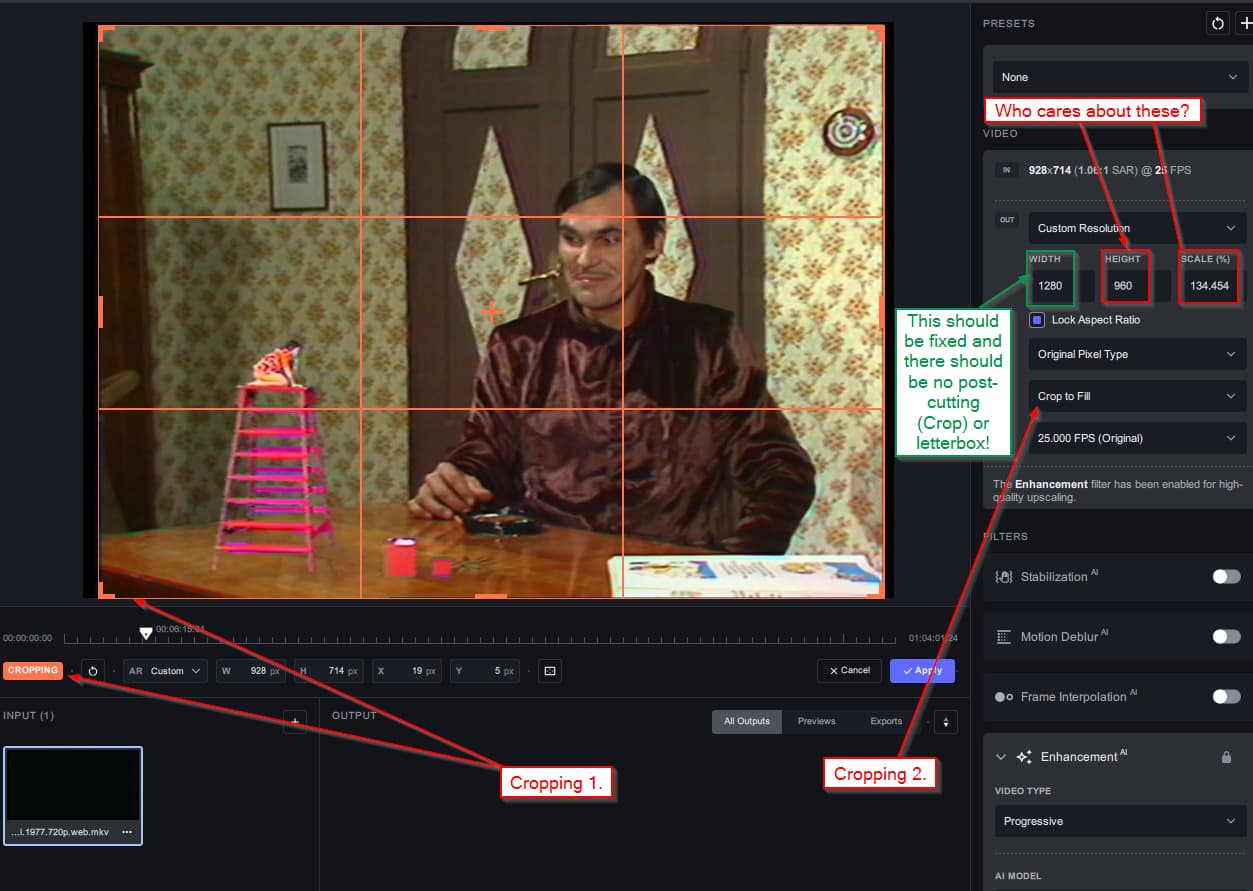
Help! I want the old (previous) outgoing box back!
If I wanted to scale up old, 4:3 content and crop the image before it, it was enough to just set the width of the image to 1280 or 1920 pixel, and I didn’t have to worry about the height. (The height was always bigger than 720 or 1080 because of the 4:3 aspect ratio.)
But now that because of the pre-phase cropping, I don’t know the current height or the width (nor the proportions!) In addition there is also cropping at the output, which is very confusing because with double cropping (before and after), the hell already knows the real pixel number.
I would definitely like to get the “fixed pixel width” option back in the output box.
I’ve just tested it. Importing an image sequence (I’ve noticed that the ability to set names with white spaces and accented letters still hasn’t been fixed. The folder above the sequence folder must also be named without white spaces, otherwise the application crashes) and then exporting it as an image sequence works. The output folder is filled in correctly.
PS: I tested on an image conversion
However, I did notice a few curious things. If I have 300 images on the source folder (it’s a 10-second sequence at 30 FPS) and I give it 60 FPS on the output folder. So double. I end up with 718 images instead of 600. I wonder if this is normal or not  .
.
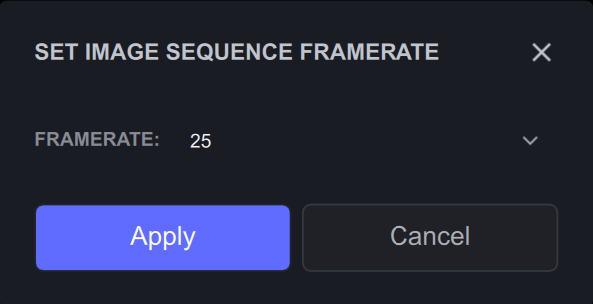
You’ll need to adjust the image sequence framerate from 25 to 30 FPS using the ‘Edit’ button next to the input resolution and framerate:
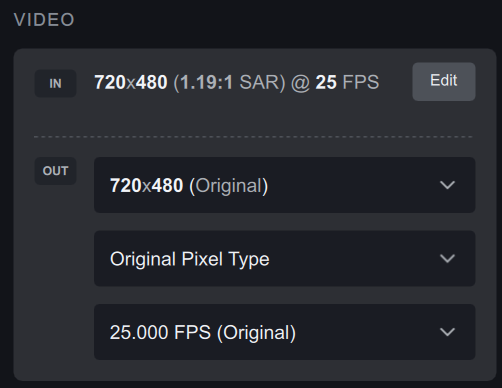
Hi, this is the first time I’m writing. For me, the new way of selecting proportions and resolutions is completely messed up. On another note, there should be a “save as” for presets so you don’t have to start from scratch with the settings.
In Parallels you don’t have real direct HW access, so this is not a feasible approach.
Plus, of course this would not help if Topaz‘ code isn’t fully optimised for the specific hardware in AppleSilicon.
As it seems TVAI is best optimised for Nvidias Tensor chips -maybe because this is the easiest to do or even that those chips are really best suited for this specific purpose or maybe because this is what the devs themselves have.
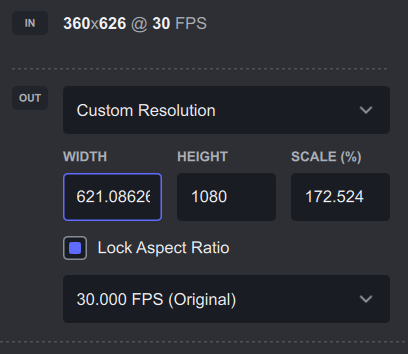
I’ve noticed, that, for “old” and new profiles, if I want to hold on 1080 pixels as height for every newly imported video (I set up one of my “new” presets as starting one), I need to retype “1080” in this field for every new video I drop onto VEAI:
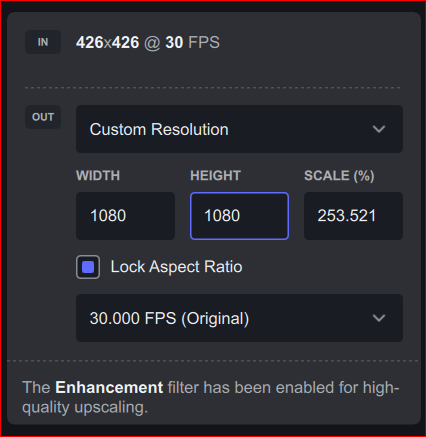
Previously, width was calculated by typed in height value and corresponding option. Could it be possible to revise the logic behind this a bit, so VEAI calculates the width according to typed height (and vice versa) for a given preset? Also, currently, the calculated width sometimes goes crazy with decimals. It’s still the correct value though. 
1 Like
Unfortunately, we cannot offer support for machines released prior to 2017.
Do you have any GPU, other, than integrated Intel HD in CPU? If not, CPU mode is the only option, until you get some decent discrete GPU, of course, if Windows 11 is by itself not damaged by “registry cleaners” (I would avoid these at this point).
What kind of crash do you see in “old” Control Panel (yes, it’s still there in Win11), in Maintenance section? There should be a “history” which will contain reports of crashes, day by day, so you could look, what’s the probable cause is.
Thank you!  We will be fixing this in the next update
As for the recover original details option, this option is available in progressive mode and will be added back to interlaced.
2 Likes
Is it no longer possible to set parameters for each file? All the parameters in the Proteus manual change to the same set values.
I cannot recreate this issue on my end. Can you please share the specific image sequence you are using? Also, have you double-checked the export location?
Hi! Are you using an image sequence? There is no audio in image sequences.
I cannot recreate this, can you double check that the frame you have switched to would need different parameters?
HA! Wouldn’t that be great?
1 Like
