Harald,
I’m going to test on my setup here.
I’ve downloaded the mov file you posted and will pull it out as image files.
What image file format where you using as input ?
Harald,
I’m going to test on my setup here.
I’ve downloaded the mov file you posted and will pull it out as image files.
What image file format where you using as input ?
Hello, I mainly use PNG.
But I’ve already recompiled the sequence as a Mov file in very high quality and exported it in 60 fps in png with video AI. The only thing is that I couldn’t see the preview on the right.
I saw your latest post about a you being able to load the video in 3.2.9. This does not mean there’s a real bug in TVEAI. The newer version has some new code that your Windows is having issues with. I’m on Windows 10 not even updated to the newest version I think.
The only troubleshooting solution to your problem would be a new fresh test install of Windows on your rig. Not in VM
Unfortunately, I really don’t have the time to reinstall everything. I have too many things to do. And I have a lot to install. It would take me more than 1 week to put everything back.
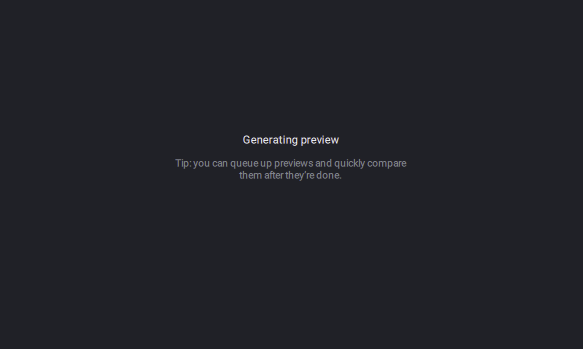
Another Bug, Preview don’t work at all with “Intel Iris Xe” graphics card, its gets stuck on “Generating preview” throughout the entire upscaling process. This issue happens with previous versions also.
I get it. But I’d just backup your existing install. And install windows and topaz on a temp partition and boot from that one… just to test and find out…
That is an excellent idea! @martinsawicki
Can you take a look at the Loom I posted above? This is what should be occurring.
Yes, you can drag the playhead backwards which will allow you to see the preview in normal playback speed while the preview is processing. I believe that is what @plhvlog is suggesting.
As you can see from the replies here and the previous post, this is not an issue that many people are seeing. So far it seems that only you & @craposoup are running into this issue. We are unsure why this is occurring, however, as stated we can proceed with a screen share via zoom so I can get a better idea as to what is happening.
If auto play is not enabled, the preview will not play until the play button is pressed.
This is perfect! Thank you @Harald.De.Luca
The video you shared was not as clear @martinsawicki and that may be due to the length of the video. Perhaps you were sharing multiple issues in the same video.
@Harald.De.Luca Just to triple check, you do have live preview enabled?
Can you please remove the non-US characters from the path and try again? This appears to be happening due to how the file is named.
@martinsawicki @Harald.De.Luca @craposoup
Hi friends, we are still looking into this and have not been able to reproduce this locally. I noticed that at least one of you has your temp directory set to a location besides the default, is that case for all three of you by chance?
Stabilization hasn’t worked in so long I’ve forgotten when it did work. ALWAYS get:
Stabilization error - Unable to write the CPE file.
Correct @ida.topazlabs, however you are testing on Apple OS, its not working on Wintel based systems.
Yes @ida.topazlabs. macOS is a a completely different story. It works on my macs too. Please try Windows with Intel CPU and Nvidia and use Iris. I found out its only on previews. Skipping frames forward on Exports works fine. I have everything set like I had in 3.3.3 (which works) BTW, there are more people having the issue. Not just me and @craposoup.
I didnt rename the file and it worked fine on my system.
About the TEMP dir set to non default location = YES. Like I had in all previous 3.x versions. Shouldn’t be an issue…
@ida.topazlabs Hello, excuse me can u give a look with my error that I occur on above ? I have sent a log for u to see it
Thanks!
Hello, I am new here so please feel free to point me in the right direction if I fail to follow protocol for reporting issues. I am loving the software, which I’m using on a Mac Studio. However I am having a problem with the latest update. The issue is that the interface becomes delayed after I have rendered/exported a file. Not while it’s exporting, but after it has finished exporting. and I switch to finder then come back in. All other programs on my system continue to run fine. Objects I click on within Video AI respond after about a 5 second lag. The problem is resolved when I relaunch the software. Even selecting Quit is a lag laden process. This issue occurs most but not every time after I have exported something. For example, I might switch to another program, then switch back to Video AI and it’s fine, then without doing anything in Video AI I’ll switch to another program and a few seconds later Video AI is being non responsive. Hope the feedback is useful, and thanks in advance for your support.
