Gaia usually gives me results that I cannot find much difference between when compared to a classic lanczos upscale filter. More often, it would bake the noise into spots on what should be solid colored objects. Or it will do things like your screen shot, that lanczos would have done better.
I’m sure it has its uses, but for me, I have found Proteus to at least have the ability to reduce the amount of undesirables in the results.
That’s right, it all depends on the source material.
2 Likes
Not possible at this time, however, this is a great feature request!
We have switched to a new model for suggested features. We now ask that our users add feature requests and vote to choose what is in the next releases on our forum. This allows our development team to really see what the majority of our users want to see so that they can prioritize the next release based on user feedback.
2 Likes
This is a feature request I belive a few other users have made.
We have switched to a new model for suggested features. We now ask that our users add feature requests and vote to choose what is in the next releases on our forum. This allows our development team to really see what the majority of our users want to see so that they can prioritize the next release based on user feedback.
Thank you for the update! That is very helpful 
It is not necessarily that it is being abandoned, it is more that it will eventually be replaced. Whether that ends up being a new update for Gaia or another new model is unknown at this time.
1 Like
After, Gaia is an old model that has existed since version 1 of topaz. It’s so slow for video processing that I stopped using it a long time ago. And Artemis is so much better in most cases. So yeah, it would be a good idea to either update it, or totally replace it with a better model.
I find Gaia still the best to enhance HQ sources, yes sometimes it adds a bit of noise to places it should not. but in general it is my default model for these sources. Artemis HQ comes closest to Gaia imo. but it still removes a little bit of details in faces and stuff. But both are very similar.
I hope Gaia gets updated and optimised to better use new pc hardware. Or a newer model that will copy Gaia’s features automatically without sliders, just set and run. In any case pls always try and keep Gaia compatible with any newer TVAI version and not completely removed.
4 Likes
I agree, I still use Gaia a lot. If the source is high quality and clean, the upscaled result from Gaia has the detail and sharpness I expect, better than other models. But there is no one size fits all model, depends on what you are inputting.
3 Likes
I have a question
I sold the Intel Arc A770 to upgrade to RTX 3090 , But prices are still high , so how reliable would be to use 2 RTX 3060 12gb cards to run new update versions ?
I have noticed the same. Topaz seems to be much more impressive when it comes to clean up of compression artifacts and low res footage, and sadly it also has problems with changing color in the video. Getting closer to original color is nice, but not what is acceptable when one need color accuracy.
What I would recommend until Topaz or someone else gets more professional about it, is to try Davinci Resolve and their SuperScale features. They tend to be fast, no visible change in color or such patterns as you showed n your example, because I don’t think its AI, just very good algorithm so it tends to be far less aggressive with new details. Inventing new details is great when it works with all these AI mods, but when it gets “confused” it looks terrible, as in example you showed. I tend to use Topaz for cleaning up compression artifacts if I need to and resolve for the rest. If you have good source that does not have visible artifacts and juts needs to be upscaled, Resolve tends to do excellent job.
In my case, for clearing videos of noise and compression, Neat Video as a plug-in for Davinci Resolve works well.
It requires a lot of experience, but the results beat anything I’ve used so far.
If, after Topaz, I want to jus a little more detail I use Texture pop in Davinci.
2 Likes
Makes sense if you have a second reasonably modern computer setup so one 3060 in each, and are willing to divide your workflow between computers (even splitting longer videos and later rejoining).
I worked out that by doing this with my 3060 Ti, adding the second one to my no. 2 system and networking for file transfers, I’d outperform some 4090 systems on TVAI upscaling, at under 25% of the cost. Decided eventually that I didn’t have the volumes to upscale that would warrant my doing that but otherwise, I would have done it.
3 Likes
I don’t understand paying $180 on top of Resolve when it’s built in tools do the same job.
2 Likes
I’m asking because I don’t have a graphic card anymore , i got rid of the arc a770 and was asking if SLI was possible , Thanks.
Maybe because it cost me $60 years ago. 
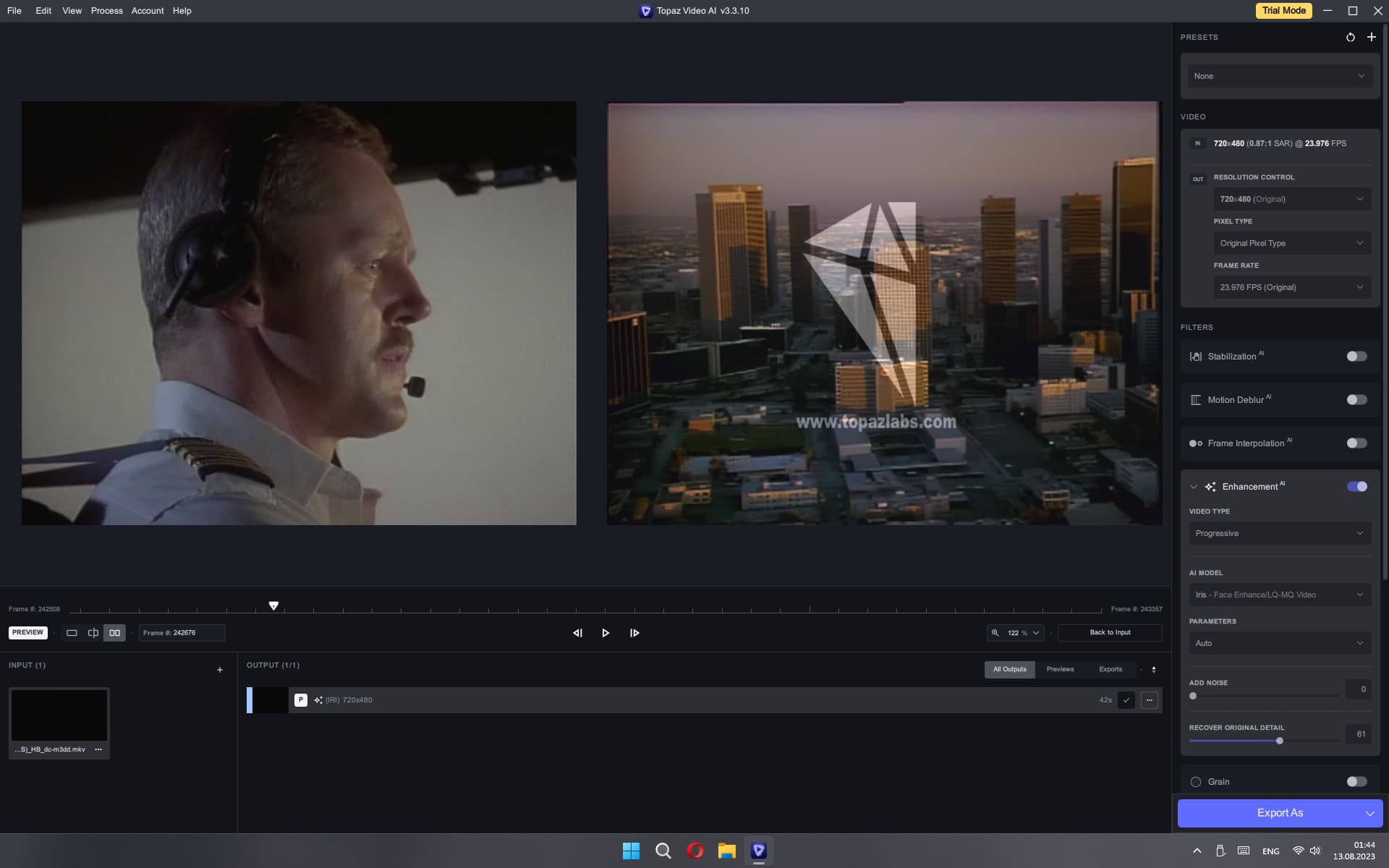
When previewing, it’s not even about the type of frame encoding, but how it is displayed on the screen. It’s elementary, if the programmer was somehow able to display the desired frame in the first window, then why after processing, or even after simple recoding (if nothing at all) a completely different frame appears in the second window, is it so difficult? It’s all about a calculation error or an error that accumulates over time. I don’t understand how it is possible to display the correct frame number on the counter in the first window, and not repeat the same frame in the second window after processing?
2 Likes
I have a suggestion if it hasn’t already been said. It wouldn’t hurt to have a text preservation template as well. A bit like Photo Ai lately. Because in a lot of videos where there’s text (on walls, on signs, …), well it’s completely distorted or even unreadable because of the distortion aggravated after scaling. The text becomes gibberish. It sometimes looks like some kind of hieroglyphics hahahaha.
2 Likes
Yes, this is also present. Initially, the frame playback algorithm was not done correctly. Instead of writing each frame to the SSD, compressing it into a picture, it takes a lot of time, you need to do all the work in RAM and without frame compression. I expanded the computer’s memory to 32 gigabytes and realized that more than half of the memory is not used by the program at all. All the load goes to the SSD. The video card also uses only 2-4 gigabytes of GPU memory and part of the load is redistributed to RAM, everything else is not used. I understand that not all hardware allows you to use all the features, but the operating system takes care of it. For example, if there is not enough RAM for the data in the program, the system uses the disk cache. And if there is a lot of RAM, then the program could work completely quickly in RAM with large amounts of information. I don’t understand those who scream that there is a RAM leak, for this it is needed to work quickly, and not to keep it empty for something far-fetched that someday it will suddenly come in handy for some program. Now the M2 SSD during the preview just suffocates and slows down. The operating system just freezes for a while until a large amount of pictures are written to it, if at that time I want to see some fragments of the processed frames on the timeline. At the same time, the RAM is empty about 20 gigabytes. You can put at least 128 gigabytes of RAM, but now this is not used by the program at all. 
You are absolutely right! This is also one of the annoying defects, especially when the source is very noisy or the interlaced is damaged, then the letters just jump and shift, which is not acceptable for high-quality video. Also, shadows, torches, moirés around the text, which should be static throughout the entire demonstration of the text, are not completely removed. This applies mainly to credits and titles. Now the texts are distorted so much that they cannot be read, although it was legible in the source code. Often some strip with a lot of noise begins to transform into a kind of text. This could be eliminated. Google has long been able to read and translate the inscriptions on posters from a picture into any language, why would it at least not focus on the definition of text objects, and apply smoothing and equalizing filters to it so that the letters do not jump, do not stick together and do not differ from the general text font.
