I guess IPS for editing 16:10 monitors can show the difference better than regular gaming screens.
I have two 4K IPS 27 inchers and a 2K IPS 27 incher, I can’t see the difference and as I said, if I could and it was smallish it wouldn’t concern me at all. But for those who can, if they are concerned, it’s a problem that needs fixing.
EDIT to add: Actually, if I enlarge and stare at the images, I can see a very slight difference, maybe a slight hint of added green? Don’t know but either way it isn’t an issue for me.
Hello. I have recently upscale Gravure Idol video into 4K.
I would like to set the “Input video condition” in the “Progressive” to “Medium”, but the stripes are floating.
The denoise in Medium condition is just right and I would love to use it, but is it possible to fix AI that these stripes do not occur?
By the way, I can’t use the other Input video condition options in this video because the denoise is too strong or the image is distorted.
Thank you 
Image sample : Imgur: The magic of the Internet
I tried the Apollo model. And also looked into Proteus again.
"C:\Program Files\Topaz Labs LLC\Topaz Video AI\ffmpeg" -f lavfi -i testsrc -vframes 1 colortest.png
"C:\Program Files\Topaz Labs LLC\Topaz Video AI\ffmpeg" -f lavfi -i testsrc -vframes 1 -vf tvai_fi=model=apo-6:slowmo=0.21:rdt=0.01 veai_colortest.png
No filter
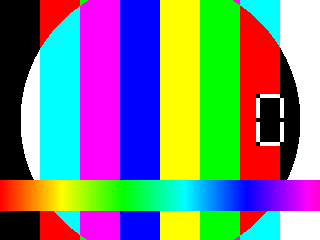
Apollo(tvai_fi=model=apo-6)
"C:\Program Files\Topaz Labs LLC\Topaz Video AI\ffmpeg" -f lavfi -i testsrc -vframes 1 -vf scale=w=1280:h=960 colortest2.png
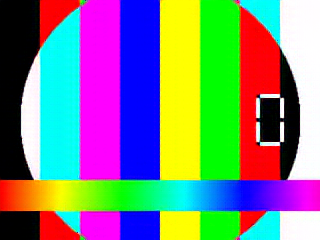
"C:\Program Files\Topaz Labs LLC\Topaz Video AI\ffmpeg" -f lavfi -i testsrc -vframes 1 -vf tvai_up=device=-2:model=prob-3:scale=2:compression=0.24:details=0.24:blur=0:noise=0.12:halo=0:preblur=0,scale=w=1280:h=960 veai_colortest2.png
FFMPEG 4x

TVAI Proteus 2x & FFMPEG 2x

Both have subtle color alteration.
For example, the second light blue from the left has gone from R:G:B=0:255:255 to 1:255:255.
However, this seems to be a rounding error when 8bit(FFMPEG) → 16bit(TVAI) → 8bit(png) because TVAI’s internal color space is 16bit.
Since the numerical value is not that large, it seems to be within the margin of error if, for example, 10-bit YUV output is used.
What personally bothered me was the severe ringing at the color boundaries.
In the case of Proteus, it is somewhat understandable that it would change at the color boundary because of the scale, but in the case of Apollo, it is a filter for the time axis, so it feels strange that it changes at the color boundary.
In addition, the change in color was not as significant as the color changes submitted by others.
So, it is my opinion that the FFMPEG options are not properly set in the GUI and that there is a problem with the color space conversion, rather than an alteration in the TVAI filter.
2 Likes
Don’t forget that Apollo will blur the picture, it will definitely affect the color flatness, so try Chronos for comparison.
"C:\Program Files\Topaz Labs LLC\Topaz Video AI\ffmpeg" -f lavfi -i testsrc -vframes 1 colortest3.png
"C:\Program Files\Topaz Labs LLC\Topaz Video AI\ffmpeg" -f lavfi -i testsrc -vframes 1 -vf tvai_fi=model=chr-2:slowmo=0.21:rdt=0.01 veai_colortest3.png
No filter
Chronos
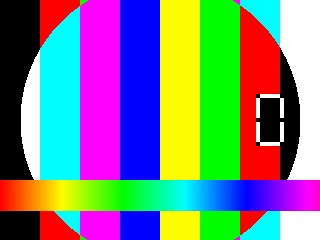
I tried Chronos.
Proteus and Apollo tended to go from 0,255,255 → 1,255,255, while Chronos showed a difference of 0,254,254.
In both cases, there was no alteration beyond 1/256 (8 bits).
1 Like
The color value changed by Apollo is far more than 1. I suggest you find a tool for comparison.
I loaded the output PNG into Photoshop and used the color picker to compare, is that not enough?
Try the CLI I just pasted in.

Stop trying to say that the problem with the Apollo is related to the color setting, they are two unrelated problems, the same setting Chronos Fast works fine but the Apollo has a noticeable color difference, it’s already obvious.
To avoid GUI and color conversion problems from video, I tested with FFMPEG built-in test images, but no significant differences occurred.
I am describing the CLI I used for the test, does that test also cause color discoloration there?
Please don’t get me wrong, it is not my intention to interfere with your bug report.
I just want to explore the conditions under which the color alteration can occur so that it does not affect my videos as well.
1 Like
I didn’t use your command to test, your results are already obvious, the difference in the color value of the red part is more than 10, which has exceeded the “obvious” level, my only suggestion is not to use Apollo, unless you don’t mind.
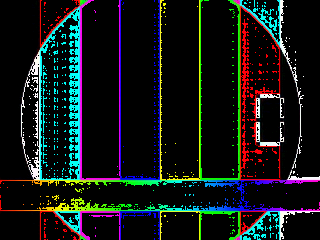
I verified the original image again using software that takes color differences.
I could confirm that speckles of noise were mixed in.
The same color within the threshold is filled with black.
Apollo threshold 1
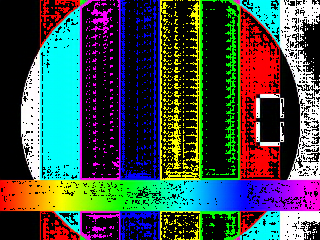
Apollo threshold 10
Proteus threshold 1
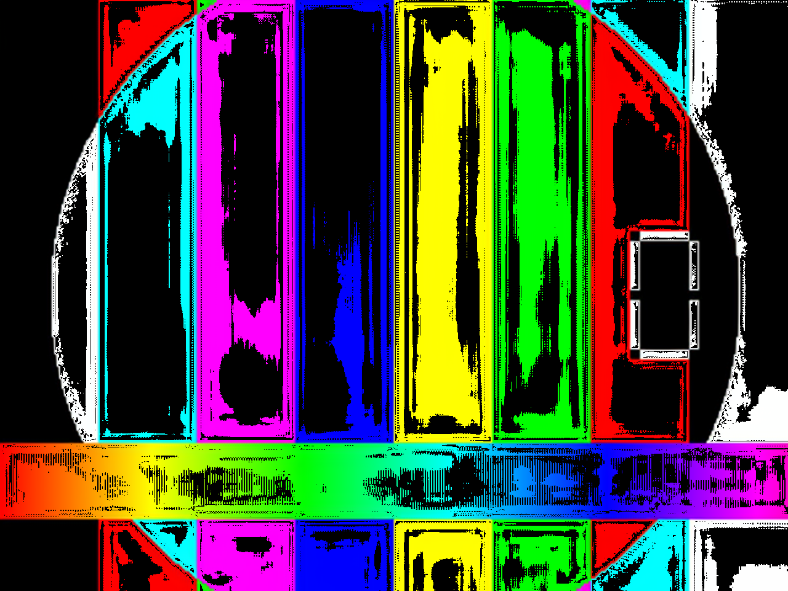
Proteus threshold 10
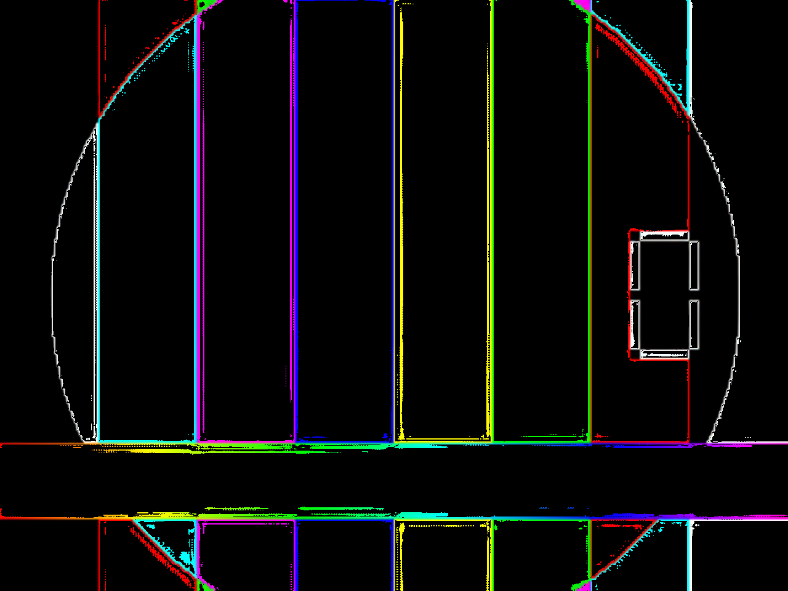
Chronos threshold 0

Chronos threshold 1

I didn’t look at it from the perspective of color mutation in a noise condition, so I was only able to make a partial comparison. sorry.
Apollo visibly changed the tone.
This picture is just a test, not a strong reference, Topaz’s model was not designed for it and will not be used for it. If you study the color change before and after treatment, the conclusion is obvious, it is reasonable, and the normal difference is only 1 (though I still hope that Topaz can try to ensure the accuracy of the calculation).
Friends, someone compared which model makes blu-ray upscaling to 4K better. it seemed to me that Proteus Auto makes the image less clear than Artemis
If I’m upscaling to 4k and converting to 60 frames per second, do I need to separate the process? And what to do first, 4k or 60 frames
One more question. Why does 60 fps look more smoothly than 120fps visually on the same video? Because I have a 60kHz TV?
Yes this would be much appreciated!
I’m on a 2019 16" Macboo pro with the i9 and the AMD 5500M…
I was wondering, since these models have the T2 chip, which also contains accelerators for Apple ProRes… wouldn’t there be a way to optimize Topaz processing to take full advantage of those additional dedicated chips?
Anyway my other question is, does it make any difference for the processing speed, especially for the stabilization workflow, wether I use an export container and format opposed to any other? Would exporting in MOV and ProRes more efficient than exporting in mpa H264 on a 2019 mac?
Thanks a lot for the support!
Themis - Since my previous post, I have had a chance to test Themis. It is better, but still s bit harsh looking. I found that running it alongside Proteus manual, with only dehalo turned up to 25 (everything else at 0), works well. The dehalo effect softens the harshness of Themis, so it looks more natural and the motion deblur is still effective.
1 Like
