Not sure if I have to adjust in settings before processing but a a 3.5 gb video is currently rendering at the 30% stage and is showing as 30gb in the destination folder. It’s gonna be 100gb or so when complete. Is it me or does this seem way too big?
Well, thanks for the reply.
I am in total agreement with you on every point you made. I didn’t uninstall 2.6.4 and thank goodness for that because like you said we can’t choose the model we want to use, instead we are stuck with what seems to be lower quality versions of 2 or 3 models, and the program is very inefficient for enhancing the videos. I hope that they put back some way to use models like in 2.6.4. But I also noticed they took enhance out of the title of the program?? so does this mean we have to settle with just video stabilization, frame Interpolation, it’s getting to look that way! This used to be a great program until they fixed what didn’t need fixing. I am a very disappointed customer!
7 Likes
Search chaiNNER on github
yes last night I tried to produce a video, when I woke up, I saw a nice login screen on my pc, so I’m really disgusted, not because it crashed but because my pc is running 24 hours a day and I I had hybrid open with my filters only that closed my hybrid and I lost all my settings. (I couldn’t find how to save all the filter settings on hybrid)
it is efficient but I find that it removes a lot of detail anyway
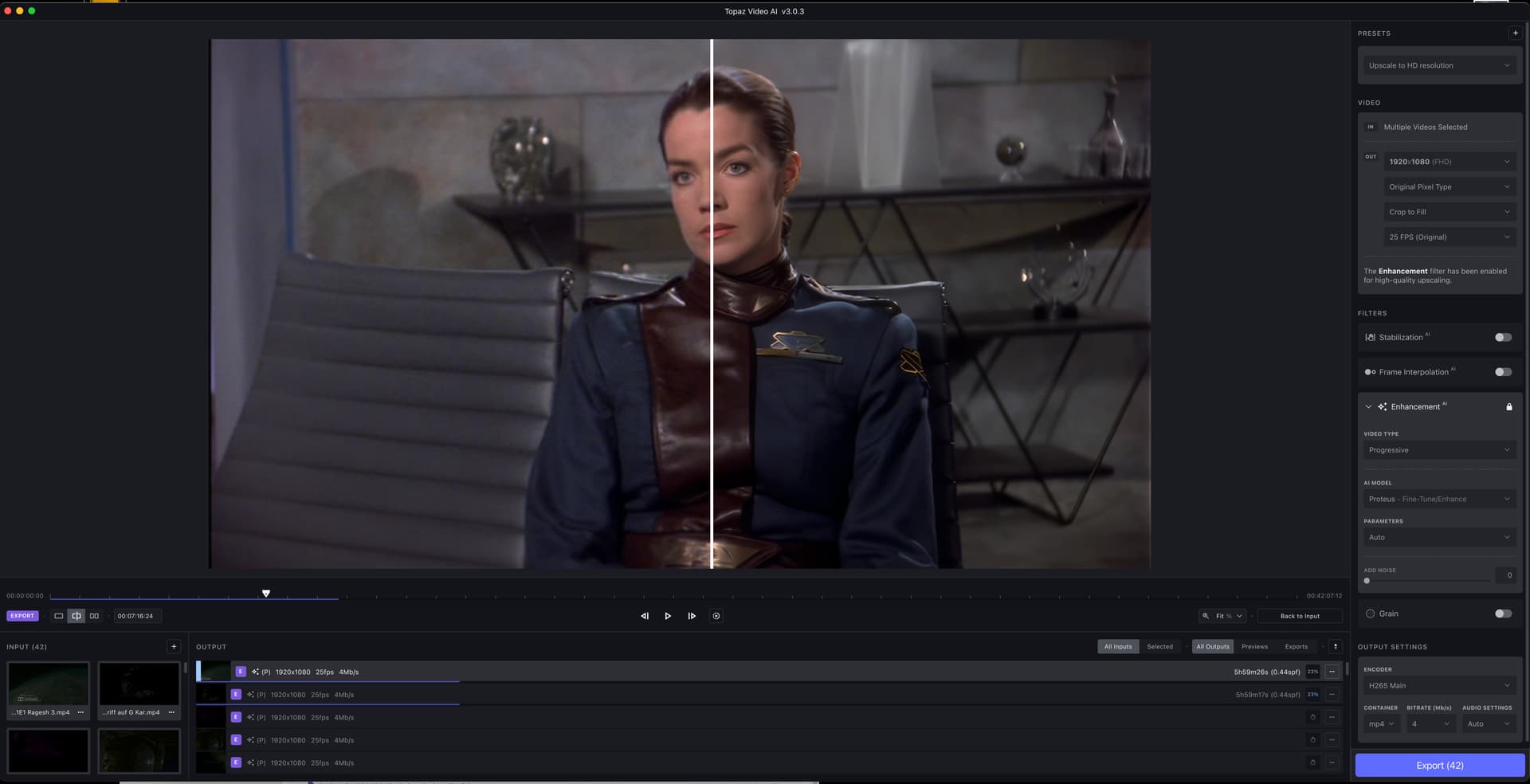
Hello. FIrst - 3.0.3 made a huge step in the right direction. UI stys during processing (more or less) fluid. Not as 2.6 Version, but way better than any 3.x versions before. Also Quality of Proteus seems to have become better compared to previous 3.x versions ? I’m scaling up my old ripped Babylon 5 DVD’s to FHD, and the result is quite satisfying.
Only issue I had since 3.x betas up to the actual releses…I’m not able to add new presets. If I press the “+” to add a new preset, I can enter a name and everything and save it, but the preset never shows up. SO I have to reconfigure everytime my preferred settings. Please fix, or propose a way to get this back running.
BTW: I use VEAI on a M1 Mac Mini with 16Gigs of Memory running under most recent Ventura version (13.x)
4 Likes
you have different output settings , set as default or custom. if you set up a ouput codec which encode every single image as losless, it will produce a very big video, yes. even if the software is very simple to use compared to some others (hybrid, staxrip etc…), there are some settings to set up at minimum if you don’t want to deal with 100Gb video file or more ;). good luck !
Thanks Marty,
I have mine set to H.264 so didn’t think it would render out so big. I’ll check again in 2037 at the halfway mark.  but seriously I suppose this is one big learning curve for me as I’ve only ever used basic stuff like QT and iMovie.
Thanks again.
2 Likes
to produce a H264 video so big, you maybe put a bitrate way too big, or maybe your setting has not be taken and it’s in fact producing the video in an another format. you’re on mac, so i’m afraid I can’t help more or provide better informations, up to some people here who use a Mac to answer better.
1 Like
Thanks Marty I’ll have another try tonight mate. 
That’s why we’re many years, if not decades away from being able to upscale SD video, so it would be indistinguishable from content having been originally filmed at native 4K resolution (or higher).
1 Like
I’ve noticed that Apollo uses 100% of my RTX 3080ti where Chronos does not. I haven’t tried Chronos seriously since it had lots of blurring last time I tried it.
Anyway, maybe I should give it a test just to see if I get similar speeds as you.
Another fun note: With the CLI you can set (at least) Apollo to 500% instead of the options the GUI gives you—and it works! It’s the cleanest way I have found to convert 24 FPS to 60. It’s not bad with 23.976 either. Yields 59.94 FPS ((23.976 * 5) / 2) and from what I have seen, the sound doesn’t go in and out of phase.
Yeah. It’s a little extreme and takes longer, but it’s faster than the 1000% option offered in the GUI.
That’s because the graphics device maps to a different number when you remote in.
I don’t know the details, but goes some like: remoting in creates a fake GPU. ffmpeg has to have a gpu device defined in the command, but that device number changes each time you remote in.
I might be wrong. My computer downstairs will fail if I am logged in remotely when it starts the processing (using the CLI with the GPU device predefined as 0), but it’s fine if I remote in once it’s already started.
I also use 2.3.0 for the same reasons, but I haven’t used 1.9.0 in a long time. What do you find better in 1.9.0 when compared to 2.3.0?
1 Like
Yes, I saw the same problem, but it went away after a full reboot (I.e. not a restart). Your guess is as good as mine as to why that helped, at least in my case.
1 Like
There is a very big difference between this version and the other around the output video quality.
I have been trying to see if thats the case. Curious as to why it works fine with an earlier version though.
I wonder if my remote desktop issues have to do with the installation. The old installation was c:\users\mylogin
The new installation is c:\users\public\
I’m guessing the GPU mapping was not something they could pull from 2.6.4 into their version of ffmpeg.
I also just remembered that my computer that I remote into is running 3.0.0.8—the last early release. Maybe I should get around to updating that to see if it’s still working.
