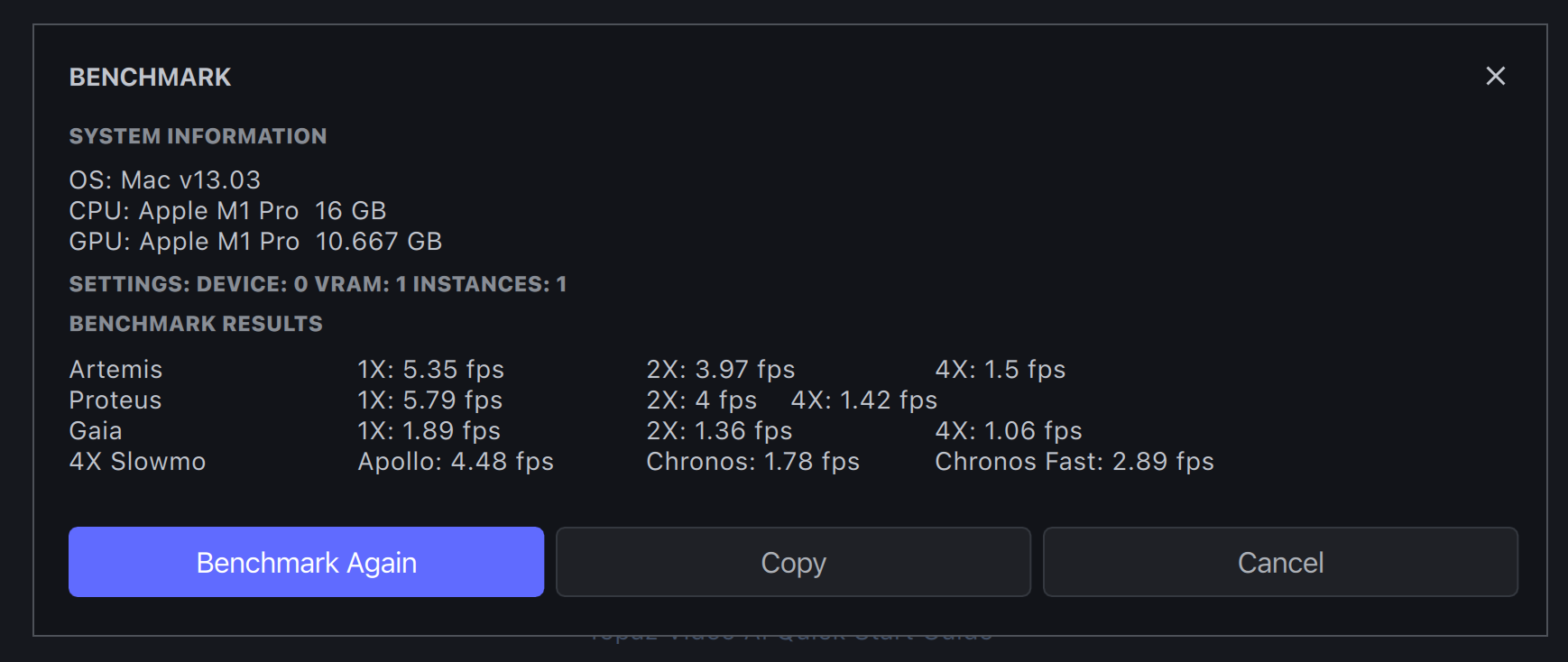
So the benchmark window has no information on the test file for input, and I didn’t see it in the post of this thread when I downloaded so I made the assumption it would be a reasonable size input file. 1080p does not seem like a reasonable size input file given its not often I see general peoples usage starting at trying to upscale full HD content, but that personal opinion.
So yes, switching to a 1080p input file gives similar results as the benchmark. However, this thread was testing performance increases of this over live and explicitly stated there should be an improvement on all machines - as I couldn’t replicate the benchmark I tested directly with live and there is no performance increase on this version to live on my system, so not really sure what I am testing here.
Although if the Dev’s really do their testing on 1080p that might explain the lacklustre improvement on models for some time. This application was designed and built on enhancing and upscaling crap footage - I am willing to bet that probably close to 90%+ of content people run through this application starts at 480p, or DVD scale or similar.
That actually makes me extremely concerned if what you say is true for dev testing, because I hope very much they are not training Artemis and Proteus upscaling models on footage that is already at 1080p resolutions.
Either way, one of the first two points I posted for - that this version has no increase in processing speeds on my system - hasn’t changed, so am just reporting that for now. As far as I can see, the purpose of this testing was to test performance increases on systems, so as I see none on this version, I will wait again to see what happens with the next one.
In the meantime, while speed increases are good, the live versions still have the issue with Proteus noise reductions causing flickering making the output not usable in various sequences. Personally, I would prefer fixing output issues on models before trying to make them faster still.
It makes perfect sense to me and many others on here. Your use case is not everyone else’s.
There are plenty of reasons to want to improve/denoise/deblock/upscale/enhance footage that is already in 720 or 1080 resolution. Just because it’s a certain resolution doesn’t mean it isn’t full of noise, or compressed/blocky, or a low framerate.
Your claim that 90% of the people on here want to use it upscale ‘crap’ low resolution footage is really just a guess and my guess is that it’s simply not true.
As for the performance gains, they will not be as noticeable on your 1080 card, and as on my 1070 card, the gains are diminishing as they have squeezed most of the available performance out of that line of cards.
When doing performance improvements or benchmarking the input size used is purely based on performance. 1080p footage on most hardware fall in a nice range between 0.1-40fps. When the hardware and performance improve the benchmarks will use 4K even if the users are using 360p or 480p inputs.