@suraj Uploading Videos With Smaller than HD Res and 1080i.
Blockquote
Topaz Video AI Alpha v3.2.0.1.a
System Information
OS: Windows v11.2009
CPU: AMD Ryzen 9 5950X 16-Core Processor 63.928 GB
GPU: NVIDIA GeForce RTX 3080 9.8311 GB
Settings: device: 0 vram: 1 instances: 0
Benchmark Results
Artemis 1X: 16.52 fps 2X: 9.14 fps 4X: 2.56 fps
Proteus 1X: 14.89 fps 2X: 8.61 fps 4X: 2.62 fps
Gaia 1X: 6.64 fps 2X: 4.53 fps 4X: 2.6 fps
4X Slowmo Apollo: 18.56 fps Chronos: 14.01 fps Chronos Fast: 22.58 fps
My benchmark 
1 Like
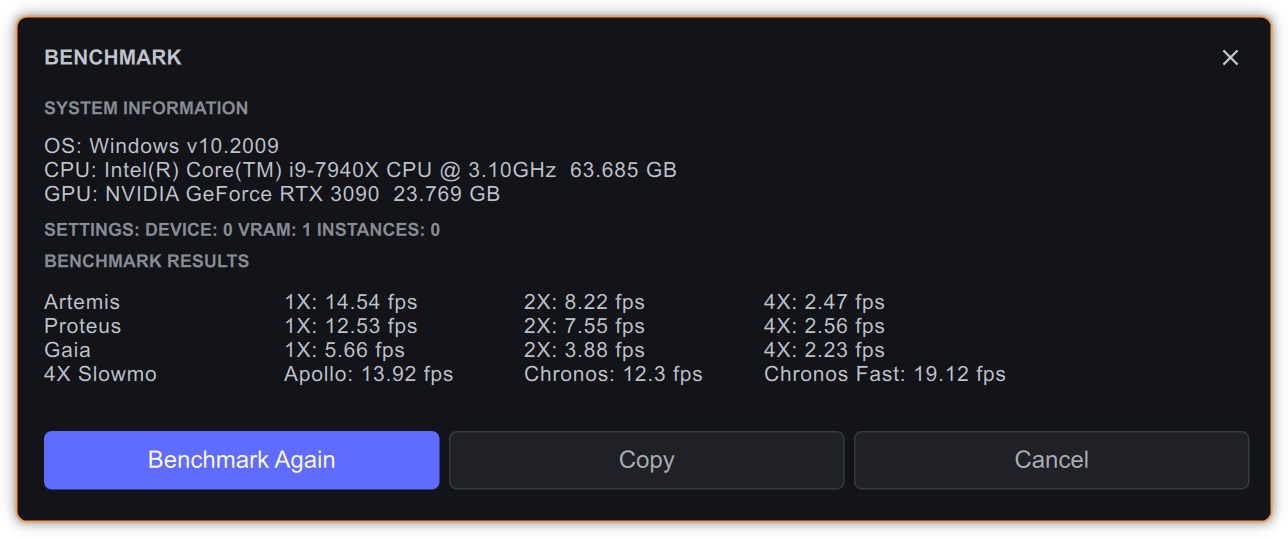
It’s within a margin of error with VEAI 3.1.9.0b:
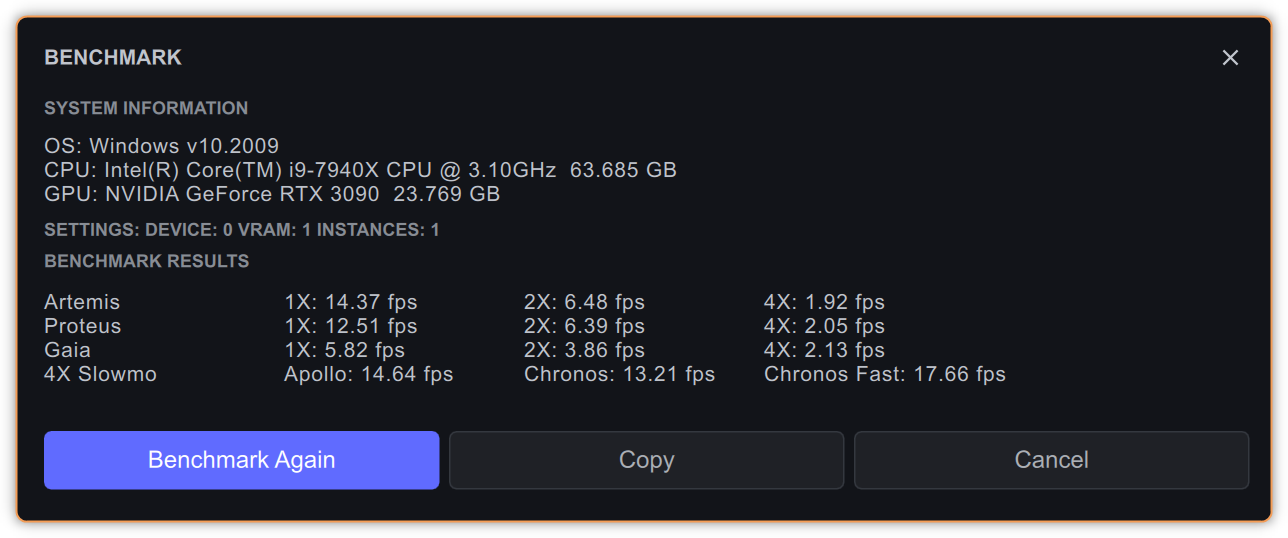
My results aren’t that peachy.  But in normal usage I find it fast, cause I mostly upscale 360p or 480p → 1080p.
Is the benchmark operating on a “artificial” 1080p file or some sort of 1080p single frame?
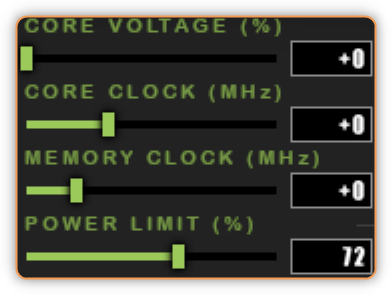
Edit: I should mention, those results are on 72% power limit of the MSI Ventus OC model of the RTX 3090 card.
hello all Mac users
can post someone have M2 pro Mac mini his benchmark please
greetings
You could oc you mesh clock, i know that this will increase the performance a bit, don’t move over 3000 mhz, it will be unstable after.
1 Like
Here are my benchmarks for this version. Like @mikmod1, I get faster performance than this on 480p to 1080p upscales. I am curious about what simulated scenario is being used for these benchmarks.
With that said, I am seeing a 6 FPS boost in performance compared to the stable version of Video AI. I used to get 22 FPS, and now I get 28 FPS. That is faster than real time for 24 FPS footage!
Topaz Video AI Alpha  v3.2.0.1.a
System Information
OS: Windows v11.2009
CPU: AMD Ryzen 7 3800X 8-Core Processor               15.925 GB
GPU: NVIDIA GeForce RTX 3070  7.8438 GB
Settings: device: 0 vram: 1 instances: 0
Benchmark Results
Artemis		1X: 12.36 fps 	2X: 7.46 fps 	4X: 2.2 fps
Proteus		1X: 11.43 fps 	2X: 6.89 fps 	4X: 2.21 fps
Gaia		1X: 4.83 fps 	2X: 3.32 fps 	4X: 2.05 fps
4X Slowmo		Apollo: 14.75 fps 	Chronos: 10.27 fps 	Chronos Fast: 16.96 fps
1 Like
ithardware.pl portal did a piece about overclocking the mesh clock in 7900X CPU back in the day, and results were interesting, you’re right!
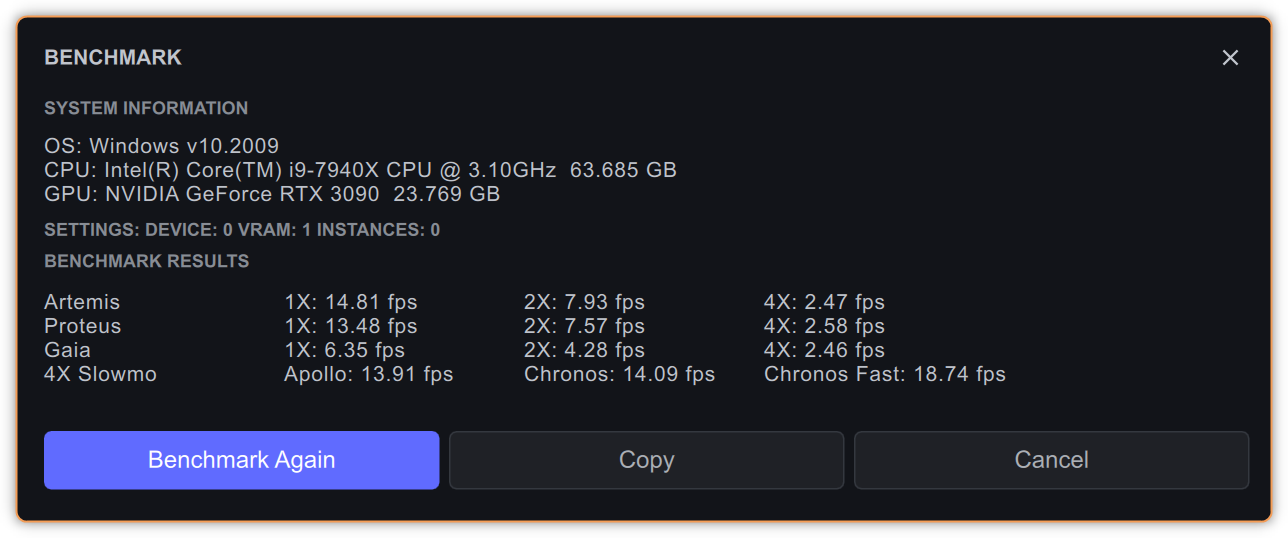
I didn’t OC anything though, on the contrary, I limited my GPU power draw to 72% after finding out, how terrible some 3090’s are in terms of power circuitry design (Buildzoid’s rant videos ^_^). Hence, these results show the performance on exactly 72% of power of RTX 3090 MSI Ventus OC. It’s not a “terrible” card though, MSI engineers actually DID move out that one memory chip further out from PCI-Ex connector, to alleviate the situation, where the memory chip could simply detach itself from the PCB because of the card flexing under its own weight.
One thing I can say about this platform - even if it’s not rocket fast, it’s practically rock solid stable, and it’s something to say, when my Windows installation is about 8 years old (5 years with Win7, then update to Win10). And I use all memory slots on the mainboard, that is 8x8GB.
Edit: I checked 100% power limit, and the results aren’t much different, at least in VEAI 3.2.0.1a, so I’ll stay at 72%.
1 Like
Here’s my benchmark results.
Topaz Video AI Alpha v3.2.0.1.a
System Information
OS: Windows v11.2009
CPU: 11th Gen Intel(R) Core™ i7-11700K @ 3.60GHz 31.872 GB
GPU: NVIDIA GeForce RTX 3070 7.8545 GB
Settings: device: 0 vram: 1 instances: 0
Benchmark Results
Artemis 1X: 13.04 fps 2X: 7.61 fps 4X: 2.37 fps
Proteus 1X: 10.75 fps 2X: 6.71 fps 4X: 1.92 fps
Gaia 1X: 4.8 fps 2X: 3.26 fps 4X: 1.89 fps
4X Slowmo Apollo: 13.98 fps Chronos: 10.09 fps Chronos Fast: 16.72 fps
Here are Mac M2 benchmarks. Kind of crazy that a notebook keeps up with a Windows desktop with a discrete GPU.

Also, this build is REALLY fast. Nice work!
1 Like
Topaz Video AI Alpha v3.2.0.1.a
System Information
OS: Windows v10.2009
CPU: Intel(R) Core™ i7-3770 CPU @ 3.40GHz 15.945 GB
GPU: NVIDIA GeForce RTX 3050 7.8672 GB
Settings: device: 0 vram: 1 instances: 0
Benchmark Results
Artemis 1X: 6.12 fps 2X: 3.74 fps 4X: 1.14 fps
Proteus 1X: 5.72 fps 2X: 3.61 fps 4X: 1.11 fps
Gaia 1X: 2.21 fps 2X: 1.51 fps 4X: 0.96 fps
4X Slowmo Apollo: 6 fps Chronos: 4.99 fps Chronos Fast: 8.18 fps
Topaz Video AI Alpha v3.2.0.1.a
System Information
OS: Windows v11.2009
CPU: AMD Ryzen 9 5900X 12-Core Processor 31.899 GB
GPU: NVIDIA GeForce RTX 3070 Ti 7.8428 GB
Settings: device: 0 vram: 0.95 instances: 0
Benchmark Results
Artemis 1X: 13.95 fps 2X: 7.85 fps 4X: 2.42 fps
Proteus 1X: 12.58 fps 2X: 7.21 fps 4X: 2.29 fps
Gaia 1X: 5.16 fps 2X: 3.49 fps 4X: 2.16 fps
4X Slowmo Apollo: 16.02 fps Chronos: 11.63 fps Chronos Fast: 18.62 fps
I benchmarked v3.1.9,0b and v3.2.0.1b on the same system, and got different feedback about settings.
What does that mean?
Topaz Video AI Beta v3.1.9.0.b
System Information
OS: Windows v11.2009
CPU: AMD Ryzen 7 5800X 8-Core Processor 31.916 GB
GPU: NVIDIA GeForce RTX 3060 11.845 GB
Settings: device: 0 vram: 1 instances: 1
Benchmark Results
- Artemis 1X: 9.06 fps 2X: 5.65 fps 4X: 1.68 fps
- Proteus 1X: 8.84 fps 2X: 5.54 fps 4X: 1.65 fps
- Gaia 1X: 3.13 fps 2X: 2.12 fps 4X: 1.38 fps
- 4X Slowmo Apollo: 8.43 fps Chronos: 7.12 fps Chronos Fast: 10.9 fps
Topaz Video AI Alpha v3.2.0.1.a
System Information
OS: Windows v11.2009
CPU: AMD Ryzen 7 5800X 8-Core Processor 31.916 GB
GPU: NVIDIA GeForce RTX 3060 11.845 GB
Settings: device: -2 vram: 1 instances: 0
Benchmark Results
Artemis 1X: 9.12 fps 2X: 6.05 fps 4X: 1.29 fps
Proteus 1X: 8.70 fps 2X: 5.79 fps 4X: 1.32 fps
Gaia 1X: 3.16 fps 2X: 2.14 fps 4X: 1.31 fps
4X Slowmo Apollo: 6.8 fps Chronos: 6.95 fps Chronos Fast: 11.41 fps
The settings are just the processing preferences you use. You have selected the GPU in the beta and have left it to auto in the alpha. The Auto settings in the alpha have not been tuned yet, so I would recommend selecting the device and using the same settings to compare.
5 Likes
There needs to be a queue for processing videos. If you export multiple videos, they run in parallel. There should be an option to queue vs running them all currently.
muchas gracias 
you can set this in preferences
1 Like
This seems like a good time to highlight the slowdown bug in the V3 versions.
The benchmarking seems to trigger it on my system each time I run a benchmark, regardless of restart. Below is the current benchmark I just ran, with a glacial 2.96 fps on 1x.

Closing the benchmark and actually running a test on 2x upscale with Artemis produced minimum 10fps:

Restarting doesn’t fix it - the benchmark is not giving accurate results. However, it is accurately reproducing the bug that occurs in V3 whereby this slowdown will occur and be stuck until restart - just reproducible easily with no other applications running.
On a separate note, I did a direct comparison to V3.1.7 currently installed and there is no speed change at all between that one and this alpha, or no change in processing speed between versions.
1 Like
What is the resolution of your test video ? 
BUG REPORT: Color correction doesn’t have an effect when Grain is switched on. Once Grain is switched off it works as normal.
1 Like
