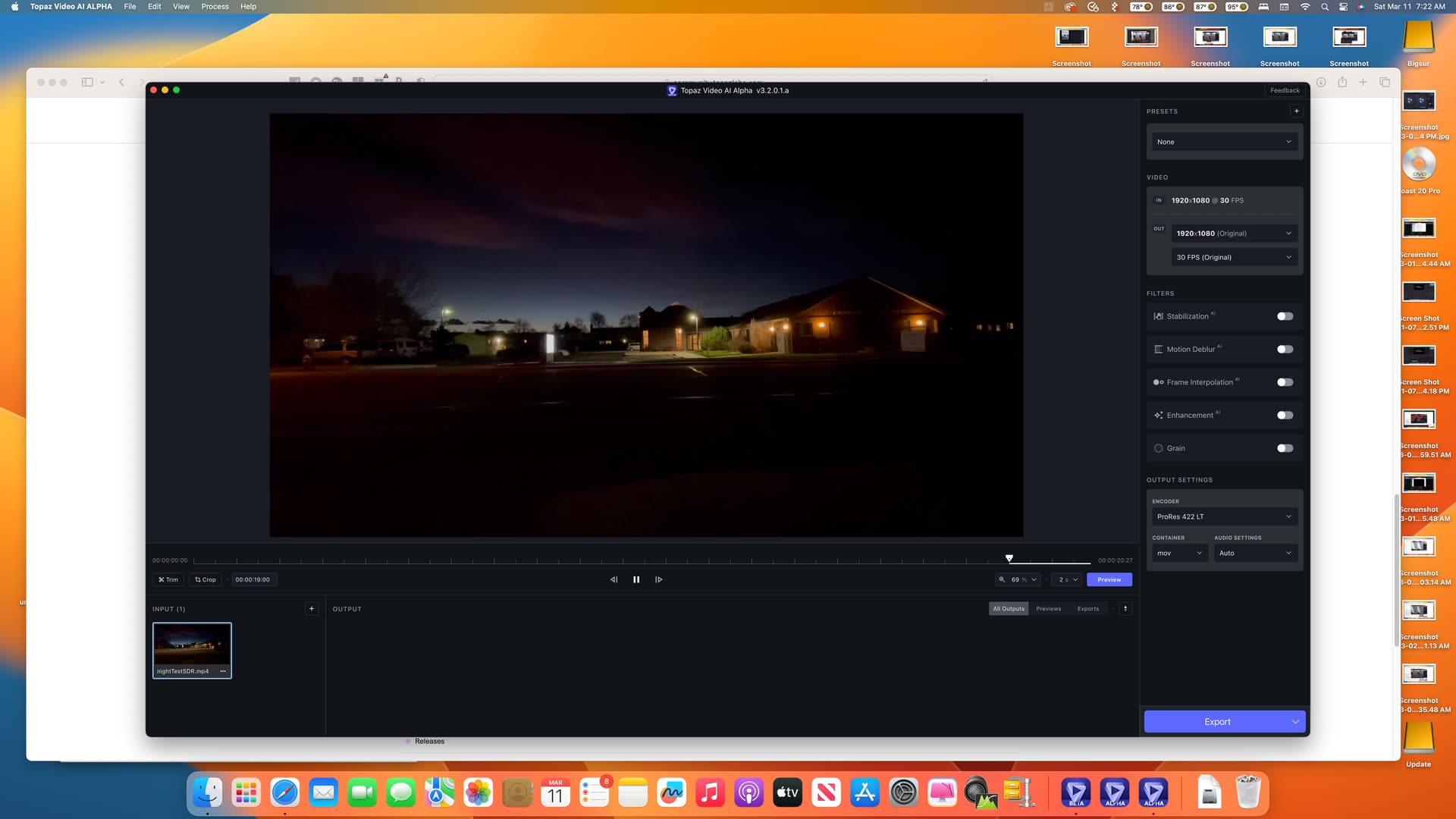
Here is an early version of app that should improve performance for all machines. The degree of performance increase will vary. This version should also allow for better support running multiple filters and multiple processes.
I have tried a few different files, none of them seem to work. I get “Unknown Error” on all of them right after seeing “Model Loaded”. Log attached. 2023-03-10-17-54-45-Main.tzlog.txt (460.3 KB)
I just downloaded your Topaz Video AI Performance Alpha 3.2.0.1.a and performed few tests with an old CGI from the 1970s.
First review:
Speed rendering is 3x to 4x faster ;
Picture quality is very good and most of visual artifacts are gone ;
Some visual artefacts can be seen as echoes : for instance in a sky with fast moving clouds (timelapse), you can see some echoes around the clouds in the sky ; Maybe not visual artefacts, just hidden motion blur revealed by super resolution engine ;
I used Proteus Fine without Auto mode, with manual settings as suggested ;
What is missing:
Auto color correction ;
Auto dust removal (for old dusty footage) ;
A way to declare some frames as defective, so to avoid them and interpolate from previous to next legitimate ones ; i.e. a video footage with missing frames or badly recorded frames (very old 2 inches video tapes) ;
Zoom / Zoom mode settings lost each time I switch between Main mode and Preview mode ;
A video drop out removal filter for old video footage like U-Matic, VHS, Super-VHS, Beta, and so on ;
A temporary licence key for user as me that have not current licence. I am using Trial mode, better for seeing the output picture quality ;
Auto color expander ; Color noise reduction ; Looks ; like Topaze Adjust AI.
On my GTX 1060 the new alpha is faster than the new beta across all models benchmarked using single processes (I think Gaia 4X errors because it hits a vram limit):
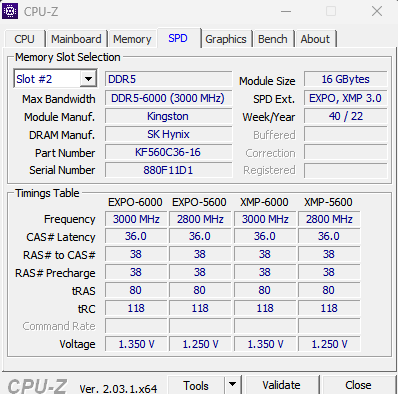
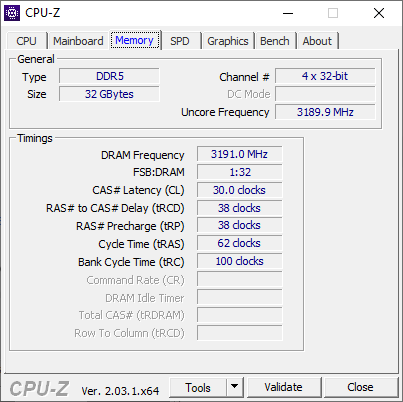
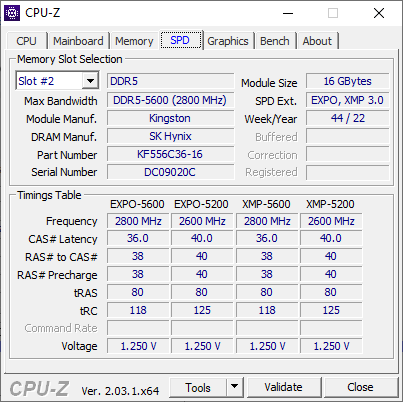
Great to have a built-in benchmark! When I have some more time I will check RAM speed scaling, which is usually not very much discussed. I suspect RAM speed could have some influence on processing with image scaling.
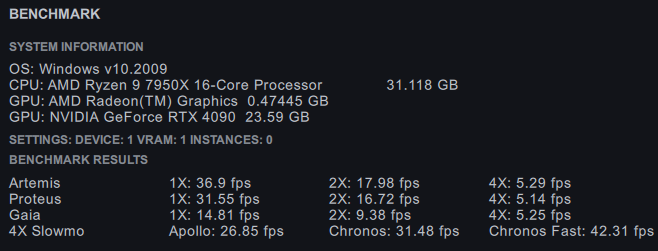
7950 + 4090 + 6400 RAM @ CL30 + Win10
This is with an overlock of the GPU @ 3000 Mhz @ 300W avg (peak 450W)
Artemis
1X: 36.9 fps
2X: 17.98 fps
4X: 5.29 fps
Proteus
1X: 31.55 fps
2X: 16.72 fps
4X: 5.14 fps
Gaia
1X: 14.81 fps
2X: 9.38 fps
4X: 5.25 fps
4X Slowmo
Apollo: 26.85 fps
Chronos: 31.48 fps
Chronos Fast: 42.31 fps
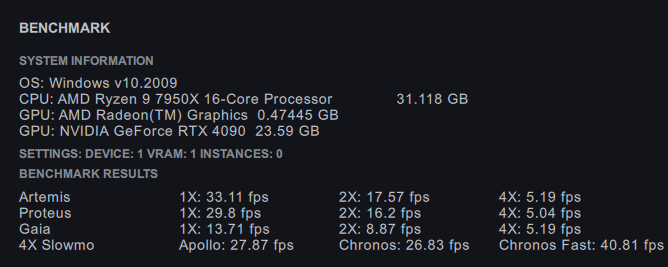
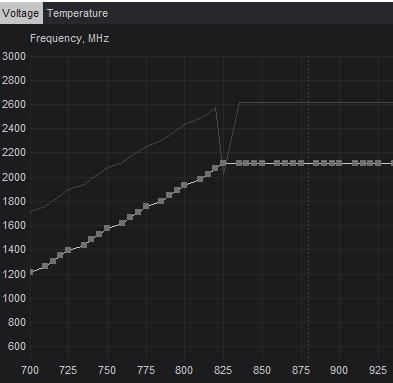
This is with GPU @ 2115 Mhz @ 0.875v @ 200W avg (peak 300W)
Artemis
1X: 32.6 fps
2X: 17.34 fps
4X: 5.08 fps
Proteus
1X: 29.8 fps
2X: 15.39 fps
4X: 4.86 fps
Gaia
1X: 13.63 fps
2X: 8.86 fps
4X: 4.77 fps
4X Slowmo
Apollo: 26.33 fps
Chronos: 26.54 fps
Chronos Fast: 38.81 fps
It’s interesting to see that some models profit much more from GPU speed than others. Chronos scales the best, thereas Artemis, Proteus and Gaia scale only half as much. And especially at higher scaling factors, CPU + RAM seems to be more and more the limiting factor.
speed is pretty much the same for me as regular/beta but i run an old episode of an old 2000 tv show and the output is nightmare fuel. skin that seems to melt off the face of the actor/actresses, eyes that warp in size and position as well as moles on the skin. hair that frame by frame goes from low quality to normal to HD crisp to look like wood chip strings… even that i may set up the proteus manually too high, the AI clearly lost its mind since its nightmare fuel. its so distracting from minutes to minutes i forgot what i was watching seeing the face of a person “melting down” and becoming all wrinkled and bended/warped
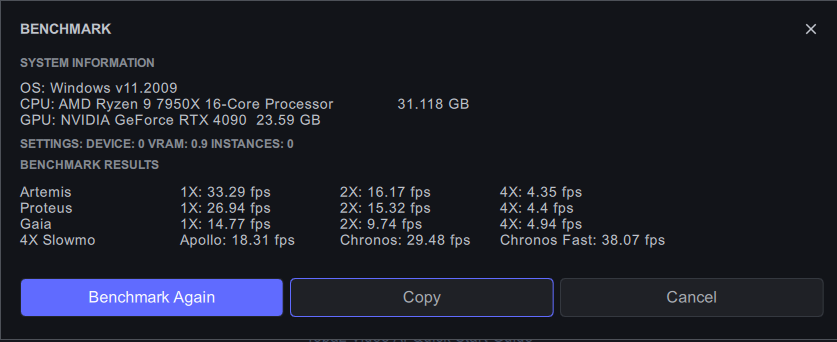
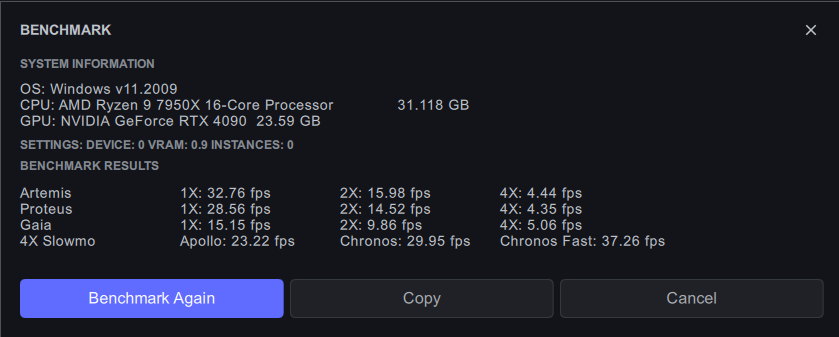
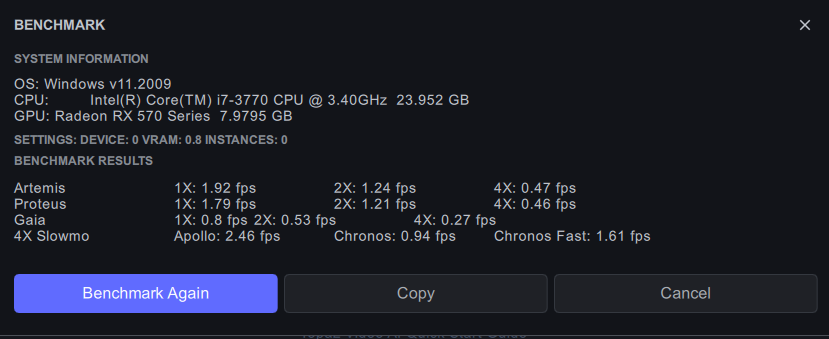
also did a benchmark on my system
I have stupid question, but anyway I will ask - I haven’t been using Topaz for a long time because I was busy with other task, but when I saw an email with new alpha, I did not hesitate to download it and test - but then the pop-up with expired license showed up - it is really neccessery for alpha/beta tester to buy upgrade?
Here are the benchmark results on my M1 Max MacBook Pro:
Topaz Video AI Alpha v3.2.0.1.a
System Information
OS: Mac v13.0201
CPU: Apple M1 Max 64 GB
GPU: Apple M1 Max 48 GB
Settings: device: 0 vram: 1 instances: 1
Benchmark Results
Artemis 1X: 8.16 fps 2X: 5.49 fps 4X: 2.35 fps
Proteus 1X: 8.13 fps 2X: 5.94 fps 4X: 1.87 fps
Gaia 1X: 2.65 fps 2X: 1.83 fps 4X: 1.47 fps
4X Slowmo Apollo: 8.63 fps Chronos: 2.75 fps Chronos Fast: 4.26 fps
Using Dione Robust to process a 720 X 480 progressive interlaced video to HD gave the fastest result Ihave yet obtained of 0.05 sec/frame. Great job on this Alpha!
I was using ECO mode on CPU which limits the 7950X to 140W but that is never reached during the benchmark.
For limiting the GPU, I use MSI Afterburner with a custom voltage/speed curve: