I agree
3 Likes
I’ve observed that the grain effect doesn’t simply apply grain on top of the enhancement/correction but changes the enhancement. Please screen captures showing enhanced shot before and after grain. I and need the grain to be applied over the enhanced footage without changing the enhancement. Can you please review frames and log and help me understand what is happening here and whether this is a bug that can be corrected?
V6.0.0.2b
M1 Mac Studio
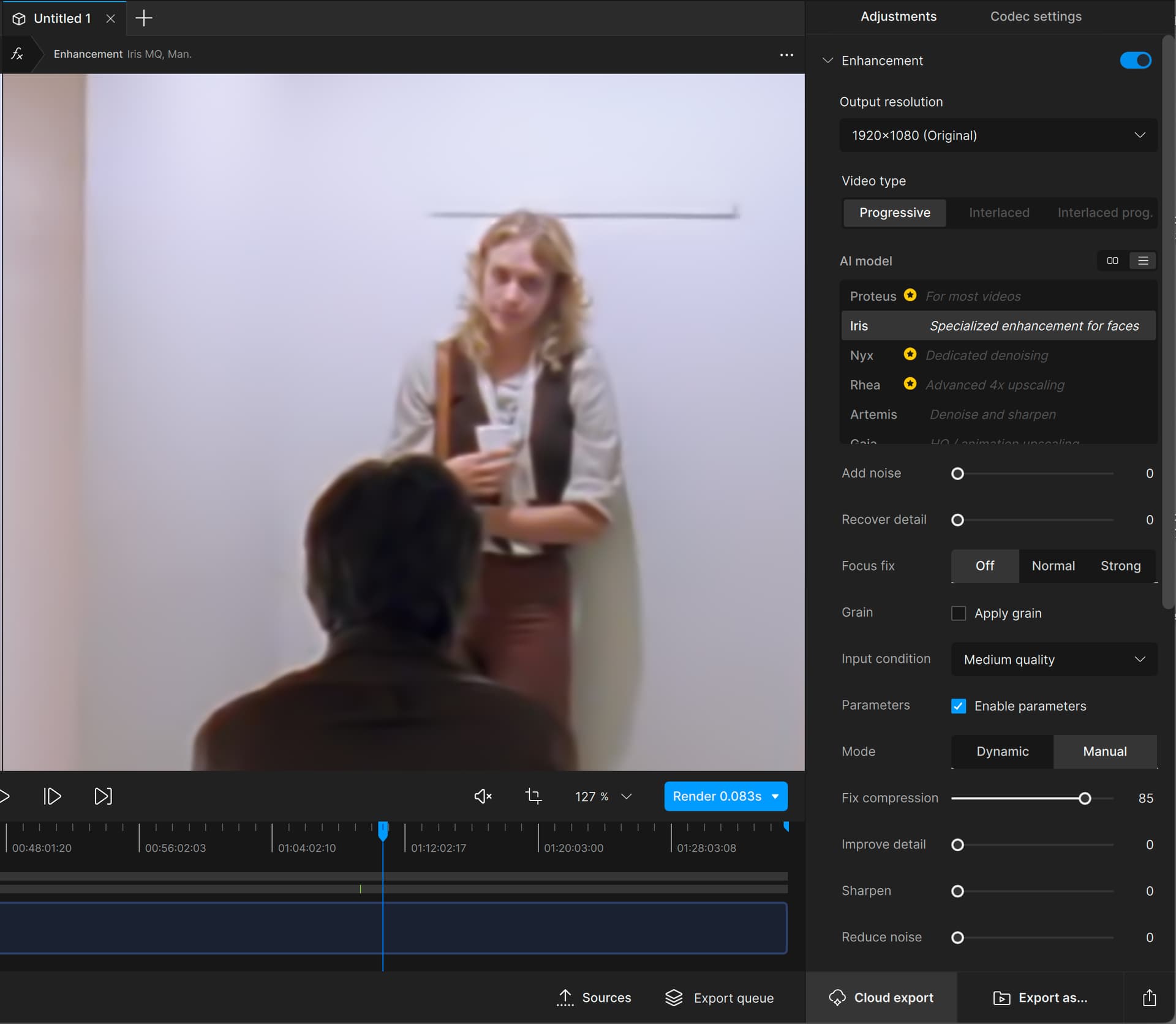
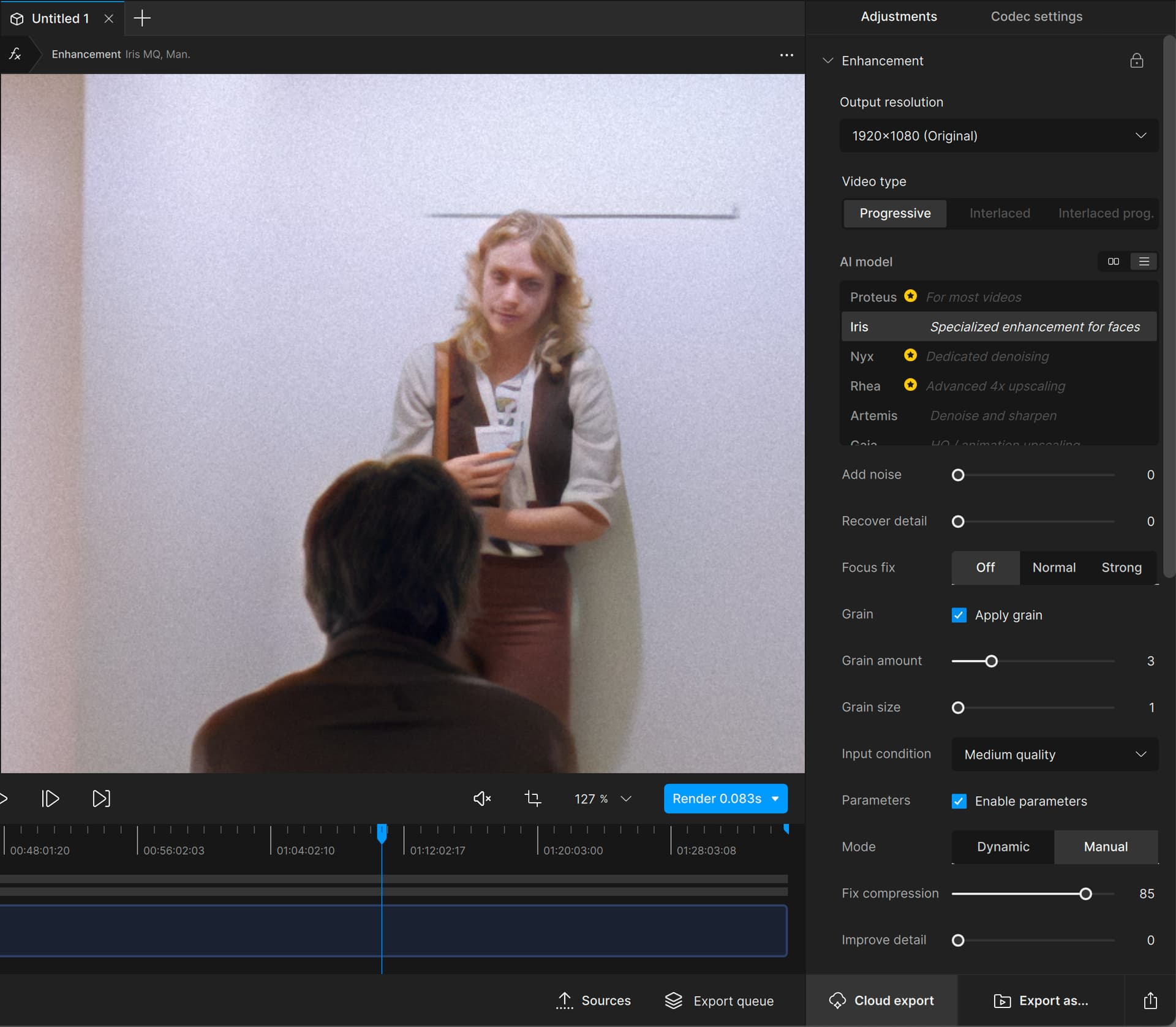
logsForSupport.zip (6.4 MB)
[If you are posting a new bug, please include the following]
- The bug / behavior you have encountered
- Your system profile
- Your log files (Help > Logging > Get Logs for Support)
- Any screenshots as necessary
[Please be sure to have searched for your bug before posting. Duplicate posts will be removed.]
I’m stopping this year mainly because the Linux build has been deprioritized and the version I do have just throws hours of compute time away on “AI error” / “model failed to download” failures anywhere between 25% and 90% of the job done, discarding the output file in the process. With no love being shown to the Linux version right now, there seems little point in filing bugs (it’s so far behind their current code on other platforms, it would seem to make little sense) and they clearly are getting their revenue from elsewhere, so it makes sense to stop until they have interest again.
1 Like
I opened this beta on my Windows 10 machine. It installed and ran *fine. I was able to open a FHD video and run Apollo on it—till I got bored of the speed.
Topaz Video AI Beta  v6.0.0.2.b
System Information
OS: Windows v10.22
CPU: Intel(R) Core(TM) i5-4690K CPU @ 3.50GHz  7.9515 GB
GPU: NVIDIA GeForce GTX 1060 3GB  2.9082 GB
Processing Settings
device: 0 vram: 1 instances: 1
Input Resolution: 1920x1080
Benchmark Results
Artemis		1X: 	ERR fps 	2X: 	ERR fps 	4X: 	ERR fps
Iris		1X: 	00.96 fps 	2X: 	00.50 fps 	4X: 	ERR fps
Proteus		1X: 	00.76 fps 	2X: 	ERR fps 	4X: 	ERR fps
Gaia		1X: 	00.28 fps 	2X: 	ERR fps 	4X: 	ERR fps
Nyx		1X: 	ERR fps 	2X: 	ERR fps
Nyx Fast		1X: 	00.88 fps
Rhea		4X: 	ERR fps
RXL		4X: 	ERR fps
Hyperion HDR		1X: 	02.94 fps
4X Slowmo		Apollo: 	01.34 fps 	APFast: 	05.70 fps 	Chronos: 	00.65 fps 	CHFast: 	ERR fps
16X Slowmo		Aion: 	01.69 fps
*As you can see, not all models even work on this “State of the art” hardware. I tried putting the memory usage to 10% and that made it even slower.
1 Like
Thank you, it’s really reassuring to hear that. 
I didn’t have any of the issues you’re having.
1 Like
To follow up, I would love to know how best to apply grain without any enhancements.
Thank you for your hard work.
This is what we like to read.
Focus on fixing bugs that impacts your paying customer base
This is, quite honestly, quite absurd. VFR is bad, but at least the basic models should work.
I may follow suit:

Time is nearly up. I need to make a decision soon.
Don’t blow it out of proportion. The hardware is clearly below the minimum requirements. (And all of those models that failed and exist in VEAI 2 will run on that machine. [Never mind mow much of a waste of time that would be.])
Sigh. The new TVAI_TRIAL_ALLOWED environment variable is something that would save me from days of wasted processing.
I know it has not been added yet, so I should not renew based on that “promise”—but it sounds like it’s going to be in the next beta.
Maybe the beta will come out with it before the sale ends.
Let me make clear I want to stay onboard for as long as is reasonably possible; but I don’t see myself go to v7 without an VFR fix. But it could come to me saying, one day, ‘Leave well enough alone’ is v5.3.6, as that version is working flawlessly.
Also, I got the early renewal deal offer (for $149, iirc). So, if I were to quit now, once I would renew, it would cost me over $200. So, again, I will hang in there for as long as is reasonably possible.
I’m not worried about VFR since I only output to tiff, but it is a huge problem for so many people.
1 Like
Thumbnail generation need optimzing. Lags my entire system.
2 Likes
Scolling the mouse wheel on the timeline either zooms too far in or all the way out
1 Like
On that note, hovering with your mouse over the timeline should show the time-indices (like in a text baloon). Currently, you just have to click somewhere on said timeline, and hope you land somewhere near you wanted to be.
1 Like
Thanks for getting back to me with this, it’s really appreciated!
LOL, it’s as I said, my system is a F----in’ idiot, I think I’m going to get another SSD and reinstall windows, either that, or reset my system altogether, as I’ve been uninstalling scores of media programs, and the like in an attempt to negate any pesky codec/processes that may be interfering with my system!
But before all of that, is there a simple command line command that can disable hardware acceleration for mpv?
The only thing like that that comes to mind is the Game mode in Windows.
1 Like
HA! 
Thanks a lot for the advice, ironically, we are of like mind, as that’s the first thing I tested for after posting my last comment!
@tony.topazlabs @suraj (I’m too lazy to rewrite this, so I’ll link you to my reply.)⇒
Yeah, what “almost” did the trick was to turn off Hardware-Accelerated GPU Scheduling, I meant “almost” as I was finally able to interact with the main window, (Whereas before I couldn’t.) yet the program’s UI was/is still unstable to work in…
**It’s as though the UI itself was integrated into the player, instead of the other way around; I say that because, as the UI was flickering and fading, **the player/program ran flawlessly, ironically, the player, and program itself do not seem to be the issue, it’s something on my system interfering with the program’s UI, and to top it off, I also have the preview display bug…
**(This is only used as a descriptor, as it’s not based on fact.)
From what I could manage to do while the UI was stable, was to reset my settings and check for new models, however, I found that whenever the UI started to glitch out, I was able to scrub the area where the timeline should’ve been, and I got the UI back, but it was a constant back and forth.
There’s still a possible underlying issue with DX11 with my system, so I’ll have to look into that as well.
However, I have a few ongoing projects, so I reinstalled 5.3.5.0.b as there’s no way I could complete anything, as otherwise I would have to babysit the bloody UI whenever it kept glitching out while working in the program…
However, the logs and videos are incoming later on.
