What a minute, what is it "Second Pass Enhancement”? I don’t remember description of this new thing
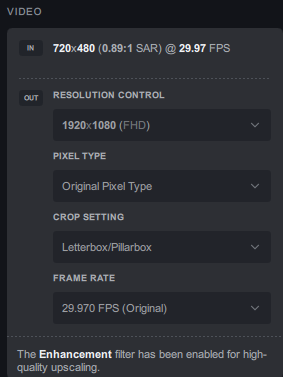
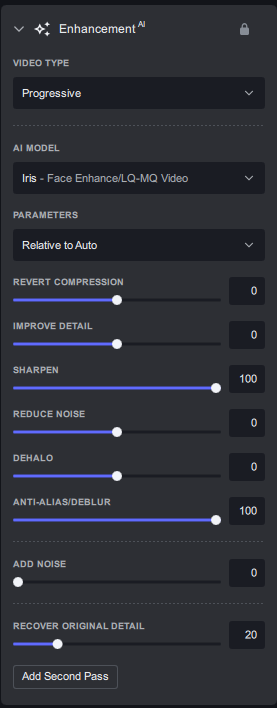
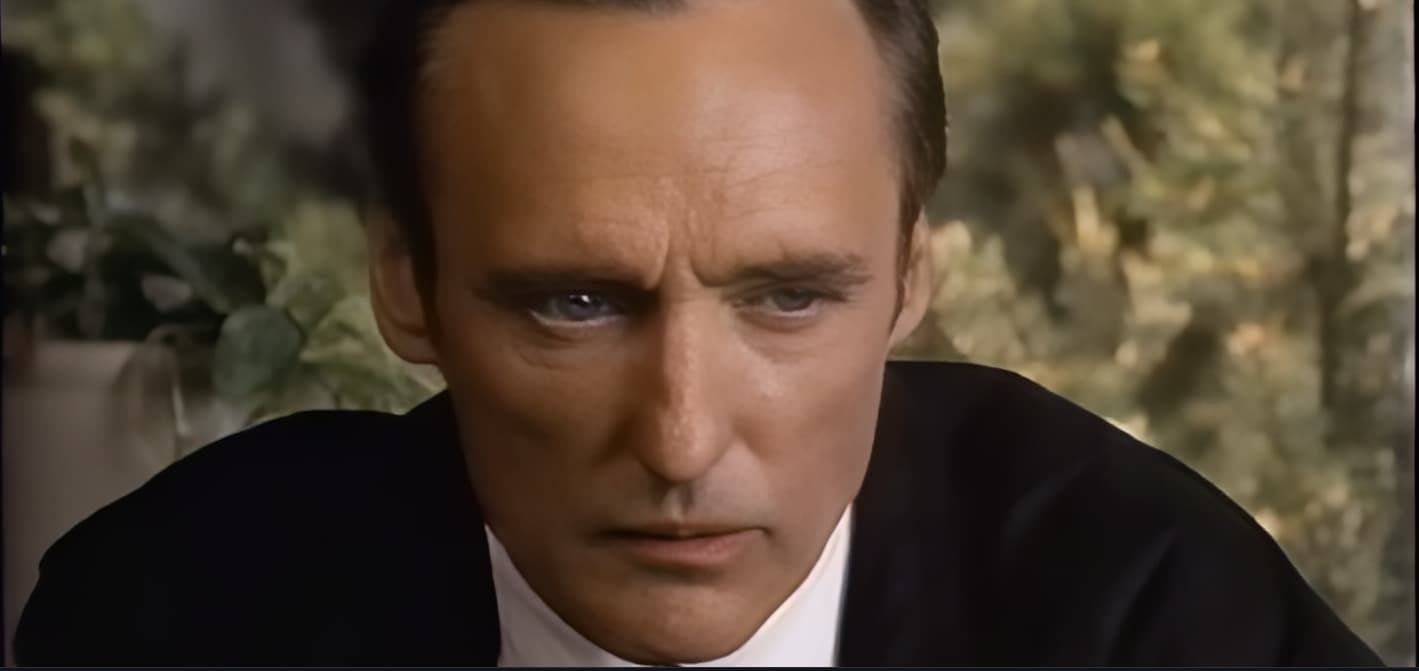
Thanks but that does not help.
As a beta tester I am throwing input at the software to test the software.
This input is Interlaced Progressive, so I am testing the software for Interlaced Progressive.
Iris is a face enhancing specialist model, so I test it for that too.
Processing this input as progressive will undoubtably produce different results but that is not what I want to test. Besides, in scenes with a lot of movement the interlace lines will be evident in both input and output if this input is treated as progressive.
I forgot to mention, my bad. I exported it both as interlace progressive and Progressive and the results where exactly the same, no difference at all. I use Video-Compare tool to check each frame and it was 100% identical. so my conclusion is that in your case/video, it behaves the same. there were no interlaced lines at the output in either method.
The small clip you have has almost no movement, so that is why no interlaced lines. The clip had face closeup with little movement - that is why I felt it was a good example of what a face enhancement model can or can not do.
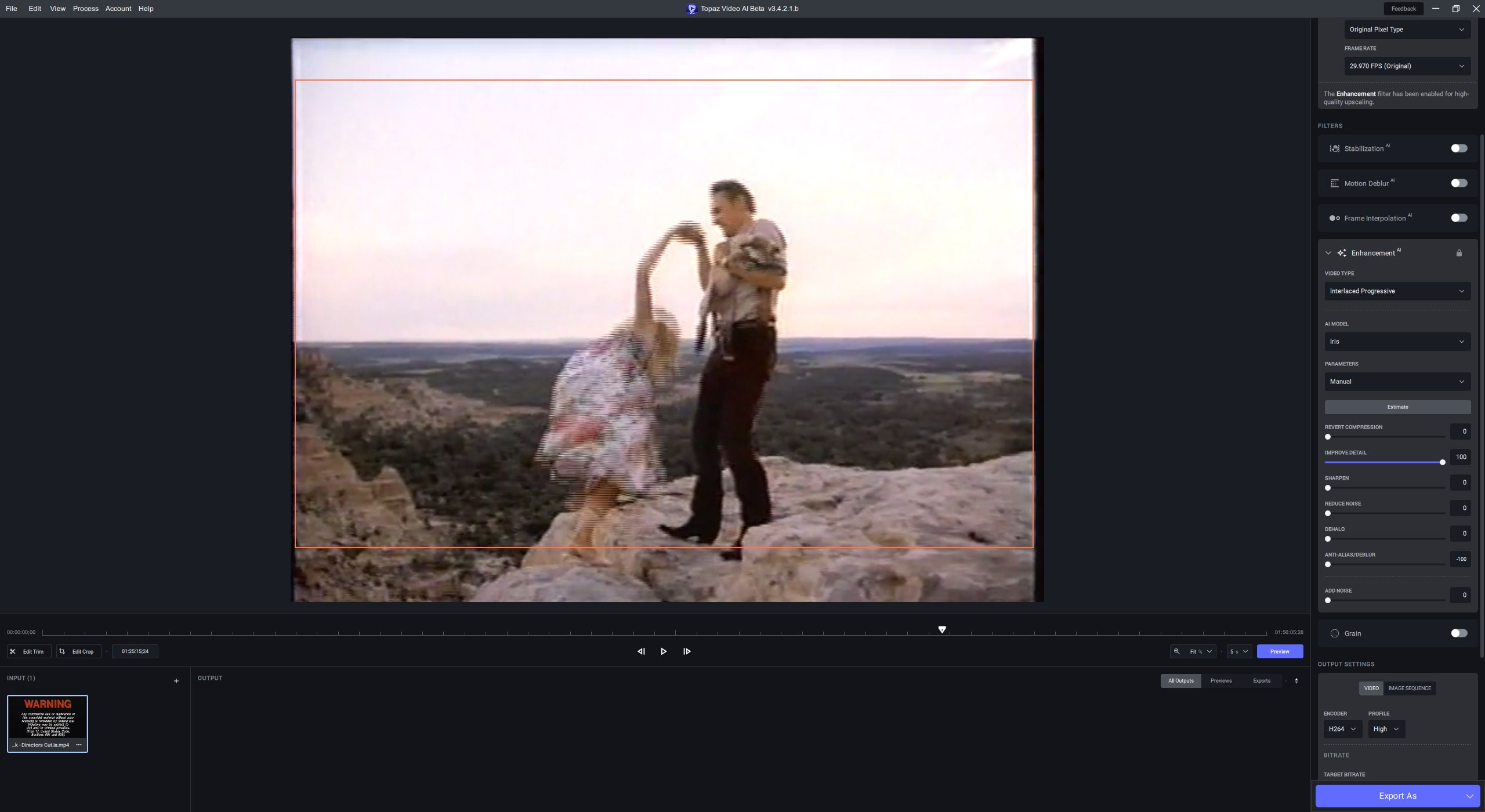
This is a screenshot of the same input with movement. You can see that even though the file is progressive, it clearly contains interlace lines in frames with fast movement.
1 Like
I don’t understand everything, in fact will I use ffmpeg to deinterlace with dione? but at the same time apply an “ai improvement”? In fact ffmpeg is a database of filters? and qtgmc is part of it? Why in this case vai does not incorporate gtgmc? When I use bwdif in hybrid, the deinterlacing is not as good as qtgmc, there are often visible lines on movements.
we can slightly see lines even on the part of the close-up that you had to send him, but yes they are indeed there, is this a badly deinterlaced source? I don’t understand what interlaced progressive means, because normally an interlaced video necessarily has the bottom field or the top field first?
“Interlaced progressive” is an interlaced source that has been incorrectly converted to a progressive file without any deinterlacing. That is whay VEAI does not ask you top or bottom field for “interlaced progressive” - because there is no top or bottom field in a progressive file. When “interlaced progressive” is chosen, VEAI is expecting progressive input that has interlaced lines.
The source is an interlaced film. I have done nothing to the input apart from download it as-is. I am guessing it some sort of conversion from an interlaced DVD. Whatever the conversion, it was saved as a progressive file without deinterlacing - which is exactly what VEAI “interlaced progressive” aims to correct.
1 Like
okay I understand better, so yes it has not been deinterlaced in this case, it’s a hassle such a source, but I know that qtgmc has several modes that correct these sources too, after I don’t have more experiences than that on progressive sources that are not deinterlaced.
Thanks but my mission here is to help improve VEAI as a beta tester. I have no interest in trying different software to solve the interlacing problem in this input. I have Handbrake but don’t even have interest in trying that to deinterlace.
The way I see it - VEAI has a face enhancement specific model that can be used on interlaced progressive and this input is a good test of that.
2 Likes
yes that’s right, I forgot that detail. So why wouldn’t vai simply incorporate qtgmc into a deinterlacing model?
I have a repeatable crash. System: MBA M2 Ventura, all updates.
Crash happens when I chain Iris->Artemis (LQ) or the reverse Artemis (LQ)->Iris. Happens in Preview 10 sec, but not in Preview 2 sec.
I have not tested other enhancement combos/Preview times, etc.
Log attached.
logsForSupport.tar.gz (426.6 KB)
Maybe you should Upload it to Topaz and they can investigate
What i said is, when you select Dione AI, what TVAI does, it calls ffmpeg bwdif to do the deinterlacing, when it’s completed, then the Dione AI kicks in. you can see this in the command prompt the sequence.
you can call that way (even though they have code written, to do the job, it’s part of ffmpeg engine), QTGMC is not part of ffmpeg, it is Avisynth / VapourSynth. so you won’t get it there or in TVAI, as TVAI uses only ffmpeg supported processes/actions…
Because it is not part of ffmpeg. so TVAI can’t call this filter/deinterlacer
that is not because the deinterlacing is better, it is because QTGMC also applies some denoising and sharpening. that is why you feel the quality is better, but also you lose some details if you use a Slower preset. it’s a give and take situation.
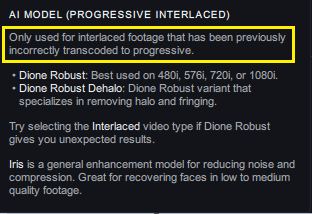
it is intended for progressive videos that were once interlace and they did not deinterlace it before converting it to progressive.
as it is not part of ffmpeg core, TVAI only uses ffmpeg for encoding, etc…
I don’t think there is anything to investigate other than an issue the Iris model has. The Iris model is quite new and still only in its first release. I very much doubt that Topaz need my input video to realise that Iris smooths out details.
No, it is not limited to Iris AI. I saw the issue also with all the other filters under interlace progressive on your clip ( Dione Robust, Dione Robust Dehalo ), as the matter of fact it was worse then Iris.
There is obviously something not right with this AI category
Holy crap, this is invaluable for my needs, as I defaulted to TIFF for my lossless encoding, thanks so much for your tutorials!
But what I want to know is why would they not have this option enabled in the first place?
thank you very much for these details 
1 Like
I tried Nyx
You can see flashes of orange under the eyes
I Agree with you. it is very easy to implement and include this OOB in the product.
1 Like
