How do I choose the video encoder? I can’t find the option to choose software encoding instead of NVENC encoder. A while ago, that was possible. NVENC encoding is not of good quality.
Here I go again. Just saying again that I would like to see the Iris model capable of preserving more face details. It is a face specialist model after all.
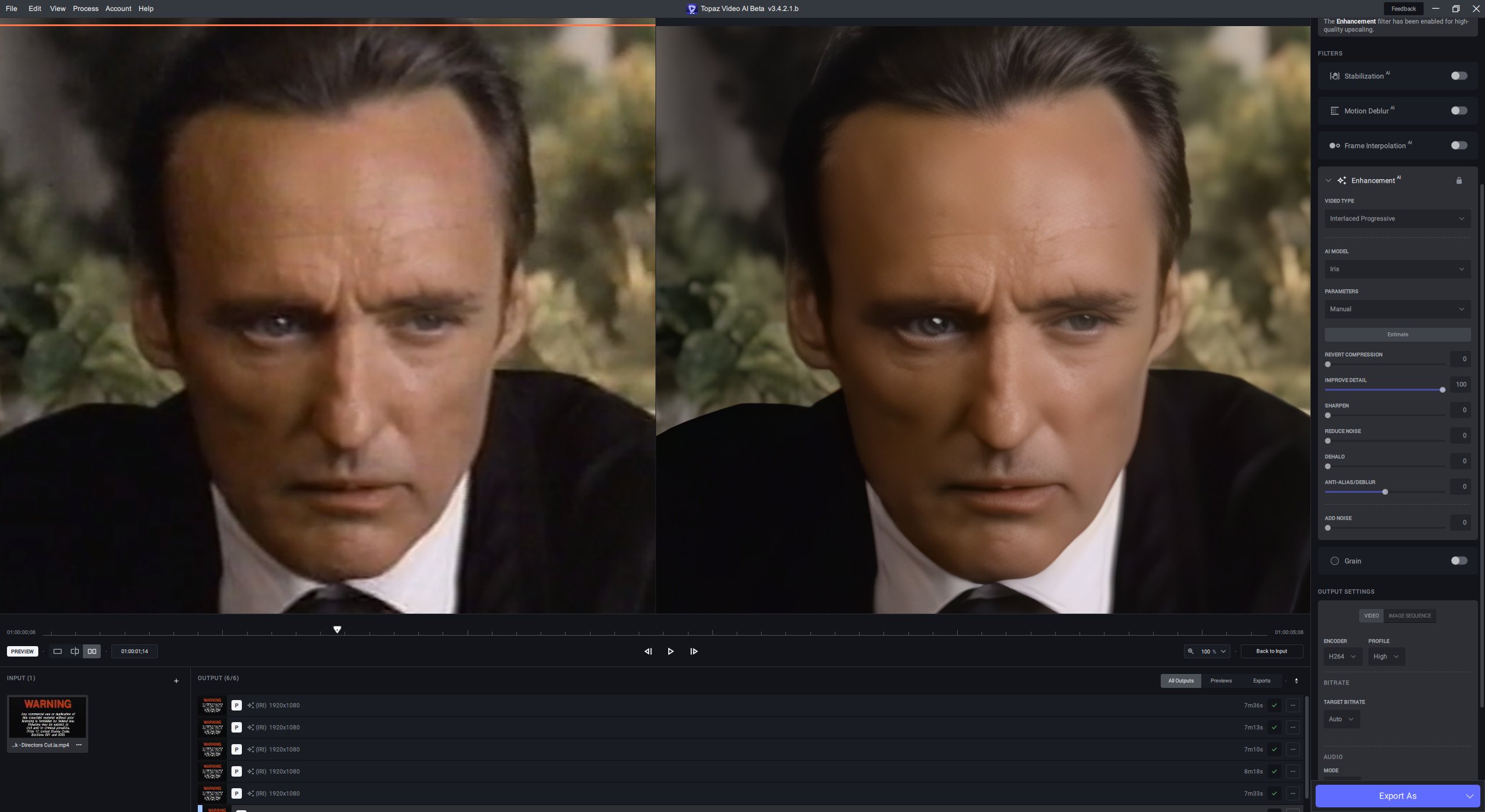
This is one of my go-to test videos and it is interlaced progressive. I tried Iris in Auto and then switched to Manual. I would have hoped with everything set to zero apart from Improve Detail, we might see some more facial texture, but no, Iris smooths out almost all the details.
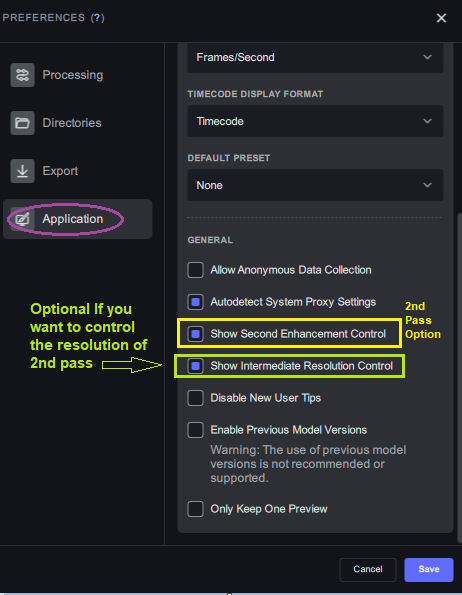
Then export it as Lossless encoder (e.g. FFV1), Like I do. then use Handbrake (or any other favorite encoding tool) to encode it to x264/265 using Software/CPU. Here is how to do Lossless in TVAI.
Have you tried to use negative values? e.g. select -100 and see if it changes anything.
Exactly ! Obviously, the reason I keep mentioning this is that Iris is a face specialist model. Also, as I have mentioned before, the “recover detail” is supposed to be some attempt at recovering details taken by “in camera noise reduction” - whereas what we are seeing with this model is complete smoothing out of details NOT affected by in camera noise reduction. That smoothing out happens even with an attempt to switch off all noise reduction, all compression reversion and all sharpening of the model.
for me too, with my sd sequences, “interlaced progressive” smoothes the details too much too much and applies too strong a dehalo. (in my case the dehalo is perfect because the black borders are well applied, even the big black border on the right of the girl on the back is well removed, in no other model is it so attenuated). I recommend deinterlacing with gtgmc and using progressive iris as a result. (it’s a shame that he removes so much detail)
Thanks but I would not be bothered trying anything else to deinterlace this video. The only reason I am trying it with this software is as a beta tester to try and get this software better.
okay well for the deinterlacing, it’s not at the top for the moment I think. for me at the beginning dione tv and dv were not bad but they don’t apply dehalo, remove some big details and emplify a lot of artifacts. deinterlacing with iris is better since it manages the halo and the denoising but again not great because there are sometimes more stair effects compared to qtgmc.
the deinterlacing in TVAI is ffmpeg Bwdif and Dione DV/TV has nothing to do with the deinterlacing process, it’s a post process on top (after) of the deinterlacing process. Bwdif deinterlacing is considered as one of the better deinterlacing processes (motion adaptive).



 well for the deinterlacing, it’s not at the top for the moment I think. for me at the beginning dione tv and dv were not bad but they don’t apply dehalo, remove some big details and emplify a lot of artifacts. deinterlacing with iris is better since it manages the halo and the denoising but again not great because there are sometimes more stair effects compared to qtgmc.