Wonderful stuff.  Thx.
Thx.
yes normally that’s it, if someone can jam because I do not use it then I tell you that from what I understood
Also Estimate and Relative to Auto are very different. You can see it from the screen shots I have. Estimate is a holdover from 2.6.4 in that it only looks at a single frame. That is why you have to look at many frames across a video and estimate each one and decide how you want to set your values. Relative to Auto again when set to the center is just the Auto values, not the Estimate values. Auto looks at the frame before and the frame after along with the current frame to decide what is the best value. So Auto is continuously adjusting the values. When using Relative to Auto you are setting an offset percentage based on your preference for the video. That percentage is added into the Auto value on a per frame basis. This is why Auto and Relative to Auto are normally slower than Estimate. With Estimate it is just applying a fixed value to every frame. With Auto it has to calculate 3 frames and then apply a value. With optimization I’m fairly sure what we have been seeing over the months is a method of getting close to the right value to start with in the Auto values making this 3 frame method faster then it was originally.
2 Likes
So, ‘auto’ basically does an Estimate over 3 frames, per frame? (current, previous one, and the one after). I thought auto just decided everything on the first frame of the source (which never made much sense to me, is why I did several Estimates over the course of the film).
Man, it’s embarrassing how wrong I got this.
Estimate can be seen more like a suggestion.
Relative to auto makes the most sense because it adapts to the scenes but you have the option to strengthen or weaken it.
2 Likes
The setting is AA/Deblur. Negative values are AA, positive values are Deblur. You have it set to 79, so you are using a very strong Deblur setting, not a very strong AA setting.
That’s why this is soooooooooooo confusing to me. If I put it on 25% for Relative to Auto, and Auto has it at 60%, then WHY wouldn’t I get 25% off the setting of 60? That’s what I would expect the result to be. So 60 x .25 = 15, 60 - 15 = 45. (Or 60 x .75).
But you’re saying it’s going to set it to 30 instead of 60, if I have it at 25 Relative to Auto, and Auto has it at 60. I would have zero intuition on arriving to that result. For that result, I would expect the setting of Relative to Auto to be set to 50%.
2 Likes
You don’t know what values Auto set. Estimate has value we can see but not Auto.
This is directly from the developer in the change log from way back when. They ran this in the change logs for a long time.
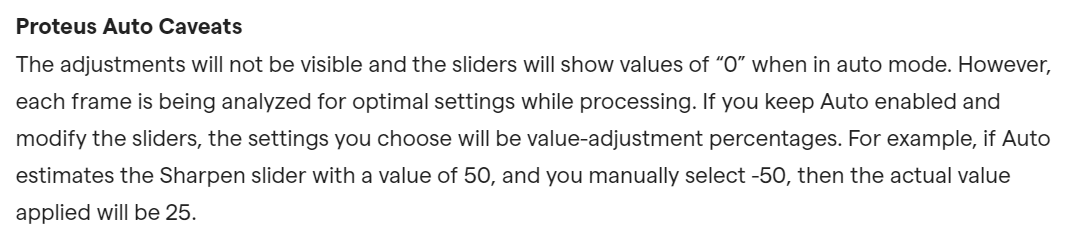
1 Like
My worry is this: if, at times, auto sets AA internally to +10 (unbeknownst to me), and I do an ‘relative to auto’ adjust of -40, might I then not accidentally go from deblur to antialiasing, in some frames?
That’s why I don’t play the numbers game anymore. I adjust relative to auto until I’m happy with the picture, then export.
4 Likes
Hello! I would like to know, is vai more efficient with windows 10 or windows 11? Has anyone tried both with the same settings?
A new beta is now available
