Deblur (Themis) is working for me. But CPU only. And it’s reeeally slow. Unusable at this time.

0.1 fps
Deblur (Themis) is working for me. But CPU only. And it’s reeeally slow. Unusable at this time.
I can select presets, but there is another Mac problem here, using Big Sur 11.7.2. Can’t import any videos properly. They don’t show up in the preview window, can’t preview, can’t export.
Oh wow, the greatest performance increase I found was in GAIA Model. 640x480p Input 2xUpscale. 18fps @~30% GPU Util in 3.0.12.
Now nearly 50fps @80-90% GPU Util (and around 400W power consumption  )
)
It seams to me, eager upscale factors are faster then odd ones. Especially if a video must cropped (4:3 → 16:9) etc.
GPU: RTX 4090
CPU: R9 3950X
I also experienced the same issue … some times. In my case it doesn’t persist. After waiting a minute and clicking around it ToDo-list it suddenly works… don’t know. I can’t reproduce it surely.
My problem is persistent 100%, and reproducible 100% of the time. I tried clicking around without success. 
I fixed this exact problem on my PC by completely uninstalling the application including the settings and then reinstalling.
Another ‘fun fact’ I noticed when this occurs: It always comes up with Enhancement>Proteus>Auto enabled.
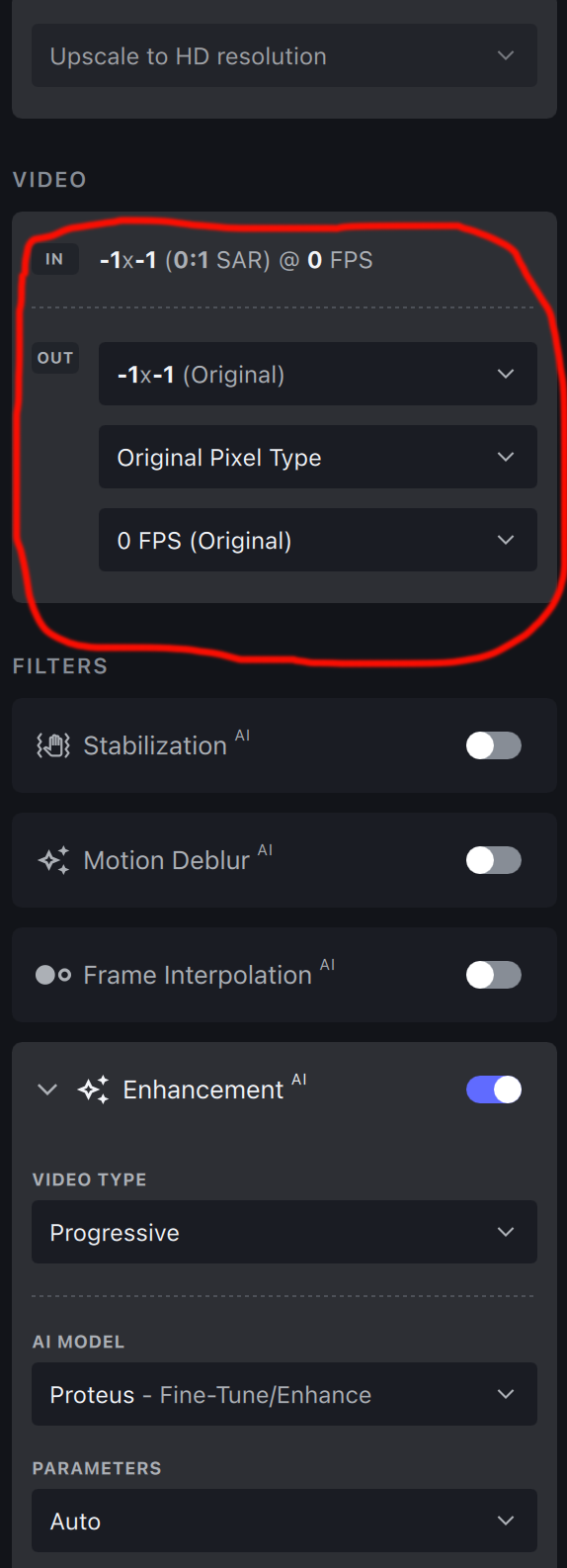
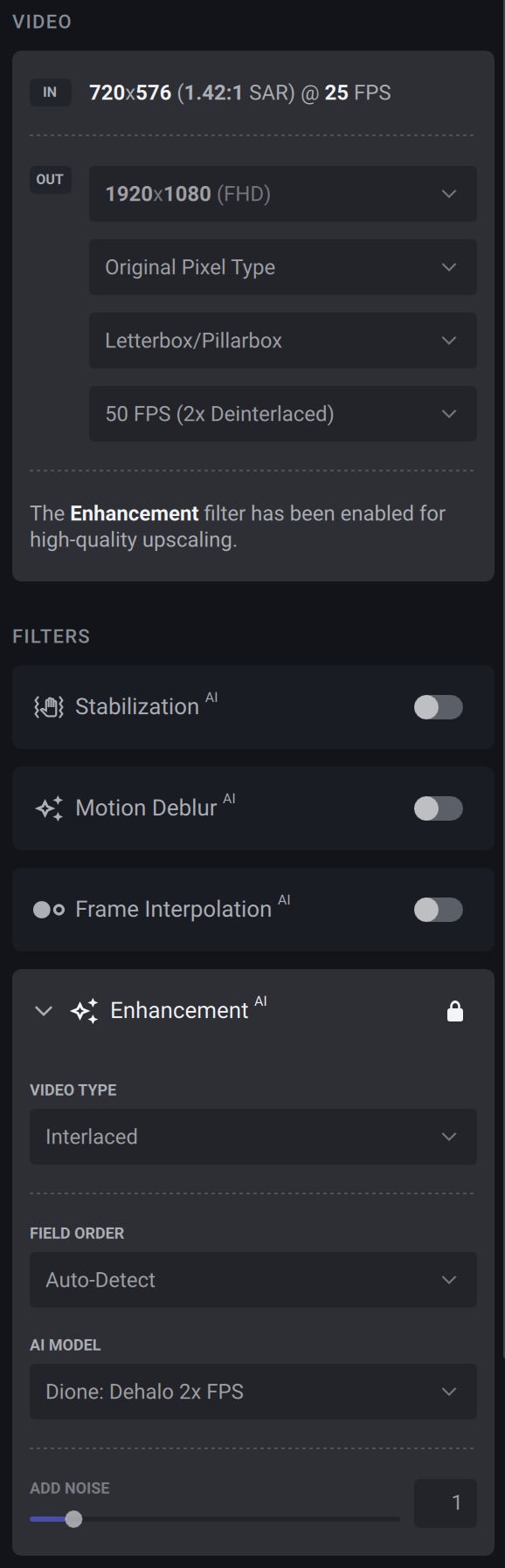
Mac Studio Ultra 32GB. Here’s the input settings for the videos I’ve been processing…
and here’s the output fps…
That’s a superb speed increase to what it was before, hats off to the dev team! The only feedback I have is that sometimes, no matter if I’m processing two or three at the same time, or even a single file, it will sometimes crash once it’s finished rendering and then it goes to save the file. I’ve been left with unplayable ‘temp’ filenames where they should be saving to. But it’s only sometimes, and yes all with the same settings as previously posted so it seems fairly random. Great job though, keep it up! 
to @manuel.aigner as well
this issue has been answered before, it’s because the presets you have are incompatible with the actual beta. 2 solutions. completely uninstall any previous beta and check that the presets have been erased (any custom as well !!) and reinstall the beta and/or go in preference and set the preset to load by default to “none”, and the error will go away ! erase you presets and redo them !
With this new version… Threadripper 3970x / 3090, Artemis Medium, Input: 720x480, Output: 3240x2160.
Drumroll… 0.12 spf! Video looks superb! Thanks!
I guess I’ll try that, thanks. Never had any problems before 3.1.0.1b.
If by ‘presets’, you mean presets I’ve made myself, I never did that. I always run TVAI in its ‘default settings’ the way the developer made it. This started with 3.1.0.1b, before that I never had any serious problem.
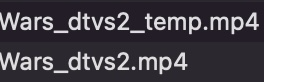
Hey, remember a few posts ago I mentioned the random crashing on final rendered output problem? It happened just a few moments ago, so for the devs here’s the crash log and a little screenshot of the “temp” file I previously mentioned as well.
Topaz 3 Beta Crash Log.rtf.zip (9.8 KB)
i"m talking about ANY PRESETS… just go in the preference, and set the default preset to NONE instead of "upscale to HD resolution (or any other preset). and it takes anyway 2 minutes to uninstall the beta, and reinstall it. it’s the preset of a previous beta (including the "factory ones) which are not compatible with the beta since the 3.1.0.1b. it has been reported and solution already given twice or three times.
When running Apollo Slow through the command line I typically get messages like this:
Ignoring frame -512 1024 -0.033333
Ignoring frame -256 1536 -0.016667
Command:
"ffmpeg.exe" -i "input.mp4" -filter_complex "tvai_fi=model=apa-1:slowmo=1:fps=60:device=0:vram=0.9:instances=1,scale=out_color_matrix=bt709" -c:v av1_nvenc -preset p4 -pix_fmt yuv420p -b:v 120M -c:a copy "output.mp4"
Is there a specific reason why something like this might occur? Is it something I should be worried about?
On a Mac, there is no uninstall. You just delete the application. I already tried that. I will have to go find the files in the system ‘library’ folder and delete them one by one. Also, delete the application preferences file, that sometimes fixes things.
i don’t know about Mac, but on PC the issue is easly fixed. just go in the preference of Video Ai, set to “preset default” to NONE, so it load no presets at start up, close and relaunch the software, and see if it’s working. if not reinstall completly the software. or just delete the presets, there are less of a dozen. (no warranty it will work, i’m not on a mac). good night to everybody.
Yepp…that fixed it on my Mac Studio…
Export is working again after setting to “*None” and relaunch (o;
No performance increase though with Artemis/LQ.
Themis Model Loaded, nothing happens on RTX 3060.
its cpu bound atm, they need to fix this, if you let it sit for awhile, and i mean literally like 2-4 minutes it’ll actually start up. but its incredibly slow.
This isn’t new for this beta, but since I was playing with it – I’ve found an example video that shows terrible results on stabilization (either blank output, or a ghost afterimage on a flying bird). Can someone remind me where the dropbox link is to send a video?
Also, I’m getting OOM errors on Mac M1 when just using stabilization (no frame interpolation). Happens when I process 2 videos at once and sometimes in a single machine when I do a few jitter passes. Machine has 32GB RAM.