Has anyone benchmarked aion vs apollo? Curious how much slower aion is, if at all.
Now I managed to error it out as well.
Aion + Proteus V4 upscale = immediate error
Aion + Iris MQ upscale = immediate error
Aion + Iris LQ (V1 and V2) upscale is rendering but black frames (as Aion alone).
Aion + Proteus V3 the same
All on MacOS Sonoma 14.3
It was about 3 times slower. I can run the numbers again later.
1 Like
It’s not new, either. I’ve had something similar with previous betas. I imagine they’ll get it fixed soon, but I do have the same questions as you concerning the testing.
On the plus side, I’ve just been trying Proteus 4 for the first time, and am very impressed with the results.
Be careful with Proteus V4. While looking good (sometimes extraordinary) on the first sight this model does sometimes introduce heavy artifacts in darker areas, at least with lower quality sources.
After the initial hype had gone I’m still constantly preferring Iris LQ with optimized settings to Proteus V4.
In general there’s little difference between both (with a slight edge towards Iris LQ) but what really kills Proteus V4 is this sporadic artifacting.
EDIT (added examples):
Proteus V4 vs. IrisLQ (with manual settings):
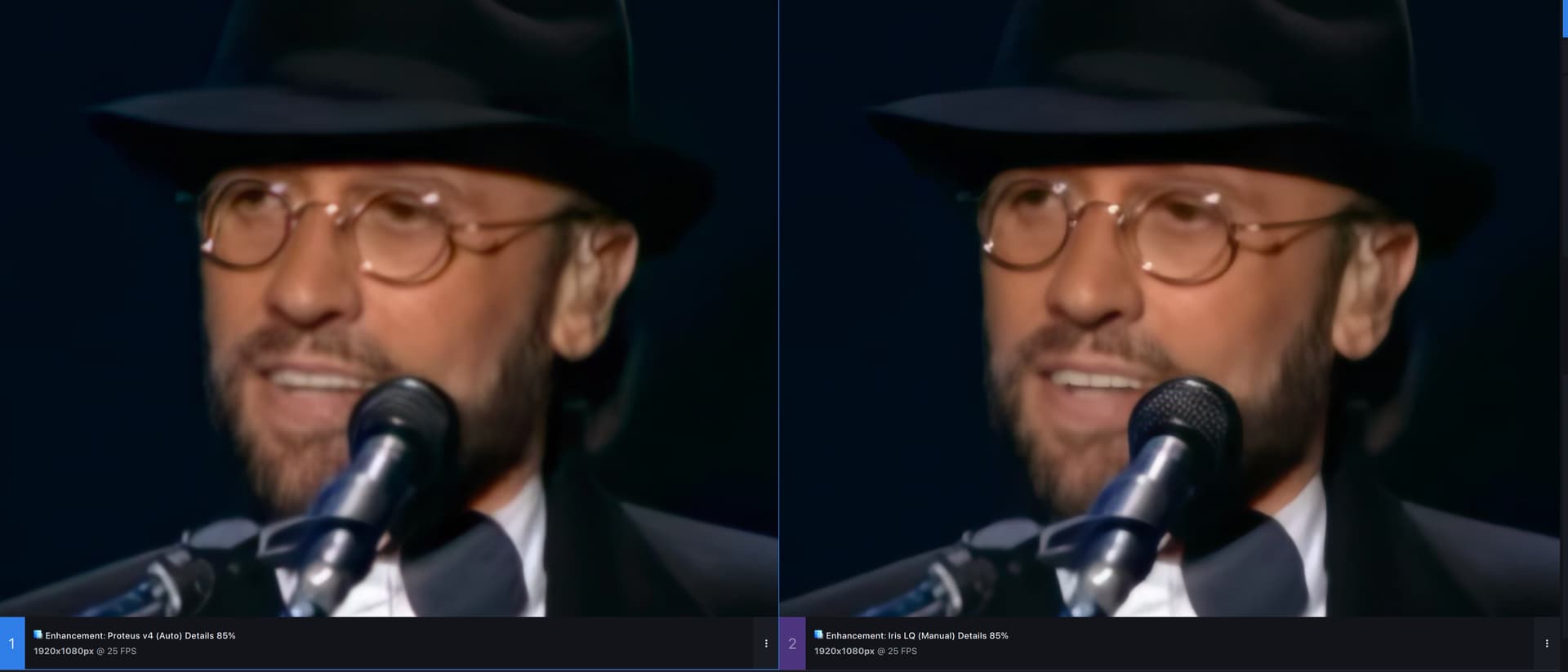
This is what it mostly looks like with my sources. Little difference but 'I still would give IrisLQ a slight edge. Microphone is where it’s the most obvious, also teeth.
But then with ProteusV4 you also randomly get such:
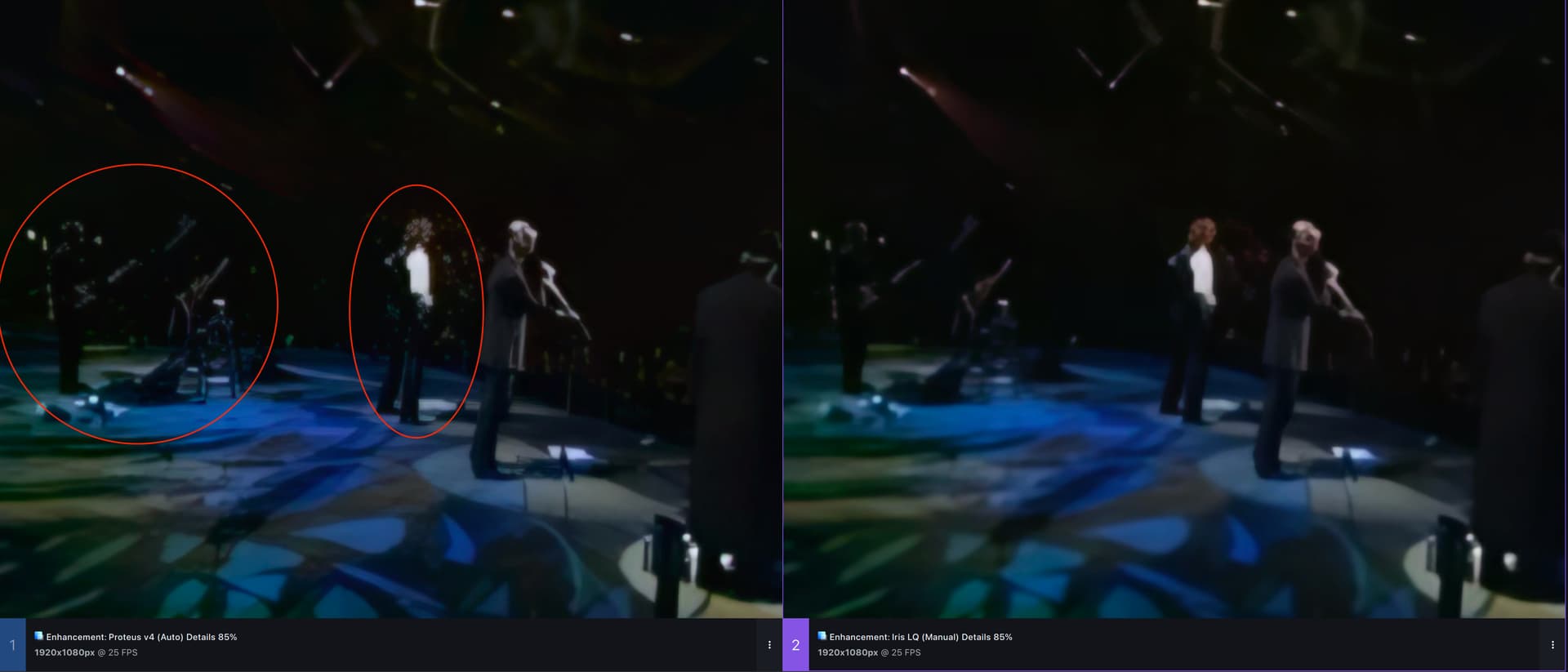
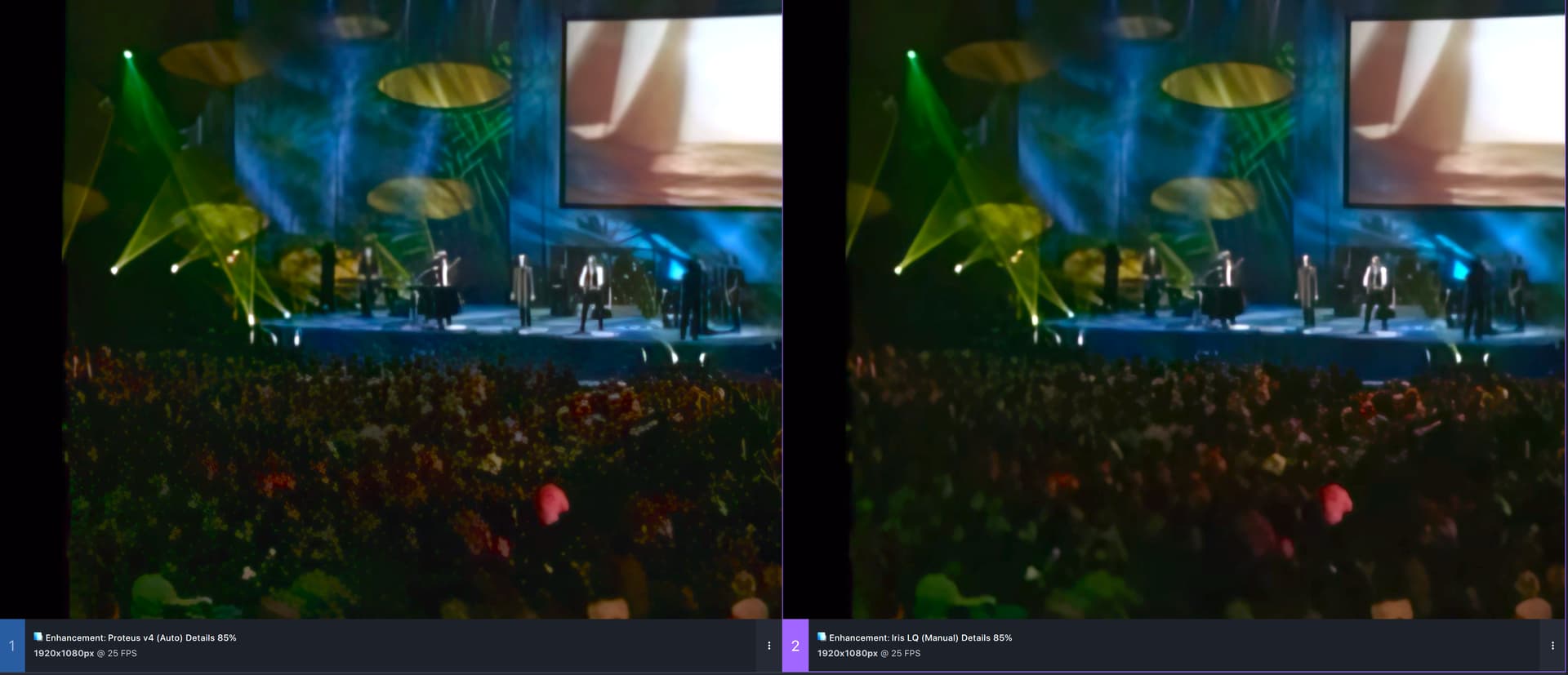
Look at the crowd

1 Like
Do you have a input screenshot from the crowd?
Without the input its hard for me to imagen what does happen exactly, to understand where the problem is.
If Iris manual is getting you those results, what you Proteus 4 manual get you? (I’m guessing they would not be the same settings as Iris, but once you get a feeling for what they do, you should get similar results.)
I’ve noticed that Iris and Proteus both have a tendency to try to create an orderly pattern out of random or near-random areas of small objects. A field of rocks, for example. The crowd in the sample above may be a similar situation.
The only solution I’ve arrived at so far for this is to upsample offending scenes separately with different settings or a different model, then splice them back in with a video editor.
With Proteus V4 the sliders do seem to have little effect. I’ve not yet managed to find settings that are really much better than the auto setting there (in contrary to IrisLQ).
And then those artifacts are really a no go - although they seem to have diminished a bit when I tried again (maybe a silent model update?)
This is only true for Iris MQ and partly LQ V2; and it is apparent with Proteus V4 as well (since imo Proteus V4 basically just is Iris MQ with diminished face recovery).
I also believe that this artifact is due to that strange insertion of repetitive low res patterns with the aforementioned models that also can be seen on other occasions (plants, stony surfaces).
Still, it’s a deal-breaker here and why should I split the video and render with different models when Iris LQ does it all right?
See above for the comparison in the less hard parts of the video where Iris LQ still is ever so slightly better than Proteus V4.
Because the older Iris tends to obscure fine details. That’s acceptable for preventing patterning, but I don’t want to lose those details in scenes where that’s not an issue.
1 Like
Interesting. Thanks for the examples - that’s good to know.
I’ve not done much with P4 as yet, and it’s mostly on one video - so maybe I just got lucky. Iris was very good with the same vid, but Proteus just pipped it to the post in a few small details (I think the for the final result I’ll be using a combination of the two), but I’ll be cautious going forward.
It of course depends on the source . So what is better on one video doesn’t have to be on another.
I think that any video that has that repetitive low-res patterning issue with IrisMQ is prone to have some issues with Proteus V4 as well.
Unless you’re upsampling something where every scene was shot in the same setting, with the same lighting and all the subjects at the same distance, there’s a high probability that the optimum settings will vary with scene changes, and any “one size fits all” setting will be a quality compromise somewhere (if not everywhere).
In every commercial project I’ve ever witnessed, scenes were put individually through whatever processing was required for intended results prior to final editing and assembly. IMO, expecting a $299 software package to process everything in one gulp and produce optimum results from start to finish is just not realistic.
I guess this is to be expected since the Intel integrated gfx has really lacklustre performance and also the performance delta between those two GPUs is just too large.
It’s like racing with a Ferrari and a bicycle simultaneously - the few extra meters the bike does are eaten up by logic overhead.
1 Like
If you combine GPUs with a huge performance gap, it’s more likely that the result will be a performance hit compared to the faster processor alone. The best way to use them is to use the slower GPU as your primary display device and select the faster one as your AI processor.
Then I guess it’d be better to have two instances of TVAI running at the same time - one with only the integrated GPU set as AI processor and the other instance using solely the RTX.
Even then you could run into a CPU and or RAM bottleneck.
Trying out Aion again on another FHD video. (I have no use for 4k or I would try on that size.) For increasing frame rate, it’s pretty good.
But if I were to be making a slow motion clip, there’s this small gird pattern that shows up on most of the motion:
Humm. To be fair, here’s the next frame but from the original:
It’s a CG movie and the way they did the motion blur probably has synthetic grain. Maybe it’s just picking up on that.
It’s so slow. The full 5 minute video took over an hour to process. Same movie, same slow motion settings, Apollo 8 does 18fps. Aion does 3.6fps.
EDIT: Adding another example of the grid pattern:
Aion
Apollo 8
It’s pretty good for keeping moving objects as solid as it can. Here’s how I rank the interpolation models:
Chronos Fast
Chronos
Apollo Fast
And Aion
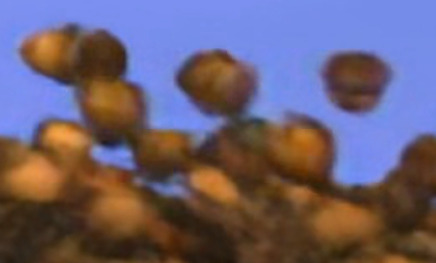
Apollo
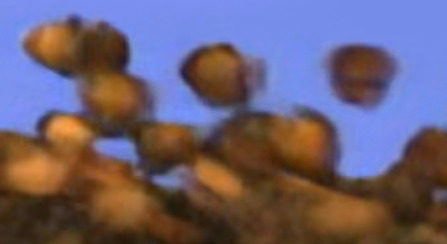
The compression artifacts are actually from the grainy motion blur of the CGI. I’m going to have to try a real life movie next. I’m running the models on slow motion 2.5 and outputting to PNG then transcoding those to H.265 at 2.5 times the original frame rate. I checked the PNGs and they’re not any better.
With Chronos and Chronos Fast, the frame before this one is just pure blur.
Apollo Fast is slightly better.
Aion and Apollo 8 look the same to me. Aion might keeps things slightly less blurred, but with it taking 3 times more processing time than Apollo, I’m not going to use it.
3 Likes
What did the original look like…?
