So with all those reports it seems that Aion doesn’t work at all on Apple Silicon with this build.
(But then that download error should be easily correctable- granted that there actually IS such a model. Maybe a simple typo?)
So with all those reports it seems that Aion doesn’t work at all on Apple Silicon with this build.
(But then that download error should be easily correctable- granted that there actually IS such a model. Maybe a simple typo?)
Apart from the failed model download for Aion this alpha runs really stable, much more than quite some previous Betas.
So do try it out!
Why do you always create interpolation models? When will we be entitled to a successor to Artemis for example? The Artemis model stopped at version 13.That’s why I ask why you dropped this model when you can improve it for example for an Artemis 14? it’s the same for Gaïa it stopped at version 5, why Why not make a new version too? This is a question that I ask the software developer simply.
maybe because there is not much that could be improved on those model, from technical prospective.
I’m probably making this up, but Proteus is the replacement for Artemis.
The main issue with Artemis models is that they are binary: They produce good results, or they do not. If Proteus does not, the sliders can be adjusted to increase the chance of good results.
I find I’m doing a lot of Proteus V4 on manual with Artemis HQ as second enhancement. I haven’t used Artemis MQ or LQ for anything since Proteus V4.
Just testing…
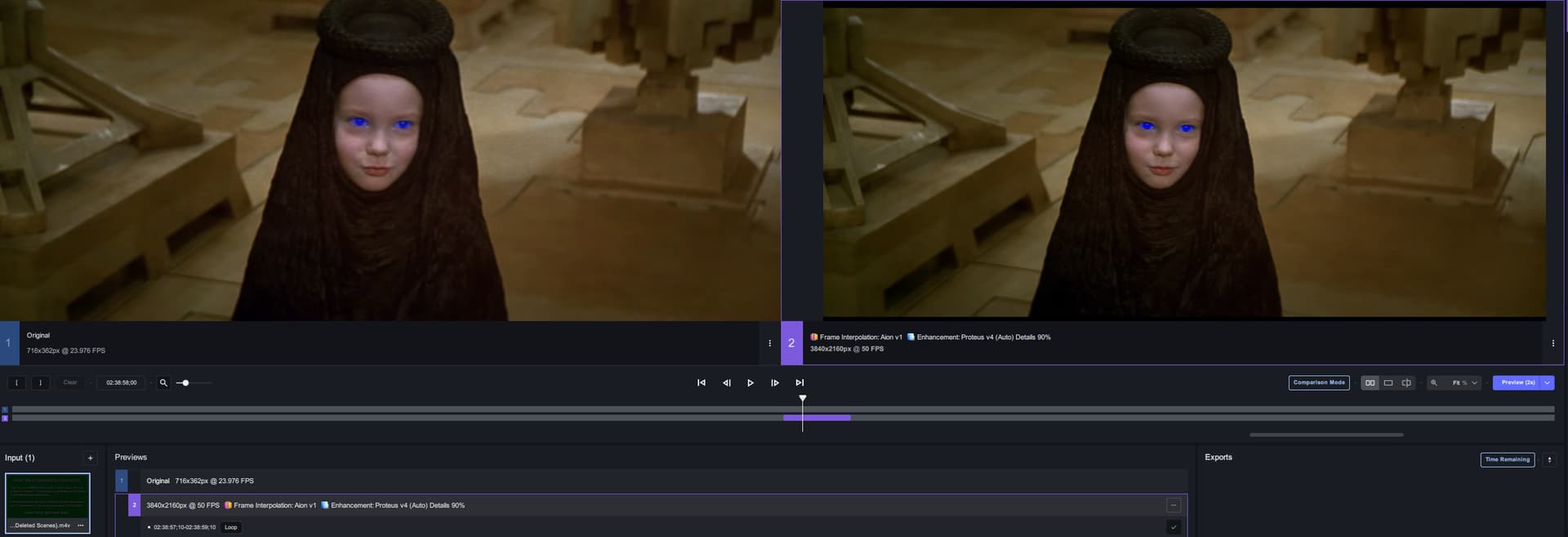
This is upscale to 4k, 50fps with Aion, and Proteus v4 on auto.
Look at these guys and what it is doing to those.
Downloaded the new version 4.2.0.1.a and it gets 20% through processing a preview before erroring out.
Running on Macbook Pro M1
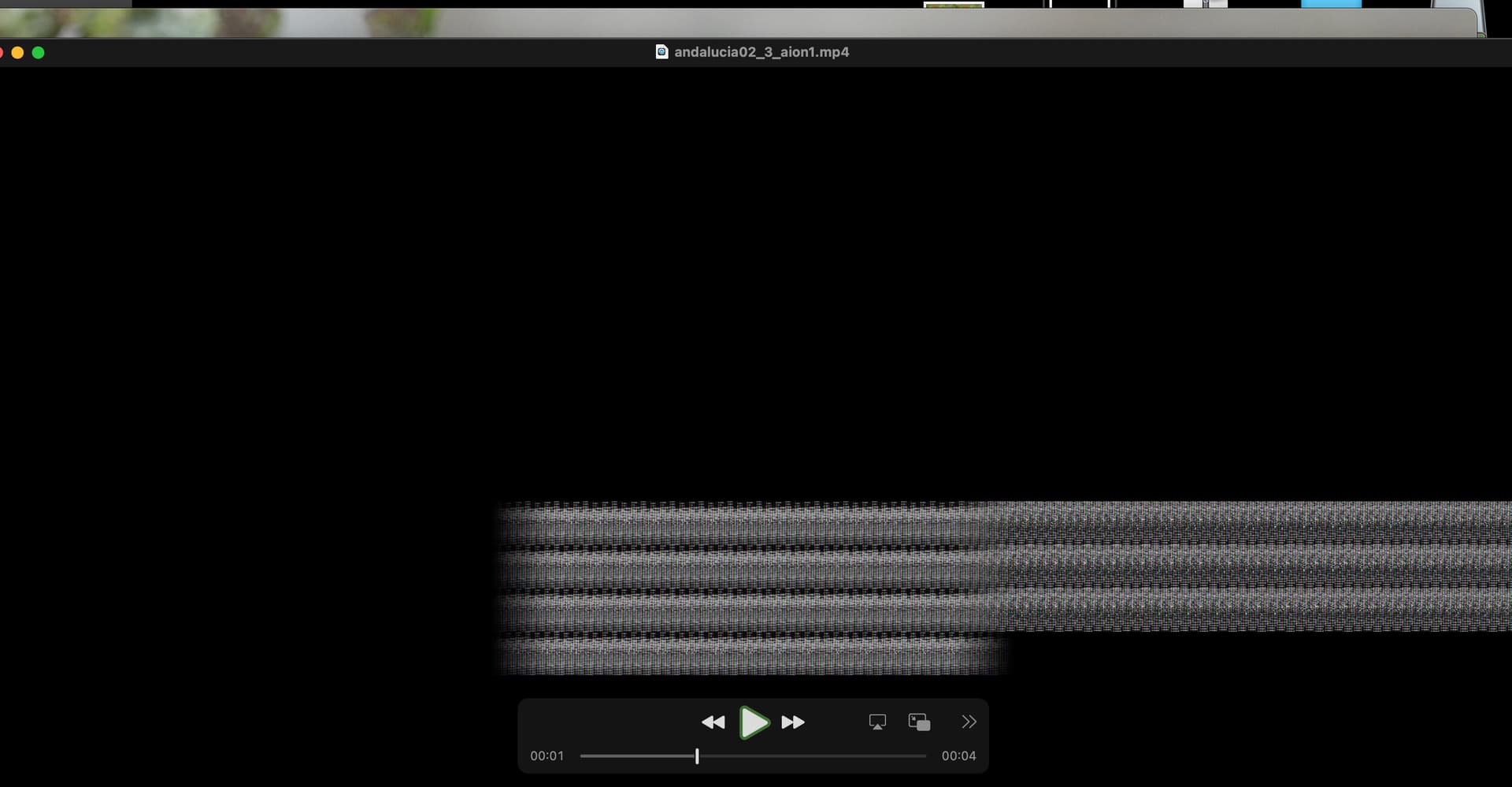
Same here (Sonoma 14.2.1) . The only rendering I get processed (1" video) has weird frames:
The logs:
logsForSupport.zip (280.9 KB)
The model that works is aib1 in 4.1.0.3.a. It requires a lot of VRAM and it’s slow (0.1, 0.2fps), but the results are very, very good (congrats to the devs!!). Worth the wait.
Max video resolutions (approximately) that aib1 can render (according to my own testing):
3520x1980 VRAM: 16 GB (default on macbook air with 24GB (75% of unified memory in all silicon)
3840x2160 (4K-UHD) VRAM: 20GB (tested raising vram by iogpu.wired_limit_mb) stable system so far (!)
4096x2160 (4K-DCI) VRAM: 22GB (tested raising vram by iogpu.wired_limit_mb) stable system (? not enough testing).
I suppose there weren’t a lot of Fremen in the training data
Thanks for the bug report! This should be fixed in Sonoma 14.3.
I’m sorry to say it fails the same way on Sonoma 14.3
Could we try deleting the aion and aiob folders from ~/Library/Application Support/coreMLCache?
I have these folders in coreMLCache in models directory.
I erased both and the same thing
logsForSupport.zip (336.9 KB)
My workload is making my stomach ache right now, maybe I should go for a 4090?
Hi,
Windows 11/ GPU RTX 4090.
Just made a test with Aion on an FPS 20 to FPS 25 clip.
+
Enhancement: ProB4.
No problem for Download or for execution.
Clean result: but it is only with a clip of 6 minutes.
Task Manager:
GPU use: ~ 93%
VRAM: ~ 5.5 GB/24 GB
Tests to be completed with other clips.
4.2.0.1a, Latest Sonoma, Intel Mac / Rx6800
Aion just gives me an error in preview.
Log attached.
2024-02-03-16-20-5-Main.tzlog (60.3 KB)
OK, then it seems that ALL Macs are affected / can‘t use aion in this build, not only Apple Silicon ones.
I just wonder why the problem is with downloading the model - seems like an carelessness error like a type or wrong address/path. Has noone ever tested this in house before it was released?
Downloading is OK now in 4.2.0.1.a but the rendering fails very soon. But when I got a one second video rendeded, after several attempts, the frames were all black but the first 
Ah, thanks. Somehow I oversaw this fixed 4.2.0.1.a.
Downloading the aion model took a real loooong time but succeeded with this version. No error with encodes here, either.
But I can confirm the behavior you got. Only the first frame is normally visible, all the others are just black.