Coming Soon 2025 - AV2! When will H.266/VVC and AV2 video codecs be added?
Thank you! Got it
I’m glad you figured it out, John.
FWIW, I bought Gigapixel for $99 on September 12th. Since then, Topaz has reorganized the web site and buried the perpetual licenses.
1 Like
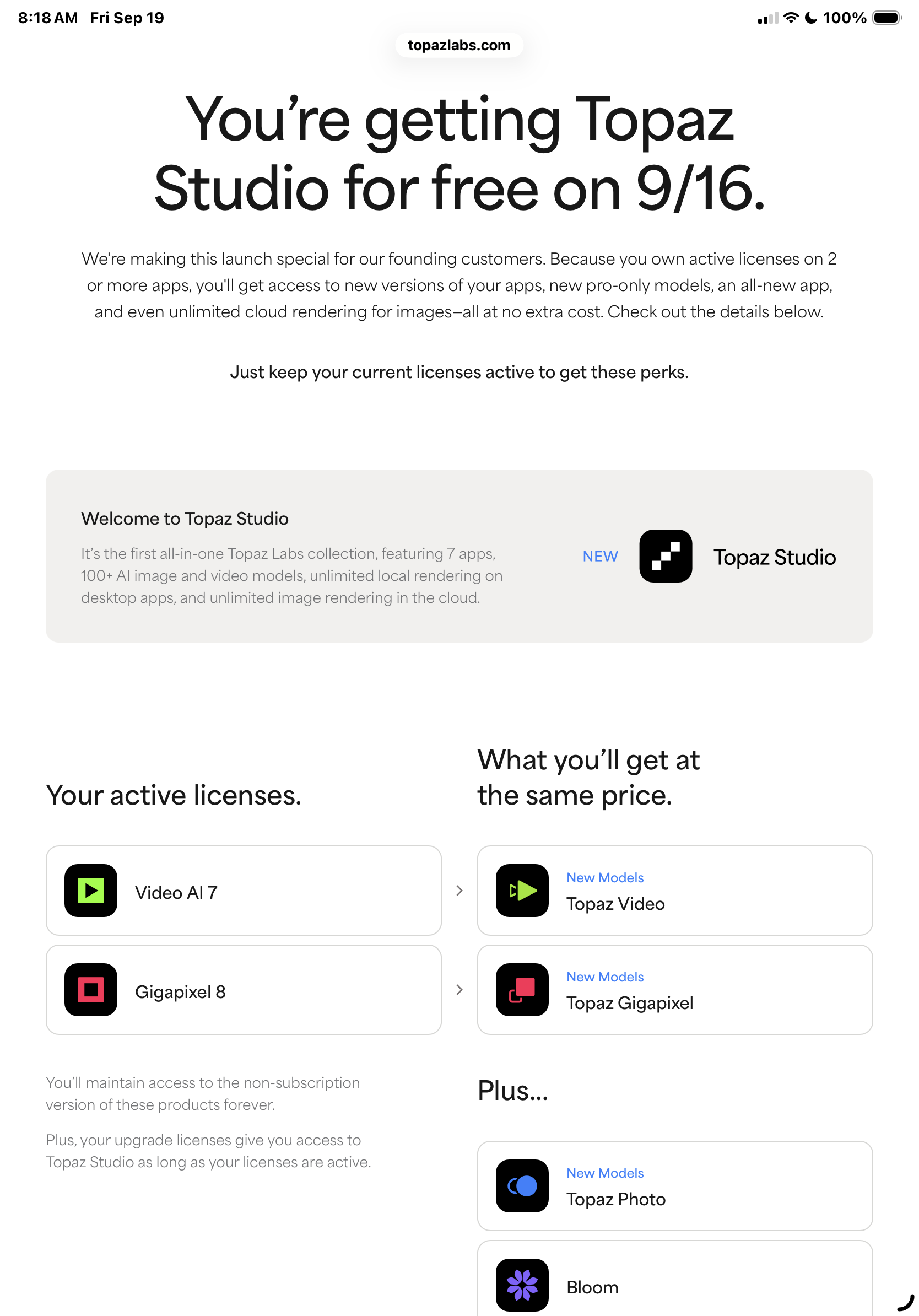
When all was said and done, I got this webpage when I logged in.
Now I just can’t figure out how to see the rest of the studio applications because I kind of wanted to play around with them.
The only application that I see is topaz video…. And it seems to work just fine. I am really bummed that my late model M4 Mac does not seem to meet the system system criteria for starlight on the Mac, but I will live.
My problem right now is I don’t see any other menus or ability to get to these other applications in studio..
I have not down downloaded and installed gigapixel yet.
Does that trigger all the other apps??
1 Like
Yep, I was told to give it a little time to process. I have 2 programs working, but I am still waiting on Photo to work. I’m getting a window asking to buy everything when I try to open Photo. I’m guessing this is because I had the licenses already for the other two programs.
1 Like
Having spent the last couple of days testing the Starlight Sharp model in the various levels of upscale, I’d have to say I’m disappointed. This model needs to be dialed back about 25%, as it looks overly sharp. Whereas regular starlight looks like has a frosted glass look. Both are too extreme of results. I hope someone from Topaz reads this as thread is becoming more about the transition to Studio subscription. So please Topaz, please make a starlight that finds the happy medium between the original Starlight mini and Starlight Sharp.
In the meantime, Tommy’s got a great method for taking a little bit of the frosted glass look from starlight and sharpening it up.
It may be what you’re looking for if you think starlight Sharp is just too much.
And it’s simple and it’s fast.
Take your results from starlight or I guess what used to be starlight mini and run a second process on them using the Proteus model…..
Set it to run “normal” in the Focus Fix section of Proteus this runs it at a downscale one pass, and then the second pass back to normal dimensions
And then enable manual settings in advanced and set sharp to 40 to 50…
I do this on virtually every starlight mini video that I have done and the results are excellent.
And it’s literally a three or four minute run in proteus for a short video… if that.
But I agree a happy medium would be nice.
3 Likes
Thanks this is very helpful
Thank you @Topaz for bringing back the codec panel in 7.1.4. (and in Studio), very much appreciated
1 Like
I will try your method! Till now I didn’t touch the starlight_mini renders because when I tried (using Proteus the normal way to go from 1280x960 to 1920x1080 or 1440x1080), the “monster faces” got worse. Thanks for the tip
1 Like
My bud @Tommy gets the credit for this method and it works great to add sharpness to a starlight mini render…..and it’s very fast.
One caveat.
Not sure if Focus Fix will be offered if you are upscaling on the same run.
You may have to do another run of proteus on default settings if you upscale.
I just have always used SLMs default as my main audience are all on Mac devices, iPhones and iPads for viewing these family videos I am converting.
SLM‘s default looks superb on an iPad for instance.
Check it out, but I wanted to warn you that this might happen.
The good news is that the third render will be incredibly fast and won’t add to your overall job time at all if you have to do it.
1 Like
Also works with the Sharp model. I’m now trying to decide which one is best for that method. At the moment, I’m noticing the Sharp might be the way to go. 
1 Like
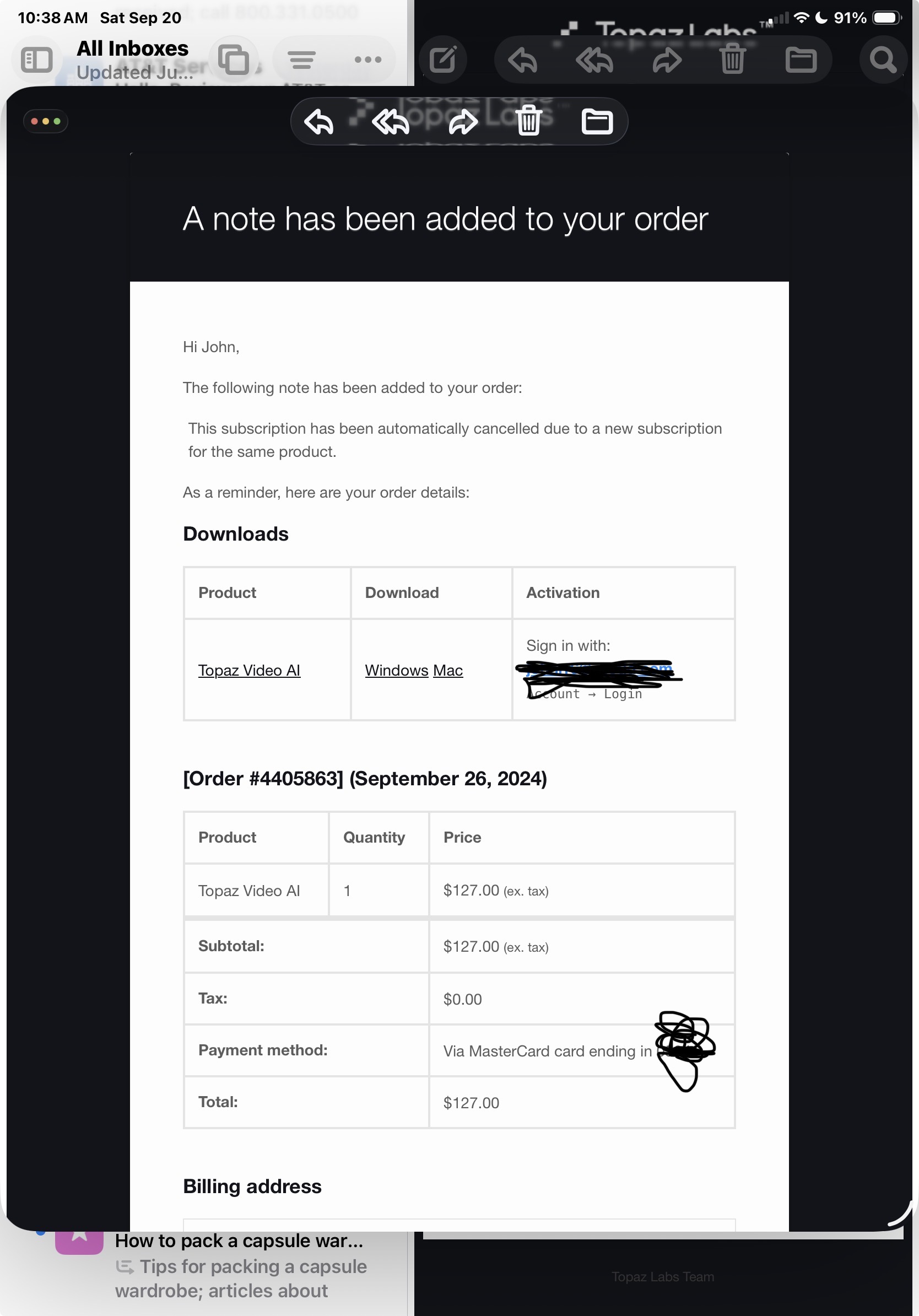
I just got this from topaz and I thought I had to keep a current subscription to video AI in auto renew?
Is this normal when we transition to the founders edition of studio?
This whole process has been….. confusing.
1 Like
ditto email here. Topaz folks explain if possible - looks like we all may get the same question.
thanks ! yes you can slightly upscale (as in from 1280x960 to 1440x1080) and still use the Focus Fix. It works great on some videos, not so great on others, it really depends on your footage. But very clever idea, thanks again to you and Tommy !
2 Likes
Oh no, that’s sad to read.  After reading other posts in how v7 is slow, I’m not risking upgrading for now. Was surprised to see some performance issues in v6 originally, didn’t comment on it. I went from v3 to v6, and somewhere down the pike between versions (3->4->5->6), rendering times for 2 simultaneous renders changed took as much time as doing 2 sequentially. So at one point, if it took 5 hours for 1 render, I could do 2 renders in 7.5 hours. After the upgrade, it became 2 renders in 10 hours. Not wanting to backtrack to see when…
My processor specs:
NVidia 4080RTX w/16GB RAM
AMD Ryzen 5950X (16 core/32 thread)
128GB RAM (DDR4-3200)
1 Like
I have the same issue with SLm, I have to downlaod it everytime again I close Topaz, because with the new version it crashes everytime I close it. It looks like in the screenshot after I close Topaz

Putting the gun to the head
Okay, some big companies have done this successfully, like AVID or ADOBE.
I think the prerequisite for such success is to have truly unmatched unique selling points for your products.
The annual price for Topaz will then be $450 or $900, unbelievable (more than AVID!)
Even $450 annually is triple the current amount stated in my purchase agreement.
It’s not affordable for amateurs who don’t make any money with it.
… I also don’t understand how you can call that a low monthly amount…
There should be an amateur version that’s significantly under $200 annually.
What’s wrong with that? This entry-level version could, for example, only contain models that are at least a year old and have long since been replaced by better ones.
One more question: What is the cheapest monthly price if I start with Topaz Studio with ‘foundation status’?
(the information on this is very confusing / contradictory)
kind regards seifenchef
1 Like
Apparently it will be $163 - plus tax.
Except if you have ongoing valid licenses for at two products for less than those $163, then it’ll be that amount.
So, basically by going founder you’ll get what you want (<$200) but with the full functionality.
(Someone from Topaz correct me if I’m wrong on this)
1 Like
Can this price be confirmed by Topaz?
How do I get to !So, ‘basically by going founder’?
kind regards
