This update to Video AI brings a small but important update to align with our latest company changes. While this release represents a significant shift for all our users, we’re excited about the future and what’s ahead.
This marks the final major version of Video AI, and we’re committed to carrying its legacy forward with our new Studio release. Video AI will continue to receive occasional minor patch updates, but new AI models and major features will be introduced in the Studio versions of our desktop apps.
“Topaz Video” will refer to this new application which will be available through a subscription license, and it can be installed alongside Video AI (perpetual license).
We’ll be discussing more updates to the products with the Studio release, but for now if you have questions about the transition please post them here.
No visible changes singe 7.1.3 models still buggy and hanging on 5090… The Topaz Video AI app works but the encoding at certain point stops to advance i.e. elapsed time increases while remaining time stops to change. If run from the command line the ffmpeg just stops at certain frame and cpu / gpu go idle, looks like a some kind of a deadlock as the os works fine.
In logs one might find:
CRITICAL: TRT Issue WARN Using an engine plan file across different models of devices is not recommended and is likely to affect performance or even cause errors.
Problem does not occur in the beta version 7.2.0.2.b… and this error message is not present in the logs.
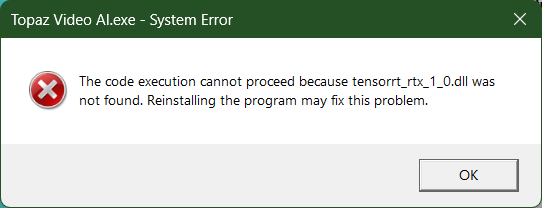
The last three times I have gotten an error like this right after install, when I click OK and then try to open the program from the shortcut, it finishes installing and works like before.
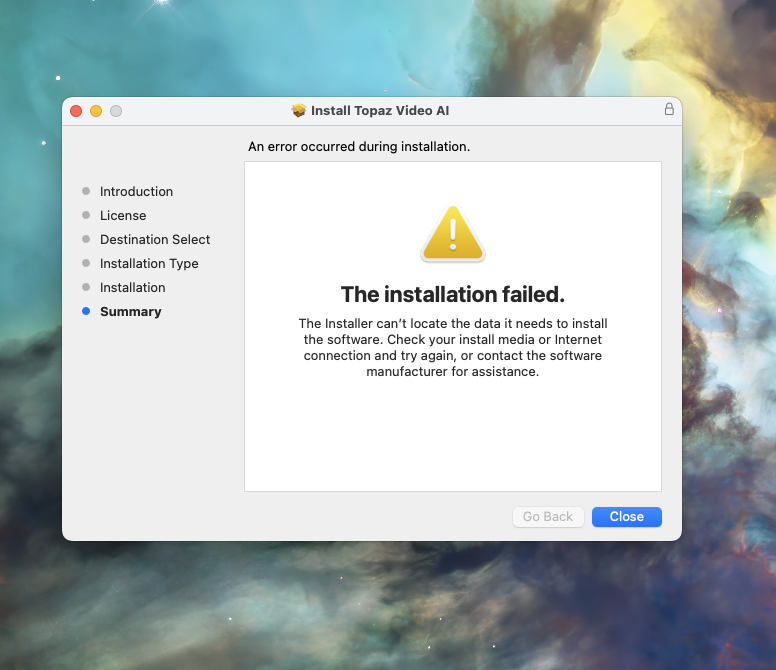
It started installing something when trying to run the app, but apparently that didn’t help. I had to completely uninstall and remove everything from Video AI in Program Files (the uninstaller left over 1GB of program data there) before installation was successful.
Not sure why, but it seems the rule of thumb with the program is to delete everything that you can find that refers to Topaz (after initial uninstall) before installing a clean update.
Tried restarting multiple times.
Also with the new Topaz Video - is it not out yet? For those of us with an active subscription, Will we be grandfathered in?
I’m running 15.6.1 (24G90) on a MacBook Pro 36GB 30 Core M3 Max
Why was the PAUSE button removed that allowed you to PAUSE the running export temporarily? Can we still pause a running job without stopping it? If so how do we do this now?
Yeah, that’s a bummer.
I have the only PC for all my tasks - Topaz processing, video editing, encoding.
Topaz eats all the GPU resources and its impossible to work with anything besides it.