RTX4060 8g
SD 360p source to 720p using Starlight Mini ..Then I re-exported Again the clip using Starlight Mini 1X .The Result in my opinion is amazing .
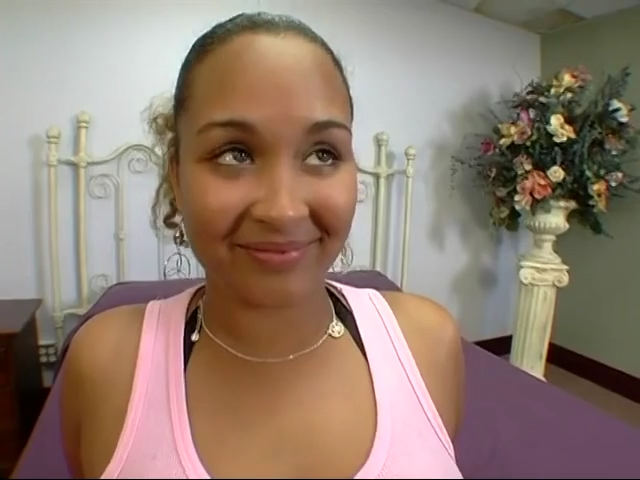

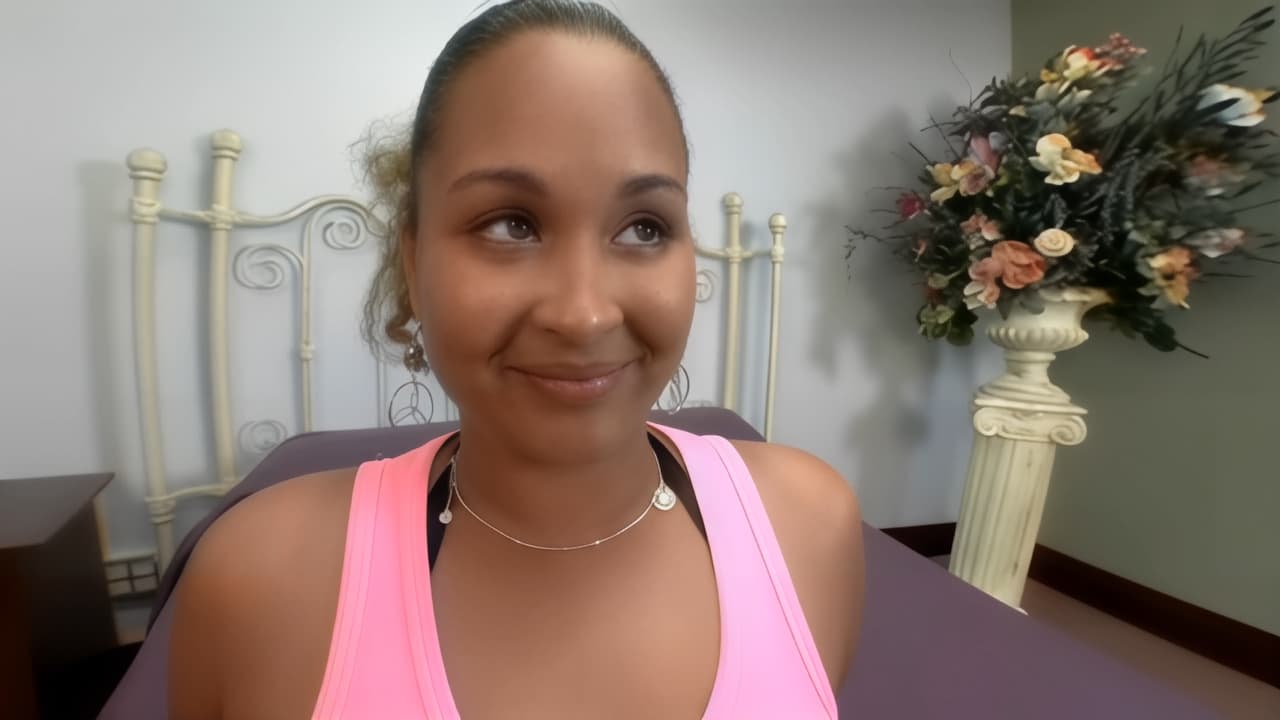
1 Like
I need a global pause button for the render queue. When I render multiple videos and pause the current one, the next one starts automatically. This prevents me from actually stopping the rendering process to use other programs. A master pause button is needed to halt the entire queue, which can be resumed later. This is a very important and simple-to-implement feature.
Also, the “Starlight” process needs a pause button. It’s a very long process and we can’t take breaks. Please add these features in the next version.
9 Likes
I was wondering where Topaz plans to focus next regarding model optimization, specifically in terms of inference speed. The initial release of Starlight was just four months ago, and within that short timeframe, the team managed to distill the model to run on a single GPU — an impressive feat. That said, the demand for further improvements remains strong within the community, and I admit I’m among those eagerly hoping for more.
There are a few critical constraints we’re facing:
- The model isn’t open source, which means the broader community can’t assist in optimization or parallel development.
- The computational requirements are substantial, and as high-end GPUs like the 3090 begin to show signs of obsolescence, this raises concerns about long-term accessibility.
- Operational costs are rising — between the software itself, energy consumption, and the inevitable need for hardware upgrades, running these models is becoming increasingly expensive for many users.
So I ask: is there any planned release date or roadmap you can share? Perhaps some insight into the pipeline? As far as I understand, this upcoming update doesn’t modify the core model itself — it’s focused solely on improving runtime performance, correct?
6 Likes
Yes  improving runtime performance
2 Likes
lets hope, cause topaz prob is gonna cut 4090 too
1 Like
Please hold on a moment. I don’t believe the team is cutting corners with the GPUs. Let’s not jump to conclusions; the team is working diligently to make Starlight a reality. I know we want more, but they’re working as quickly as possible. I don’t believe the CEO would ever say, “Okay team, take 30 days off, and then we’ll resume.” I understand your concern, and I hope I’ve made my point clear. They will find a way to deliver for all of us, In some way
5 Likes
Sure. There will be a new version clearing some of the mentioned issues very soon.
1 Like
I hope the performance can be improved without losing quality. This last update said there were performance improvements, but I didn’t notice any. I’m wondering if the performance in this version is bugged and it will be better in the next version. Crossing my fingers.
7 Likes
In version 7.0 of the program, I could get video with different quality. When using 100% of video memory and less than 100% of video memory. That is, I had two options for the quality of the output video.
In version 7.1, there is only one option left. With any amount of video memory, the video is of the same quality and it is no better than in version 7.0.
yes looks good, but seems to be streched, check aspect ratio the source is made for. I think there is a DAR and should be 4:3
RheaXL hast built in “Recovering (Orig) Details=20” which can be to much use it as finisher and produces/pronounce face disortions and it also pushs plastic look.
What I often do is after set RheaXL as model is open the CLI-output into TVAI. Copy the code and paste it into new cmd, use arrows keys got to the end of the pasted code and change value of “Recovery Details” from 20 to 0. Press enter key to start the encode
2 Likes
That actually sounds like an improvement to me. Memory setting should ideally help prevent memory-related problems without compromising quality.
But more Vram should also improved quality or speed, otherwise you can buy a 8GB card, makes no sense then Topaz labs recommends 16GB card or above and it has no effect. What I expect is we can get best possible quality the model can deliver pending on your gpu without sharing ram that slows down in massive way.
By different quality I didn’t mean better or worse in general, but for example better rendering of the face in one version and better rendering of the environment. They were different, you could choose.
In 7.0.1. the quality is not better, and possibly worse. Now the result does not change from increasing or decreasing the amount of video memory used. For example, on my 3090 when processing 640x480 video and 100% video memory set in the settings, the card uses 18 GB, at 70% - 11 GB, but the quality of the output video does not change. What are 7 GB of video memory spent on then?
Yes this is what I mean I think I could obeserve this, for me this are quality steps. If this is really the case there is no difference anymore, why additional Vram gets used without benefit?
I try this out next time using V7.0.0 again, but could also be you can’t get previous Starlight Mini model anymore because TVAI is just the client and models are on the Topaz labs server where you dowload the updated model. If it is so, you need old unchanged %programdata% model folder as 7.0.0 was released
Oh, my GPU is only 6GB<8GB. Is there a way to bypass the GPU test to install Starlight mini?
Nvidia AV1 recordings still fail to encode.
Thanks for the advice.
you say : What I often do is after set Satrlight mini as model and resolution set is open the CLI-output into TVAI. Copy the code and paste it into new cmd, use arrows keys got to the end of the pasted code and change value of “Recovery Details” from 20 to 0. Press enter key to start the encode .. Can you explain to me how to do this?
Even if there is (haven’t used it yet, still on 5.3.6), any such test is not to annoy you, but there because your card either lacks the required minimal VRAM, or, using shared VRAM/RAM, the process would become unreasonably slow.
Different is better or worse if it does or doesn’t produce the effect you’re looking for. What you describe should be selectable through model settings, not memory settings.
Is there any other way other than buying a more powerful graphics card? I only process 256x256 images upscaled to 512x512 locally, online is when I need to process larger images.
