There are Iris MQ, Proteus - they’re good for faces.
Try and try and try. Deinterlace first (if needed) in Hybrid (with QTGMC deinterlacer, I can share my recipe).
Try to use two-layer method, combining two models - Rhea or Iris over Proteus.
There’s no definitive “best” model in TVAI, I use multi-step workflow.
If the source is really bad like over-compressed archive material from 1930s, I use FilmConvert Nitrate first to “salt” the input with the film grain.
Then Nyx or Artemis to get rid of the noise, then Proteus+Iris at 40% overlay as the final step.
2 Likes
yes for best quality overlay is often the way, I love it 
but people who are lazy, can use Proteus in auto mode and you’re done. Or Iris MQ, or for more spectacular shiny results (but often less natural!) Iris LQ V2 with high increased Deblur, until the correct “degree of hardness” is reached (could be deblur levler is up to 100), increase deblur until image becomes more contrasty, sharpness gains, but fine details should still be displayed properly, when not deblur was set to high.
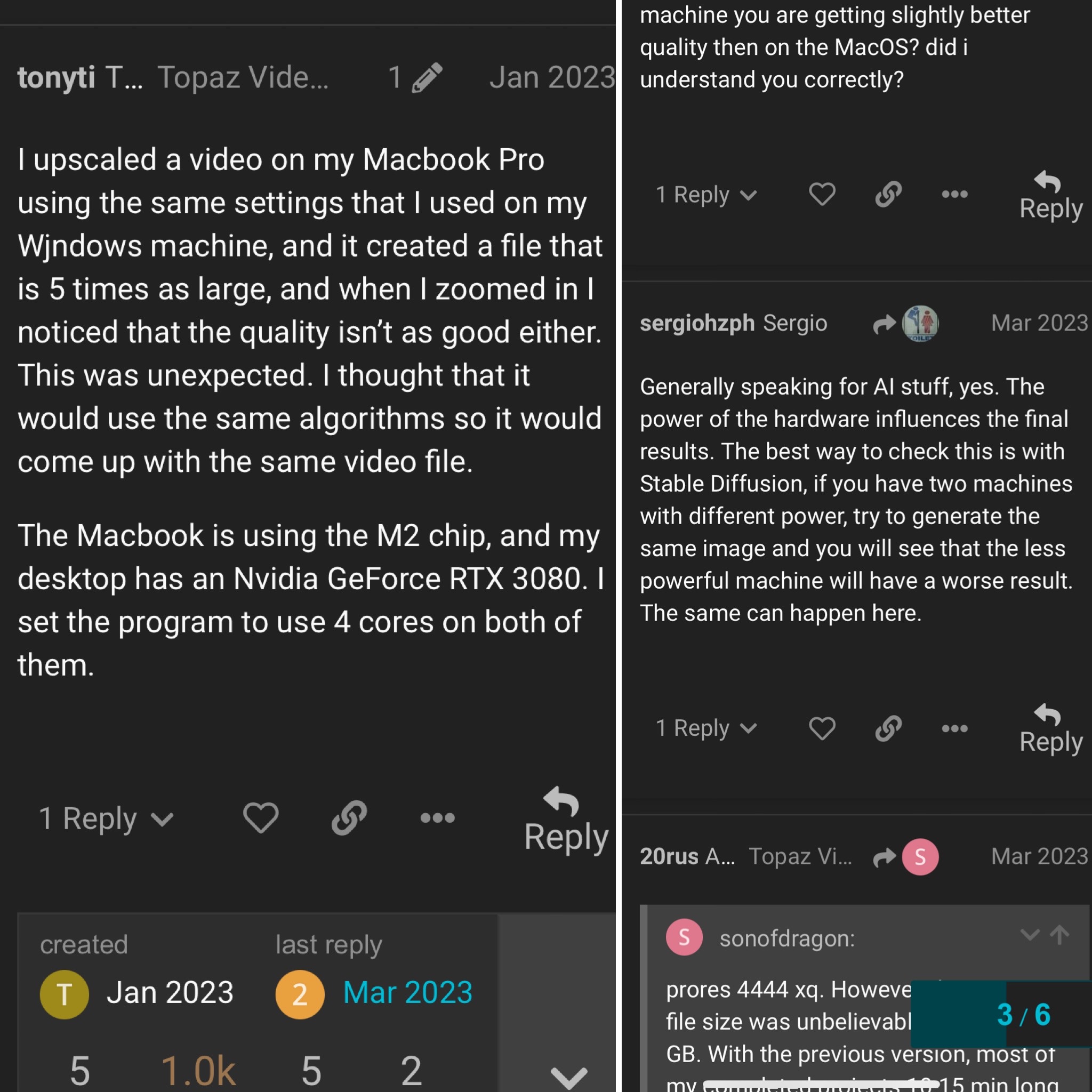
Can anyone confirm if this is true? I have come across this after experiencing the this same issue with two different windows pc’s, two different cpus but the same GPU in both.
I don’t understand why one is better than the other if the GPU is the same.
The comment on the right side says slower hardware will give different results. I assumed it would be the same result but at a longer duration to finish.
I’ve tried Iris It gave me a satisfactory result on the faces But it did not maintain the texture of the skin
I guess my two machines are too similar. One’s AMD 7900X with RTX 4070 ti, the other AMD 5900X with RTX 3080 ti. They give exact results.
If you’re not using a lossless output, I would expect some difference maybe. Those hardware encoders can be different.
Before I upgraded one of the computers, it had some old 4 core i5 in it (Like 4th gen) and a GTX 1060. I did not specifically check for identical outputs, but I never noticed them being different. Since it was so slow, I only did about five short TV shows on it.
1 Like
i can’t confirm the difference in quality either, i have two machines one i9-14900k with RTX360Ti and another with AMD 5950x und RTX470Ti. What could be, but I don’t think so is Rhea makes a difference if you have low VRam
1 Like
Yes you can cancel this at anytime from the Subscriptions page.
1 Like
Thank you.
Thanks for your comment.
I guess the only thing it could be is a bug, either in the OS or the software itself, I’ll attempt to do a clean install of windows and see if that changes the results.
Unless I was using super old parts then I’ll understand but a 12900K isn’t exactly old or slow right now, still holds up well towards the 13900K in Topaz products.
My second build has 128GB DDR4 ram, and my main has 48GB.
I also use ProRes HQ. I found using Handbrake to shrink it does a better job than the hardware encoding through Video Ai,
I don’t have a place to set it up right now, or I would try a round with my GTX 1060.
That what starlight did to this video is out of mind already.
There is no way i could see the moving mouth.
Today’s test looks better. Even on the graffiti.
1 Like
Looks better but the tile floors are looking kinda wonky. Thanks for sharing!
But still major problems with the text on the shirt.
While one might not necessarily notice this with such fast paced content this will be a definite deal-breaker for quite some content…
Mosul Orb
Source
1 Like
The file naming of 6.x is very strange. When there is no identical file name, numbers will be added. Please restore 5.x
5.x: TEST_prob4.mp4
6.x: TEST_2_prob4.mp4
TEST_3_prob4.mp4
1 Like
The orb doesn’t even look like an orb anymore. The shape of the orb is much more apparent in the original file. : (
Does anyone know what happen when using Apollo on 60fps when the output is 60fps as well? (no replace frames)
Will it be even more smooth?
Thanks!
hello, the authorization page no longer loads for activation:
https://topazlabs.com/oauth/authorize?client_id= … 
Yeah, I’m having the same problem
1 Like
