I would get one if i had the money. 

3 Likes
The new M3 Ultra can be customized with 512 GB of RAM which can be used for VRAM. Can’t Topaz utilize that to run Starlight locally?
1 Like
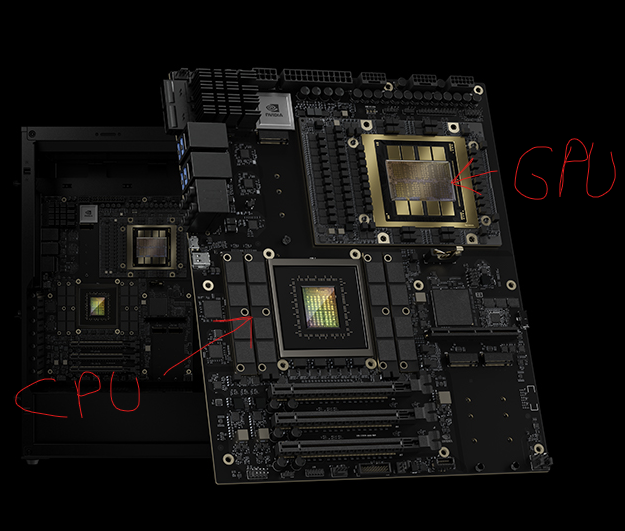
This card has “ARM Neoverse V2” Chips. Im not sure who it is about “Tensor Cores” which is optimzed to multiplicate 4x4 bit long FP16 matrix. The process simplify multiplications of floating points numbers, boost this calc up to 10x. I don’t know enough about whether this works with this chips
CPU & GPU
Unified Memory of 784 GB
Possibly. However, this is a video AI tool. Which is to say the tool is not analogue technology, so it will still produce digital artefacts. I can attest to this from my experiments with it.
The new versions are not helping my batch processing workflow. By hiding the sources and forcing me to select each one individually to tell it to render this has added quite a bit of extra time and countless clicks to my workflow. Please help a guy out and make this better.
- I would like to pin the sources pane when I need to select them and change individual settings for each.
- I would like to select all of them once they are tweaked and add them all to the queue with one click.
- No, I don’t want to do this only in the cloud.
Thank you.
4 Likes
TOPAZ VIDEO is worse as the version gets upgraded. Lots of bugs and doesn’t even work properly. It’s done, but it automatically starts working again. Plus, it doesn’t even press the exit button. It’s too buggy. I recommend using the old version
There goes the planet
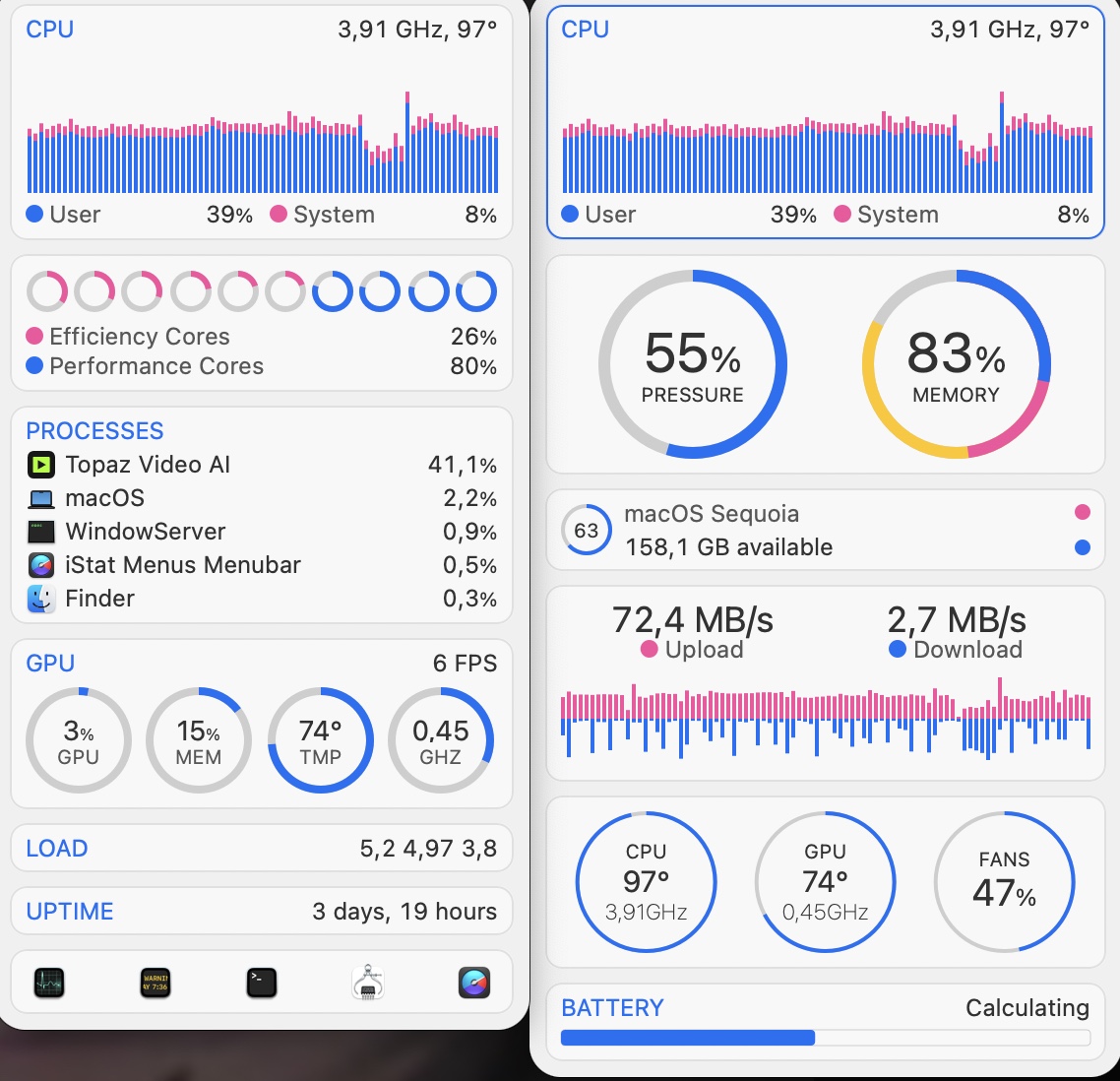

HiYa, folks!
Lurking through the forums, it doesn’t seem like much has changed since the holidays/4Q24… no new LOCAL models (…and we are at the end of 1Q25) questionable patch updates, ect.
WELP!
2 Likes
One word… useless!
Inference workloads doesn’t require a device for NASA/SpaceX to yield PRACTICAL performance.
Inference’s workloads starves for… wait for it… EFFICIENT MEMORY MANAGEMENT… not the race to the bottom of… “just throw more VRAM, ect. at it”… that these industries (liars) vendors… Sammy, Micron, ect. desires the uninform to believe… just to ONLY fatten their pockets… not users performance.
…just as a trophy only because it still WILL NOT produce the value of its worth due to SOFTWARE/(UN)TALENTED PROGRAMMERS… not TODAY’s hardware.
Let’s hope TOPAZ will react on this …
Is anything happening with all the bugs in 6.1.3. it’s been over 2 weeks since multiple users reported it and nothing has been fixed. What is the point of a yearly license if I am running an older version anyway because the new ones are unusable. If, at the time my license ends, the bugs aren’t fixed I will cancel my auto-renew.
1 Like
Does this bad boy support the 5000 series now?
so this happened what a waist of time, rendering video for days crashes then doesn’t resume from where it crashed/ figure it out ,almost all programs these days have a recovery system but not topaz
Proteus + Starlight = Prolight. Let’s make it happen y’all. 
2 Likes
Starlight, starbright, I wish to have fast upscaling tonight.
1 Like
According to information from the Star public page, upscaling a 640×480 video by 4× using default settings can require over 80GB of VRAM. However, the creator clarified that the GPU memory usage for their provided “toy example” with default settings peaks at approximately 39GB.
Regarding running the process locally on an NVIDIA RTX 4090 (which has 24GB of VRAM), the creator suggested two methods to reduce VRAM demands:
- Decrease the
frame_length(e.g., setting it to 12 frames reduces VRAM usage to under 24GB). - Reduce the
chunk_sizeto lower memory consumption.
These adjustments enable compatibility with GPUs like the RTX 4090, though they may trade off processing efficiency or output quality.
“Regarding the VRAM requirements, with the default settings and the toy example we provided, the GPU peak memory usage is approximately 39GB.”
and about running locally in a 4090 he sayed “Currently, there are two ways to reduce the VRAM requirements: (1) decrease the frame_length; and (2) decrease the chunk_size.
You can set the frame length to 12, which should work within 24GB of VRAM.”
Now we can see that STAR can, in a couple of months run in local computers, if topaz labs is working with the creator of STAR
2 Likes
I’m having reasonably good results with rendering various videos with different models and layering/merging them. I helps cleaning up the source while keeping as much detail as possible, especially grain.
This source is in really bad condition:

So the result isn’t perfect, but much more pleasant to the eye:

4 Likes
