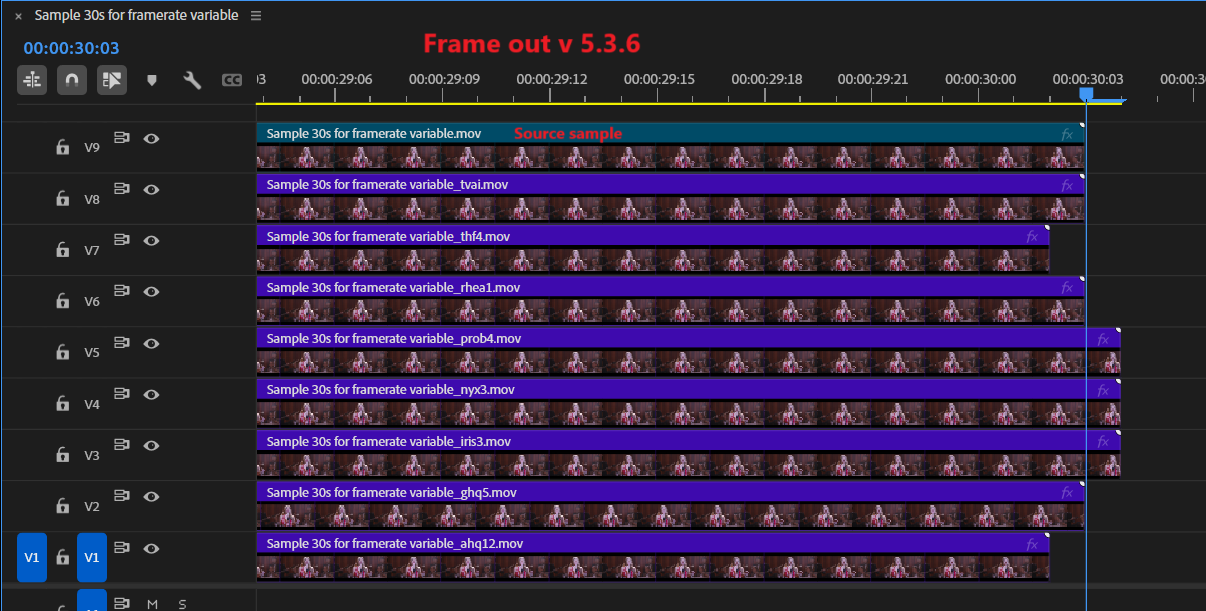
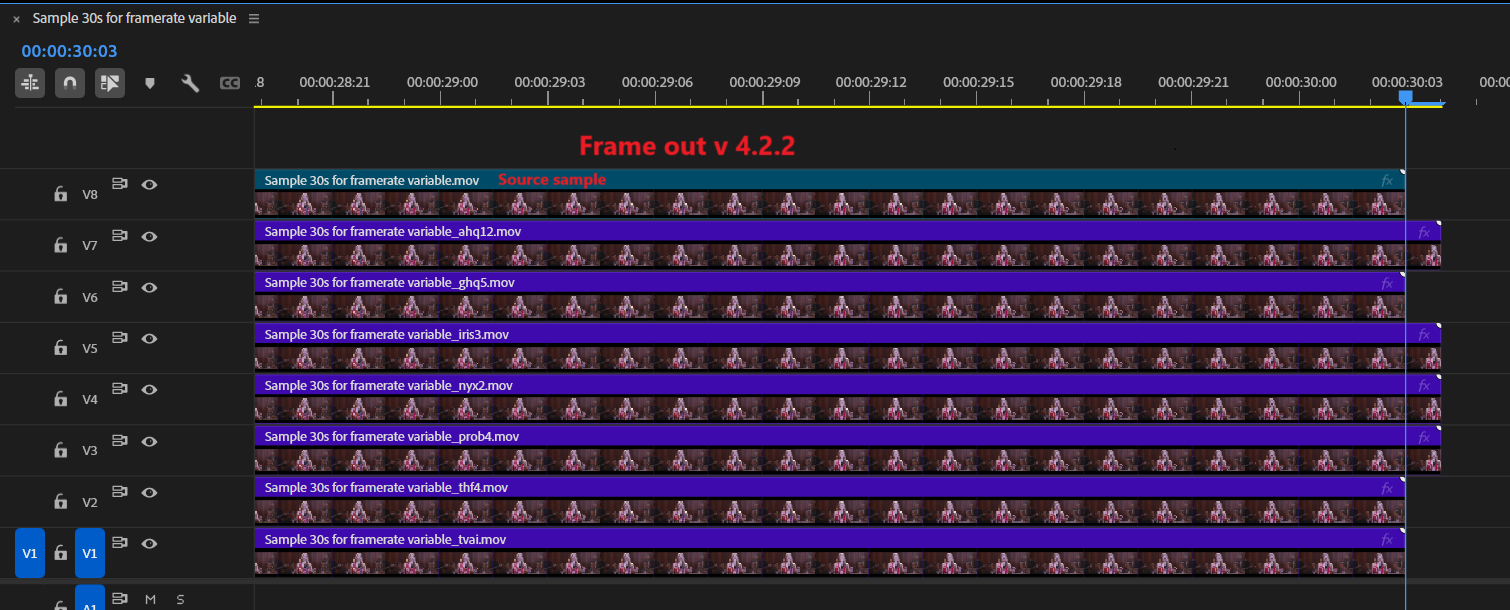
If I remember correctly, the VFR issue started with v5.4 and is persisting still but only on Windows, not on macOS. The exports are correct using the enhancement models that I can test but I am limited to only Artemis, Iris & Proteus. My cMP 5,1 with an RX580 doesn’t support other models. Also if I try to use interpolation it crashes the machine. And I use v5.3.6 on one Mac, v5.5.0 on another, and v4.2.1 on another one.
I don’t know if your playback issue is related to this but there are others here, more knowledgeable, who can provide better insights on that. Personally I don’t think it’s related to that.
Also I never allow TVAI to process the audio, I use Handbrake (if needed) for that separately or just add the original audio file and remux video & audio in an .mkv container.
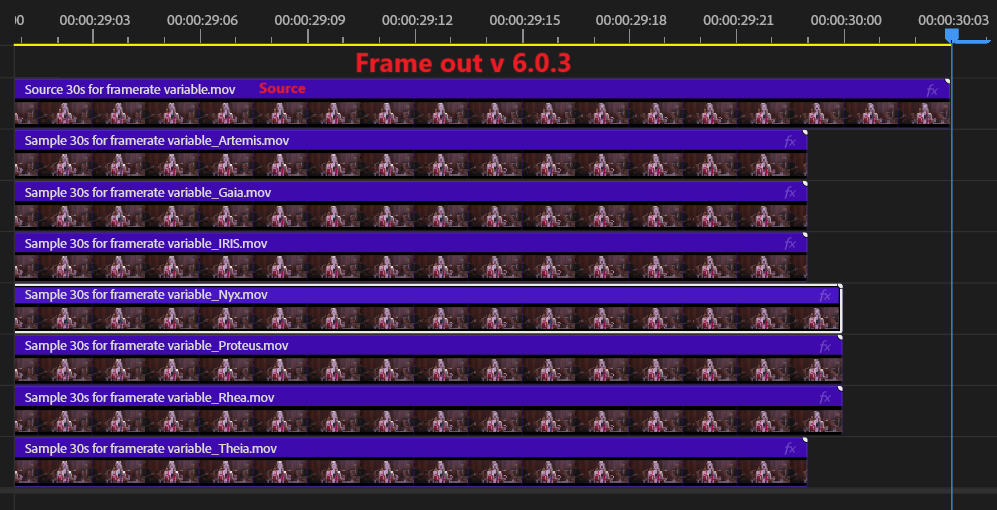
Due to the bug fix in 6.0.3, we are hoping VFR issue has been remedied for the most common cases we have seen a spike in. Can anyone in here with 6.0.3 confirm their footage is now correctly exporting to the expected frame rate. Looking to ensure the exports are in alignment with previous expectations.
I did a quick test with a 30-second sample file and it seems that the variable frame rate problem has finally been solved for all models, I reserve the right to do a test with full movie.
As for lost frames, I imported the various files into Premiere to compare again with a sample file @23,976fps.
Sure, if you don’t care then you don’t care, you might as well wait until 2034 until your next upgrade. But don’t discourage people by spreading misinformation. 5090 is not 4090Ti and you’d know that if you were not so busy bashing it.
They’re just trying to make a wise-crack about how the performance increase is directly proportional to the power drawn increase, when compared to the 4090.
To add, at launch:
5090 $2000 (est) @ 570W (gamersnexus)
4090 $1600 (msrp, sans scalper craze) @ 450W
33% more performance with 27% more power draw at a 25% higher price tag.
Regression line looks fairly linear.
But it would be interesting if someone could test VAI on that newer card.
I suspect the uplift won’t be a typical 33% since the 4090 is already constrained most of the time by other system bottlenecks.
For instance, I compared my rig’s results to those on a similar runpod instance (also 4090), and their server hardware had noticeably better memory throughput, which translated into better throughput than my desktop system. And I have a pretty tuned desktop as-is (DDR5 6000, ryzen 5970x) so not exactly a slouch, but (still) seemingly an above-avarege VAI-customer-rig it seems.
Would be cool if the mean uplift was ~25%. It’d make for a nice R^2 for the regression line if nothing else.
The 4090 was a true generational leap over the 3090 with 70%+ gains in some cases. The bar for the 5090 was set extremely high. It was bound to disappoint.
I am also experiencing the crop tool error. When trying to crop SD footage as the first step in upscaling to 1920x1080, the crop tool seems to get confused. If my SD image starts out as 720 pixels wide, the crop tool erroneously changes to 640 pixels wide and locks itself to the far ledge edge. It does not do so right away, but does as you make fine adjustments.
The source/export queue tabs continue to annoy the hell out of me. I’d rather have the resizable preview and fully arrayed panel that doesn’t require tabbing. If we can’t get these back in the default display, maybe make it an option to undock them into separate windows?
Also, if I check the progress of the export queue in the tab, when I close the tab the settings in the Adjustments console change! An export in process with Focus fix engaged becomes one with Focus fix off. I presume that the export hasn’t suddenly changed mid process, but anytime settings seem to change by themselves it’s unsettling.
Thanks, important to know because it means that if I want to use CLI at any point I will need a custom profile setup for Video AI in Windows Terminal with a custom environment (%PATH%) that excludes the official build of ffMPEG.
Having just checked, the Video AI menu option for Command Prompt opens in the application install folder, which is not where anyone would keep any videos or scripts.
It uses the default system path, so navigating to any other directory as working folder will cause the wrong version of ffMPEG to be used (BUG) on systems where ffMPEG is already installed.
A custom profile in Windows Terminal will solve this problem and allow other benefits such as Command Prompt running as Unicode, not CP 437 (DOS Latin US). Better yet, it can use PowerShell instead.
Hopefully, Video AI GUI always uses its own copy of ffMPEG, and does not rely on the working folder being current like the Command Prompt it launches.
 I’m very impressed of your Knowledge and your lenghty research