I’m new to the video upscaling scene, and I’d like to upscale an old 60s TV series that I have on DVD (PAL). I’ve ripped my first DVD and extracted the raw file in MKV format.
Here are the presets I chose somewhat randomly:
H265
Output resolution: 1920x1080
Video type: interlaced
AI model: Dione TV
Second enhancement:
Intermediate: auto
AI model: Proteus Enhance MQ
Enable parameter:
Estimate:
Fix compression: 15
Improve details: 15
Sharpen: 16
Reduce noise: 8
Dehalo: 29
Anti alias: -16
Recover details: 20
Motion deblur: Themis
So far, it’s running at 1.4 fps on an M3 processor.
Do you think these presets are good, or am I mistaken?
First: process the video in a video editor like DaVinci. Make most of the desired improvement there. Topaz can’t turn a bad video into a good one. Can only slightly improve an already good video.
Second: Proteus. I think it’s the best for any video.
I do the deinterlace run at original resolution first, then do upscaling on a second run. Usually Proteus or Iris. Sometimes a third run with Artemis helps.
Topaz is good at upscaling and increasing the frame rate. Unfortunately, it cannot improve the video. If the video is of very good quality, it will make it even better, sharpen it, emphasise its quality. But, if the video is of poor quality, Topaz shamelessly distorts it, like in a horror movie…
Personally, I do this with videos of any quality, from DVD to 4k. I encode it in the Shutter Encoder programme into the FFV1 montage codec and the sound in the PSM. Next, I download it in Davinci. There, first of all, with the Neat Video plugin, I reduce noise and increase sharpness. Next, in Davinci, I add a bit of contrast and adjust the light and dark tones.
Then, there is colour correction. I usually make a little less of the “warm” yellow tone, and add blue so that the sky in the video does not have “cinematic” yellow-green shades, but acquires more natural white-blue tones. I save test fragments to see the real colours at the output. Because the colours in the program and at the output of it may differ. Next, I finally adjust the brightness and saturation of the colour. And I save the video in the same FFV1 format.
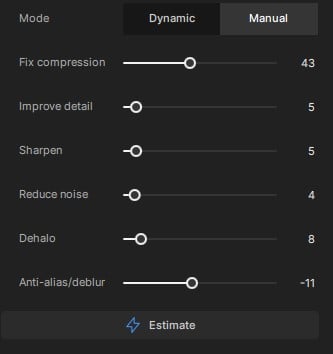
Only after that I upload the video to Topaz and make minimal settings for the proteus, such as in the photo. If you want a high-quality video, Topaz should not be allowed to handle it too much. Topaz can only add tickle and shine to an already good video. I’m doing 2x upscale, or just doing a pass in Proteus. I save, also in FFV1.
Then I re-upload the video to which I upscaled, and which was saved after the first pass, and make it in a new 60fps pass, but categorically not in Chronos. He makes a lot of mistakes on dynamic scenes.
In the finale, I save a video with a large bitrate in H264
All other codecs, except for H264, greatly smooth out micro details. Make people’s skin exaggeratedly synthetic…
If you do this, then Topaz can distort the Video so that nothing can save it later. Topaz is very good for the final shine. Topaz is not a video editor program. Therefore, it is very strange for me to read comments on the forum when people are waiting for a miracle, and it will not happen in any way.
From testing thousands of hours of footage I found applying Temporal NR, Spatial NR Sharpness and colour correction in Resolve after TVAI way more benificial than running before.
I’m fully aware what TVAI is and is not.
I’m not waiting for a miracle and find this comment strange in itself.
One really very important thing when using TVAI: always save the original source. I zip my sources up and store them right next to the enhanced versions so I can go back to them if someone comes up with a majorly improved tool.
Thank you so much for your feedback, I’ll try that approach.
This morning, I took a look at the result of my upscale, and I have to say it’s already looking pretty good. I’ll post some screenshots
Maybe I’ve spent fewer hours analysing, but when Topaz draws four rows of teeth and eyes of an alien creature in your video, Davinci can really improve this monster a bit.
Especially my experience in processing many dozens or hundreds of different videos. If you give Topaz the ability to remove noise, and improve sharpness and detail in videos, then there will always be a very smooth skin texture in 100%. In some places, when a person moves, the skin will turn into the skin of a crocodile or other reptile. That is, it will go in spots. And some more distortions that are too lazy to write about. Therefore, I hold Topaz’s “horses” and allow him to process videos with leverage of no more than 5-7%, as in the photo in the post above…
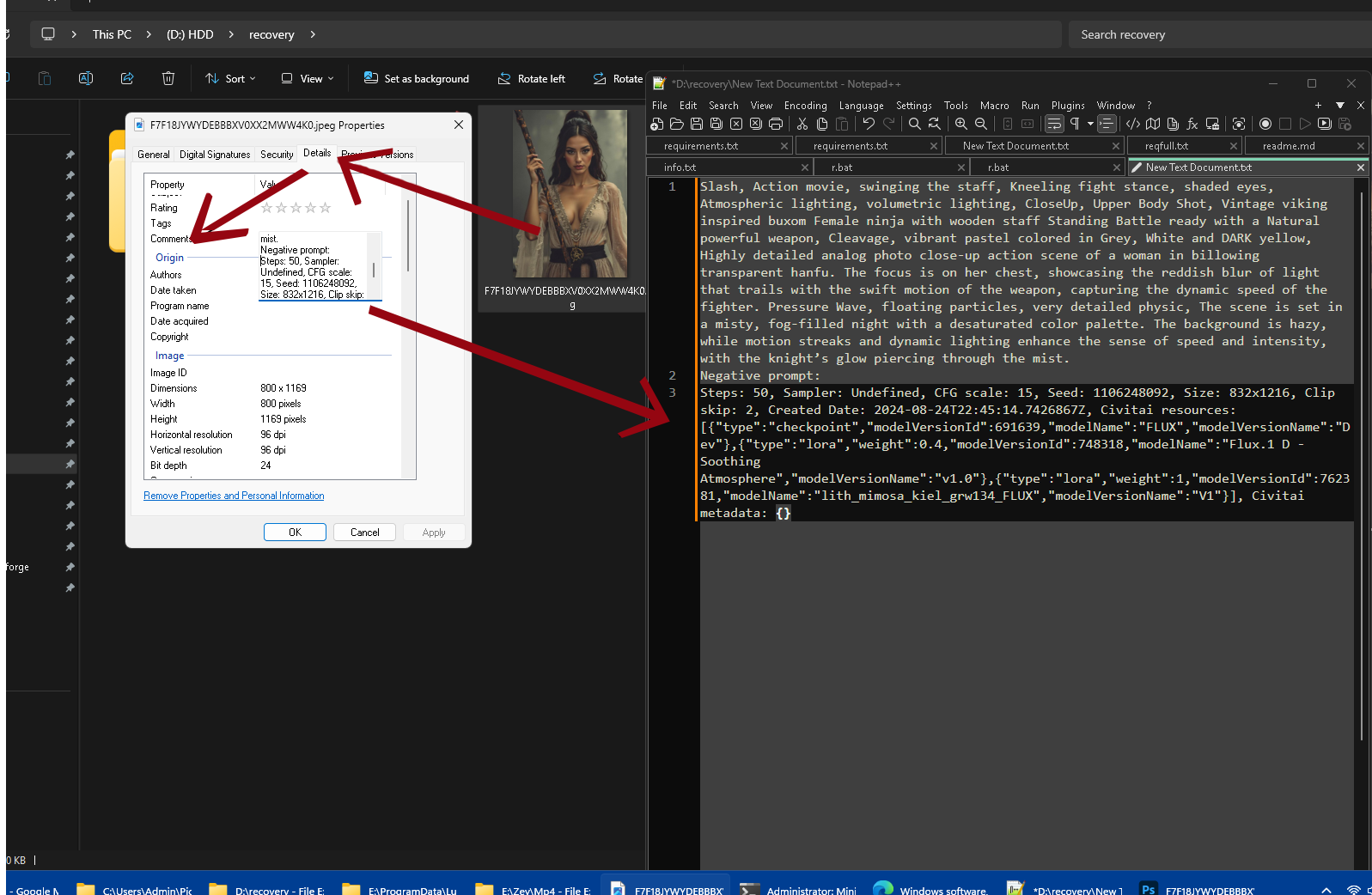
You can get TVAI information via the VIDEOAI tag in the FORMAT container, but indeed, it will not appear in any reader comments or even in the Windows file description details.
I can add such a feature if needed, so follow this thread:
Between you and me, I would much prefer that Topaz’s debugging improvements be requested. This is somewhat “cosmetic”
import os
from mutagen import File
from mutagen.id3 import ID3, COMM, Encoding

def get_videoai_tag(filepath):
    """Extracts the VIDEOAI tag from a file."""
    try:
        audiofile = File(filepath, easy=True)
        # Ensure file contains metadata and 'VIDEOAI' tag exists
        if audiofile and 'VIDEOAI' in audiofile:
            return audiofile['VIDEOAI'][0]
        else:
            print("VIDEOAI tag not found.")
            return None
    except Exception as e:
        print(f"Error reading metadata: {e}")
        return None

def set_comment_windows(filepath, comment):
    """Sets the 'Commentaire' field of a Windows file."""
    try:
        # Using 'id3' for tagging mp3 or video files; can be extended to other formats
        audiofile = ID3(filepath)
        # Add a comment tag (COMM) in 'utf-16' encoding (Windows default)
        audiofile.add(COMM(encoding=Encoding.UTF16, lang='fra', desc='', text=comment))
        audiofile.save()
        print(f"Comment injected: {comment}")
    except Exception as e:
        print(f"Error writing comment: {e}")

def inject_videoai_to_comment(file_with_tag, target_file):
    """Main function to capture VIDEOAI tag and inject into target file's comment."""
    videoai_tag = get_videoai_tag(file_with_tag)
    if videoai_tag:
        set_comment_windows(target_file, videoai_tag)
    else:
        print("No VIDEOAI tag found to inject.")

# Example usage
source_file = 'input_file_with_videoai_tag.mp4'
target_file = 'target_file_for_comment.mp4'

inject_videoai_to_comment(source_file, target_file)
I think petrovichsergey10 method is the best! But complicated and many people simply want to improve their video directly in Topaz without having to complete a degree.
So you can improve DVD movies only with Topaz, but then hands off functions that are invasive. Choose model on you’re choice, Proteus, Rhea or Iris, then use “Sharpen” and “Anti-Alias/Deblur” only only, "Recover Detail you can also use, most at levels from 5 to 15, but thats it do not use other functions.
After that you can use a finsiher: Import your Encode and choose Proteus and set manual mode, turn everything to zero ilusind Rec. Details. Then set Denoise to value 2
Set second Enhacement, choose Artemis HQ (or “Artemis Strong Halo” if video fits) that make’s the “poslish.”
What you also can do is a two Encodes for example one with Rhea and 2nd with Iris, then overlay both videos in your video cutter software and set opacity fpr example to 50%, the two vids merged into one. Export and do the fimnal “poslish” in Topaz with Artmeis like I desbride above.