Ok, I am going to need to be really specific here.
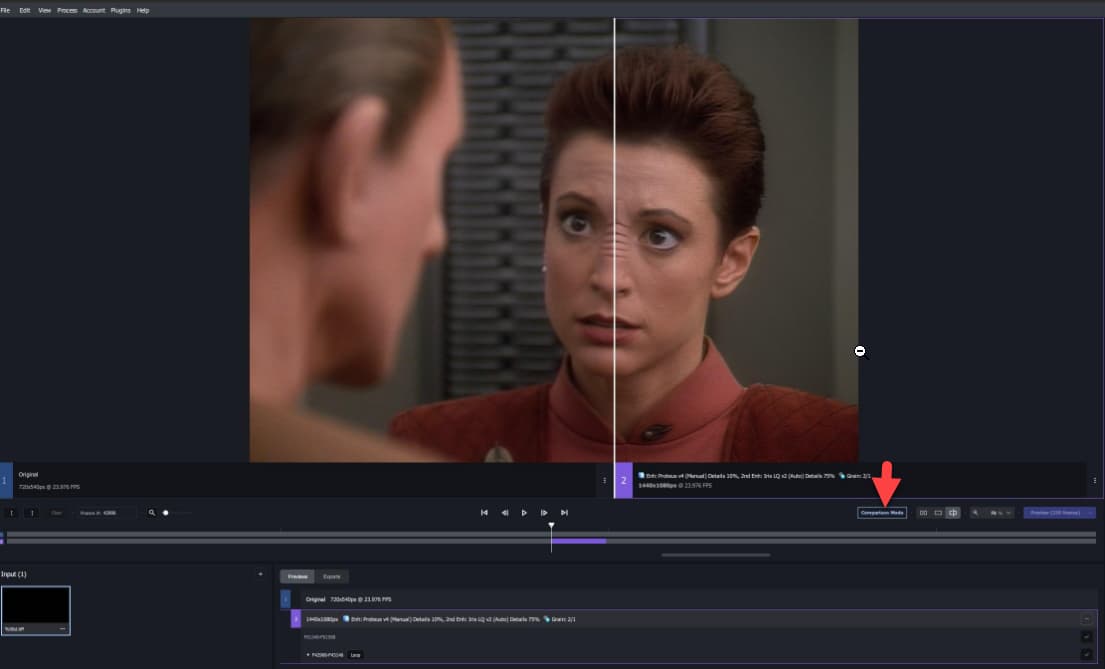
If the preview is processing, I can play and view the processed frames and compare them. If I pause on one, its stays there indefinitely. This is a paused comparison showing obviously the input on the left and output on the right:
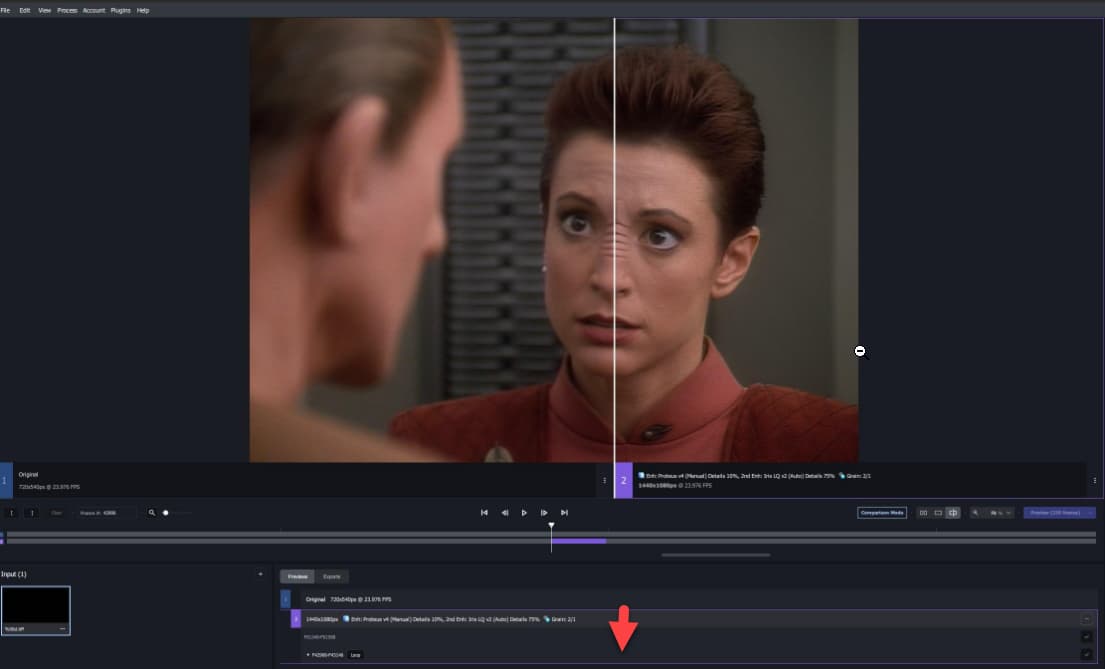
However, if I attempt to now play that preview at all, the right changes back to the original and shows processed, but doesn’t show anymore the actual output:
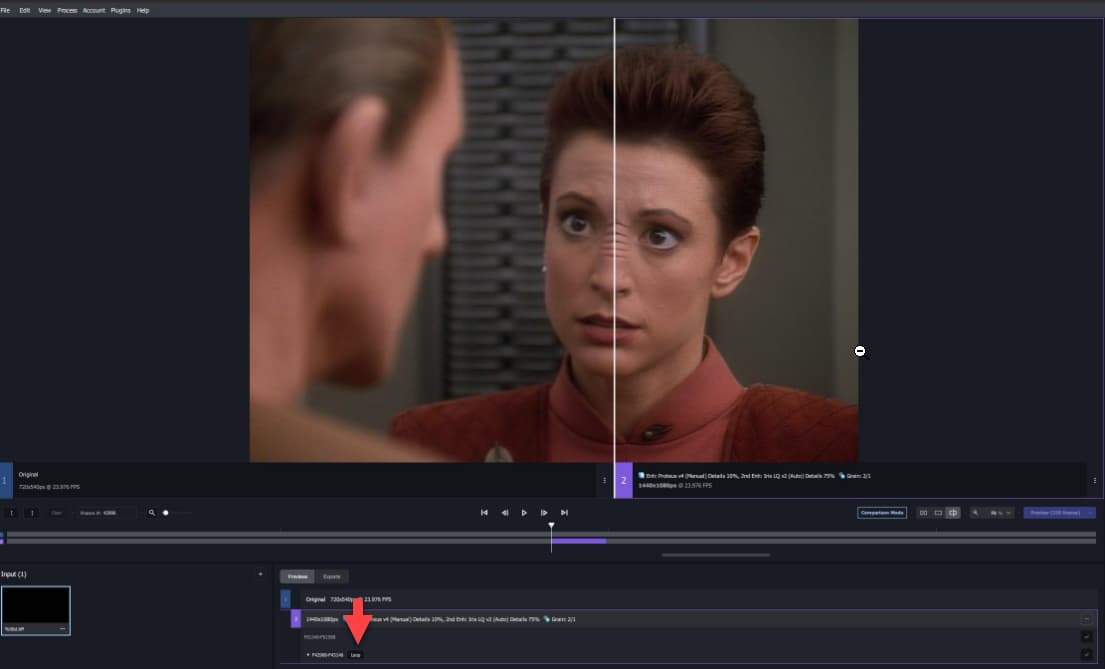
If I turn off Comparison mode so I just have the output, I don’t HAVE the output, I still have the original in the output location:
The >only< time the actual preview of the processing is ever shown inside Topaz - no matter what I have tried - is whilst the preview is actively being processed.
Was hoping the crop tool bugs would make the cut, but maybe next time: 1) custom aspect ratio does not lock when resizing crop frame, not with shift/ctrl keys held or by dragging corners, 2) cannot set cinematic ratios that have not been included as presets because the numbers entered for custom ratios are not obeyed (they keep spontaneously changing to the wrong values while being entered).
Now, you should see the original on the left and the last rendered preview on the right.
To enable looping playback (which isn’t really fluent, unfortunately, but better than no looping playback) click the Loop symbol (it will change to Looping).
Can you please update your software to display the the current version installed on the main screen like your Gigapixel and Video AI products? Thank you.
V4.2.1 I can no longer export multiple videos at one time. The button says "Export( 3 ), but it only exports one video, even though all three are selected. Is this is know issue?
Is it sufficient to delete the installation folder in C:\Program Files\Common Files\OFX\Plugins to get rid of the Topaz plugins, as usual with OFX plugins, or does it need some special procedures?
I think I’ve casually mentioned this issue before. I say it’s from PNG output, since I was able to see the processed output on mkv outputs.
It doesn’t really bother me since I do the comparison outside of the GUI. I didn’t make a lot of noise about it.
When an update is available and notified on the main screen, it allows me to initiate an update, followed by a confirmation to install. Video AI is running at the time. I get a message that the software is running and asks me to close for the installation to complete. Why can’t Video AI behave like your other products such as Photo AI and Gigapixel AI which automatically close the software without any user intervention? Thanks
My only secondary issue - as I then tried doing comparisons outside of the app as you just mentioned - is as soon as I export just once from the application, the preview breaks entirely in the app. It never loads the right side of the comparison anymore, even during processing, it just stays greyed out with “Processing” indefinitely.
Additionally, when I then made changes, including large ones that should have big effects on in the output and then did another output, the image was virtually identical, meaning to the best I can work out, I can adjust settings and preview whilst processing and it will change the output, but as soon as I process once in the application for anything, from that point I am locked permanently to whatever settings it happened to be at the time until restart.
So comparing outside the program doesn’t work for me anymore either, or I have to restart every time I change the configuration to make sure the output is actually correct.
That sounds really bad, and could be true. I wouldn’t notice because I really only use the CLI.
Just tried a few things in the GUI. It’s a broken hot mess. For no reason whatsoever, when I tried to make the next preview, it changed the model. It kept the manual slider positions and everything else, but changed the model to Proteus. Never once did it show the processed frames. Just two copies of the original—even though it claims it’s showing the processed output.
It deleted the preview files when I closed it. That’s the only good thing I can say about my session.
Thank you for testing. Strange. I’m really curious what kind of issue you are encountering. I don’t see it here or, I didn’t understand correctly what you described.
To illustrate what I see, I made a little screen recording which shows creating and viewing multiple previews with footage with heavy combing artifacts using a model to remove most of them effectively, so it’s clearly visible what the original and the processed preview is:
I’m wondering what you are you doing differently to force the issue you described?
By the way: Does anybody understand why the system loads the model each time a render for preview is initiated, even if neither the model nor the source have been changed?
This release has a bug, that if i preview or export, it gets stuck on Model Loaded and nothing happens, if i stop the preview or export, and try again, it suddenly works.
What you show in the video is exactly what I expect to happen, but doesn’t happen here.
ForSerious believes its because I am using PNG image sequences. I notice that in your video you are not. Due to the way I process the DVD’s, the input must be an image sequence and so does the output. The input is TIFF, the output is PNG as I don’t have enough room to retain TIFFs when upscaled.
If its the above that is to blame, then it makes sense - image sequences in Topaz have been broken significantly since V3 and only slowly being fixed. Some issues were not fixed until close to 4. I have a feeling this is still related to the app not using image sequences correctly - something that never happened in v1 and v2 of the program, only when v3 came and re-did the UI.