It is a good article on deinterlacing but it mostly refers to deinterlacing video as it is played - a very difficult task. There is reference to interlacing expert Yves Faroudja saying “interlace to progressive does not work” but he was referring to DVD players etc deinterlacing video as they played them. Faroudja helped develop deinterlacing technology to sell to video playing equipment manufacturers.
https://web.archive.org/web/20070928010635/http://www.gnss.com/tch_dcdi_overview.phtml
This and the last beta release were the first versions that would work for me on any of the beta builds that I have tested so far.
The last 2 releases have been working consistently for me.
The processed frames are not updating in real-time for me. They seem to not update, then about 5 update all at once.
Overall, it feels less intuitive to use than version 2. The UI feels more clunky and slower to navigate. The various settings are also less clear. It feels like a step backwards, rather than a step forwards. The 2.6 UI was a lot more intuitive to use and felt more practical.
6 Likes
Yes please share the file and the logs  I will keep an eye on my inbox. Thank you!
Please upload the files and your logs to the dropbox link found here
Please reply to this thread to let me know once the files have been uploaded
Thank you!
The lack of tooltips and tutorials certainly is not helping anyone navigate this build. Once we have these tooltips/ tutorials ready to go, v3.0 will be much easier to navigate.
This was rebuilt entirely so there are things we are still ironing out before the official release
1 Like
I thought I was seeing things recently but I have just confirmed a preview quality problem in the first few seconds.I have seen this with 10 second previews and have just repeated it with a five second preview.
Hopefully these screen capture JPGs will display the problem ok. I chose a scene with barely any movement. The first second of the preview shows bad quality with noticeable blocking in the background and the lady not so sharp. Once the preview gets to just after the third second the background is clean and the lady is also clean and sharp.
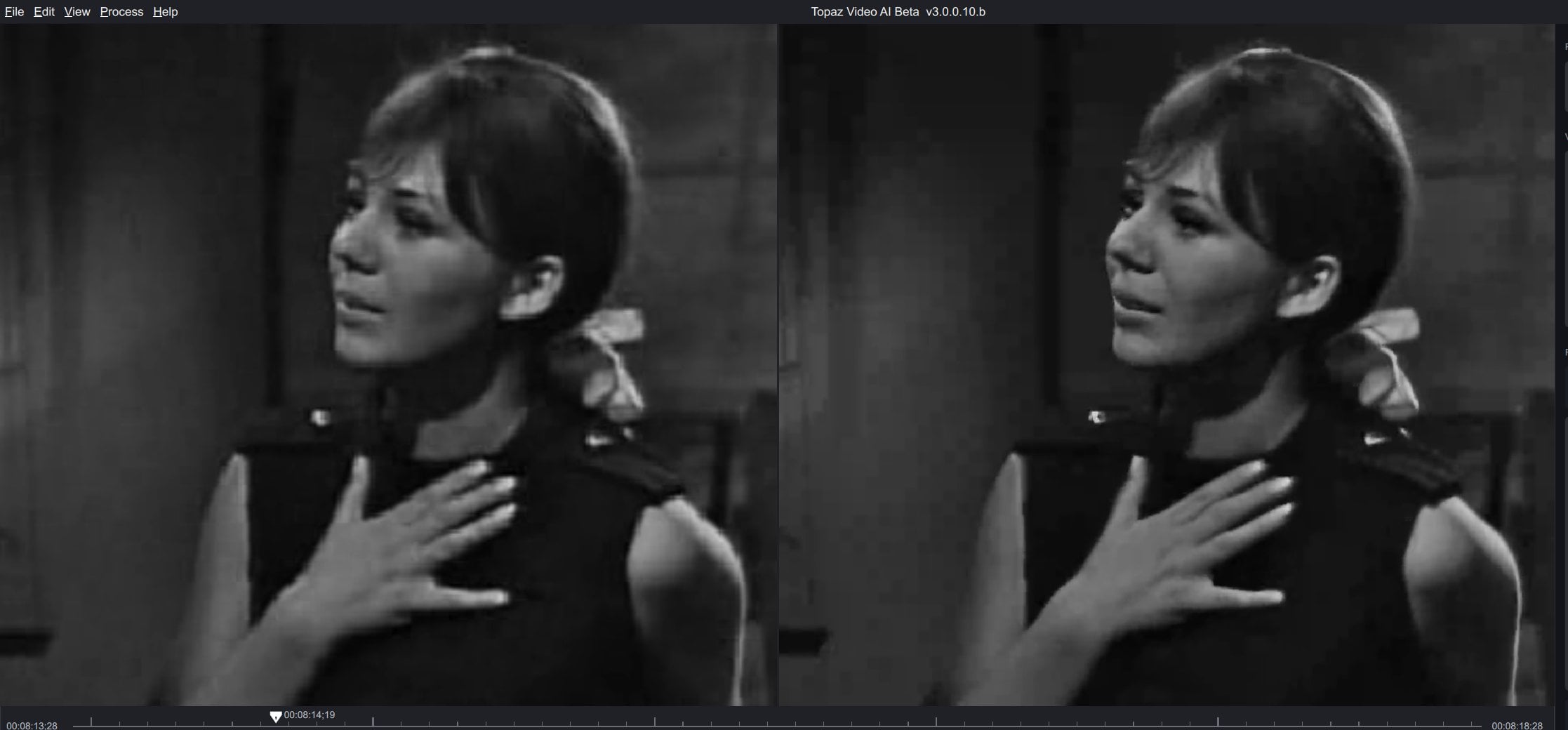
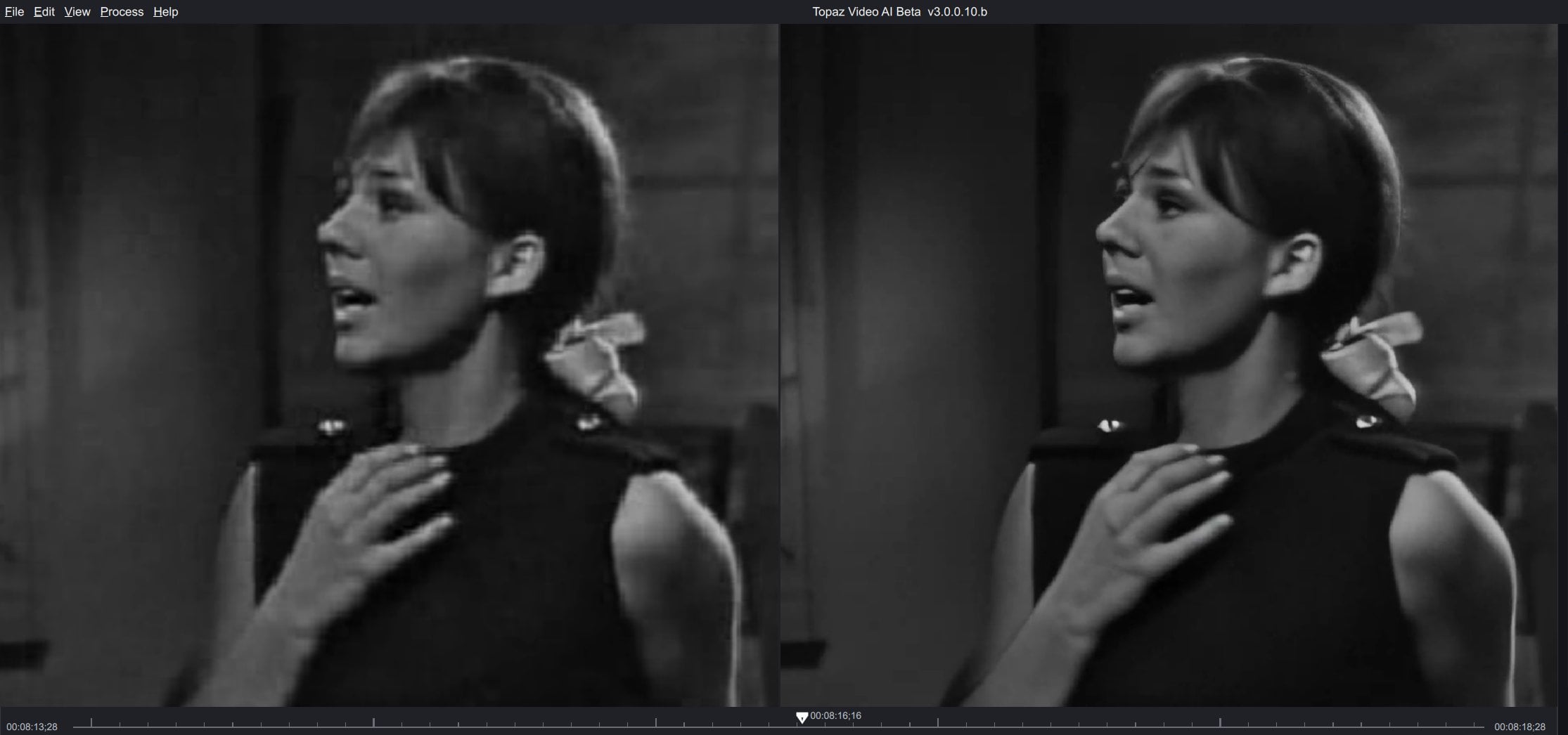
Hi Ida,
thanks for getting back to me.
Files have been already uploaded to Dropbox a month ago.
Files are:
• Symphonieorchester des Bayerischen Rundfunks - Flassik am Odeonplatz (10-07-2022) (br-so.de).ts
• Résiste (DVD).m2ts
Can you see them?
Logs here with latest beta:
2022-10-13-11-08-7-Main.tzlog (26.3 KB)
2022-10-13-11-21-14-Main.tzlog (27.9 KB)
sadly they didn’t add “face refinement” option in any model so we can switch it on/off like avclabs program  enhancement models didn’t have noticeable improvements for so long, and the current models looks like they deal with each frame individually, and they don’t take advantage from details on previous and next frames.
2 Likes
i’m sure at 99.99% that face “refinement” is on their roadmap, but it’s certainly not as easy to apply on a video than on a picture like with gigapixel/PhotoAi, anyway, let them finish this 3.0 first release, and see what they will propose, it’s not the end of this software, just the beginning and lot of stuff can be improved, lot of new ideas… i’m deaming of a colorize filter !! so let’s see what will happen !
2 Likes
A newer version is available.
