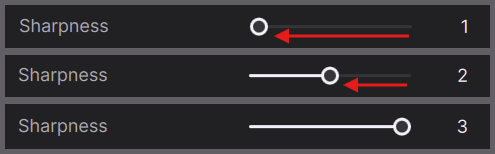
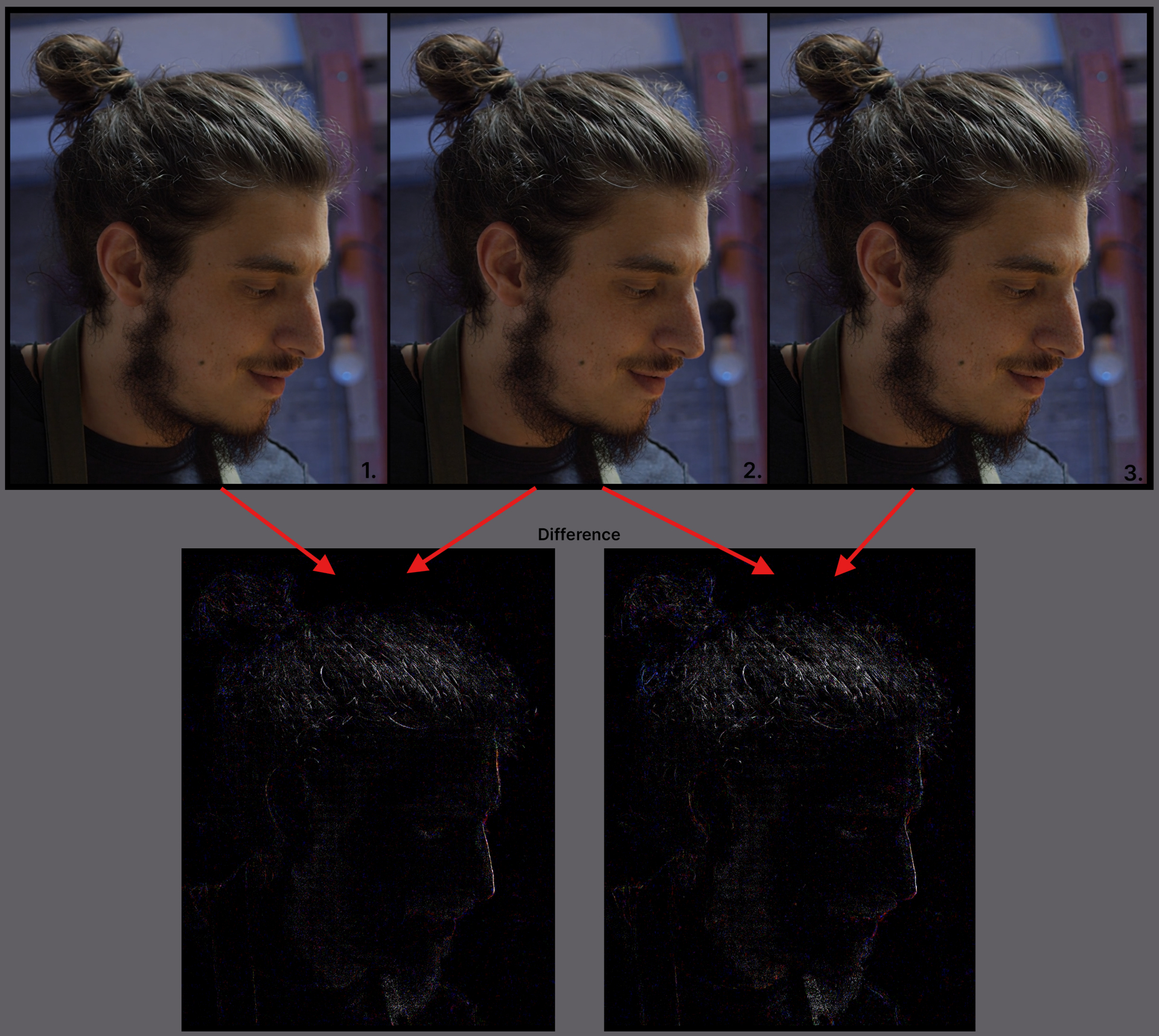
omg I hadn’t noticed the slider. Thanks.
Setting it to 1 instead of 3 works wonders.
I agree that like a 0.5 setting would be even better, so yea, a wider range of detail would be lovely (1 - 100 perhaps).
Thanks for letting me know
omg I hadn’t noticed the slider. Thanks.
Setting it to 1 instead of 3 works wonders.
I agree that like a 0.5 setting would be even better, so yea, a wider range of detail would be lovely (1 - 100 perhaps).
Thanks for letting me know
My take: Slider should defalt to 1.
Realy?..



RTX 5080, Hyperion 2.5…
Like you, I initially tried to soften the unwanted sharpness of Starlight Precise by applying models like Iris MQ afterwards.
However, through various tests, I came to the conclusion that layering the clip exported with SLP alongside other models (such as Starlight Sharp) in DaVinci Resolve is an effective way to control SLP’s “excessive sharpness”. Because of this, I currently upscale FHD footage to 4K using SLP with a sharpness setting of 3 in most cases.
There is actually another reason why I chose this layering approach over simply applying models like Iris MQ afterwards. It helps mitigate a specific issue unique to SLP—a “white film” or hazy look, almost like looking through foggy glass. This phenomenon can sometimes be painfully noticeable, and so far, I haven’t found any other way to reduce it besides layering clips and adjusting the colors in DaVinci Resolve.
Do you happen to know of any other ways to reduce this “white film” effect? If so, I would really appreciate it if you could share your thoughts!
Has someone tested Starlight Sharp, does it work again? SLM upscale to 1920p/4k still produces optically worse tiling overlaps, makes results unusable. Upscale to 1440p is ok.
Yes, the models do benefit from being scaled up further, but it’s not necessarily because the reconstruction itself (which the model is trained for) gets better. Rather, the higher resolution reveals finer structures because compression artifacts are reduced or removed.
You can observe this quite well with the SLM model. It deblocks very aggressively, so you reach the point sooner where scaling up even further barely provides any additional benefit. Of course, this depends heavily on the source.
SLP does it less, so you rarely reach this point and upscaling as much as possible is best. Additionally, because there are often still some inhomogeneous blocking structures left, you can benefit from doing an Iris MQ/Proteus 1x finishing step.
Okay, that is an interesting approach you are using. I have to be honest, it is simply too time consuming for me, especially in terms of time investment. Personally, I am satisfied with the results I get from manually tweaking Proteus.
However, I cannot really relate to your “white film” issue. With SLM (Starlight Mini), I can reproduce what you are describing, it is like looking through foggy glass. But I have not seen that at all with SLP (Starlight Precise).
The only drawback I have actually noticed with SLP is a certain amount of noise in the image caused by the block based processing during upscaling. Unfortunately, I have not found a way to remove it in post processing without negatively affecting the image.
In my experience, it is not only due to the fact that the higher resolution reveals finer structures because compression artifacts are reduced or removed.
In my experience, the level of reconstruction increases significantly the higher the mode is set. This is especially noticeable with 480p material when going from x2 scaling to x3 scaling, particularly in faces, and cannot simply be attributed to better compression and therefore the effect that reveals finer structures.
I am also not sure if it makes sense to use SLM as an example, since SLP works in a completely different way compared to the other Starlight models.
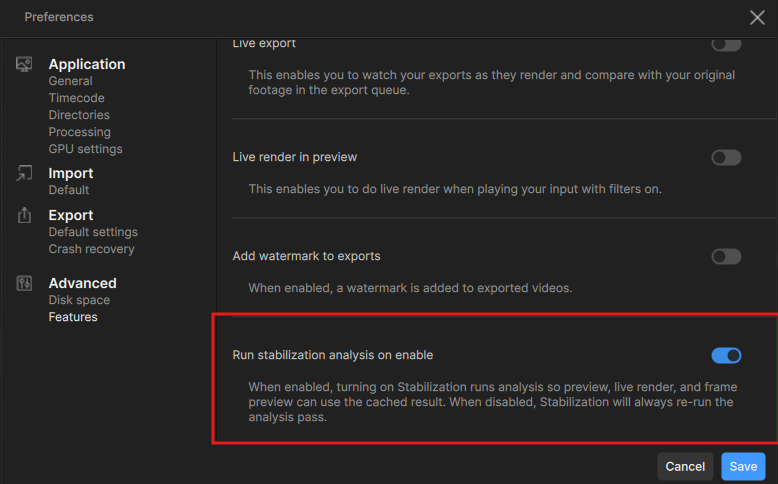
The stabilization analysis can be disabled in the Preferences Panel if desired.
The devs are continuing to work on macOS 27 issues at this time.
Still working on SL Sharp at this time. Personally I was able to run up to a 3 second test file, at 4 seconds in length it ran into the stalling situation.
The “white film / looking through foggy glass” effect I’m noticing definitely happens here and there with Starlight Precise. I wish I could show it to you with a screenshot, but unfortunately, it’s really hard to spot in a static image.
At this point, you might tell me I should probably see an eye doctor before worrying about something like this, but I assure you this “white film” is definitely generated by Starlight Precise alone—I don’t see it with other diffusion models. That’s precisely why layering it with another model helps mitigate it.
By the way, I initially suspected this “white film” was an artifact caused by lighting conditions, but that doesn’t seem to be the case. In one video with two identical scenes (one in the first half and one in the second half), the effect appeared in the first instance but not in the second. I’ve been trying to figure out what’s actually causing this ever since Starlight Precise was released nearly half a year ago, but I still haven’t gotten to the bottom of it.
You make a fair point about whether it’s really worth spending so much time just to fix this. But personally, if there’s a problem that can be tangibly improved, I feel compelled to address it—I just don’t see much value in storing half-baked output on my drive. Though, of course, I fully realize a newer, better model might come along while I’m busy obsessing over this!
Do you have Smart App Control, or any anti-virus apps running that could be blocking the installer from running that DLL?
This build still has the Rhea error problem I reported on the last two releases.
I observe similar issue. It only happens with specific scene. The density of the foggy is not high that I am pretty sure it is not film grain added manually.
I’m relieved to know it’s not just a problem with my eyes! For me, this “white film” is far more bothersome than the over-processed details that are frequently discussed on this forum.
I’ve also confirmed that this artifact cannot be fixed by adjusting the sharpness slider. I really wonder if this will be resolved in a new model sometime next year or not.
I think I still have a test clip can prove that foggy glass issue. I will try to find it and upload screenshot if possible.
Anyone else getting an error for Hyperion 2.5?
That would be awesome! It’ll definitely help us get on the same page regarding this issue. 
logsForSupport.zip (58.0 KB)