Exactly. Alongside jittering, one of the main problems with SLP was the dirty look that came from noise being essentially “burned in.” The model didn’t mix or blur the pixels enough for the noise to become more integrated and therefore less visible and sometimes it recognized noise part of objects and then you get disorted things. Now they did it, it’s more “wishing” pixels when reconstruct.
Noise, this is one of SLM’s strongest areas. The difference compared to SLP, however, is that SLM produces less sharp images and blurs textures. On the other hand, it creates extremely fine contours, which almost gives the image a beauty-effect look—something SLP doesn’t do.
SLP, by contrast, delivers very sharp results but much better than Starlight Sharp using NYX, it has extremely high level of reconstruction especially when there are objects in an image that are barely recognizable in the original, SLP can do some truly magical things.
I did, yes. I went back and edited my post to mention that I was using it with Proteus and that used to work just fine for me. It really feels like I might have a stuck setting or render somewhere that is affecting this, but I don’t know where it is because even trying to repair the app isn’t working. I had seen it work in 1.6.1 at one point, but it wasn’t working there prior to upgrading to 1.7.0, so I’m assuming that it just carried over the problem.
The good news is that Hyperion 2 now runs successfully on my main workdtation.
The bad news is that Starlight Sharp STILL hangs after processing 877 frames. At that point both CPU and GPU drop to zero activity, but neuroserver stays in memory and the UI reports processing. No output file is created, and I can see no error logged in the attached log files.
I noticed something like this in version 1.6.1 with the SLP model—sometimes it rendered at 0.4 fps, and sometimes it would start to slow down, and instead of finishing rendering 10 minutes past 11 a.m., it would take 3 days if I didn’t stop it—but I’m not sure if it’s Topaz or my computer, because when it’s working properly, you can hear the fans running, and when it’s not, it’s mostly silent…
Hyperion 2 will appear to stop and start like that. GPU utilization goes to zero, but CPU is still active and system RAM use changes. Then it starts using the GPU again after a minute or so. My experience with SL Sharp is that once it stops using the GPU, it stops using the CPU a few seconds later and never restarts - it just sits there doing nothing while UI thinks it is still working.
It stops at the point it is denoising the first chunk, about 875 frames in.
You can check cpu/gpu temperature - it is common for laptops with less efficient cooling, the processing will become slower when the cpu/gpu temperature raises. It is less common for desktops.
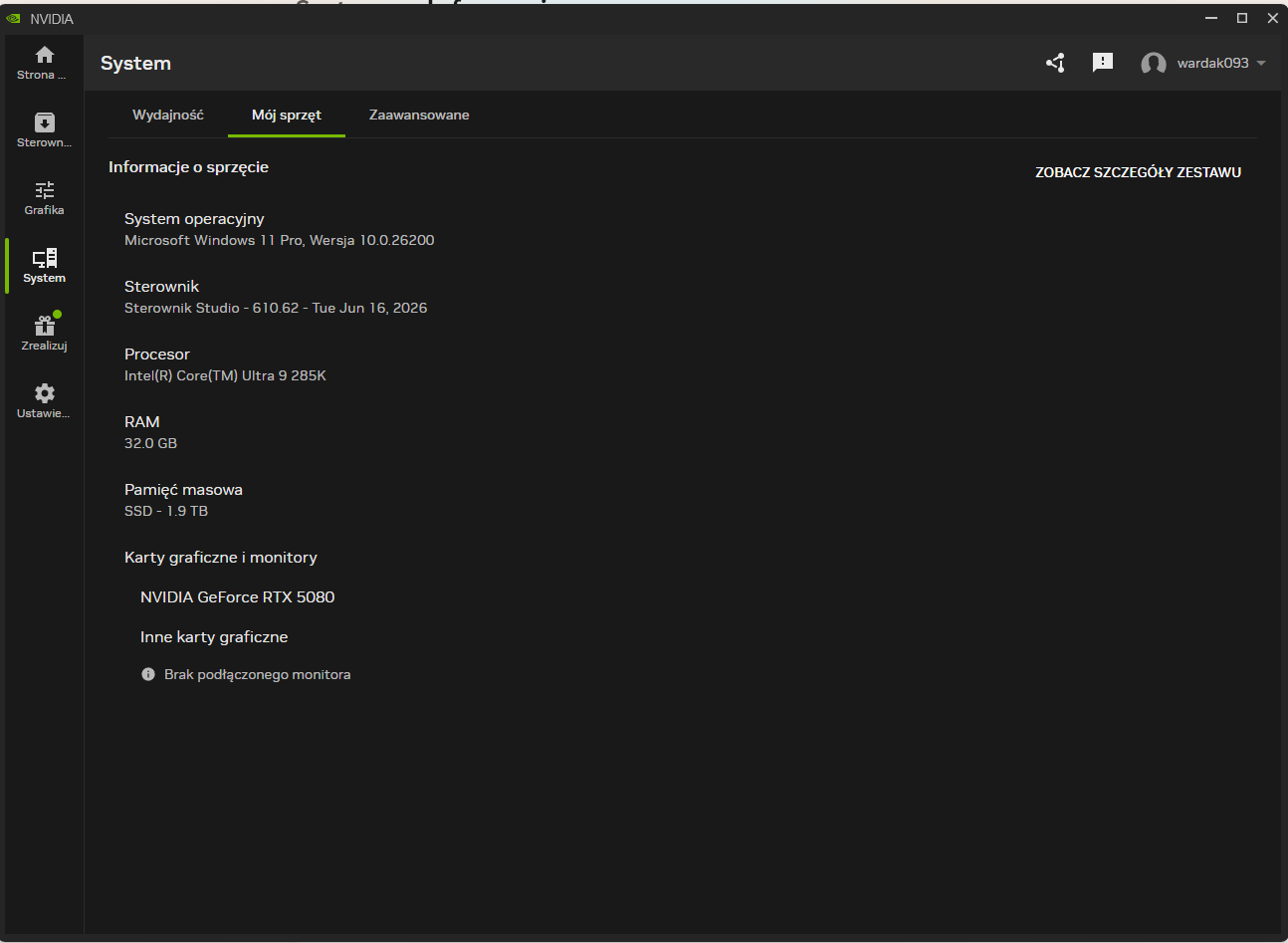
Well not only did the issue with Starlite sharp hanging not get fixed, but now Precise 2.6 hangs. I have a NVidia geo RTX 5080. This is frustrating as more problems crop up with each update.
My actions: I select the slp2.6 processing, wait for the process to start, select the ‘Stop process’ menu item, close the queue panel, close the added file, and close the program. However, a 4.13 GB file named transformed_68vyb2ph.mmap remains in the C:\Temp folder.
the new version does not work for me at all. Shows me an Error directly after starting the encoding. Went back to 1.3.1 , which works fine with the same files.
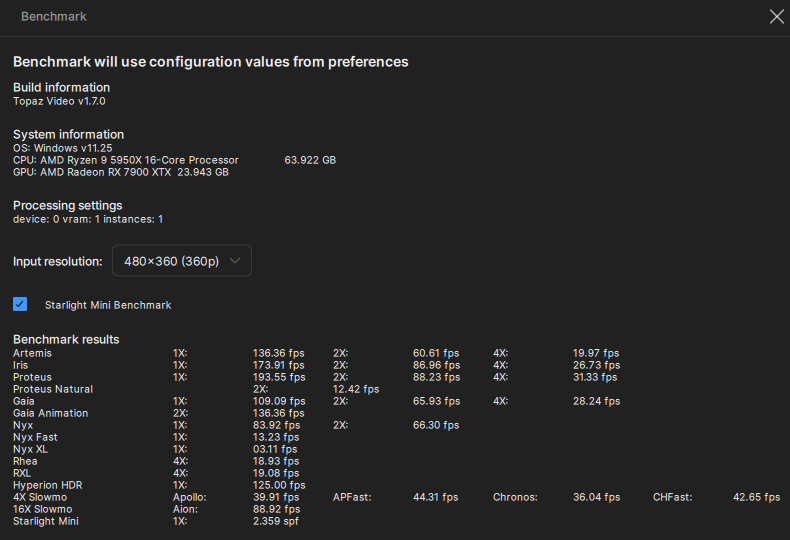
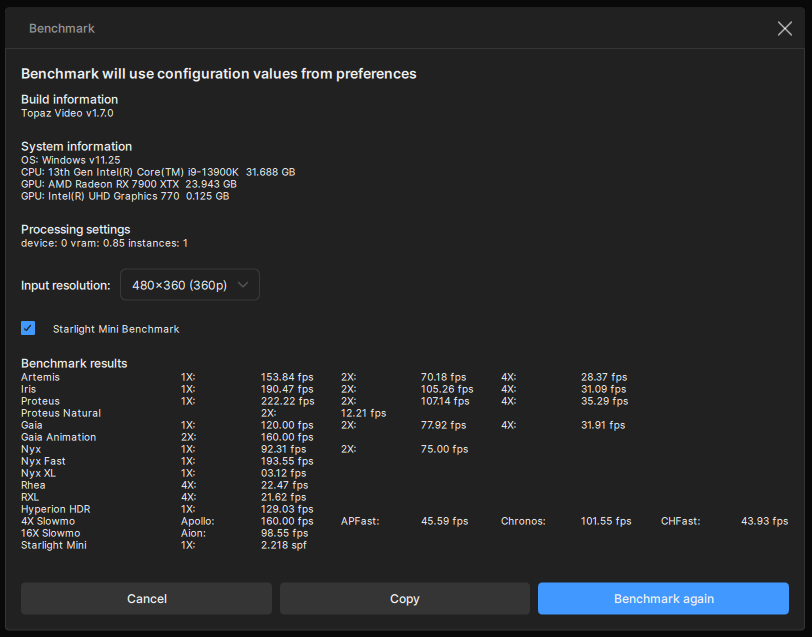
I’m seeing the same behavior with SLP 2.6. On my 7900 XTX, VRAM usage shoots up to the maximum and the export fails before finishing. I’m not sure whether the VRAM spike is the actual cause, but this didn’t happen with SLP 2.5, so something definitely changed in the latest update. I may roll back for now because it’s hard to use anything else after seeing how good SLP is.
Update:
Reviewing the log upon the “Recoverable error” I believe this is the key part of the log that maybe causing the issue:
[ERROR] Forward pass error: Could not allocate tensor with 417792000 bytes.
There is not enough GPU video memory available!
I’ve had that happen too—uninstall the version you have installed and install it using the installer downloaded from this post.
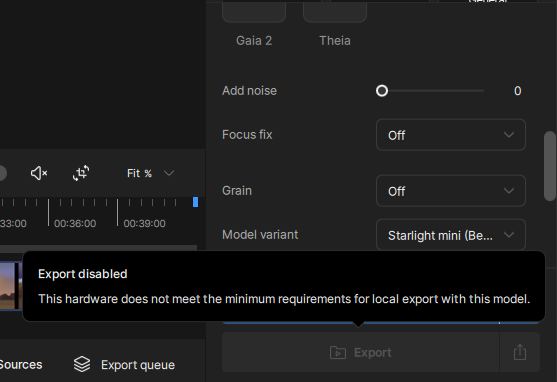
I noticed that while downloading the update from the app, the Neuroserver download failed, and then an error occurred immediately after starting the scaling process using SLP2.6.