They certainly won’t listen to me, but I’ll share my idea anyway on what I would do if I were Topaz.
Topaz Video – Free
to make the product more popular and attract new customers. All models local rendering available for free, video length limited to 5 minutes and some other limitations. Working local Starlight with watermarks, to trigger “I must have it”.
Topaz Video – Light (both subscription and perpetual)
For customer who don’t need local Starlight. Local rendering all models except Starlight. With contract: Starlight-Cloud credits included.
Topaz Video – Standard (subscription)
The replacement for today’s ‘Personal’ and ‘Founder’ Local rendering all models including Starlight without multi-GPU support etc. - ..but I expect Starlight progress ! -
Topaz Video – Professional (subscription)
Multi-GPU support, multi PC use, cloud credits included + all Topaz apps included..and more..
I guess it is time to find some other item. I do wonder with the way this is going if my old version 7.1.5 will stop working one day But I sure can’t try the local new models out and I thought the NEW Ver 1.2. something did have a pro added to it but now I don’t see nothing about pro.
I guess it is time to see how the open source ones are coming along as well. As I sure am not going to spend 50+ a month or what ever it was a month nor even 20 bucks a much for this stuff.
Maybe they will make a killing but I think they will lose more money doing it on a niche software like this and I know open source will be doing the same thing soon if not already.
Yes, it would always be the same program, but they have to remember to switch specific functions on and off for each license every time they rev the program, which is what they didn’t do for 1.3.0. Hence the Founder license glitch.
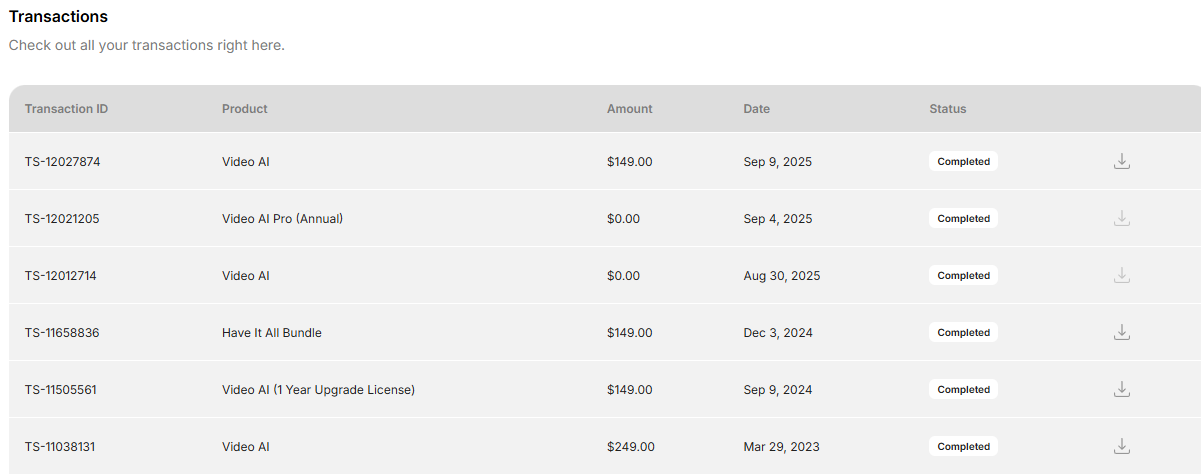
Topaz are still allowing people to upgrade to the Founders Status if they have a valid active Perpetual License this was done for people who are unaware of the changes so, the deadline has been effectively removed for late comers however, you do have to the good people at Topaz Support politely
M4 Max Macbook Pro 64GB, Pro subscription. Same issue.
I know bugs happen, but honestly, this is not a great experience for a pretty expensive subscription. This is the 2nd time since i signed up over the holidays that a release has broken Starlight mini for Mac
Can someone explain what is going on with Starlight Mini and AMD GPUs? It previously worked on my Radeon 7900XTX but now it says it’s unsupported. Up until 1.3.0, it worked.
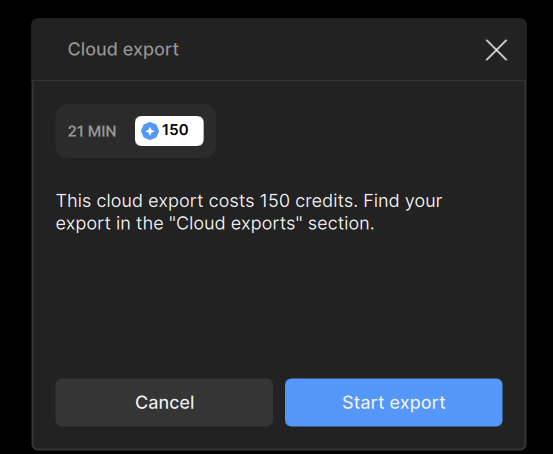
I’ve noticed a bug with the TV 1.3.0 (and, possibly, older versions as well) - when I have previously opened video, with tests and some local exports and previews, and then add another new video, set at 4x upscale, to just push it through cloud Starlight, no matter the model, the program WILL tell that it needs credits for the first video (probably, because 150 credits for 9s?), which was way longer, than the second.
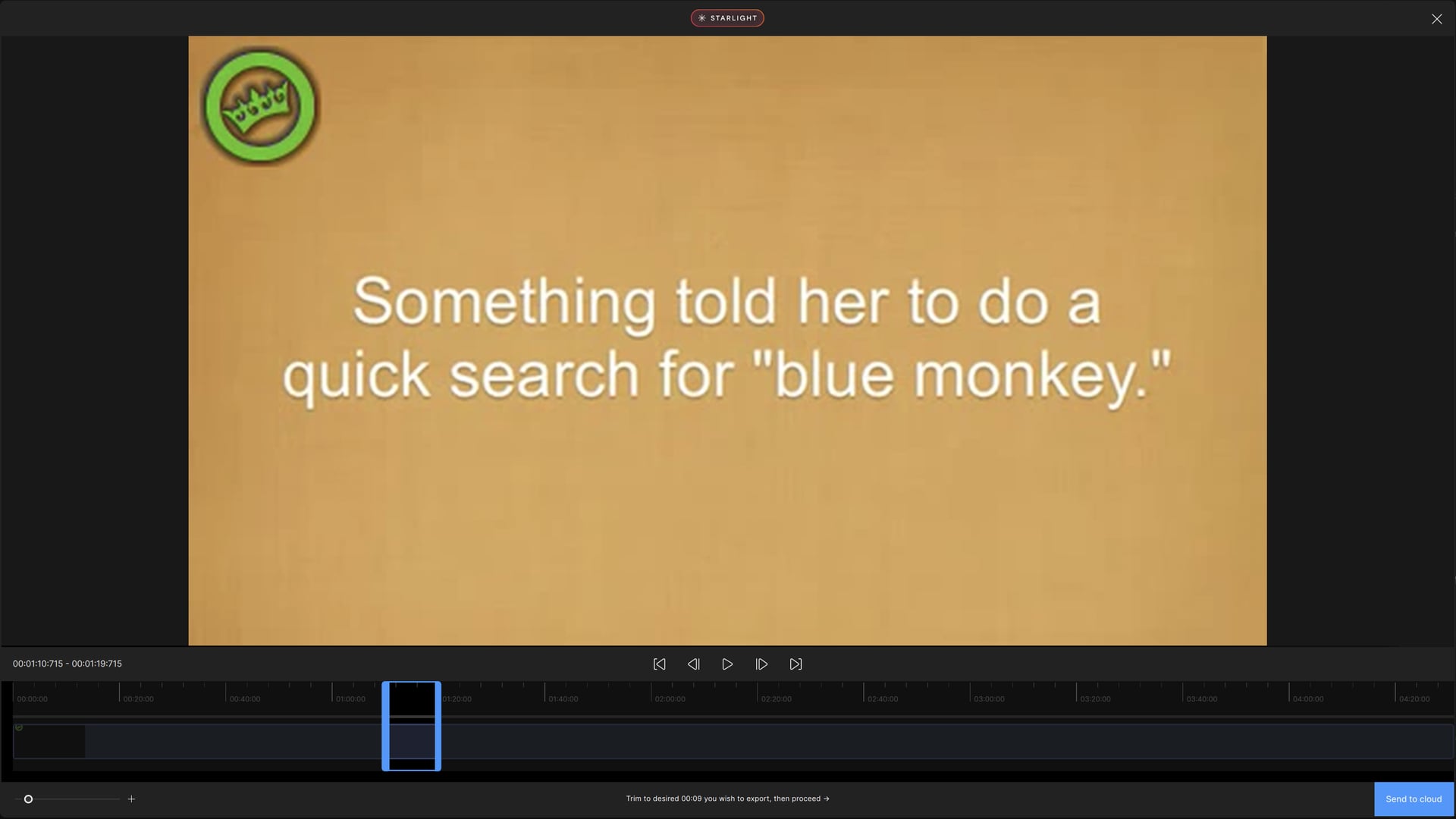
Also, there’s only 9s for the cloud processing, with no possibility to put the entire video? I can’t widen the blue box, no matter the Starlight model I choose for cloud processing. The video is only 4:31 minutes:seconds long.
I agree. I was a bit surprised to see that option gone. I used it quite a bit for videos that had black bars on the side or top/bottom. To know exactly how much I had to crop from each side I was throwing the video in Handbrake which would tell me exactly the number of pixels that had to be cropped. There is also something else wrong with the cropping in v1.3.0. If you start cropping with the top first, you are not able to get the video to the correct size. So you have to do the bottom first and calculate manually what size the final output should be. Worth to mention that the auto-crop in this version doesn’t seem to detect it properly, if at all. In previous versions having those boxes that showed exactly how many pixels you cropped was extremely helpful.
On the Starlight HQ in your sample video @urix.lookin, I am noticing slightly more flickering dust, compared to the SLM.
I am still on 1.1.0 to be honest. I am happy with the quality its giving me.
I’ve not tried 1.2.0 o 1.3.0. Can anyone give me their opinion if they think quality or efficiency(better fps) has improved in 1.3.0 compared to 1.1.0 with SLM?
No, compared to Starlight Mini, which is all I had used before, on Topaz Video AI. In some ways, this model is better than Starlight Mini, depending on source footage, and much faster.
Nice. Yeah it depends on the footage. Sometimes there are details in starlight sharp that the model doesn’t reproduce is cleanly as starlight mini. I do like the speed boost though and I like the extra sharpness.
I usually choose starlight sharp or starlight mini with an extra iris medium pass to 4k. Someone above mentioned iris medium and it does produce pretty good results.
What I’m finding is that starlight mini often tries to make the footage TOO sharp and render details that just aren’t there in the original footage. Starlight sharp seems to produce a softer image with details as they were intended to be presented. I’m restoring old football games off VHS.
 But I sure can’t try the local new models out and I thought the NEW Ver 1.2. something did have a pro added to it but now I don’t see nothing about pro.