That’s correct - we’re extending it here  , at least until Friday
You should! Can you contact support and share logs?
1 Like
Interesting
1 Like
No, this doesn’t sound correct. I’ll check on this.
this is super cool
1 Like
Well, this is what I’ve got here.
First I was astonished by the speed of the 4x upscale (and I’ve set it to exactly 4x, not some “standard” resolution in between) but then I saw the ugly deformed logo and knew there was something not right - as I’ve started the 4x encode specially to fix this issue of Starlight 2x.
Maybe it’s due to insufficient RAM with me “only” having 12GB VRAM. But then: why did it work on the same system with 7.0.2?
And another question: why did you remove the 3x option? As that one does preserve logos much better than 2x as well but still isn’t that unbearable slow as 4x, so seems as the best tradeoff between quality and speed…
@Moebius no, didn’t test with 1.0.
At least NVIDIA users can still use the good old 7.0.2 until this is fixed and on AppleSilicon the issue is not there.
P.S. example screenshots to follow. And I’ll for sure have to double-check the real resolution of the output as Starlight is known to develop some life of its own when it comes to this ignoring your settings
5 Likes
I’m on 7.0.2 and just had to download SLM (again) when I opened the software today. I really hope they are not nurfing SLM and forcing a downgraded version on all of us. (It could have just been a coincidence, but the timing is very sus)
2 Likes
It’s been almost a month since the Studio release, and I’ve yet to get Starlight Sharp to work for me in any meaningful way, the primary reason I bought the Studio (Founder’s version).
My PC doesn’t have enough VRAM, so I knew Starlight Sharp (local) would never work. That leaves only Starlight Sharp (cloud). I’ve tried it with multiple videos of differing resolutions and aspect ratios, but still nothing. The worst part is that Topaz doesn’t refund the cloud credits, even if their models are completely unusable!
The problems that I’ve with Starlight Sharp (cloud) are so many:
- Most of the time, it simply doesn’t work and returns the video unchanged.
- Sometimes, it returns a video (e.g., duration=10s) with only about 1s “enhanced” and the rest a blocky, blurry mess.
- Other times, when it does “work,” the results are so poor that I regret the long wait, only to get something worse than from Proteus (Default).
I’ve been thoroughly disappointed with the release and handling of Starlight Sharp. What’s the point of releasing it to the general public in a half-baked state like this, rather than keeping it in beta for a few more months? I would’ve vastly preferred that to this mess.
I’ve already wrote to the support team and sent the logs as well already. Please fix these issues ASAP.
5 Likes
I couldn’t test because I have a 2019 MacPro while now Topaz Video is no longer compatible with Intel Macs. It’s a shame because for the moment they are the fastest Macs with Topaz Video when you have several graphics cards (I didn’t change computers for this reason, I’m waiting for a faster Apple Silicon: MacPro or Mac Studio M5/6?).
For information Topaz Video Beta 7.2.0.3 works well on my Mac Pro 2019 while you indicate that beyond version 7.0.2 Topaz Video is no longer compatible.
I think this is the case according to the Intel Mac configuration. It would be nice if we just had a warning message (and not blocking) so that those who have an Intel Mac that still works with it can continue to use the new versions.
I’d doubt that. Do you have a benchmark?
Yes, I got that as well for both times I tested the SL sharp cloud model - the video I got back was identical to the source.
After that (and seeing image examples posted here) I gave up on SL sharp. From what I’ve seen it’s inferior to SL(mini) anyways by quite some margin.
3 Likes
Can you please check it does really 4x, I ask because it can show you 4x resolution in the output register running rendering, but sometimes it does just 2x. I already had this bug shown upscale resolution was wrong, check resolution result with MediaInfo brings clarity
Unfortunately I cannot do this now as I’ve cancelled the rendering and thus have no output file -but anyways it would still be a big bug as I’ve done this several times now and always got the only 2x rendering quality despite it telling 4x
- so if the actual outputs resolution was only half of what’s shown in the export queue repeatedly, how can I trigger a real 4x output? Going 8x??
I’m still rendering a 4x with TVAI 7.0.2 and this is the “real thing”: better quality, especially not that mangled logo but unbearably slow (“0.0fps” and taking 10 hours for a 30 second clip!). When that is finished I’ll provide the screenshots.
P.S.: @z1nonly I had to redownload the SL mini model in TVAI 7.0.2 as well today - but you can be reassured: despite of this SL mini still works correctly in that version.
P.P.S: And I’ll have to do additional testing with other videos - not that it is something solely related to the specific format of the clip I’ve tested now.
There are two different bugs.
a) In the rendering Register shown output resolution could be wrong, but it does correct upscale factor you have set.
b) it does wrong upscale factor, not the one you have set
both can happen at the same time
If Starlight does not the set resolution while rendering (I know how fast it should be, so i can say which upscale factor it does), then i remove the source file and re-open it, and directly set Starlight model + upscale factor and start render again, this worked for me (I think was always).
1 Like
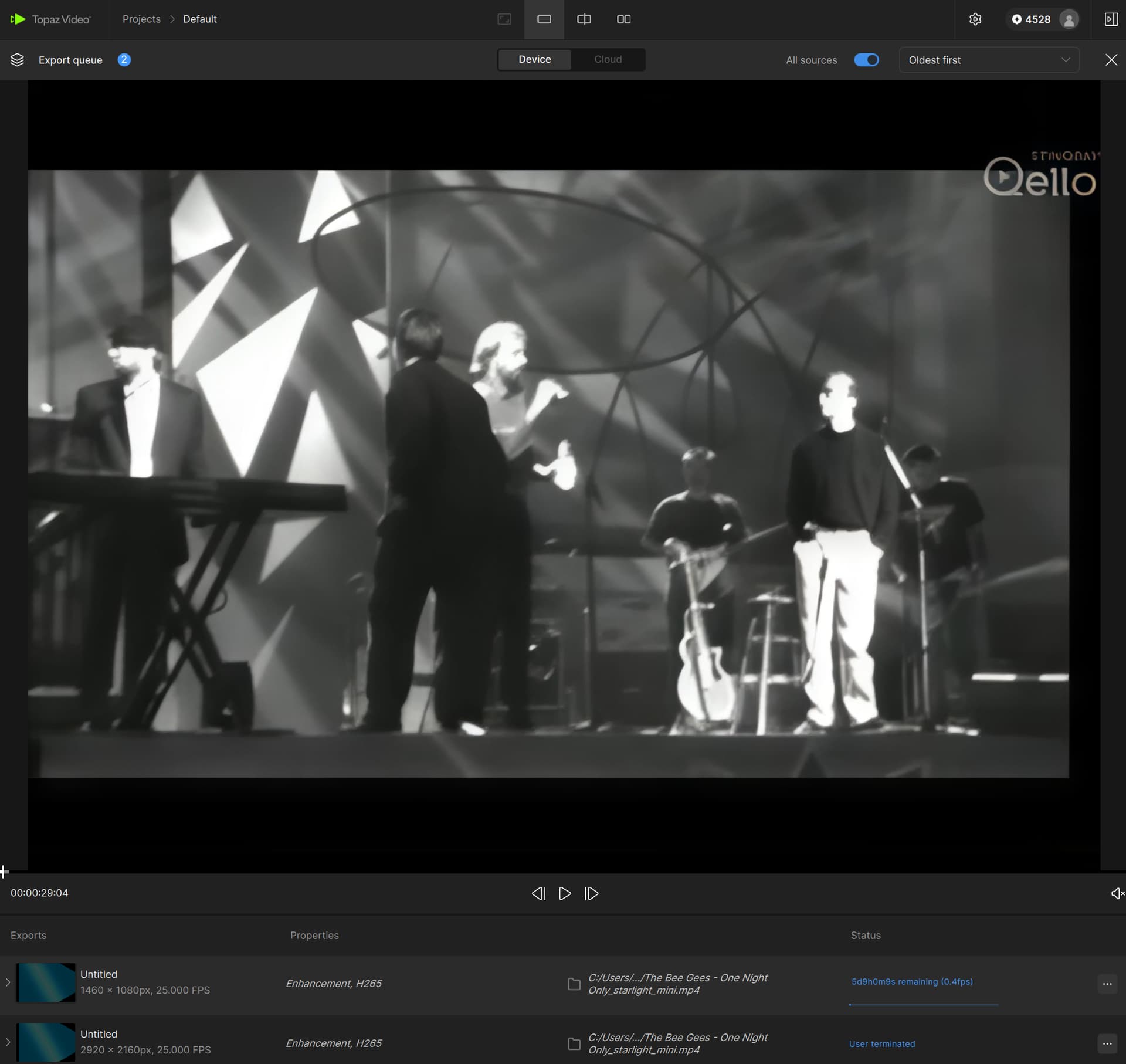
So, here we are:
Topaz Video 1.0.1, local SL 2x upscale (1460x1080):
Topaz Video 1.0.1, local SL alleged 4x upscale (2920x2160):
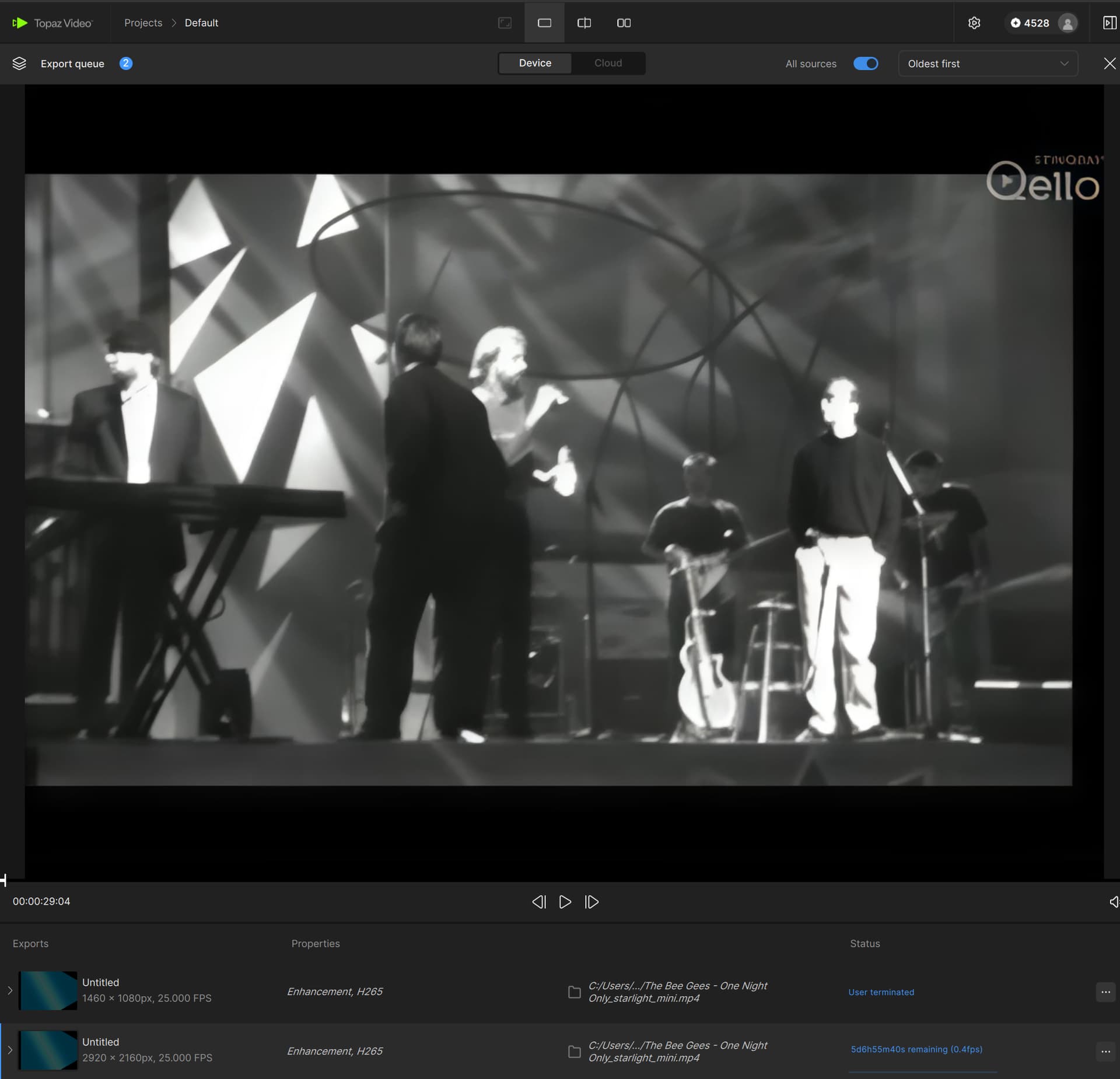
(looks the same)
And then:
Topaz VideoAI 7.0.2, local SL 4x upscale (2920x2160):
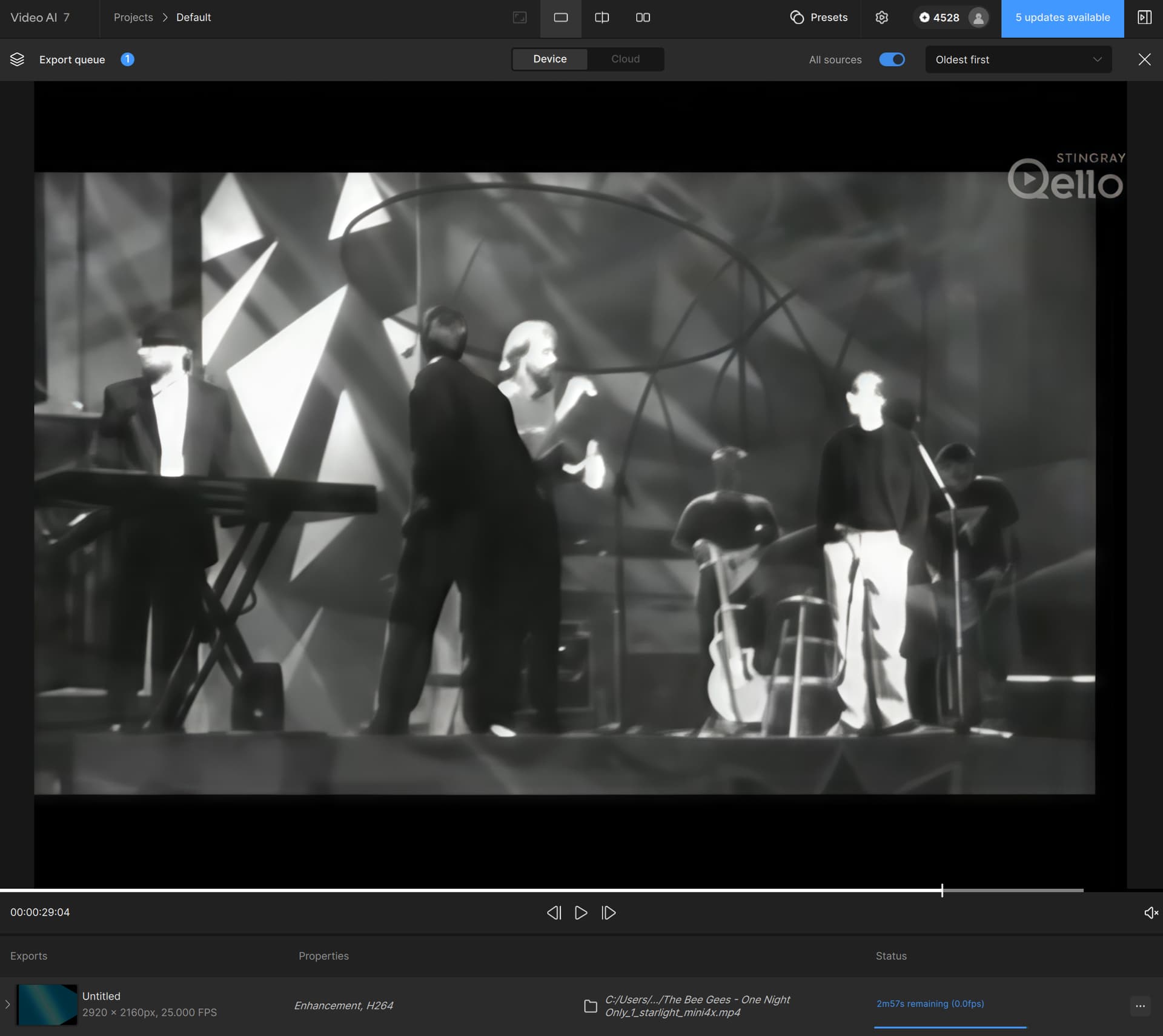
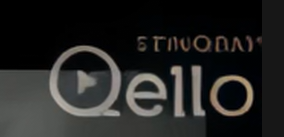
And to better see the difference a snip of only the logo part
TopazVideo 2x:
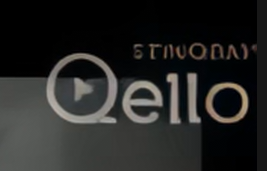
TopazVideo “4x”:
And TVAI 7.0.2 4x (how it should look like):
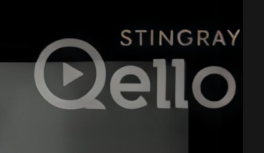
Notice also the speed difference: 4x rendering is exactly the same speed on TopazVideo as 2x while on TVAI 7.0.2 it is dramatically slower (as expected).
P.S.: the whole video screenshot is mainly to show the rendering speed and resolution - the specific time point is not really good for getting the actual quality of the upscaled film content (as I did only the first few seconds because of time-restraints and was mainly shooting at the difference in quality with logos/text in SL 2x vs.higher factors).
And P.P.S:
For comparison a screenshot of local SL rendering with 2x (left) vs. 4x (right) on the Mac where this issue isn’t there:
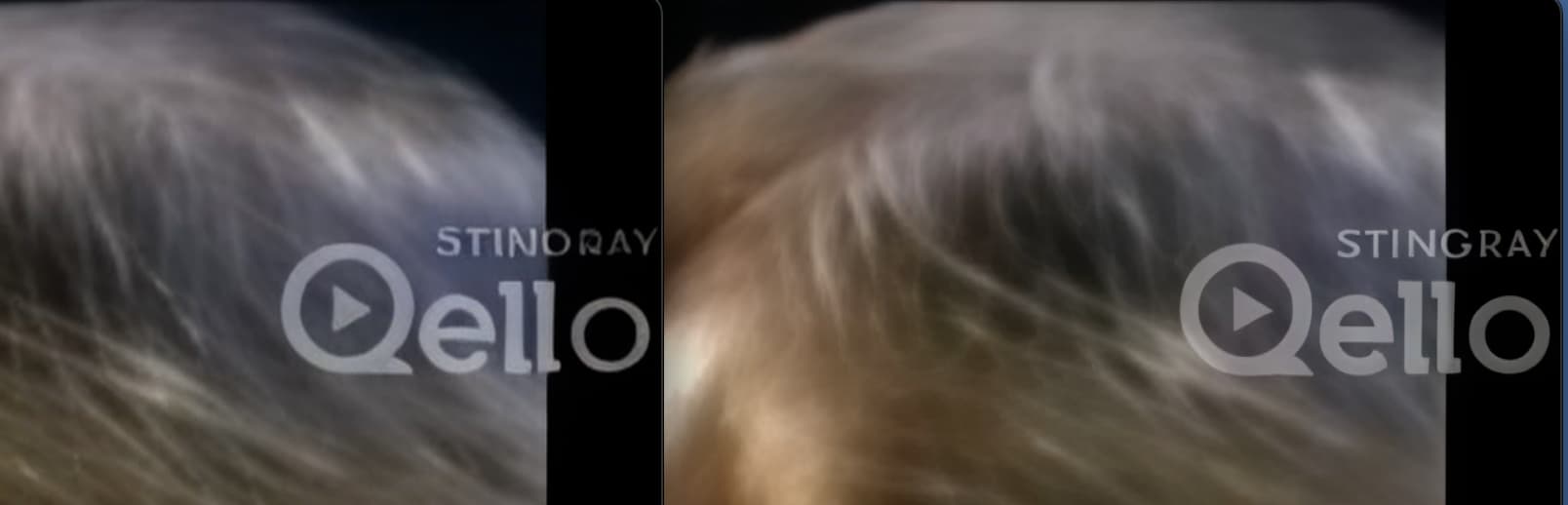
7 Likes
Is the resulting file actually the size shown in the UI? Because I have had problems with getting Starlight to output at my desired resolution. However, when that happens it’s evident from the output file that it has simply been output in a resolution different to what I selected.
1 Like
uh! thats slow! I do dual Starlight upscale means from 480p to 960p then from 960p to 1920p. With the first one I get about 0.9 - 1.0 fps, the second upscale 0.4 fps (RTX 5090 @ 850mV undervolted)
but sometimes I do the first upscale (to 960p) with Beta Version 7.0.0.4b. This gives me the half speed, but the best quality…here you can se why  (34.9GB Ram usage from the GPU)
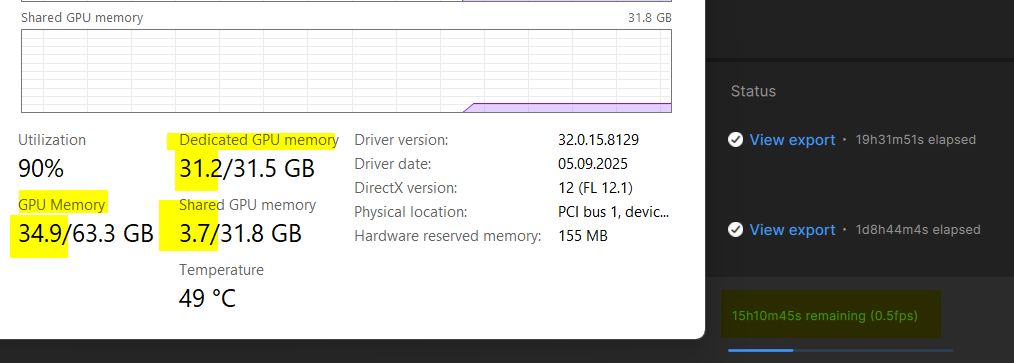
1 Like
Yes, it is shown in the UI (as can be seen in the screenshots above) - but I still have to wait for my actual 4x upscale to finish to see if the actual exported file really has the correct size. Might be that the UI is just showing a wrong resolution…
Well, but by that you still get the mangled text as you’re using the 2x model two times and only the 3x and 4x models do handle text differently.
yes i know it’s not usable when you have such text, so it’s not ready for example a full movie.
You can use MediaInfo on the temporary file before it’s finished processing to make sure it’s outputting correctly. This is how I check my Starlight outputs before wasting time on unnecessary processing.
4 Likes
