Have you taken into account that the scaled output of 1656/980 with 1.69 does not correspond to the 16:9 format?
Format 16:9 > 1.778
Have you taken into account that the scaled output of 1656/980 with 1.69 does not correspond to the 16:9 format?
Format 16:9 > 1.778
I’m looking for a recommendation for a good local deinterlacer.
Topaz itself points out that you should deinterlace outside of Topaz Video before scaling.
Can anyone help? Preferably without a subscription.
Addendum: I forgot to mention that I work with a Mac.
My search was successful. This request is therefore closed.
I noticed on a different job today:
Proteous 2x upscale + Chronos on a 1280x960 source
that the fps, is a tad slower than I expected.
Investigation shows that my DRAM read and write bandwidth are both pegged around 32GB/s and the PCIe link is saturated at 100% at 32 GT/s.
DRAM bandwidth is only about 1/3rd saturated.
I see CPU working steadily hard on all threads (not ultra hard - maybe 60%ish of potential).
I see GPU working steadily at 40%.
None of hardware is anywhere near the max capability,
EXCEPT the PCIe Link.
I think for a job like this it was a major mistake to add a second GPU to drive the display.
I went from:
1 RTX 5090 Gen 5 x16 for TVAI & Display
to
1 RTX 5090 Gen 5 x8 for TVAI
1 RTX 5060 Ti Gen 5 x8 for display
More and more and more…
I am thinking this PCIe link performance is a major factor with TVAI.
At least I’m on Gen 5…
but I still think I’m going to remove this second display card.
At least to test, what clearly appears to be…, a significant bottleneck from the PCIe link.
This finding (or theory thus far…) about the PCIe link bandwidth becoming fully saturated throughout an entire run and bottlenecking the GPU and CPU should be quite noteworthy to RTX 3000 & 4000 GPU owners.
And, for dual GPU Gen 5 setups like me..
It may imply that
(a) if you are going to try a dual GPU setup, you may as well just get a 5070 Ti Super or 5080 and not buy a 5090 since it would be bottlenecked all the time by PCIe. Or remain feeling good with your dual 4090 setup.
(b) don’t do a dual GPU setup and/or don’t bifurcate for extra SSD storage… basically always stay x16
(c) users still on Gen4 boards with RTX 3000 or RTX 4000 might see an unexpectedly huge boost if they move to a Gen 5 MB and RTX 5000 with Gen 5 x16.
I am not sure industry reviews that compare RTX 4000 vs 5000 do things that saturate the PCIe link like TVAI does. Old rule of thumb for x16 => x8 was low single digit % impact - negligible… I think that, if what I see is as big as I think, then the impact on jobs like TVAI could be quite significant.
TFor those who have not carefully watched/logged HWiNFO-type software data & NVIDIA SMI during various types of runs - I encourage you to do so. GPU chip and VRAM is 1st order, of course, but not the whole story…
It would be nice if MB makers would allow you to do more unusual link bifurcation like x12 or allow you to take x4 from an m.2 that you disable etc.
I normally just use Handbrake for delacing outside of TopazVideo - or Iris LQ in TVAI.
Thanks for your tip.
I have Super8 raw data at 29 Mbit/s that I would like to deinterlace in preparation for Starlight Sharp. I would prefer not to compress it with Handbrake, as I want to avoid any further loss. Iris LQ does not work in this case, at least, as it is full of image noise (black stripes/scratches).
I’m currently trying it out with Iris for analog recordings.
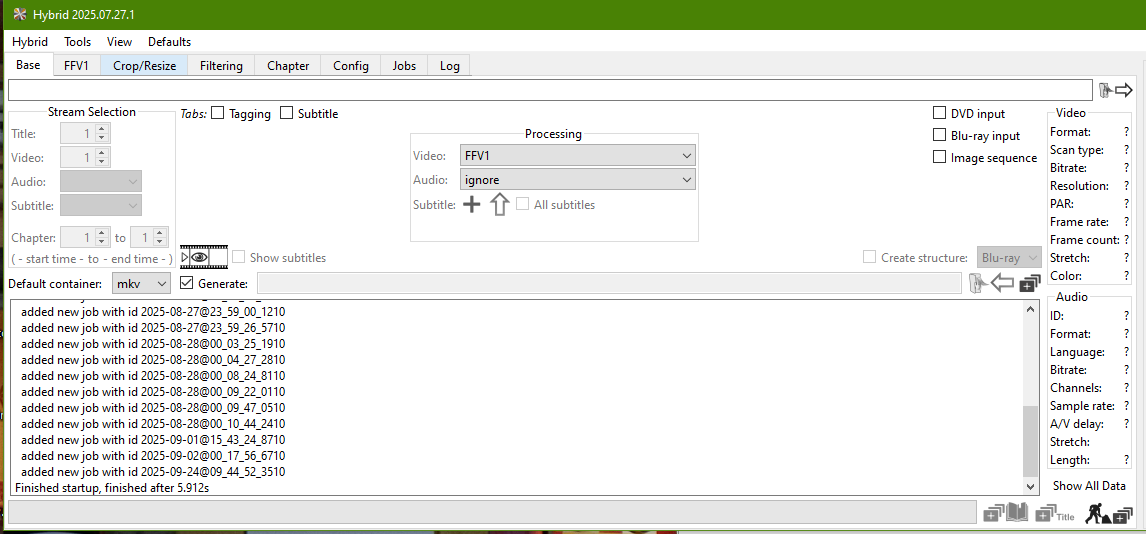
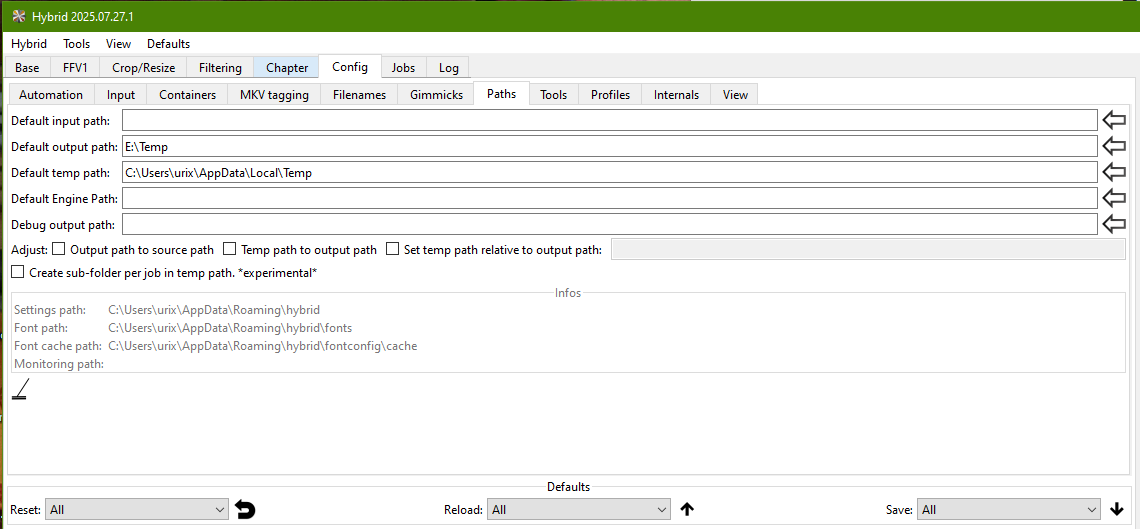
Here are my settings in Hybrid (it’s totally free) https://www.selur.de/
Output format: FFV1 - it’s loseless.
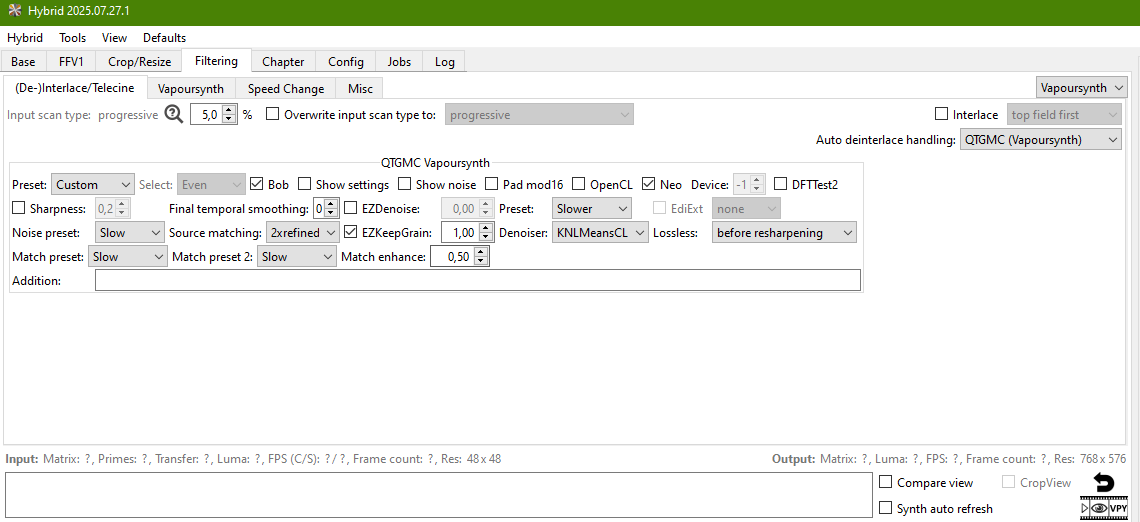
Filtering tab:
First of all change Denoiser to KNLMeansCL, it would enable required boxes.
Then, apply settings as per screenshot:
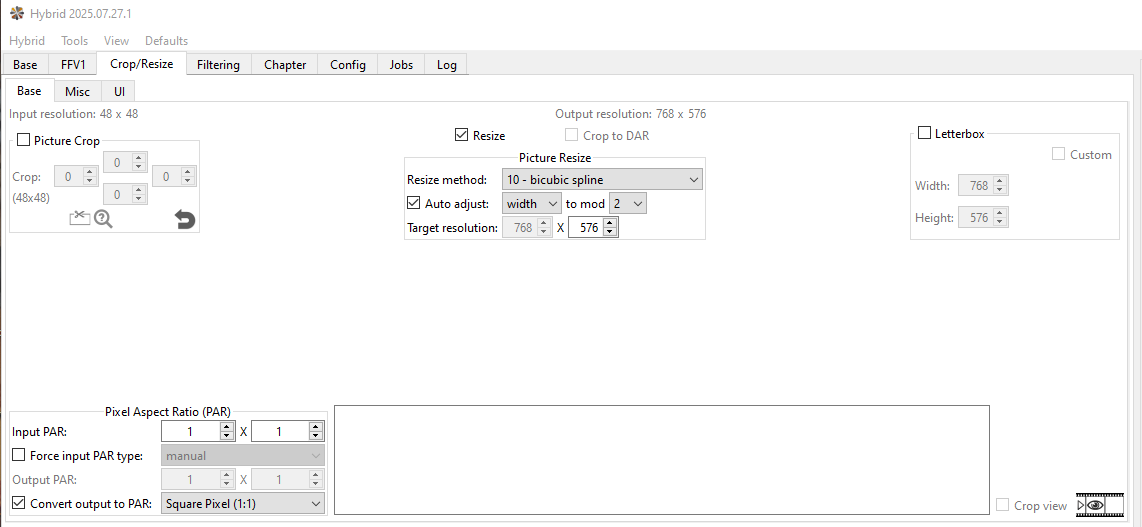
If you’re deinterlacing PAL videos, don’t forget about pixel aspect ratio of 1,09.
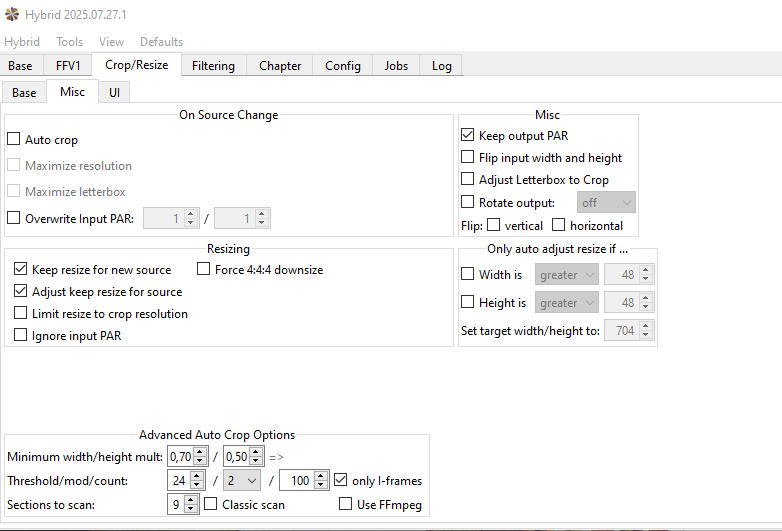
You can change output dimensions in Crop/Resize tab:
Set output folder in Config->Paths tab (yeah, I know it’s not user-friendly program).
If you’re processing a lot of videos, save all your settings.
Menu Defaults - Save All.
StaxRip will let you use QTGMC for de-interlacing and is what I currently use.
I’ve used Hybrid in the past and it’s good too.
This tool really makes an impression! Unfortunately, I use a Mac. I’ll try to find out if I can get it to work with an emulator for Windows or Linux.
THANK YOU!
Thanks! …
unfortunately only for Windows. I’ve updated my original post.
There are lots of deinterlacers on GitHub—none for Mac.
I’m currently trying something out with Avidemux 2.8.2 and comparing it with Iris Dione TV Analog. I never thought of using Avidemux for deinterlacing, even though I’ve been using it for years.
On my “Subscriptions” page, I show subscriptions for Gigapixel AI and Photo AI as “Cancelled”.
On my “My Products” page, I show Gigapixel AI, Photo AI, and Video AI with "Upgrades: Active (Nov 16, 2025).
Is this correct? I need to own the products with active upgrades, right? Not subscriptions?
This is all very confusing to me. 
Your tip is worth its weight in gold, @urix.lookin!
I have now found the Mac equivalent of your Windows version.
For anyone else interested in outsourced deinterlacing on a Mac:
Thanks again for taking the time to provide explanations and screenshots. I’m sure I’ll be able to use this in the Mac version.
My search for alternatives is now over.
Personally, I think the should start selling PREscriptions. For tranquillizers. I’m fine with the transition to Studio and the generous founding customer benefits.
The way it’s being implemented, however, is a disaster.
Over 4 days to render a 25 minute video using Starlight with an easy 640x480 output resolution. And this is using an M2 Mac Studio with 64 gigs of ram. I can run the most demanding audio (and other) programs with this setup … and Starlight uses up so much of the system resources that it makes the computer virtually useless for anything else while Topaz is running in the background. Yes, it works but it is basically unusable at this point.
much appreciated your time and helpo you put into this, what you provided is a workaround which doesn’t take into account complete reencoding and extra software needed where I wanted all of this inside of topaz video which obviously doesn’t work because it wasn’t programmed or because the programming sucks (aspect ratio lock!). I tried the simple crop and change aspect ratio, but it only does letterboxing or black bars. I am gonna use ffmpeg command line with zero compression and least aggressive reencoding. Still, its an extra step to what I was hoped to achieve, had the feature worked as intended. Thanks a lot anyway. Will keep this workflow in mind.
ffmpeg -i 00011.ts -vf “crop=827:980:67:50,setsar=1,setdar=16/9,scale=1654:980” -c:v libx265 -crf 18 -preset slow -c:a copy output.mp4
It’s incredibly slow. How many FPS did it say? 4 days and 24 hours? That’s 96 hours. With SLS, I can render a 5-minute video in 1 hour, so 1 minute is rendered at 12 minutes’ speed, for an average of 1.3 fps.
It takes about the same time on a NVIDIA PC with RTX 4070, so: yes, SL is slow.
Accept that or use something other…
You should see SEEDVR2 system requirements…
It works fine only with Nvidia cards win 16gb VRAM at least. 24 GB preferable.
AI algorithms require a lot of VRAM and work really slow.
The new Topaz Video looks great, however yesterday I was charged $127 to renew video AI and then when I “updated” to video, I was asked to immediately pay $25 per month to use it. What have I just paid $127 for then? I am forced back to Video AI 7.1.4 which is no longer updated.
Studio subscriber here…
What forum/thread should I use to post questions related to potential Windows system hardware bottlenecks for using Starlight (local)? I could use some guidance on if/where I need hardware upgrades for this use case. Thanks!
Apparently I’m ‘not allowed to create topics’ in the Video sub forum.