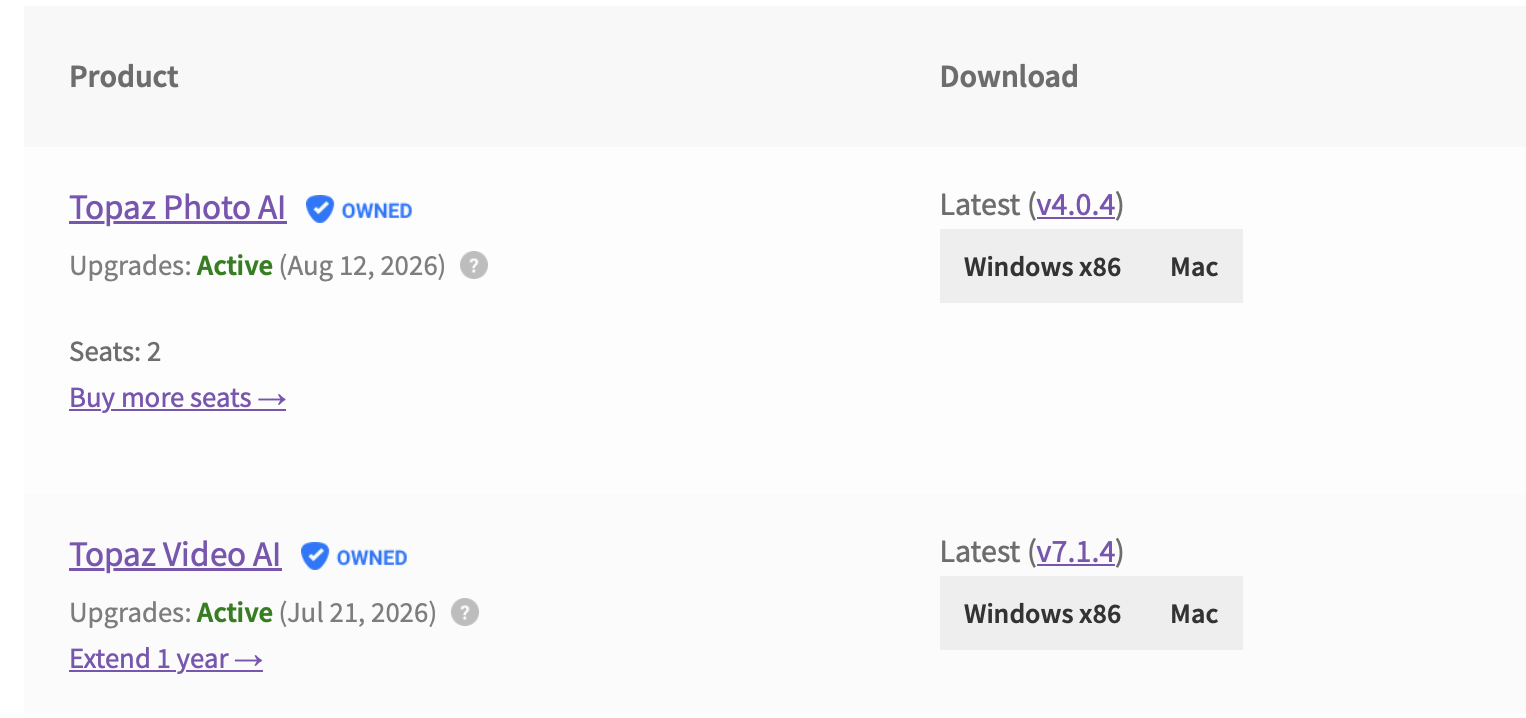
If I own 2 or more apps and with “no auto-renew” and “different expire date” (ex. TVAI expires at 2025/11/30 and TPAI expries at 2025/09/30), what is my exprire scenario in TOPAZ STUDIO? which one is it?
a. I can use All features of TOPAZ STUDIO until 2025/11/30
b. I can use All features of TOPAZ STUDIO until 2025/09/30, and I can use TVAI featureonly of TOPAZ STUDIO from 2025/10/01 till 2025/11/30
If I have all 3 apps(TVAI, TPAI and TGAI) and have “auto-renew”, I think I can get all the features of TOPAZ STUDIO.
In this case, If I cancel one of my apps today, can I get SAME all features of TOPAZ STUDIO?
I am currently completely overwhelmed by the new concept. I simply don’t understand what this means for me as a user of Topaz Video.
Since August 2023, I have purchased the license for the product three times. The last time was on August 29, 2025, after my previous license expired on August 28, 2025.
So far, I have not received an email from Topaz about the new Topaz Studio. Will I still receive one? If so, what does my recently renewed license for Topaz Video AI actually mean?
Was that money wasted, since I will only get small patches for Topaz Video AI?
And what about the new models under Starlight? Do I have to pay separately for those now? Or are they included in my license after all?
So many questions that I would like to have answered—especially in light of the Terms & Conditions and the changes that have just been made.
Yeah you’ll still be able to use credits in the legacy products like normal, also in Video AI and cloud/web products that use credits. You just won’t need them in the new Gigapixel/Photo studio versions since rendering is unlimited
You should get the same preferred pricing in either scenario, but yeah you should be fine if you turn one off - just make sure the license doesn’t expire before the 16th, that part is important.
We work with many hardware partners so I can’t expand much further here. But if you want to run the most powerful and cutting-edge AI models locally with the best performance and support possible you’ll probably want a discrete desktop GPU from a certain manufacturer. This is for every AI company in the world right now, not just Topaz.
We work hard at Topaz to make our models available on all platforms possible - but often it isn’t even up to us, we are dependent on third parties to make it possible with changes and fixes on their end. Some are much faster and more responsive than others.
Yes, that’s correct! You’ll also get access to other new products for free as a part of the Studio bundle, and this should happen automatically for you on the 16th. Make sure your auto-renewal is turned on and your licenses are active for the smoothest transition here and the best price.
For #1 our team is figuring this out now but we’ll give you the more generous interpretation here of the dates if possible
For #2 that’s correct, but there’s no need to do that. Make sure you maintain a active licenses and you’ll get the best price either way.
Edit: Apologies - turns out this is inaccurate. Turn off the third auto-renewal for the lowest monthly price. Otherwise, you can reach out to support and we’ll update your account accordingly to make sure you get that best price either way.
My account says “Manage Subscription” for one product (Gigapixel AI) with an active license and auto-renewal enabled, but not for the other (Photo AI) with an active license, which tells me that Photo AI, showing a renewal date in February 2026, is not set for auto-renewal. I’m not seeing a place to set it to auto-renew. How do I do that?
This doesn’t make any sense. Dakota said I only need active licenses which I have but now I get an email from Topaz stating I need to Subscribe to both apps in order to get Founder pricing. Sheesh, what a mess.
Wow this is all so confusing
So we don’t know what the full price of the new studio model will be assuming we were to pay the full rate.
We don’t know if we are paying monthly or annually.
If we have three active current products each expiring on different dates we don’t know when our full studio package would expire and nor do Topaz by the sound of it.
We will lose all the credits we have earned and paid for by the sound of it and the products we have already paid for up front will not receive any updates just minor bug fixes.
The new product doesn’t appear to be much different from the current ones apart from being subscription.
I’m glad the Topaz team are excited i wish i could be , I think i have a week to make a decision having been with Topaz for many years using all 3 products.