@roberto.avanzi - The Cloud team pushed a fix now that fixed the black artifacts that were happening with Standard Max on Cloud, can you retest an image?
1 Like
So far it seems fixed!
Hangs on “Analyzing”. No files of size 0 bytes. New lows.
Edit: After “Calculating auto suggested values” starts analyzing again.
The fix is not working on my end. I get an error and it gets stuck when trying to analyze the files from LrC to Topaz. Even opening the files in topaz, it is just not working 
I think the only ”solution” which is provided for getting stuck on this analyzing image phase was to go back to version 1.3.3.
That was the only way which allowed me to get Topaz to work (at the time).
It’s said that minimum VRAM requirements were Graphic Card with 6GB memory. I had 8 GB …
https://community.topazlabs.com/t/see-steps-if-you-are-stuck-on-analyzing-image/101862/ 21
They said nothing about the processor, anyway mine was a 6-Core AMD Ryzen. And 32 GB RAM.
As requested, I sent all the information to support and have not got any comments or anything b ack.
Meanwhile, I made some updates to my hardware and now have new graphic card with 16 GB VRAM and Ryzen 9, 16-Core proce ssor.
And what you know, now 1.4.1 runs. And yes, Topaz is still not very fast, except Super focus, which is now u sable.
So, there was clearly nothing you can not solve by investing more money in your hardware.
Maybe this now is enough for a couple of next releases…
I have as much graphics memory as RAM, so up to 48GB. 1.41 still doesn’t work.
I have to give a shout-out to Wonder 2 on my local machine; it works almost flawlessly for me! It’s really fun to send him random images to zoom in on,
and at most 5% of the images don’t feel quite right, like they’re slightly out of focus (even though I always use manual maximum magnification, never auto).
Topaz Photo is fantastic with it now  (google translate)
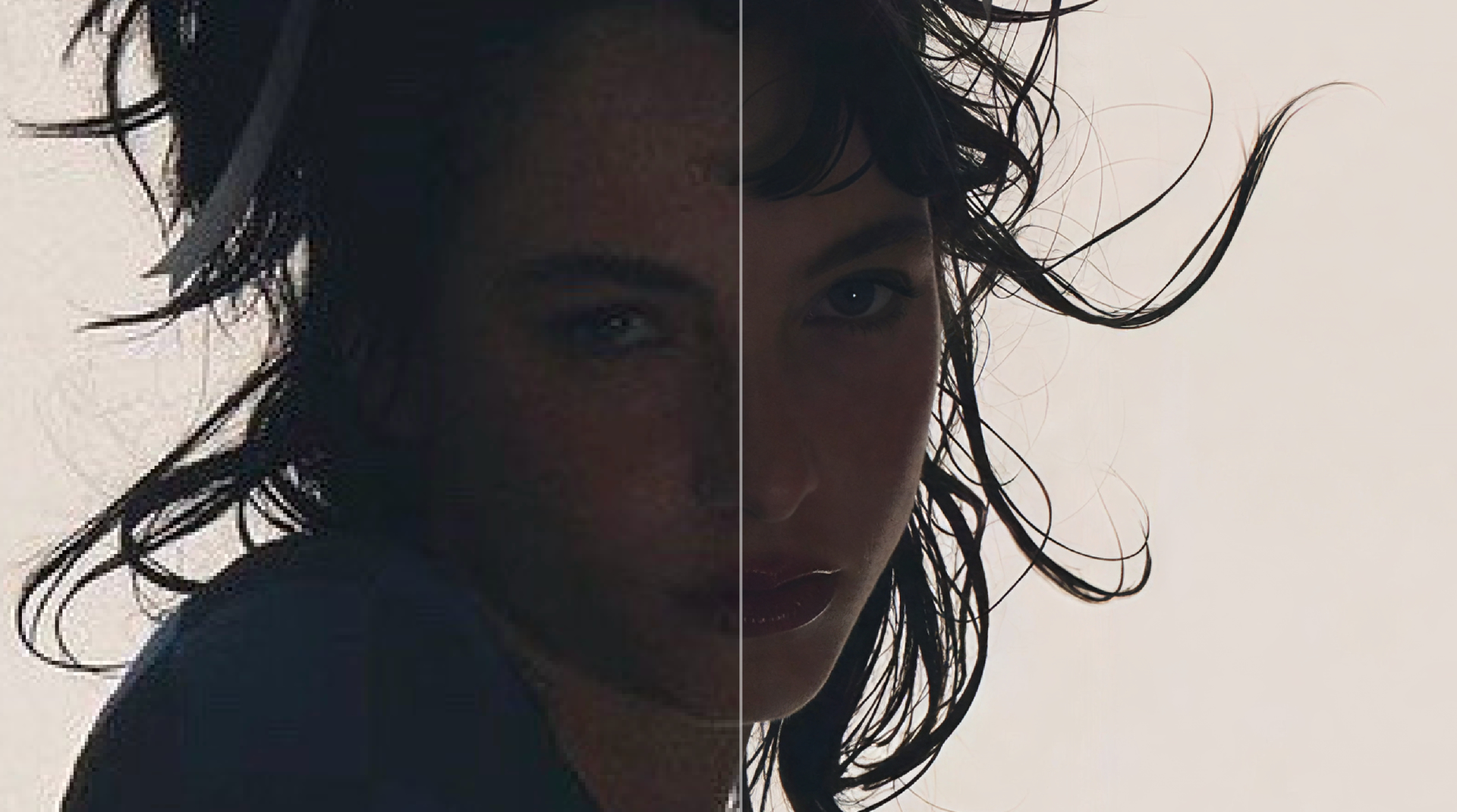
6 Likes
Thanks for flagging! We reply within 8 business hours, and it would not be normal not to get a reply back. I have fetched your support email from our Spam folder and marked it as incorrect Spam in the hopes it’s not flagged as Spam anymore!
I looked at your logs, and we can see something happening with the graphics card in them. I sent back steps to test, let us know how it goes!
@elora.calhoun - and @radpopl - top right of the app there is a Help > Contact Support button, make sure to attach logs and we can have a look at what error are in logs with steps to fix it!
1 Like
wow 
2 Likes
Yeah! Thank god. mine got solved with your instructions. They must be missing somewhere. I was using this in conjunction with my edited pictures from capcut pc, thats where the problem was arising. Raw images worked perfectly well.
1 Like
Welcome to the forum alishawinson2812 
2 Likes
3 posts were merged into an existing topic: Sony A7 MarkV Support | Click here if you get an error with ARW files for this camera
A post was merged into an existing topic: See Steps if Installer is Stuck at wonder2-20260218.zip
I got it, gang! After trying just about every potential fix for the sudden crashing with photos in version 1.4.1, I was convinced there was no solution in sight. Turns out the program was crashing due to high CPU utilization, even when set to run on the graphics card. Undervolting the processor in the BIOS was the key. To those familiar with this process (it’s pretty simple) I can attest that this will fix the problem. Alternatively, you can invest in a better chassis or CPU fan, e.g. a dual-stack model. Before this, I’ve tried installing earlier versions of the program, uninstalling, reinstalling, repairing installs, purging all remnant files from temp, hidden folders, and registry entries manually (this took forever)… all to no avail. I regret that to those who continue experiencing this issue with the program crashing, it may go unfixed until less demand is put upon the CPU, but it seems necessary as this software continues to produce improved results.
Users who are seeing consistent system crashes may have also experienced similar crashes with Photoshop when using generative fill or object removal. So undevolting and tweaking the CPU ratio will help stabilize your system for more than just Topaz Photo. Two birds, one stone.
Hope this helps others. I know I’ll be sleeping better tonight.
4 Likes
Glad it helped you, and thanks for sharing, hopefully others as well!
Just to note, there are still a couple of known issues we’re working on that occur on some machines with v1.4.0 and v1.4.1 (Windows-only):
-
Analysis stuck - See steps that can fix this here
-
Wonder 2 model failing during unzip/installation - See steps here
Thanks again for sharing your results @mfv.1978
—–
If someone has any other issues, make sure to write to support@topazlabs.com with your app’s logs attached (The Troubleshooting page lists how to gather logs for the Support Team.) and we can see what issue occurs, give workarounds and get you on a working version while the development team looks for a fix.
2 Likes
Welcome mfv.1978. :slightly_smiling_face
2 Likes
Finally had chance to clean my system and reinstall, and it works! So thanks for these instructions ( and for the DM from Ange)
I uninstalled from Windows 11, and didn’t use anything special to do a ‘deeper’ uninstall.
There was nothing in the registry.
I did remove the various Topaz folders in Program Files, App Data and Program Data.
I didn’t completely empty my Temp folders as I was running several other apps at the same time. There were a few temp files/folders with Topaz in the name, and I just removed them
I did have to re-login when I ran it for the first time, and I did lose all my settings.
2 Likes
I’m getting a lot of ‘Error: plug-in has crashed.’ events using it inside Photoshop. Probably around 50% . AFAICR the stand alone app has not crashed. The last time it was OK until I exported the processed image, but the image turned out to be unchanged. Then the error message. I can’t think of a pattern for the other times.
Windows 11.
27.5 Release and 27.7 Beta (both doing it.
I’ve restarted the computer several times. OS is reasonably healthy, but who can say?
@Trevor.Dennis - We would need your logs (Help menu, Open Logs Folder, Send by email all the files) from when a session fails. Please send them to support@topazlabs.com so we can review what is causing the crashes and why they may be intermittent.
One common cause we’ve seen is the AI Processor being set to NVIDIA only. Our models are designed to run with the AI Processor set to Auto, so both the CPU and GPU are used. Setting it to NVIDIA can lead to issues, especially when using the app as a plugin, as memory is already being shared with Photoshop.
To check this setting: Edit > Preferences > General > AI Processor → set this to Auto
If issues remain on Auto, send us the logs at the support email and we can see what remains!
